How to Start a Car Using the MyCadillac App Easily
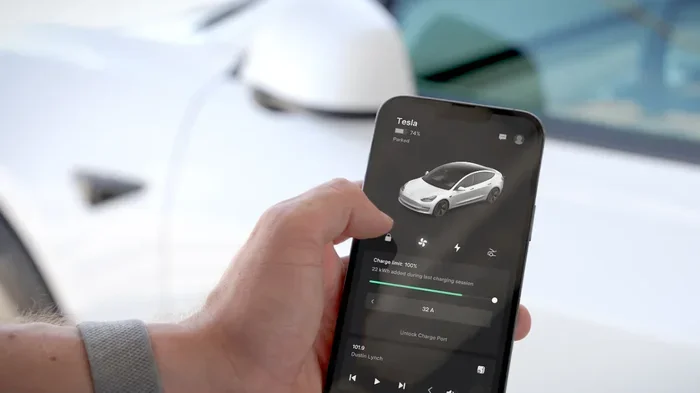
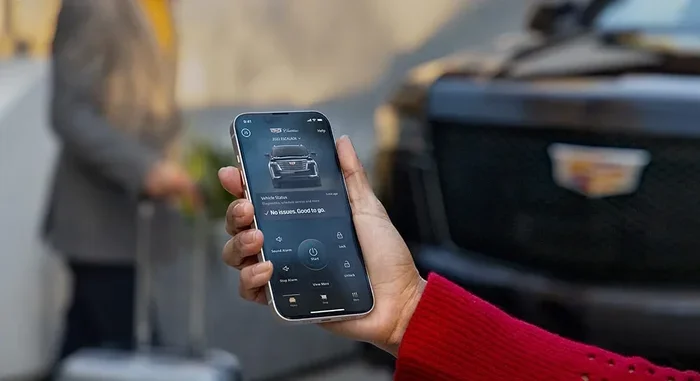
The MyCadillac App lets you start your car remotely right from your smartphone. This guide walks you through every step, from downloading and setting up the app to using remote engine start and troubleshooting common issues. You will learn how to use remote vehicle start, keyless entry, and other powerful features that make owning a Cadillac more convenient than ever.
The MyCadillac App has changed the way Cadillac owners interact with their vehicles. Instead of searching for your keys in a crowded parking lot, you can simply tap your phone and start your car from a distance. This powerful tool puts vehicle control right at your fingertips.
The MyCadillac App is more than just a remote start tool. It offers keyless entry, climate pre-conditioning, vehicle status checks, and much more. Whether you are dealing with a cold winter morning or a hot summer day, the app helps you prepare your car before you even walk out the door.
In this guide, we will walk you through everything you need to know about using the MyCadillac App to start your car. You will learn how to set it up, use its features, and solve common problems. By the end, you will feel confident using the app every single day.
Key Takeaways
- Easy Setup: Starting your car with the MyCadillac App is simple and takes just a few minutes to configure.
- Remote Engine Start: You can warm up or cool down your Cadillac from anywhere using your phone.
- Keyless Convenience: The app works as a digital key, so you never need to fumble with physical keys again.
- Built-In Safety: Remote start features include security checks that protect your vehicle from unauthorized use.
- Climate Control: You can pre-set your car’s temperature before you even get in.
- Troubleshooting Help: Common issues have simple fixes that you can handle yourself.
📑 Table of Contents
- What Is the MyCadillac App?
- How to Set Up the MyCadillac App for Remote Start
- Using Remote Start and Keyless Features
- Troubleshooting Common MyCadillac App Issues
- Safety Tips for Using the MyCadillac App to Start Your Car
- MyCadillac App vs. Traditional Key Starting
- Getting the Most Out of Your MyCadillac App
- Conclusion
What Is the MyCadillac App?
The MyCadillac App is a smartphone application designed to let Cadillac owners control certain vehicle functions remotely. It works with select Cadillac models that support connected car technology. The app connects to your vehicle through a cellular network, giving you access from almost anywhere.
With the MyCadillac App, you can do things like lock and unlock doors, check fuel levels, and yes, start your engine without being inside the car. It is part of a broader trend of smartphone car control that has made driving more convenient for millions of people.
Who Can Use the MyCadillac App?
Not every Cadillac model supports the app. You need a vehicle equipped with Cadillac connected services. Most newer models from 2017 onward include this capability. You should check your specific model to confirm compatibility. The app works with both Apple and Android devices, so almost everyone can use it.
To get started, you will need a stable internet connection on your phone and a properly registered Cadillac account. The setup process is straightforward, but it does require a few steps we will cover in detail below.
How to Set Up the MyCadillac App for Remote Start
Setting up the MyCadillac App is the first and most important step. Without proper configuration, the remote start feature will not work. The good news is that the process is simple and does not require any technical skills.
Step 1: Download the App
Go to the Apple App Store or Google Play Store and search for “MyCadillac.” Download the app to your smartphone. Make sure you have enough storage space and a reliable Wi-Fi connection during the download. The app is free to download, which makes it easy for anyone to try.
Step 2: Create Your Account
Open the app and follow the prompts to create your account. You will need your Cadillac vehicle identification number and some personal details. The app will guide you through each step. Make sure you use a strong password to keep your account secure.
Step 3: Link Your Vehicle
After creating your account, you need to link your specific vehicle. Enter your VIN or use the in-app vehicle pairing tool. The app will verify your vehicle and connect it to your account. This step usually takes just a few minutes.
Step 4: Enable Remote Start
Once your vehicle is linked, go to the settings menu and enable the remote start feature. You may need to agree to terms of service and confirm your vehicle subscription. Some Cadillac models require an active connected services plan for full functionality.
After enabling remote start, you can test the feature in a safe, open area. Stand near your vehicle and try starting the engine from the app. Make sure everything works before you rely on it in an emergency.
Using Remote Start and Keyless Features
The main reason most people download the MyCadillac App is for remote start. This feature lets you start your engine without being near the vehicle. It is incredibly useful during cold winters or hot summers when you want your car at a comfortable temperature before you get in.
How Remote Engine Start Works
When you use the app to start your car, the engine turns on and the climate control system activates. You can set the temperature in advance so your car is warm or cool when you arrive. The engine will run for a preset amount of time, usually around 15 minutes, before it shuts off automatically.
One important thing to know is that you cannot start your car using the app if the doors are unlocked or if the vehicle is in gear. The system includes safety checks to prevent accidents. This is similar to how keyless ignition systems work in modern vehicles, where the car verifies that the key fob is nearby before allowing the engine to start.
Using the App as a Digital Key
The MyCadillac App also functions as a digital key. You can lock and unlock your doors using your phone. This means you never need to worry about losing your physical key fob. The digital key uses Bluetooth and cellular signals to communicate with your vehicle.
For those who have wondered whether you can start a car without a physical key, the answer is yes, with the MyCadillac App. The app-based keyless entry system replaces the traditional key fob in many situations. However, it is always wise to keep a physical backup key handy just in case.
Climate Control and Comfort Features
The climate control feature is one of the most popular aspects of the MyCadillac App. You can set your preferred temperature from your phone and have the system running before you step outside. This is especially helpful in regions with extreme weather.
During winter, starting your car remotely lets the heater warm up the interior. During summer, you can turn on the air conditioning to cool down the cabin. The app gives you control over these settings right from your couch or office desk.
Comparing Remote Start Methods
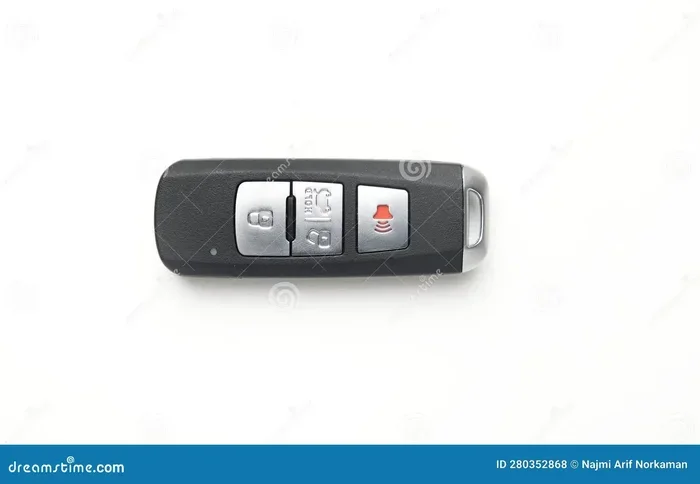
There are different ways to remotely start a car. The traditional method uses a key fob with a remote start button. The MyCadillac App offers a more modern approach using your smartphone. Both methods achieve the same goal, but the app provides more flexibility and control.
For example, with a key fob, you need to be within a certain range of the vehicle. The MyCadillac App works over cellular networks, meaning you can start your car from miles away. This is a significant advantage for people who live in cold climates and want to defrost their windshield before leaving the house.
If you are curious about how different remote start methods compare, you might find it interesting to explore Can I Remote Start My Toyota With the Key Fob for a broader perspective on remote start technology across different brands.
Troubleshooting Common MyCadillac App Issues
Like any technology, the MyCadillac App can sometimes have issues. The good news is that most problems have simple solutions. Here are the most common issues owners face and how to fix them.
App Won’t Connect to the Vehicle
If the app fails to connect, check your internet connection first. The app needs a stable data or Wi-Fi connection to communicate with your vehicle. Try closing the app and reopening it. If that does not work, log out and log back in to your account.
Sometimes the issue is on the vehicle side. Make sure your car is properly registered in the system. You may also need to check if your connected services subscription is active. An expired subscription can block the app from connecting.
Remote Start Does Not Work
If remote start fails, check a few things first. Make sure all doors are closed and locked. Verify that the transmission is in park. Check that the vehicle has enough fuel or battery charge. These are the most common reasons remote start will not engage.
Another possible cause is that the vehicle’s security system may have been triggered. If your car has an alarm or security feature active, it can block remote start. Try disarming the system and trying again.
App Freezes or Crashes
App crashes can happen, especially after updates. Make sure your app is updated to the latest version. If the problem continues, try uninstalling and reinstalling the app. This often resolves minor software glitches that cause the app to freeze or behave unexpectedly.
On your phone, clear the app cache and restart your device. These simple steps resolve most app performance issues without needing professional help.
Digital Key Not Working
If the digital key feature fails, make sure Bluetooth is enabled on your phone. The app uses Bluetooth to communicate with your vehicle at close range. If Bluetooth is off or your phone is in airplane mode, the digital key will not work.
Also check that your phone has enough battery. A low phone battery can interfere with Bluetooth connectivity. If the problem persists, try removing and re-adding the vehicle in the app settings.
Safety Tips for Using the MyCadillac App to Start Your Car
While the MyCadillac App is convenient, safety should always come first. Remote starting a car comes with responsibilities that every owner should understand.
Never Start Your Car in an Enclosed Space
Carbon monoxide is a serious danger when running a car engine in a garage or enclosed area. Always make sure your vehicle is in an open, well-ventilated space before using remote start. This is a basic safety rule that applies to all remote start systems, not just the MyCadillac App.
Even if your car is parked outside, be mindful of where it is located. Starting the engine in a tight, enclosed driveway can still create dangerous fumes. Use common sense and always prioritize ventilation.
Keep Your App Account Secure
Your MyCadillac App account controls your vehicle. If someone else gains access to your account, they could start your car or unlock your doors. Use a strong, unique password and enable two-factor authentication if the app supports it.
Never share your login credentials with anyone you do not trust. If you suspect someone has accessed your account, change your password immediately and contact Cadillac customer service for assistance.
Be Aware of Local Laws
Some regions have laws about idling vehicles. Leaving your car running unattended, even remotely, may be restricted in certain areas. Check local regulations to make sure you are following the law. Being aware of these rules helps you avoid fines and keeps you on the right side of the law.
It is also worth noting that extended idling can waste fuel and harm the environment. Use remote start responsibly and only for the time you need to prepare your vehicle.
Monitor Your Vehicle After Remote Start
Once you start your car using the app, keep an eye on your vehicle. The app provides real-time status updates that let you know if anything changes. If the app alerts you to a problem, address it quickly.
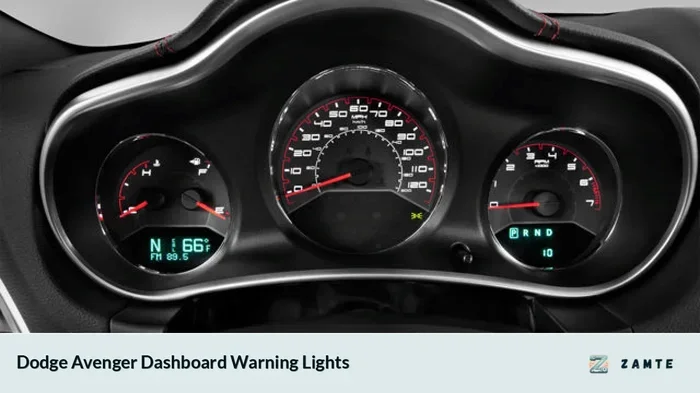
After starting your car remotely, you should still walk to the vehicle and confirm everything looks normal. Check for any warning lights on the dashboard and make sure the area around the car is clear before you get in and drive.
Understanding how long your car can safely idle is important for responsible use. If you want to learn more about safe idling practices, check out How Long Can a Car Idle Safely for helpful guidelines on managing your vehicle’s idle time.
MyCadillac App vs. Traditional Key Starting
The MyCadillac App offers a modern alternative to traditional key starting. Both methods have their advantages, and understanding them helps you decide which approach works best for your lifestyle.
Convenience Comparison
The app wins clearly in terms of convenience. With a traditional key fob, you must be within a few feet of your vehicle to start the engine. The MyCadillac App lets you start your car from anywhere with cell service. You can warm up your car while you are still finishing your coffee inside your home.
Traditional key starting also requires you to physically insert the key or press the fob button. The app eliminates this step entirely. One tap on your phone is all it takes to get your engine running.
Security Comparison
When it comes to security, both methods have strong protections. Traditional key fobs use encrypted signals that are difficult to clone. The MyCadillac App uses multiple layers of security, including account authentication, encrypted communication, and vehicle verification checks.
The app has an advantage because it sends notifications to your phone whenever someone starts or attempts to start your vehicle. This real-time alert system gives you greater awareness of your car’s status at all times.
Which Method Is Better for You?
For most Cadillac owners, the MyCadillac App provides the best overall experience. It combines convenience, security, and modern technology in one easy-to-use package. However, keeping a traditional key fob as a backup is always a smart move. Technology can fail, and having a fallback option gives you peace of mind.
If you are new to starting your car without a traditional key, you may want to read about Can You Start an Ignition Without a Key to understand the broader landscape of keyless starting technology and how it has evolved.
Getting the Most Out of Your MyCadillac App
The MyCadillac App offers many features beyond just starting your car. Exploring these features helps you get the full value of your subscription and enhances your ownership experience.
Use the app to check your fuel level before you leave home. This saves trips to the gas station and helps you plan your route more efficiently. You can also check tire pressure, oil life, and other maintenance reminders through the app dashboard.
The MyCadillac App also lets you locate your vehicle in crowded parking lots. This feature uses GPS to show you exactly where your car is parked. It is a small but incredibly useful tool that saves time and reduces frustration.
Another great feature is the ability to send destinations to your car’s navigation system. You can look up directions on your phone and send them to the car before you get in. This means your navigation is ready to go the moment you sit down behind the wheel.
Regularly updating the app ensures you have access to the latest features and security improvements. Cadillac releases updates periodically, and keeping your app current helps everything run smoothly. Check the app store for updates at least once a month.
Conclusion
The MyCadillac App is a powerful tool that makes starting your car easier and more convenient than ever before. From remote engine start to digital key access, the app brings modern technology directly to your fingertips. With a simple setup process and intuitive controls, it is well worth exploring if you own a compatible Cadillac.
By following the steps in this guide, you can set up the app, use its features confidently, and troubleshoot any issues that come up. Remember to prioritize safety, keep your account secure, and use the app responsibly. The MyCadillac App transforms your smartphone into a powerful vehicle control center that fits right in your pocket.
Take some time today to explore the app and try out its features. You will quickly discover how much easier and more enjoyable your Cadillac ownership experience can be. The future of car control is here, and it starts with the MyCadillac App.
Frequently Asked Questions
Can I start my Cadillac from another state using the MyCadillac App?
Yes, you can start your Cadillac from almost anywhere as long as you have an internet connection. The app uses cellular networks to communicate with your vehicle, so distance is not a barrier. However, make sure you follow local laws regarding unattended idling before using remote start from far away.
Do I need a special subscription to use the remote start feature?
Many Cadillac models require an active connected services subscription for full app functionality, including remote start. Check with your Cadillac dealer or refer to your vehicle’s documentation to confirm your subscription status. Some newer models include the feature at no extra cost for a trial period.
Can I start my car with the MyCadillac App if my phone is dead?
No, you need a powered-on phone with an active internet connection to use the app. This is why it is important to keep your phone charged and to carry your physical key fob as a backup. The app is a supplement to, not a replacement for, your traditional keys.
Is it safe to leave my car running remotely with the MyCadillac App?
It is generally safe if you follow basic precautions. Always start your car in an open, well-ventilated area. Make sure the transmission is in park and all doors are locked. The app includes security features like automatic engine shutoff after a set time to prevent accidents.
What Cadillac models are compatible with the MyCadillac App?
Most Cadillac models from 2017 onward support the MyCadillac App. However, compatibility depends on whether your specific vehicle has the connected services package installed. Check with your dealer or visit the Cadillac website to confirm your model’s eligibility before downloading the app.
Can I use the MyCadillac App to start my car if I am not the registered owner?
The app is tied to the registered owner’s account. However, Cadillac allows you to add authorized users to your account. If you are an authorized user, you can link the vehicle to your own app profile and use the remote start feature. Contact Cadillac customer service to set up additional users on your account.