How to Set Clock in Subaru Forester Step by Step Guide
Setting the clock in your Subaru Forester is simple once you know the right steps. This guide walks you through the entire process for every model year, from older analog dashboards to the latest infotainment systems. You will also learn how to troubleshoot common clock issues and keep your time accurate year-round.
Have you ever jumped into your Subaru Forester and noticed the clock is completely wrong? Maybe it still shows last week’s time or the wrong time zone after a long road trip. Whatever the reason, learning how to set clock in Subaru Forester is a quick and satisfying fix. You do not need to be a mechanic or a tech expert. This guide breaks down every method step by step so you can get your dashboard looking right again.
The Subaru Forester has been around for decades, and the clock setup process changes depending on your model year. Older models use simple dashboard knobs, while newer ones rely on digital infotainment screens. No matter which version you own, the process is straightforward once you know where to look. In this article, we cover every method, every common problem, and every pro tip you need.
Knowing how to adjust your vehicle’s clock is one of those small maintenance tasks that makes a big difference. It keeps your daily commute organized, helps you arrive on time, and adds a touch of polish to your driving experience. Let us dive right in and get your Subaru Forester clock set perfectly.
Key Takeaways
- Multiple Methods: You can set the clock through the dashboard controls, the infotainment screen, or the steering wheel buttons depending on your model year.
- Quick Process: Most Subaru Forester models let you adjust the clock in under five minutes with no special tools needed.
- Common Issues Are Fixable: A clock that resets after turning off the car usually points to a simple battery or fuse problem.
- 24-Hour vs 12-Hour Format: You can switch between time formats easily in the settings menu of newer Forester models.
- Regular Maintenance Helps: Keeping your battery healthy ensures your clock stays synced and accurate over time.
- Model Year Matters: The steps vary slightly between older and newer Subaru Forester generations, so always check your specific model.
📑 Table of Contents
Understanding Your Subaru Forester Clock System
Before you start adjusting anything, it helps to understand what kind of clock system your Subaru Forester uses. Different model years and trim levels come with different setups. Once you identify your system, the rest becomes much easier.
Analog Clocks in Older Subaru Forester Models
Older Subaru Forester models, especially those from the early 2000s and late 1990s, often feature a simple analog clock on the dashboard. These clocks use a small knob or button behind the clock face to adjust the time. You will usually find the knob near the bottom or side of the clock. Turning it clockwise or counterclockwise changes the hour and minute settings.
These analog clocks are charming and simple, but they can be tricky to read in low light. They also do not automatically adjust for daylight saving time. If your Subaru Forester has one of these clocks, the process of setting the clock involves pressing and holding the knob to enter adjustment mode.
Digital Clocks in Mid-Range Models
Mid-range Subaru Forester models from roughly 2005 to 2012 typically feature a digital clock display. These show the time in bright LED or LCD digits right on the dashboard. The controls are usually a combination of buttons located near the clock or on the steering wheel. Some models let you toggle between 12-hour and 24-hour format through a simple button press.
Adjusting a digital clock on these models is generally faster than working with an analog one. You press a “set” or “adjust” button, use the arrow keys to change the numbers, and confirm your selection. It is a clean and intuitive process that most drivers can handle in under two minutes.
Infotainment Clock in Newer Subaru Forester Models
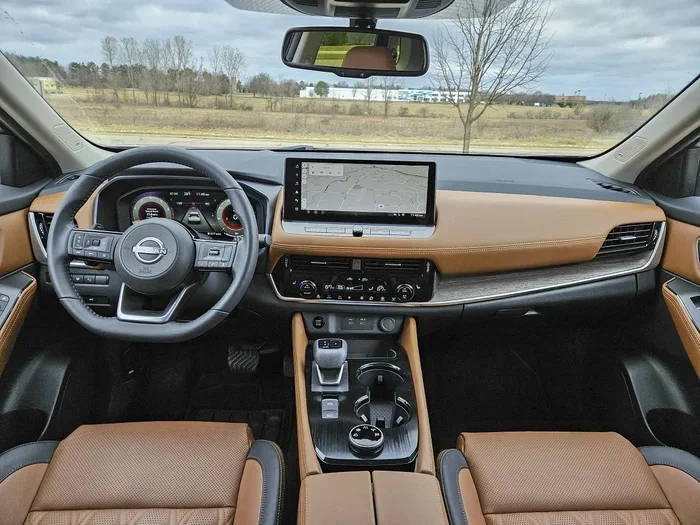
Newer Subaru Forester models, especially those from 2013 onward, integrate the clock into the main infotainment screen. The Subaru Starlink system and similar platforms display the time prominently on the home screen. You can access clock settings through the “Settings” or “Setup” menu on the touchscreen.
These modern systems offer the most flexibility. You can change the time zone, switch between formats, and even sync the clock with your phone in some cases. The Subaru Forester clock in newer models also tends to remember your preferences even after you turn off the engine. This makes the whole experience much more convenient.
How to Set Clock in Subaru Forester Step by Step
Now that you understand your clock system, let us walk through the actual process. We will cover each type of setup so you can follow the instructions that match your vehicle.
Method 1: Setting the Clock Using Dashboard Controls
This method works for most Subaru Forester models with a dedicated clock on the dashboard. Follow these simple steps:
- Turn on the ignition. You do not need to start the engine. Just turn the key to the “On” position or press the start button without pressing the brake.
- Locate the clock controls. Look for a small knob or button near the clock display. On some models, you will find a “SET” or “ADJ” button.
- Press and hold the set button. Hold it for about two to three seconds. The display should start blinking, which means you are in adjustment mode.
- Use the arrow buttons to change the time. Press the up or down arrows to adjust the hour first, then the minute.
- Confirm your settings. Press the set button again or wait a few seconds for the clock to save automatically.
That is it. Your Subaru Forester clock should now display the correct time. If you are unsure which button does what, check the owner manual or look for small icons near the buttons that indicate their function.
Method 2: Setting the Clock Through the Infotainment Screen
For newer Subaru Forester models with a touchscreen, the process is slightly different but just as simple:
- Tap the Settings icon. Look for a gear icon on the home screen of your infotainment system.
- Navigate to the Clock or Setup menu. Scroll through the options until you find “Clock Settings” or “Time and Date.”
- Select the time format. Choose between 12-hour and 24-hour format based on your preference.
- Adjust the hour and minute. Use the on-screen buttons or arrows to set the correct time.
- Select your time zone. If your Forester supports automatic time zone detection, you can enable this feature for even easier setup.
- Tap Save or Confirm. The system will store your new settings immediately.
Many drivers find this method the easiest because the touchscreen makes it very visual. You can see the changes in real time as you adjust them. If you ever need to reset clock Subaru Forester settings, you can always return to this menu and start over.
Method 3: Using the Steering Wheel Controls
Some Subaru Forester models allow you to adjust the clock using buttons on the steering wheel. This is especially handy when you want to make a quick change while driving safely:
- Locate the steering wheel buttons. Look for up and down arrow buttons on the left side of the steering wheel.
- Press and hold the clock button. This button may be labeled “Clock” or have a clock icon.
- Use the arrow buttons to adjust the time. Press up to increase the hour and down to decrease it, or vice versa depending on your model.
- Release the clock button to save. The system will automatically store the new time setting.
This method is perfect for quick adjustments on the go. However, not all Subaru Forester models support steering wheel clock controls, so check your specific model to be sure.
Common Clock Problems and How to Fix Them
Even after you successfully set clock in Subaru Forester, you might run into some issues. These are common and usually easy to fix.
Clock Resets After Turning Off the Car
If your Subaru Forester clock resets every time you turn off the engine, the most likely culprit is a weak battery. The clock needs a constant power supply to retain its settings. When the battery is low or dying, the clock loses its memory and resets to a default time, usually 12:00.
To fix this, have your battery tested at a local auto parts store. Most stores offer free battery testing. If the battery is old or weak, replacing it is a simple and affordable fix. You can also check the how to open the exterior bonnet to inspect the battery terminals for corrosion, which can cause power issues.
Clock Display Is Dim or Not Visible
A dim or invisible clock display is usually a simple fix. Check your dashboard brightness settings through the infotainment system. Some Subaru Forester models have a “Dim” or “Night Mode” that reduces the brightness of all displays, including the clock. Adjusting this setting can restore visibility instantly.
If the display is completely blank, the clock bulb may need replacement. This is a minor fix that a local mechanic can handle quickly. In the meantime, you can always check the time on your phone or watch while driving.
Incorrect Time Zone After Travel
If you have traveled across time zones and your Subaru Forester clock still shows the old time, you need to manually update the time zone. On models with infotainment systems, go to the Clock Settings menu and select your current time zone. Some newer models support automatic time zone updates through GPS, which can save you the hassle.
Clock Will Not Respond to Buttons
If the clock buttons on your dashboard are unresponsive, try turning the ignition off and back on. Sometimes the system needs a quick reset. If that does not work, check the fuse box. A blown fuse related to the dashboard or infotainment system can cause the clock to stop working. You can learn more about reading ABS codes without a scanner which also involves accessing your vehicle’s diagnostic systems and may give you insight into electrical issues affecting the clock.
Tips for Keeping Your Subaru Forester Clock Accurate
Once you have your clock set correctly, you want to keep it accurate. Here are some practical tips that every Subaru Forester owner should follow.
Sync with an Accurate Time Source
Always set your clock using a reliable time source. Your smartphone, a wall clock connected to atomic time, or an online time server like time.gov are all excellent references. Avoid setting the clock based on a wristwatch that might be a few minutes off.
Enable Automatic Time Sync if Available
Many newer Subaru Forester models offer automatic time synchronization through the infotainment system. This feature uses GPS or cellular data to keep your clock accurate at all times. If your model supports it, enabling this feature is one of the best things you can do. It removes the need to manually adjust the clock twice a year for daylight saving time.
Keep Your Battery Healthy
A healthy battery is the foundation of a working clock. Get your battery tested at least once a year, especially before winter. Cold weather can drain batteries faster and cause clock resets. If you notice your clock resetting frequently, do not ignore it. Address the battery issue promptly to avoid bigger problems down the road.
Update Your Infotainment Software
Subaru occasionally releases software updates for the infotainment system. These updates can fix bugs that affect clock accuracy or settings retention. Check with your local Subaru dealer or visit the Subaru website to see if any updates are available for your model. Keeping your software up to date also improves overall system performance.
Use the 24-Hour Format for Clarity
If you find the 12-hour format confusing, especially when it is late at night, switch to the 24-hour format. This eliminates any AM/PM confusion and makes reading the clock faster. Most Subaru Forester models support this option in the clock settings menu.
When to Seek Professional Help for Clock Issues
Most clock issues in the Subaru Forester are simple to fix on your own. However, some problems require professional attention. If you have tried all the steps above and the clock still does not work, it is time to visit a mechanic or a Subaru dealership.
Persistent electrical issues, a completely unresponsive infotainment screen, or a clock that drains your battery quickly are all signs of a deeper problem. A certified Subaru technician can diagnose the issue using specialized tools. They can also check for software glitches or wiring problems that are not visible to the naked eye.
Do not let a broken clock affect your daily routine. Getting professional help ensures the problem is fixed correctly and prevents it from causing further issues with your vehicle’s electrical system. If you are planning a long road trip or commute, make sure your Subaru Forester clock is working perfectly before you hit the road.
Final Thoughts on Setting Your Subaru Forester Clock
Learning how to set clock in Subaru Forester is one of those small skills that pays off every single day. Whether you own an older model with a simple analog clock or the latest model with a touchscreen infotainment system, the process is straightforward and takes only a few minutes. Once your clock is set correctly, you will wonder why you ever let it sit at the wrong time.
Remember to check your clock regularly, especially after a battery replacement or a long trip across time zones. Keep your battery healthy, update your software when needed, and do not hesitate to seek professional help if something feels off. Your Subaru Forester is a reliable vehicle, and keeping the little things like the clock in good shape contributes to a better overall driving experience.
Take a few minutes today to adjust your clock if it needs it. It is a small effort that makes a big difference in your daily routine. A correctly set clock keeps you on time, reduces stress, and helps you start every drive on the right foot.
If you are new to working on your Subaru Forester and want to learn more about your vehicle, check out our guide on how to drive a car for beginners. It covers essential skills that every new driver should know. Also, if you are considering modifications or upgrades, you might want to read about how to modify a car to make it faster for tips on enhancing your Subaru Forester’s performance.
Frequently Asked Questions
How do I set the clock on a Subaru Forester with a touchscreen?
Tap the Settings icon on your infotainment screen, navigate to “Clock Settings” or “Time and Date,” and use the on-screen controls to adjust the hour and minute. Select your time zone if needed and tap Save to confirm your settings.
Why does my Subaru Forester clock keep resetting to 12:00?
A clock that resets to 12:00 usually indicates a weak or dying battery. The clock loses power when the battery cannot hold a charge. Have your battery tested and replace it if necessary to fix this issue permanently.
Can I change my Subaru Forester clock from 12-hour to 24-hour format?
Yes, most Subaru Forester models allow you to switch between 12-hour and 24-hour formats. Go to the Clock Settings menu on your dashboard or infotainment screen and select your preferred format.
Is there a way to automatically sync my Subaru Forester clock?
Some newer Subaru Forester models support automatic time synchronization through GPS or cellular data. Check your infotainment system settings for an “Auto Sync” or “Automatic Time Zone” option and enable it if available.
What should I do if the clock buttons on my Subaru Forester are not working?
Try turning the ignition off and back on to reset the system. If the buttons still do not respond, check the fuse box for a blown fuse. If the issue persists, visit a Subaru dealership or qualified mechanic for diagnosis.
How long does it take to set the clock in a Subaru Forester?
Setting the clock in a Subaru Forester typically takes between two and five minutes. The exact time depends on your model year and the method you use. Dashboard controls are the fastest, while infotainment screens offer more options but take slightly longer.