Does the Toyota App Tell You If Your Sunroof Is Open
The Toyota app does not directly show a sunroof status indicator on the home screen, but it does send notifications if your sunroof is left open. Toyota’s connected services include a sunroof open alert feature that helps prevent rain damage and keeps your vehicle safe. Understanding how this works can save you from costly repairs and unexpected messes inside your car.
Have you ever walked away from your Toyota and wondered, “Did I leave the sunroof open?” It happens to the best of us. A sunny morning turns into a rainy disaster when you forget to close that big pane of glass on top of your car. So, does the Toyota app tell you if your sunroof is open? The short answer is yes, but there are some important details you need to know. Let me walk you through everything about Toyota app sunroof alerts and how they work.
The Toyota app has grown into a powerful tool for vehicle owners. It lets you lock your doors, check fuel levels, and even start your engine from afar. But one feature that often gets overlooked is the sunroof open alert. This notification can save you from water damage, ruined upholstery, and expensive repairs. In this article, I will break down exactly how the Toyota app handles sunroof status, what you need to set it up, and what limitations exist.
Whether you drive a new RAV4 or a trusty Camry, understanding your Toyota connected services matters. These features are designed to make your life easier and your vehicle safer. So let’s dive in and explore everything about sunroof notifications through the Toyota mobile app.
Key Takeaways
- Toyota app does send sunroof alerts: The app notifies you if your sunroof is left open after you lock the vehicle.
- Notification depends on connected services: You need an active Toyota Connected Services subscription for full alerts.
- Manual checks are still important: The app is a backup, not a replacement for physically checking your sunroof.
- Other vehicle features are trackable too: The Toyota app monitors doors, windows, and lock status as well.
- Settings can be customized: You can adjust notification preferences within the Toyota app.
- Remote features work with compatible models: Not all Toyota vehicles support every app feature.
📑 Table of Contents
- How the Toyota App Handles Sunroof Status
- What You Need for Sunroof Alerts to Work
- Limitations of the Toyota App Sunroof Alert
- Other Vehicle Status Alerts Available Through the Toyota App
- How to Set Up Sunroof Alerts on Your Toyota App
- Expert Tips for Managing Your Sunroof and Toyota App
- Frequently Asked Questions
- Conclusion
How the Toyota App Handles Sunroof Status
The Toyota app uses a combination of sensors and connectivity to monitor your vehicle’s status. When it comes to the sunroof, the app relies on the same system that controls the sunroof motor. If the sunroof is open, the vehicle’s computer registers that position and can transmit that data to the app.
Sunroof Open Alert Feature
The sunroof open alert is part of Toyota’s broader notification system. When you lock your car using the app or the key fob, the system checks all open components. If the sunroof is not fully closed, the app sends you a push notification. This alert typically appears within seconds of locking the vehicle.
Here is how the process works step by step:
- You press the lock button on the app or key fob.
- The vehicle’s computer checks all doors, windows, and the sunroof.
- If the sunroof is open, the system flags it.
- A push notification is sent to your phone through the Toyota app.
- You receive the alert and can decide whether to return to the vehicle.
This feature is incredibly useful, especially during storm season. I know people who have saved thousands of dollars in interior repairs because of this simple alert. The Toyota remote features extend well beyond just locking and unlocking. They create a safety net for forgetful drivers like all of us.
Notification Settings and Customization
Not everyone wants the same level of notifications. The Toyota app lets you customize what alerts you receive. You can manage your Toyota app notifications by going into the settings menu. From there, you can toggle sunroof alerts on or off. You can also choose which types of notifications you want to receive.
Some owners prefer to receive every alert. Others find constant notifications annoying and turn most of them off. My advice is to keep the sunroof alert enabled. It is one of the most practical notifications the app offers. Rain does not wait for you to remember your sunroof.
To adjust your notification settings:
- Open the Toyota app on your phone.
- Go to Settings or Preferences.
- Select Notifications.
- Find the Sunroof Alert option.
- Toggle it on or off based on your preference.
What You Need for Sunroof Alerts to Work
The sunroof alert feature does not work on every Toyota vehicle automatically. There are specific requirements you need to meet. Let me walk you through what is necessary for this feature to function properly.
Compatible Toyota Models
Most newer Toyota models support the sunroof alert feature. Vehicles equipped with a power sunroof or panoramic roof typically have the sensors needed for this function. Models like the RAV4, Highlander, Camry, and Avalon often come with full Toyota connected services compatibility.
However, older models may not have the technology to transmit sunroof status to the app. If your Toyota was built before the mid-2010s, you might not have access to this feature. It is always a good idea to check your vehicle’s manual or contact a Toyota dealership to confirm compatibility.
Here are some general guidelines for compatibility:
- 2017 and newer models: Most support sunroof alerts through the Toyota app.
- Mid-2010s models: Some support it, but features may be limited.
- Pre-2010 models: Typically do not support app-based sunroof monitoring.
Toyota Connected Services Subscription
This is a critical piece of the puzzle. To receive sunroof alerts and other remote notifications, you need an active Toyota connected services subscription. This subscription varies by model and trim level. Some Toyota vehicles come with a free trial period, while others require a paid subscription from day one.
The subscription gives you access to a range of features beyond sunroof alerts. You get remote start, vehicle tracking, and security alerts. Without the subscription, many of the Toyota app’s best features become unavailable. It is worth checking your subscription status if you are not receiving notifications.
If you are unsure about your subscription, you can check through the app. Go to your account settings and look for the subscription section. You can also visit a Toyota dealer and they can check it for you. Some owners find that Toyota Care includes connected services coverage, so it is worth asking about that too.
Smartphone and App Requirements
You also need a compatible smartphone to receive these alerts. The Toyota app works on both iOS and Android devices. Make sure your app is updated to the latest version. Outdated app versions sometimes miss notifications or experience glitches.
Additionally, your phone needs to have an active internet connection. The alert is sent to your phone through the cloud, so if your phone has no signal, you will not receive the notification in real time. This is important to remember if you are in a dead zone or underground parking garage.
Limitations of the Toyota App Sunroof Alert
While the sunroof alert is a fantastic feature, it is not perfect. There are some limitations that every Toyota owner should understand. Knowing these limitations helps you use the app more effectively and avoid frustration.
The App Is Not a Replacement for Physical Checks
No matter how good technology gets, it cannot replace a quick glance at your vehicle. The Toyota app sunroof alert is a backup system. It should not be your only method of confirming that your sunroof is closed. There are situations where the alert might fail or be delayed.
For example, if you are in an area with poor cellular coverage, the notification might not reach you immediately. Or if the vehicle’s battery is low, the sensors might not transmit properly. Always make it a habit to physically check your sunroof before walking away from your car.
Weather and Sensor Issues
Extreme weather can sometimes interfere with the sunroof sensors. Heavy snow or ice buildup on the sunroof track might prevent the sensor from accurately reading the sunroof position. In rare cases, the sensor itself can malfunction and fail to send the correct status to the app.
If you notice that your sunroof alerts are not working correctly, it might be a sensor issue. A dealership can run diagnostics on the sunroof system and check for error codes. Regular maintenance helps keep all your vehicle sensors working properly.
Delayed Notifications
Sometimes there is a delay between locking the vehicle and receiving the alert. This delay can range from a few seconds to a few minutes. It depends on your internet connection, the app server status, and the vehicle’s communication system.
If you lock your car and walk away quickly, you might not see the alert until you are already far from the vehicle. This is why I recommend making it a routine to wait a few seconds after locking to check for any alerts. A quick glance at your phone can save you from a soggy interior.
Other Vehicle Status Alerts Available Through the Toyota App
The sunroof alert is just one piece of a much larger puzzle. The Toyota app provides a range of vehicle status notifications that help you stay connected to your car. Let me highlight some of the most useful alerts you can expect.
Door and Lock Status
One of the most popular features is the door lock notification. The app tells you if any doors are unlocked after you leave the vehicle. This is incredibly helpful and works similarly to the sunroof alert. You can also lock and unlock doors remotely through the app.
If you have ever forgotten whether you locked your car, this feature is a lifesaver. You can simply open the app and check the lock status. Some owners even use the app to lock their doors after they have already walked away. It is a small convenience that adds up over time.
Similarly, you can check your vehicle status for windows. If you left a window cracked, the app can alert you just like it does with the sunroof. This multi-layered alert system makes the Toyota app a valuable tool for vehicle security.
Fuel Level and Maintenance Reminders
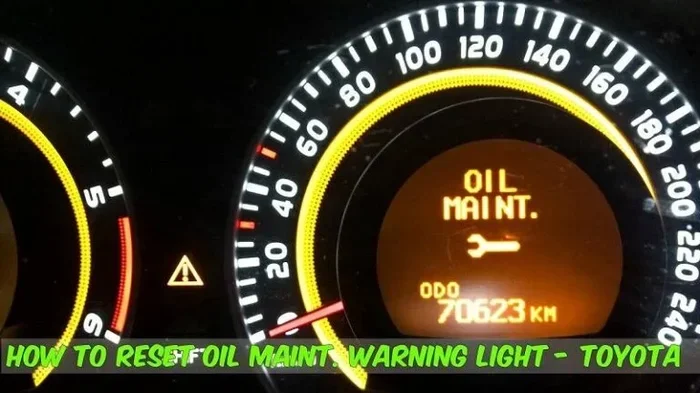
The Toyota app also tracks your fuel level and sends reminders when it is time for maintenance. You can check your fuel gauge remotely and plan your next gas station stop accordingly. Maintenance alerts help you stay on top of oil changes, tire rotations, and other routine services.
These features work together to give you a comprehensive view of your vehicle’s health. The more you use the app, the more connected you feel to your car. It transforms the ownership experience from reactive to proactive.
Security Alerts
Security is another area where the Toyota app shines. You can receive alerts if your vehicle is tampered with or if the alarm is triggered. Some models even allow you to view the vehicle’s location on a map. This is especially useful if you park in unfamiliar or high-traffic areas.
For owners who also use Toyota app keyless entry, these security features add an extra layer of protection. You always know who is accessing your vehicle and when.
How to Set Up Sunroof Alerts on Your Toyota App
Setting up sunroof alerts is straightforward, but it does require a few steps. Let me walk you through the process so you can start receiving notifications right away.
Step-by-Step Setup Guide
First, download the Toyota app from your device’s app store if you have not already. Create an account or sign in with your existing credentials. Link your vehicle to the app by entering your VIN or following the on-screen pairing instructions.
Once your vehicle is linked, navigate to the settings menu. Look for the notification preferences section. Find the sunroof alert toggle and make sure it is turned on. You may also want to enable other vehicle status alerts at the same time.
After you have configured your preferences, test the system. Leave your sunroof open and lock the vehicle using the app. Wait a few moments and check if you receive the alert. If you do, you are all set. If not, double-check your subscription status and internet connection.
Troubleshooting Common Issues
If you are not receiving sunroof alerts, do not panic. There are a few common issues that can cause this problem. First, check that your app is updated to the latest version. Outdated apps sometimes have bugs that prevent notifications from working.
Second, verify your Toyota connected services subscription is active. If it has expired, you will need to renew it to restore full functionality. Third, make sure your phone has a stable internet connection. Try toggling between Wi-Fi and cellular data to see if that resolves the issue.
If none of these steps work, contact Toyota customer support. They can walk you through advanced troubleshooting and check for any system-wide issues. You can also visit your local dealer for hands-on help.
Expert Tips for Managing Your Sunroof and Toyota App
Over the years, I have gathered some practical tips that can help you get the most out of your Toyota app and sunroof system. These small habits make a big difference in preventing accidents and staying organized.
- Make it a routine: Always check your mirrors and glance at the sky before walking away. The app is your backup, not your primary check.
- Keep the app updated: Toyota regularly releases updates that improve notification reliability and add new features.
- Use remote features wisely: If you realize you left your sunroof open, you can sometimes close it remotely through the app if your model supports it.
- Check your subscription: A lapsed Toyota connected services subscription is the most common reason alerts stop working.
- Clean your sunroof sensors: Dirt and debris can interfere with sensor accuracy. A quick wipe during car washes helps.
These tips might seem simple, but they add up. I have seen drivers save themselves from major headaches just by forming these small habits. The Toyota smart features work best when you use them consistently and understand their limitations.
Frequently Asked Questions
Does the Toyota app show sunroof status on the home screen?
No, the Toyota app does not display the sunroof status on the home screen by default. Instead, it sends you a push notification if the sunroof is left open after you lock the vehicle. You can check detailed vehicle status through the app’s vehicle menu, but the alert system is notification-based rather than dashboard-based.
Can I close my sunroof remotely using the Toyota app?
This depends on your Toyota model and year. Some newer Toyota vehicles support remote sunroof control through the app. However, most models only send an alert when the sunroof is open. Check your vehicle’s manual or consult a Toyota dealer to confirm if your specific model supports remote sunroof operation.
Do I need a subscription for sunroof alerts?
Yes, you need an active Toyota Connected Services subscription for most remote features, including sunroof alerts. Some Toyota vehicles come with a complimentary trial period, but after that, you will need an active paid subscription. You can check your subscription status in the app under account settings.
What should I do if I don’t receive a sunroof alert?
First, check that your app is updated and your phone has an internet connection. Then verify your Toyota Connected Services subscription is active. If everything looks correct and you still do not receive alerts, contact Toyota customer support or visit a dealership for diagnostics. There could be a sensor issue or a software glitch causing the problem.
Are sunroof alerts available on all Toyota models?
No, sunroof alerts are not available on all Toyota models. Most vehicles from 2017 onward with a power sunroof or panoramic roof support this feature. Older models or vehicles without a sunroof will not have this capability. Check with a Toyota dealer to confirm if your specific vehicle supports sunroof alerts through the app.
Can I customize which alerts I receive on the Toyota app?
Yes, the Toyota app allows you to customize your notification preferences. You can turn sunroof alerts on or off, as well as manage alerts for doors, windows, fuel levels, and maintenance reminders. Go to Settings in the app, select Notifications, and toggle the alerts you want to receive. Keeping the sunroof alert enabled is highly recommended.
Conclusion
So, does the Toyota app tell you if your sunroof is open? Yes, it does, and it is a feature worth taking advantage of. The Toyota app sunroof alert is a practical tool that protects your vehicle from water damage and gives you peace of mind. By understanding how the feature works, what you need to set it up, and its limitations, you can use it to its full potential.
Remember that the app is a helpful backup, not a replacement for good habits. Always physically check your sunroof before leaving your vehicle. Keep your Toyota connected services subscription active. And stay on top of app updates and sensor maintenance.
The Toyota app continues to evolve and add new features that make vehicle ownership more convenient. The sunroof alert is just one example of how technology can prevent everyday problems. Embrace these tools, and you will drive with more confidence and fewer surprises.