How to Clear the Maintenance Required Light on Toyota Camry
Clearing the maintenance required light on a Toyota Camry is a simple process you can do at home in minutes. Whether you just finished an oil change or the light keeps coming back, this guide walks you through every method for different Camry model years. You will learn the trip meter reset technique, the Odometer method, and what to do if the light won’t turn off. Keep your Camry running smoothly and your dashboard clean with these easy steps.
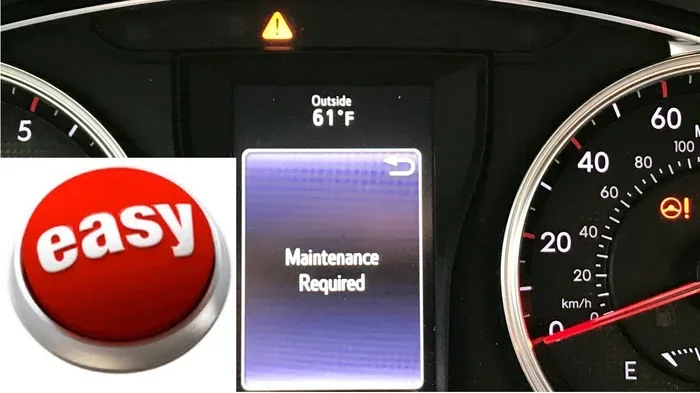
That little yellow or orange light on your dashboard that says “Maintenance Required” can be annoying. It pops up at the worst times and makes you wonder what is going on with your car. If you own a Toyota Camry, you are not alone. This light comes on based on a preset maintenance interval, and it is your vehicle’s way of telling you it is time for routine service. The good news is that clearing this light is usually a quick and easy process. You do not need to visit a mechanic or spend money on a dealership visit. In this guide, we will walk you through every method to clear the maintenance required light on Toyota Camry models. We will cover older models, newer models, and even what to do if the light keeps coming back. Let us get started.
## Why Does the Maintenance Required Light Come On?
### Understanding the Maintenance Reminder System
The maintenance required light on your Toyota Camry is part of the vehicle’s onboard maintenance reminder system. This system tracks your mileage and alerts you when it is time for scheduled service. Most Toyota Camry models are set to trigger this light every 5,000 miles or every 6 months. The light is not a warning about a mechanical problem. It is simply a nudge to keep up with routine maintenance. This is different from the check engine light, which signals an actual issue with your vehicle.
### Common Reasons the Light Appears
Several things can cause the maintenance required light to illuminate on your Toyota Camry dashboard. The most common reason is reaching the mileage interval set by the manufacturer. Other reasons include a missed oil change, a recent service that was not reset, or a minor system glitch. Sometimes the light comes on after you have already serviced the vehicle, which can be confusing. Understanding why the light appears helps you address it correctly.
### How It Differs from Other Dashboard Warning Lights
It is important to know the difference between the maintenance required light and other dashboard warning lights. The check engine light indicates a potential problem with the engine or emissions system. The oil pressure light warns of low oil levels. The battery light signals an issue with the charging system. The maintenance required light, however, is purely a service reminder. It does not mean your car is broken. Recognizing this difference can save you unnecessary worry.
## How to Clear the Maintenance Required Light on Toyota Camry
### Method 1: The Trip Meter Reset (Most Common)
The trip meter reset method works on most Toyota Camry models from the early 2000s through the mid-2010s. This is the most popular method because it is simple and requires no special equipment. You just need access to the trip meter buttons on your dashboard or steering wheel. Start by turning the ignition to the “ON” position without starting the engine. Then locate the trip meter reset button, usually found on the dashboard cluster or on the steering wheel controls. Press and hold the button while you turn the ignition off and then back on. Continue holding the button until the maintenance light blinks and then turns off. Release the button. The light should now be cleared from your dashboard.
This method resets the maintenance reminder for the next service interval. It does not fix any underlying issues because there typically are none. The light is simply a timer based on mileage. If you have completed your oil change or other scheduled maintenance, you can confidently clear the light using this method. For more details on dashboard lights and how to manage them, check out our guide on How Do I Get Rid Of The Service Light On My Dashboard.
### Method 2: The Odometer Button Method (Older Models)
If you own an older Toyota Camry, you might need to use the odometer button method. This approach works well for models from the 1990s through the early 2000s. Start by turning the ignition key to the “ON” position. Look at your odometer display. You will need to switch it to the trip meter mode by pressing the trip/odometer button on the dashboard. Once you are in trip meter mode, press and hold the same button. While holding it, turn the ignition key back to the “OFF” position. Then turn it back to “ON” while still holding the button. After a few seconds, the maintenance light should blink and then go out. Release the button and the reset is complete.
This method is slightly different from the trip meter reset but achieves the same result. It is a reliable way to clear the light on older Camry models that do not have steering wheel controls.
### Method 3: Steering Wheel Controls (Newer Models)
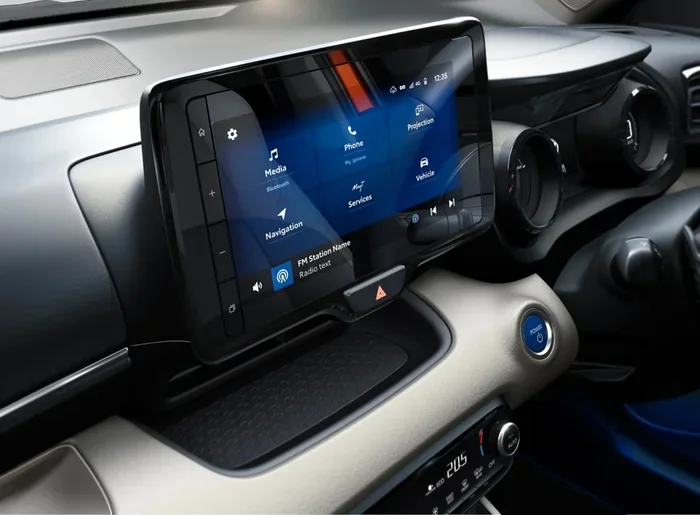
Newer Toyota Camry models, particularly those from 2015 and beyond, often use steering wheel controls to reset the maintenance light. These vehicles have a more digital dashboard interface. To use this method, start by pressing the “OK” or “Menu” button on the steering wheel to access the vehicle information screen. Scroll through the menu options using the up and down arrow buttons until you find the “Maintenance” or “Reset” option. Select it and follow the on-screen prompts to reset the maintenance reminder. The light on the dashboard should turn off after you complete the reset process.
This method is straightforward but varies slightly depending on your specific Camry trim level. If you are unsure about the exact steps for your model year, the owner’s manual is your best resource.
### Method 4: Using a Diagnostic Scanner
If the manual methods do not work or if you prefer a more precise approach, you can use a diagnostic scanner. A diagnostic scanner connects to the OBD-II port under your dashboard. It reads and clears maintenance codes from the vehicle’s computer system. You can purchase a basic OBD-II scanner for around $20 to $50 at most auto parts stores. Plug the scanner into the port, turn the ignition on, and follow the scanner’s instructions to clear the maintenance code. This method is especially useful if the maintenance required light keeps coming back after you try to reset it manually.
Using a diagnostic scanner also gives you access to other vehicle data. You can check for pending codes, view real-time sensor data, and monitor your Camry’s overall health. This makes it a valuable tool for any car owner.
## What to Do If the Light Won’t Turn Off
### Common Reasons the Light Persists
Sometimes the maintenance required light on a Toyota Camry will not turn off even after you try to reset it. This can be frustrating, but there are several reasons it might happen. The most common reason is that the maintenance has not actually been completed yet. If you have not changed the oil or performed the required service, the light will return shortly after you reset it. Another reason is a faulty reset procedure. If you did not follow the steps correctly, the system may not register the reset.
### Electrical or System Glitches
In some cases, a simple electrical glitch can cause the maintenance light to stay on. This happens when the vehicle’s computer system does not fully register the reset command. A loose connection, a dead battery, or a recent battery disconnect can trigger this issue. If you suspect a glitch, try disconnecting the negative battery terminal for about 15 minutes. Reconnect it and attempt the reset again. This often clears temporary system errors and resets the maintenance reminder.
### When to Visit a Toyota Dealership or Mechanic
If you have tried all the manual methods and the light still will not go away, it is time to seek professional help. A Toyota dealership can use factory-grade diagnostic tools to clear the maintenance code. They can also check for any underlying issues that might be causing the light to persist. A trusted mechanic can do the same with an aftermarket diagnostic scanner. Visiting a professional is especially important if you notice other warning lights on your dashboard at the same time. Multiple lights could indicate a more serious problem that needs immediate attention.
## Preventing the Maintenance Required Light from Coming Back
### Follow a Regular Maintenance Schedule
The best way to prevent the maintenance required light from appearing unexpectedly is to follow a regular maintenance schedule. Toyota recommends specific service intervals for oil changes, tire rotations, brake inspections, and fluid replacements. Sticking to this schedule keeps your Camry running smoothly and prevents the light from triggering. You can create your own maintenance schedule using a simple notebook or a digital app. For tips on building a maintenance plan, read our article on How Do I Create A Maintenance Schedule.
### Keep Track of Your Mileage
Tracking your mileage is essential for staying ahead of the maintenance required light. Most Camry models trigger the light at 5,000-mile intervals. If you know when your last service was, you can estimate when the next one is due. Many drivers keep a log on their phone or in the glove compartment. This simple habit helps you stay proactive and avoids the surprise of a dashboard light.
### Reset the Light Immediately After Service
Always reset the maintenance required light immediately after completing a service. Whether you change the oil yourself or visit a mechanic, take a moment to clear the light afterward. This ensures the system starts tracking the next service interval from the correct point. Forgetting to reset the light is one of the most common reasons it keeps coming back.
### Use Quality Parts and Fluids
Using quality parts and fluids during maintenance helps extend the life of your Toyota Camry. Genuine Toyota parts or high-quality aftermarket alternatives ensure your vehicle runs at its best. Cheap or low-quality fluids can lead to engine problems and may trigger warning lights. Investing in good maintenance products pays off in the long run.
## How Long Can a Toyota Camry Last with Proper Maintenance?
### The Longevity of the Toyota Camry
The Toyota Camry is one of the most reliable sedans on the road. With proper maintenance, a Camry can easily surpass 200,000 miles. Many owners report their Camrys lasting well beyond 300,000 miles. This incredible longevity is one of the reasons the Camry has been a best-selling vehicle for decades. Regular oil changes, timely brake replacements, and consistent fluid checks all contribute to this impressive lifespan. To learn more about how long a Camry can last, check out our article on Can A Toyota Camry Last 30 Years.
### The Role of Maintenance in Vehicle Longevity
Maintenance plays a huge role in how long your Camry will last. Skipping oil changes or ignoring warning lights can shorten your vehicle’s life significantly. On the other hand, staying on top of scheduled service keeps everything running smoothly. The maintenance required light is your first line of defense against neglect. Clearing it after service is not just cosmetic. It is part of a responsible ownership routine that protects your investment.
### Checking Your Oil Level Between Services
Checking your oil level between services is a great habit for Camry owners. You should check the oil at least once a month. Low oil levels can cause engine damage and may trigger warning lights on your dashboard. To check your oil, park the car on a level surface, wait for the engine to cool, and pull out the dipstick. Wipe it clean, reinsert it, and pull it out again to read the level. If the oil is low, add the recommended grade. For a detailed guide on checking oil levels, visit our article on How Do I Check The Oil Level In My Oil Tank.
## Expert Tips for Toyota Camry Owners
### Quick Tips for Managing Dashboard Lights
– Always consult your owner’s manual for model-specific instructions.
– Keep a flashlight in your glove box for checking dashboard lights at night.
– Take a photo of your dashboard when warning lights appear for reference.
– Reset the maintenance light right after every oil change or service.
– Address multiple warning lights promptly to avoid compounding issues.
### Common Mistakes to Avoid
– Do not ignore the maintenance required light for extended periods.
– Do not confuse it with the check engine light or oil pressure light.
– Do not attempt to reset the light without completing the required service first.
– Do not use incorrect oil or fluids during maintenance.
– Do not skip scheduled service intervals even if the light is off.
### When to Seek Professional Help
If the maintenance required light flashes instead of staying solid, it may indicate a more serious issue. A flashing maintenance light is rare but can signal a system error. In such cases, it is best to have a professional diagnose the problem. A Toyota-certified technician has access to specialized tools and software that can identify issues quickly. Do not hesitate to reach out to a dealership or trusted mechanic if you are unsure.
## Conclusion
Clearing the maintenance required light on a Toyota Camry is a task most owners can handle themselves. Whether you use the trip meter reset, the odometer button method, or steering wheel controls, the process is quick and straightforward. The key is to complete your scheduled maintenance first and then reset the light immediately afterward. If the light keeps coming back, do not panic. Check for system glitches, try a battery disconnect, or consult a professional. Keeping up with your Camry’s maintenance schedule not only clears the light but also extends the life of your vehicle. The Toyota Camry is built to last, and proper maintenance is the secret to unlocking that longevity. Take control of your dashboard, stay on top of service intervals, and enjoy the confidence that comes with a well-maintained car.
Key Takeaways
- Multiple Methods Exist: You can reset the maintenance light using the trip meter, odometer, or steering wheel controls depending on your Camry model year.
- Quick Process: Most resets take less than 5 minutes and require no special tools.
- Oil Change First: Always complete your oil change or scheduled maintenance before attempting to clear the light.
- Model Year Matters: The reset process varies slightly between older and newer Camry models.
- Light May Return: If the maintenance required light keeps coming back, it could signal an unresolved issue or a system glitch.
- Professional Help Available: A Toyota dealer or mechanic can reset the light using diagnostic tools if DIY methods fail.
Frequently Asked Questions
Can I drive my Toyota Camry with the maintenance required light on?
Yes, you can safely drive your Toyota Camry with the maintenance required light on. This light is simply a service reminder and does not indicate a mechanical problem. However, you should schedule maintenance soon to avoid missing an oil change or other important service.
What is the difference between the maintenance required light and the check engine light?
The maintenance required light is a routine service reminder based on mileage or time. The check engine light signals an actual problem with the engine, emissions system, or another critical component. If the check engine light is on, you should address it immediately. The maintenance required light is less urgent and simply reminds you of upcoming scheduled service.
How often does the maintenance required light come on for a Toyota Camry?
The maintenance required light typically comes on every 5,000 miles or every 6 months, whichever comes first. This interval is based on Toyota’s recommended maintenance schedule. Some newer models may adjust this interval based on driving conditions and habits.
Will clearing the maintenance light also reset the oil life indicator?
In most Toyota Camry models, clearing the maintenance required light also resets the oil life indicator. However, this depends on your specific model year. Newer models with digital displays may require separate reset procedures for the oil life system. Always consult your owner’s manual for model-specific instructions.
What should I do if the maintenance required light comes back right after I reset it?
If the light comes back immediately, it likely means the required service has not been completed yet. Double-check that you have changed the oil and performed all scheduled maintenance. If the service is complete, try the reset procedure again more carefully. If the problem persists, a system glitch or electrical issue may be the cause.
Do I need any special tools to clear the maintenance required light?
No, you do not need any special tools for most Toyota Camry models. The reset can be done using the buttons on your dashboard or steering wheel. However, if manual methods fail, an OBD-II diagnostic scanner can help. These scanners are affordable and widely available at auto parts stores.