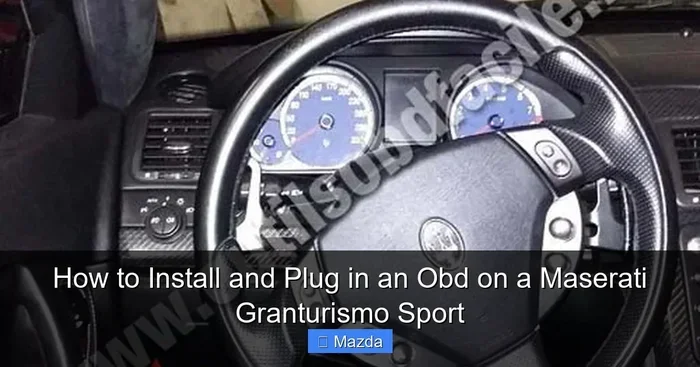
How to Install an OBD on a Maserati GranTurismo Sport
Installing an OBD on a Maserati GranTurismo Sport is simpler than most drivers think. The diagnostic port is located under the steering column, and you can plug in a scanner in under five minutes. This guide walks you through every step, from finding the port to interpreting live data and clearing trouble codes.
Owning a Maserati GranTurismo Sport is a thrilling experience. The sleek design, the roaring engine, and the luxury feel make every drive unforgettable. But even the finest Italian sports cars need attention from time to time. One of the smartest things you can do for your GranTurismo Sport is learn how to install and use an OBD device. The OBD on a Maserati GranTurismo Sport gives you direct access to your car’s health. You no longer have to guess what that little warning light means. You can read codes, monitor performance, and catch problems early.
Maybe you have been putting off a trip to the mechanic because you are not sure what is wrong. Or perhaps you simply want to understand your car better. Either way, this guide is for you. We will walk through every step of the OBD installation process in plain language. You will learn where the port is, which scanner to buy, how to plug it in, and what the data means. By the end, you will feel confident diagnosing issues on your own.
Key Takeaways
- Know Your Port Location: The OBD port on a Maserati GranTurismo Sport sits under the steering column on the driver’s side.
- Choose the Right Scanner: A quality OBD2 scanner unlocks real-time engine data and error codes specific to your Maserati.
- Plug In and Read: The process is straightforward, but understanding the data makes all the difference.
- Clear Codes Safely: Always diagnose the root cause before clearing any warning lights.
- Maintenance Matters: Regular OBD checks help prevent costly repairs and keep your GranTurismo Sport running smoothly.
- Battery Health Is Key: A weak battery can trigger false codes, so check your battery health before diving into diagnostics.
📑 Table of Contents
- Understanding the OBD System on Your Maserati GranTurismo Sport
- Locating the OBD Port on the Maserati GranTurismo Sport
- Choosing the Right OBD Scanner for Your GranTurismo Sport
- Step-by-Step: How to Plug In and Install the OBD Device
- Common OBD Issues and How to Troubleshoot Them
- Tips for Getting the Most Out of Your OBD Scanner
- When to Seek Professional Help
- Conclusion
Understanding the OBD System on Your Maserati GranTurismo Sport
The On-Board Diagnostics system is the brain behind your car’s warning lights. Every modern vehicle, including the Maserati GranTurismo Sport, uses an OBD system to monitor engine performance, emissions, and other critical functions. When something goes wrong, the system logs a trouble code and often triggers a dashboard light.
What Does OBD Stand For?
OBD stands for On-Board Diagnostics. It is a standardized system that lets you connect a scanning tool to your car’s computer. The computer then shares real-time data and stored error codes. Think of it as a health checkup for your vehicle. The OBD system has been required on all cars sold in the United States since 1996. So, the OBD port on a Maserati GranTurismo Sport follows the same universal standard used across most modern vehicles.
Why OBD Matters for Your GranTurismo Sport
Your Maserati GranTurismo Sport is a high-performance machine. The engine works hard, and the electronics monitor every sensor. Without an OBD scanner, you are flying blind when a warning light appears. With the right tool, you can:
- Read and clear diagnostic trouble codes (DTCs)
- Monitor live engine data like RPM, temperature, and fuel trim
- Check emission readiness before an inspection
- Track performance trends over time
- Save money by avoiding unnecessary trips to the dealer
Many drivers worry that using an OBD scanner might void their warranty. Rest assured, simply plugging in a scanner does not affect your warranty. It is a passive reading tool. However, if you clear codes and the problem persists, the light will return, and the dealer will still find the issue.
Locating the OBD Port on the Maserati GranTurismo Sport
Finding the OBD port is the first step. On the Maserati GranTurismo Sport, the port is located under the steering column on the driver’s side. It is a trapezoidal-shaped connector with 16 pins. You might need to look closely, as it is often tucked behind a small plastic cover or panel.
Step-by-Step Port Location Guide
Follow these steps to find your OBD port quickly:
- Sit in the driver’s seat and turn the ignition off.
- Look under the steering column on the left side of the dashboard.
- Check for a small plastic trim panel or cover. It may have a small label or icon.
- Remove the panel by gently pulling it or unsnapping any clips.
- You should see a 16-pin trapezoidal connector. This is your OBD port.
The port location is consistent across most Maserati models. If you have trouble finding it, consult your owner’s manual. The manual will include a diagram showing the exact spot. Some owners also choose to install a port extension cable, which makes it easier to reach the port without bending down. This is especially helpful if you plan to keep your OBD scanner plugged in permanently.
Choosing the Right OBD Scanner for Your GranTurismo Sport
Not all OBD scanners are created equal. The market is flooded with options, from cheap generic readers to advanced professional-grade tools. Choosing the right one for your Maserati GranTurismo Sport makes a big difference in the quality of information you get.
Types of OBD Scanners
Here is a quick look at the main types of scanners available:
- Basic Code Readers: These affordable devices read and clear generic codes. They work well for simple tasks but lack advanced features. If you only need to check a check engine light occasionally, a basic reader may be enough.
- Enhanced Scanners: These tools read manufacturer-specific codes. They also offer live data streaming and ABS or airbag diagnostics. For a Maserati, an enhanced scanner is the sweet spot between price and capability.
- Professional Diagnostic Tools: These are the heavy-duty options used by dealerships and independent shops. They offer full system access, programming capabilities, and detailed repair guides. They are expensive but incredibly powerful.
- Bluetooth/WiFi Scanners with App Support: These compact devices pair with your smartphone or tablet. They use apps to display data in a user-friendly format. Many car enthusiasts love these because they are portable and affordable.
Top Recommended Scanners for Maserati Owners
When shopping for a scanner, look for one that supports Maserati-specific protocols. Some popular choices include the Autel MaxiCOM series, the Launch X431 Pro, and the BlueDriver Bluetooth scanner. Each of these options offers excellent Maserati diagnostic support and reliable performance.
| Scanner Type | Price Range | Maserati Support | Best For |
|---|---|---|---|
| Basic Code Reader | $20 – $50 | Generic codes only | Quick code checks |
| Enhanced Scanner | $150 – $400 | Full manufacturer codes | Regular diagnostics |
| Professional Tool | $500+ | Complete system access | Dealership-level work |
| Bluetooth/WiFi | $30 – $100 | Good with app support | Casual and DIY use |
If you are a DIY enthusiast who wants to keep things simple, a Bluetooth scanner paired with a free app is a great starting point. You plug the scanner into your OBD port on a Maserati GranTurismo Sport, connect to the app on your phone, and start reading codes within seconds.
Step-by-Step: How to Plug In and Install the OBD Device
Now for the part you have been waiting for. Plugging in your OBD device is quick and easy. You do not need any special tools or mechanical skills. Just follow these simple steps.
Step 1: Prepare Your Vehicle
Start by turning off the ignition. Make sure all accessories are off too. This includes the radio, lights, and climate control. Working with the ignition off prevents any electrical surges when you connect the scanner. It is a small precaution that goes a long way in protecting your car’s electronics.
Step 2: Locate and Remove the Port Cover
Go to the driver’s side and find the OBD port under the steering column. If there is a plastic cover, gently remove it. Some covers snap on, while others have a small screw. Set the cover aside safely so you do not lose any small clips.
Step 3: Connect the Scanner
Take your OBD scanner and align the connector with the port. The trapezoidal shape ensures it can only go in one way. Push it in firmly until it clicks into place. You should feel a slight resistance, and then it will seat securely. Do not force it. If it does not fit easily, double-check the alignment.
Step 4: Turn the Ignition On
Turn the ignition to the “ON” position without starting the engine. On most Maseratis, this means turning the key to the first click or pressing the start button without pressing the brake. You should see the dashboard lights come on. The OBD scanner will also power up and begin communicating with the car’s computer.
Wait a few seconds for the scanner to establish a connection. You may see a message on the scanner screen saying “Searching for ECU” or “Connecting.” Once connected, you are ready to start reading data.
Step 5: Read and Interpret the Data
Navigate the scanner menu to find the “Read Codes” or “Diagnostic Trouble Codes” option. The scanner will pull up any stored codes. Each code starts with a letter followed by four numbers. For example, P0301 means a misfire in cylinder one. Write down the codes or take a photo with your phone for reference.
Step 6: Clear Codes (If Needed)
Once you have addressed the issue that triggered the codes, you can clear them using the scanner menu. However, always make sure the root cause is fixed first. Clearing codes without fixing the problem is like turning off a smoke alarm without putting out the fire. The light will come back, and the underlying issue will get worse.
Common OBD Issues and How to Troubleshoot Them
Even with the best OBD scanner, you may run into some common issues. Understanding these problems helps you troubleshoot effectively and get accurate results every time.
No Response from the Scanner
If your scanner does not connect, first check the cable connection. Make sure the scanner is fully seated in the port. Next, verify that the ignition is in the correct position. A dead battery can also prevent communication. If your Maserati battery is weak or old, it may not provide enough power for the OBD system to function properly. In some cases, a bad battery can cause the wrench light to come on or prevent the scanner from connecting at all. Try jump-starting the car or charging the battery before trying again.
Intermittent Connection Drops
Sometimes the scanner connects but drops out randomly. This often happens with Bluetooth scanners. Interference from other electronic devices can cause this issue. Try moving your phone closer to the scanner or turning off nearby Bluetooth devices. A firm connection at the port also helps reduce dropouts.
Misreading or Incomplete Codes
Cheap code readers sometimes give incomplete or inaccurate data. If you get a code that does not match your symptoms, try a different scanner or app. Enhanced scanners provide much more reliable data for European luxury cars like the Maserati. The generic OBD system covers basic codes, but Maserati-specific codes require a scanner that supports manufacturer protocols.
Warning Lights Stay On After Clearing
If a warning light returns shortly after clearing the codes, the problem has not been fixed. This is a clear sign that you need a deeper investigation. The OBD system detected a real issue, and simply clearing the code does not repair the damage. In this case, it is wise to consult a qualified mechanic who specializes in Maserati vehicles. They have the expertise and tools to address the root cause properly.
Tips for Getting the Most Out of Your OBD Scanner
Using an OBD scanner regularly can transform how you maintain your Maserati GranTurismo Sport. Here are some practical tips to help you get the most value from your diagnostic tool.
Check Your Car Before Long Trips
Before any road trip or long drive, plug in your scanner and run a quick diagnostic check. This takes less than two minutes and can reveal hidden issues that might leave you stranded on the highway. It is one of the best habits a car owner can develop.
Monitor Live Data Regularly
Live data monitoring is one of the most powerful features of an OBD scanner. You can watch real-time fuel trim, oxygen sensor readings, engine temperature, and more. Over time, you will learn what normal readings look like for your GranTurismo Sport. Any deviation from the norm can alert you to a developing problem before it becomes serious.
Keep a Log of Your Scans
Save your scan results in a notebook or a phone app. Tracking your car’s health over time helps you spot trends. If a certain code keeps appearing, it signals a persistent issue that needs professional attention. This log also comes in handy when talking to your mechanic, as you can share specific data points.
Do Not Ignore the Wrench Light
The wrench light on your Maserati dashboard is part of the maintenance reminder system. It is different from the check engine light. If you are unsure about the difference between these two lights, understanding the difference between a check engine light and maintenance required light can save you a lot of confusion. The wrench light typically indicates scheduled maintenance is due, while the check engine light signals an actual problem detected by the OBD system.
Keep Your Scanner Updated
OBD scanner software updates regularly add support for new vehicle models and protocols. If you use an app-based scanner, make sure to keep the app updated. This ensures you always have the latest code definitions and diagnostic capabilities for your Maserati.
When to Seek Professional Help
While an OBD scanner empowers you to diagnose many issues on your own, there are times when professional help is essential. Complex problems like transmission faults, hybrid battery issues, or advanced electrical problems often require specialized equipment and expertise. If your OBD installation and scanning efforts reveal codes you do not understand, do not hesitate to visit a qualified Maserati technician. They have the training and tools to handle even the most challenging diagnostics.
Also, if you ever need to take your Maserati in for service, remember that you can visit any authorized Maserati dealership for professional assistance. Keeping up with regular service appointments ensures your GranTurismo Sport stays in peak condition for years to come.
Conclusion
Learning how to install and plug in an OBD on a Maserati GranTurismo Sport is one of the best things you can do as a car owner. It puts you in control of your vehicle’s health and gives you the confidence to handle minor issues on your own. The process is simple, the tools are affordable, and the information you gain is invaluable.
Start by locating your OBD port under the steering column. Choose a scanner that suits your needs and budget. Plug it in, read the codes, and use the data to make informed decisions about your car’s maintenance. With regular OBD checks, you can catch problems early, save money on repairs, and enjoy every mile in your GranTurismo Sport. Your Maserati deserves the best care, and now you have the tools to provide it.
Frequently Asked Questions
Where is the OBD port located on a Maserati GranTurismo Sport?
The OBD port is located under the steering column on the driver’s side. Look for a small plastic cover that hides the 16-pin trapezoidal connector. Removing the cover gives you direct access to the port.
Can I use any OBD scanner with my Maserati GranTurismo Sport?
Most universal OBD2 scanners will work for basic code reading. However, for full Maserati-specific diagnostics and manufacturer codes, you should choose a scanner that supports enhanced protocols or European vehicle compatibility.
Does plugging in an OBD scanner void my Maserati warranty?
No. Simply plugging in a scanner to read data does not affect your warranty. The OBD port is a standard diagnostic interface designed for owner and technician use. However, always have any repairs performed by a qualified professional if you are concerned about warranty coverage.
What should I do if the OBD scanner shows a code but the light is off?
A stored code with no active light usually means a pending issue that has not yet triggered the dashboard warning. It is wise to investigate the code promptly. Addressing the problem early can prevent it from becoming a more serious and expensive repair.
How often should I use an OBD scanner on my GranTurismo Sport?
There is no set rule, but many owners scan their car once a month or before any long trip. Regular scans help you catch small issues before they grow into big problems. It is a quick habit that pays off in the long run.
Can a weak battery affect OBD scanner performance?
Yes. A low or failing battery can cause communication errors with the OBD system. It may also trigger warning lights like the wrench light or check engine light. If your scanner will not connect, checking your battery health is a good first troubleshooting step.