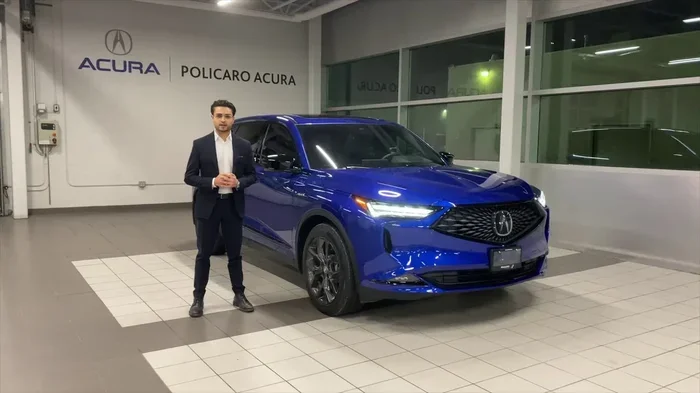
How to Program a Garage Door Opener in 2023 Acura MDX
Programming a garage door opener in your 2023 Acura MDX is easier than most owners expect. This detailed guide walks you through every step of the Homelink setup process, from understanding the system to solving common problems. You will learn the exact buttons to press, the right timing, and proven tips that make the process smooth and stress-free.
Owning a 2023 Acura MDX means enjoying a premium driving experience packed with modern convenience features. Among the most useful of these is the built-in garage door opener. Imagine pulling into your driveway, pressing a button on the overhead console, and having your garage door open automatically. No fumbling for a separate remote. No stepping out of the car in the rain. That is the power of the Homelink system, and it is right there in your MDX.
But setting up the garage door opener for the first time can feel intimidating. The process involves specific buttons, timing, and a bit of patience. That is exactly why we created this guide. Here, we will show you how to program a garage door opener in 2023 Acura MDX in clear, simple steps. Whether you are a first-time Acura owner or have been driving the MDX for years, this walkthrough covers everything you need. We explain what the Homelink system is, what you need before starting, and exactly which buttons to press and when. We also address common problems and share expert tips that make the whole process smoother.
The 2023 Acura MDX is a premium three-row SUV designed with technology that simplifies daily life. The Homelink system sits on the overhead console between the front seats, using three small buttons labeled 1, 2, and 3. Each button can be programmed to control a different garage door or gate. This means your entire household can have personalized access right from the vehicle. The system also works with rolling code technology, the security feature that changes your garage door signal every time you use it. This keeps your home protected from unauthorized access while still giving you effortless convenience.
Key Takeaways
- Built-In Homelink System: The 2023 Acura MDX comes with a built-in Homelink system that lets you control your garage door directly from the overhead console without needing a separate remote.
- Simple Step-by-Step Process: Programming takes just a few minutes and requires only your garage door remote, fresh batteries, and access to the MDX console buttons.
- Rolling Code and Fixed Code Support: The MDX Homelink system supports both rolling code and fixed code garage door openers, making it compatible with most major brands on the market.
- Three Programmable Buttons: You can assign up to three different garage doors or gates to the Homelink system, giving each family member their own dedicated button.
- Troubleshooting Made Easy: Common issues like weak batteries, signal interference, and incomplete memory can be resolved with simple steps outlined in this guide.
- Professional Help Is Available: If you prefer not to handle it yourself, you can always take your Acura to a Honda dealership and have their trained technicians program the system for you.
- Regular Maintenance Matters: Keeping your Homelink console clean and your garage door remote batteries fresh ensures reliable performance for years to come.
📑 Table of Contents
- Understanding the Homelink System in the 2023 Acura MDX
- What You Need Before You Start Programming
- Step-by-Step Guide to Programming Your Garage Door Opener
- Troubleshooting Common Programming Issues
- Maintaining Your Garage Door Opener System
- Expert Tips for the Best Garage Door Experience
- Final Thoughts
Understanding the Homelink System in the 2023 Acura MDX
The Homelink system is Acura’s branded version of a universal garage door transmitter. It replaces the need to carry a separate handheld remote. Instead, you program the signal from your existing garage door remote directly into the MDX console. Once programmed, pressing the Homelink button sends that stored signal to your garage door motor, just like a regular remote would. The difference is that the control is built into your vehicle, always within reach.
How Homelink Communicates with Your Garage Door Opener
Homelink uses radio frequency signals to communicate with your garage door opener. Most modern garage door openers operate on frequencies between 300 MHz and 390 MHz. The 2023 Acura MDX Homelink system is designed to work with the vast majority of garage door brands. This includes Chamberlain, LiftMaster, Craftsman, Genie, and many others. When you program a garage door opener in 2023 Acura MDX, the system learns the unique signal from your handheld remote and stores it in its memory. Every time you press the Homelink button, it transmits that stored signal to your garage door motor, triggering it to open or close.
One important detail to understand is the difference between fixed code and rolling code openers. Fixed code openers use the same signal every single time you operate the door. This is less secure because someone could potentially copy that signal. Rolling code openers generate a new, unique signal with each use, making them much more secure. The 2023 MDX Homelink system supports both types, but the programming process differs slightly between them. We will walk you through both methods below.
Locating the Homelink Buttons in Your MDX
The Homelink control buttons in the 2023 Acura MDX are positioned on the overhead console. This is the panel that stretches across the roof area inside the vehicle, between the front and rear seats. You will see three small square buttons labeled 1, 2, and 3. Each button has a small LED light next to it. The LED light is your guide during programming. A blinking light means the system is ready or in progress. A solid light means the programming was successful and the signal has been stored.
If you are having trouble finding the buttons, look up from the driver’s seat. The console runs across the entire roof area inside the cabin. The Homelink buttons are typically on the driver’s side of the console. Depending on your trim level, they may be grouped near the courtesy lights or the sunroof controls. If your MDX has a power sunroof, the Homelink buttons are usually positioned to the left of the sunroof controls for easy access.
What You Need Before You Start Programming
Gathering everything before you begin saves time and prevents frustration. Here is a simple checklist of what you need to have ready before starting the programming process.
- Your 2023 Acura MDX: Park the vehicle in a safe, level area. Turn the ignition to the accessory or on position. You do not need to start the engine, but the electrical system must be powered for the Homelink system to work.
- Your garage door remote: Have the handheld remote control for your garage door opener within reach. Make sure it has fresh, working batteries. Weak batteries are one of the most common causes of programming failures, so replace them if they are more than a year old.
- Your garage door opener manual: While not strictly required, having the manual for your garage door motor can be very helpful. Different brands have slightly different procedures for putting the opener into programming mode. If you do not have the physical manual, most manufacturers offer free digital versions on their websites.
- A second person (optional but helpful): Having someone stand by the garage door motor while you program can speed things up. They can confirm when the door responds to the signal and let you know if anything seems off during the process.
It is also a good idea to clear the Homelink memory before starting fresh. If you have previously programmed buttons and they are not working correctly, erasing them gives you a clean slate. To clear the Homelink system, press and hold buttons 1 and 3 simultaneously for about 20 seconds. The LED light will flash, indicating that the memory has been erased. This ensures that no old or conflicting signals interfere with your new MDX console programming session.
Step-by-Step Guide to Programming Your Garage Door Opener
Now for the part you have been waiting for. Follow these steps carefully, and your garage door opener will be programmed in just a few minutes.
Step 1: Put Your Garage Door Opener into Programming Mode
Every garage door opener has a way of entering programming mode. For most brands, you will find a small button on the back of the motor unit or on the control panel inside the garage. Locate this button and press it once. The indicator light on the opener will start flashing. This tells you the unit is ready to receive a new signal. If you are not sure where this button is on your specific model, refer to your garage door opener manual or search online for your brand and model.
Some modern smart openers use a mobile app or Wi-Fi connection for programming. If your opener is a smart model, you may need to use the manufacturer’s app instead of the physical programming button. However, the Homelink system in the 2023 Acura MDX works with the traditional programming method in the vast majority of cases. Stick with the physical button approach unless your opener specifically requires an app-based setup.
Step 2: Press and Hold the Homelink Button
Go back to your 2023 Acura MDX. Choose which Homelink button you want to use for this garage door. Press and hold that button for about 20 seconds. The LED light next to the button will start flashing. This means the system is in learning mode and ready to receive the signal from your garage door remote.
Do not release the button until you see the light start flashing. Releasing too early is one of the most common mistakes people make during programming. If the light does not start flashing after 20 seconds, try holding the button for a few more seconds. Some MDX models may take a bit longer to enter learning mode, so be patient.
Step 3: Transmit the Signal from Your Remote
While still holding the Homelink button, bring your garage door remote close to the overhead console. Aim it directly at the Homelink buttons. Press and release the button on your remote. The Homelink LED should change its flashing pattern or remain solid, depending on your specific MDX model. This change in the LED behavior confirms that the system is receiving the signal.
For rolling code openers, you may need to press the remote button twice. The first press puts the opener into transmit mode, and the second press sends the rolling code to the MDX. Watch the LED light carefully. If it changes behavior after you press the remote, that is a good sign that the signal is being received correctly. Timing matters here, so try to press the remote button within a few seconds of the Homelink light starting to flash.
Step 4: Release the Homelink Button and Test
Release the Homelink button after about 20 seconds. The LED light should turn solid or stop flashing entirely. This confirms that the signal has been successfully stored in the system. Now it is time to test your work. Press the newly programmed Homelink button and watch your garage door. It should respond and either open or close.
If the door does not respond, do not worry. This happens more often than most people expect. We will cover troubleshooting in detail in the next section. For now, repeat the programming steps once more, making sure to hold the Homelink button long enough and keep the remote within one to two feet of the overhead console. Precision and patience are your best friends during this process.
Step 5: Repeat for Additional Doors (If Needed)
The 2023 Acura MDX has three Homelink buttons. You can program each one to control a different garage door or gate. Simply repeat the steps above for buttons 2 and 3. This feature is especially useful if you have a home with multiple garage doors, a side gate, or a gate at the end of your driveway.
Make sure to label your Homelink buttons so you remember which one controls which door. You can use small stickers or a piece of tape on the console cover. This simple step saves confusion later, especially when you have guests or family members who need to open a specific door. Taking two minutes to label the buttons now prevents a lot of confusion down the road.
Troubleshooting Common Programming Issues
Even when you follow every step perfectly, things can go wrong. Here are the most common issues you might encounter and exactly how to fix them.
The Homelink LED Does Not Flash
If the LED light does not start flashing when you hold the Homelink button, the system may not be receiving power. First, check that your MDX ignition is in the accessory or on position. The electrical system must be active for the Homelink system to function. Next, try cleaning the contacts around the Homelink buttons with a dry, soft cloth. Dirt, dust, or corrosion can build up over time and prevent proper electrical connection. A simple cleaning often resolves this issue immediately.
The Garage Door Does Not Respond After Programming
This is the most common problem owners report. Start by checking the batteries in your garage door remote. Weak batteries send a weaker signal that may not reach the Homelink system. Replace them with fresh batteries and try programming again. Second, make sure you are within range when transmitting the signal. Hold the remote within one to two feet of the overhead console for the strongest possible connection.
If the problem persists, try clearing the Homelink memory completely and starting over from Step 1. Sometimes the system stores an incomplete or corrupted signal, and a fresh start resolves the issue. Also double-check that your garage door opener is still in programming mode. The indicator light on the opener should be flashing. If it has stopped flashing, press the programming button again to reactivate it.
Interference from Other Electronic Devices
Garage door signals operate on specific radio frequencies. Other electronic devices can sometimes cause interference that disrupts the programming process. If you live in a dense neighborhood or near other vehicles, nearby garage door openers or security systems might operate on the same frequency. Try programming your Homelink system in a different location, such as outside your garage away from other vehicles or electronic equipment. Moving away from potential sources of interference often solves mysterious programming failures.
For more detailed guidance on connecting your garage door opener to the Homelink system, you can refer to our comprehensive guide on How To Connect Garage Door Opener To Homelink. That article covers additional troubleshooting scenarios and brand-specific programming tips that complement the steps in this guide.
Rolling Code vs Fixed Code Confusion
If your garage door opener uses rolling code technology, make sure you follow the rolling code programming steps carefully. With rolling code openers, you typically need to press the Homelink button, then press the remote button twice within a specific time window. If you miss this timing, the system will not pair correctly. Patience and precise timing are key when programming garage door opener systems that use rolling codes. If you are unsure whether your opener uses rolling or fixed code, check the manual or look up your model number online. Most openers manufactured after 2000 use rolling code technology.
Maintaining Your Garage Door Opener System
Once your garage door opener is programmed and working, a little regular maintenance keeps everything running smoothly for years to come. A well-maintained system is more reliable and lasts longer than one that is neglected.
Regular Battery Checks
The Homelink system in your 2023 Acura MDX draws power from the vehicle’s electrical system, so you do not need to replace batteries in the console itself. However, your handheld garage door remote does need fresh batteries. Replace them every one to two years, or whenever you notice the remote range decreasing. Keeping spare batteries in your glove box is a smart habit that prevents unexpected failures. A dead battery in the remote is the number one reason people think their Homelink system has stopped working.
Keeping the Homelink Console Clean
Dust and debris can accumulate around the Homelink buttons over time, especially if you frequently use the overhead console for other controls. Use a soft, dry cloth to gently wipe the console area during your regular interior cleaning routine. Avoid using liquid cleaners directly on the buttons, as moisture can damage the electrical contacts. If you notice any sticky residue or grime buildup, use a lightly dampened cloth followed immediately by a dry one. This keeps the buttons responsive and the contacts clean.
Testing Your System Periodically
Make it a habit to test your Homelink buttons once a month. Press each button and confirm that the corresponding garage door responds correctly. Early detection of problems saves you from being stranded with a door that will not open when you need it most. If a button stops working, try reprogramming it using the steps in this guide. If the issue persists after reprogramming, the problem may be with the garage door opener itself rather than the Homelink system in your MDX.
Expert Tips for the Best Garage Door Experience
Here are some professional tips that will help you get the most out of your garage door opener setup in the 2023 Acura MDX.
- Program during daylight hours: Testing your garage door in daylight lets you visually confirm that the door is opening and closing properly. It also reduces the risk of accidentally trapping objects or people under the door during the testing process.
- Keep your MDX close during initial programming: Park your vehicle within line of sight of the garage door opener. This ensures the strongest possible signal during the pairing process and reduces the chance of interference from other sources.
- Use the correct Homelink button: The 2023 MDX has three buttons. Pick one and stick with it for a specific garage door. Mixing up buttons leads to confusion, especially if multiple family members use the vehicle regularly.
- Update your garage door opener firmware: If your opener is a smart model, check the manufacturer’s app for firmware updates. Updated firmware can improve compatibility with vehicle Homelink systems and fix known bugs.
- Consider a Wi-Fi-enabled garage door opener: Modern openers with Wi-Fi connectivity allow you to control your door from your phone. The MDX Homelink system pairs easily with these smart openers, giving you even more convenience and control over your garage door.
- If you are unsure, seek professional help: Programming is straightforward, but it is not always simple for everyone. If you feel uncomfortable or run into persistent issues, do not hesitate to get help. You can always open the exterior bonnet and check the vehicle’s electrical connections, or visit a professional for assistance.
If you ever feel unsure about the programming process or run into persistent issues that you cannot resolve, professional help is always an option. You can take your Acura to a Honda dealership and have their trained technicians handle the programming for you. They are familiar with Acura systems and can get everything set up quickly and correctly. This is especially helpful if you are not comfortable working with electronic systems or if your garage door opener has unique features that require advanced setup beyond the standard Homelink process.
Another option is to call a local garage door professional. Many garage door companies offer programming services as part of their installation or maintenance packages. They can also inspect your entire garage door system to make sure everything is in good working order. This includes checking the springs, cables, tracks, and safety sensors. A well-maintained garage door system works hand in hand with your Homelink setup to provide seamless daily convenience and peace of mind.
Final Thoughts
Programming a garage door opener in your 2023 Acura MDX is one of those tasks that seems intimidating at first but turns out to be quite manageable. The Homelink system is designed to be user-friendly, and with this guide, you have everything you need to complete the setup successfully. Remember to gather your tools, follow each step carefully, and do not be afraid to repeat the process if needed. Most programming issues are solved by simply starting over with fresh batteries and a clear Homelink memory.
The benefit of having your garage door integrated into your MDX is hard to overstate. It adds convenience, security, and a touch of luxury to your daily routine. You will wonder how you ever managed without it. Take the time to program your system correctly, maintain it regularly, and enjoy the smooth operation for years to come. Your 2023 Acura MDX is built to make your life easier, and a properly programmed garage door opener is a big part of that experience.
Now that you know how to program a garage door opener in 2023 Acura MDX, you are ready to take control of your home’s garage access right from the driver’s seat. Follow the steps, enjoy the process, and drive into your garage with confidence every single time.
Frequently Asked Questions
Can I program a garage door opener without the Homelink system in my 2023 Acura MDX?
The 2023 Acura MDX does not have an alternative built-in system besides Homelink for garage door control. However, you can use aftermarket smart garage door controllers that pair with your phone or the MDX’s infotainment system. These devices typically plug into the OBD-II port or connect via Bluetooth. Keep in mind that Homelink remains the most seamless and integrated option for your MDX.
How long does it take to program a garage door opener in the Acura MDX?
For most owners, the entire programming process takes between five and fifteen minutes. The actual time depends on how quickly you can put your garage door opener into programming mode and how smoothly the signal pairing goes. If you are programming multiple doors, add a few extra minutes for each additional door.
What should I do if my garage door opener is not compatible with Homelink?
Most garage door openers manufactured after 1993 are compatible with Homelink systems. If your opener is older or uses an unusual frequency, it may not pair with the MDX. In that case, you can install a universal garage door opener module that bridges the gap between your existing opener and the Homelink system. Check with your garage door manufacturer or a local professional for compatibility advice.
Can I program more than three garage doors with the MDX Homelink system?
The 2023 Acura MDX Homelink system has three buttons, which limits you to three programmed doors or gates. If you need to control more than three, you will need to use a separate handheld remote for the additional doors. Some owners choose to program the most frequently used doors into Homelink and keep the rest on the original remote.
Is it safe to program a garage door opener myself, or should I seek professional help?
Programming the Homelink system is safe and designed to be done by the vehicle owner. The process does not involve any electrical work on the garage door opener itself. However, if you are uncomfortable with electronic devices or if you encounter persistent issues, seeking professional help is always a smart choice. A Honda dealership technician or a garage door professional can handle the setup quickly and correctly.
Do I need any special tools to program the garage door opener in my 2023 Acura MDX?
No special tools are required. You only need your garage door remote with working batteries and access to the MDX overhead console. A fresh pair of batteries in the remote is highly recommended, as weak batteries are the most common cause of programming failures. That is it, no ladders, no special equipment, just a few minutes of your time.
=== CONCLUSION ===
Programming a garage door opener in your 2023 Acura MDX is one of the simplest yet most rewarding upgrades you can make to your daily routine. The Homelink system turns your vehicle into a seamless garage door controller, adding convenience and a touch of luxury every time you pull into or out of your driveway. With the step-by-step instructions in this guide, you have everything you need to complete the setup confidently. Remember the key steps: put your opener into programming mode, hold the Homelink button until the LED flashes, transmit the signal from your remote, and test the result. If you run into issues, the troubleshooting section covers the most common problems and their solutions.
Take care of your system with regular battery checks and occasional cleaning, and it will serve you reliably for years. The 2023 Acura MDX is a vehicle built for convenience, and a properly programmed garage door opener is a perfect match for that philosophy. Now go ahead, press that Homelink button, and enjoy the effortless experience of opening your garage door right from the driver’s seat.