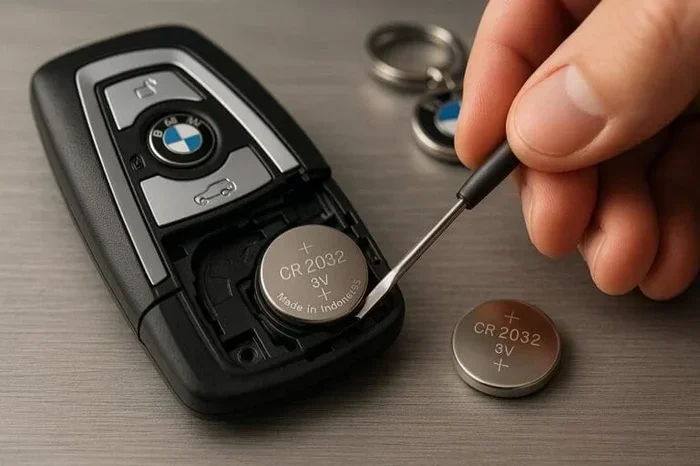
How to Change Battery in Your 2021 Acura RDX Key Fob
Changing the battery in your 2021 Acura RDX key fob is simple, fast, and costs just a few dollars. This guide walks you through everything you need to know, from spotting a dying battery to replacing it in under five minutes. You will learn the right battery type, the tools you need, and how to avoid common mistakes.
There is nothing more frustrating than standing in your driveway, pressing the 2021 Acura RDX key fob button, and getting nothing in return. Your car is right there, but it just will not respond. More often than not, the culprit is a simple dead battery inside the remote. The good news is that you do not need a mechanic or a trip to the dealership to fix this. With the right guidance, you can handle this job yourself in minutes.
This guide covers everything you need to know about key fob battery replacement for the 2021 Acura RDX. We will walk you through identifying the signs of a weak battery, gathering the right tools, and completing the swap step by step. By the end, you will feel confident tackling this quick and easy repair on your own.
Let us get into it. Your RDX key fob deserves fresh juice, and you deserve to get back to hassle-free entry and remote start without delay.
Key Takeaways
- CR2032 battery: The 2021 Acura RDX key fob uses a standard CR2032 coin cell battery that is easy to find.
- Quick process: You can swap the battery in less than five minutes with basic household tools.
- Reset is important: After replacing the battery, you may need to reset the key fob for full functionality.
- Avoid common mistakes: Using the wrong battery type or damaging the internal clip are the most frequent errors.
- Know the signs: Reduced range and unresponsive buttons are clear signals your battery needs replacing.
- Longevity tips: Proper care can extend your key fob battery life up to two years or more.
📑 Table of Contents
- Signs Your 2021 Acura RDX Key Fob Battery Is Dying
- What You Will Need Before Starting
- Step-by-Step Guide to Changing the Battery
- After Replacing the Battery: Reset and Test
- Common Mistakes to Avoid When Replacing Your Key Fob Battery
- How Often Should You Replace Your Key Fob Battery?
- Comparing Key Fob Battery Options for the 2021 Acura RDX
- What to Do If the New Battery Does Not Work
- Key Takeaways
Signs Your 2021 Acura RDX Key Fob Battery Is Dying
Before you grab a new battery, it helps to confirm that the battery is actually the problem. Key fobs show clear warning signs when the power is running low. Catching these early signs saves you from being locked out unexpectedly.
Reduced Remote Range
One of the first things you will notice is that your Acura RDX smart key does not work from as far away as it used to. Maybe you had to stand right next to the car to unlock the doors. Previously, you could trigger the lock from across the parking lot. That shrinking range is a classic indicator of a fading battery.
Intermittent Button Response
Sometimes the buttons work, and sometimes they do not. You might press the unlock button three times before the car finally responds. This inconsistent behavior means the battery is struggling to deliver steady power to the fob’s internal electronics.
Dashboard Warning Messages
Some Acura models display a key fob battery low warning on the dashboard. If you see a message about the remote key battery, do not ignore it. This is your vehicle telling you exactly what is wrong.
Delayed Locking or Unlocking
If there is a noticeable delay between pressing the button and the car responding, the battery is likely on its way out. A healthy fob should respond almost instantly.
Multiple Button Failures
When more than one function stops working, such as the lock, unlock, and trunk release all failing, it is almost certainly a battery issue. Individual button failures are less common and might point to a different problem.
What You Will Need Before Starting
One of the best things about this repair is how simple the tool requirements are. You likely already have everything at home. Here is your checklist.
The Right Battery
The 2021 Acura RDX key fob uses a CR2032 battery. This is a standard 3-volt coin cell battery that you can find at almost any grocery store, pharmacy, or online retailer. Make sure you grab a quality brand like Energizer or Duracell for reliable performance.
Basic Tools
- Small flathead screwdriver or a thin plastic pry tool
- A clean, flat workspace like a kitchen table
- A soft cloth to place the fob on
- Optional: a small pair of tweezers for handling the battery
What Not to Use
Avoid using metal tools that can scratch or damage the fob casing. A plastic pry tool or even a sturdy guitar pick works great. The goal is to open the fob without leaving marks or breaking the internal clips.
Step-by-Step Guide to Changing the Battery
Now for the fun part. Let us walk through the actual process of opening your fob and swapping in a fresh battery. Follow these steps carefully and you will have it done in no time.
Step 1: Remove the Emergency Key
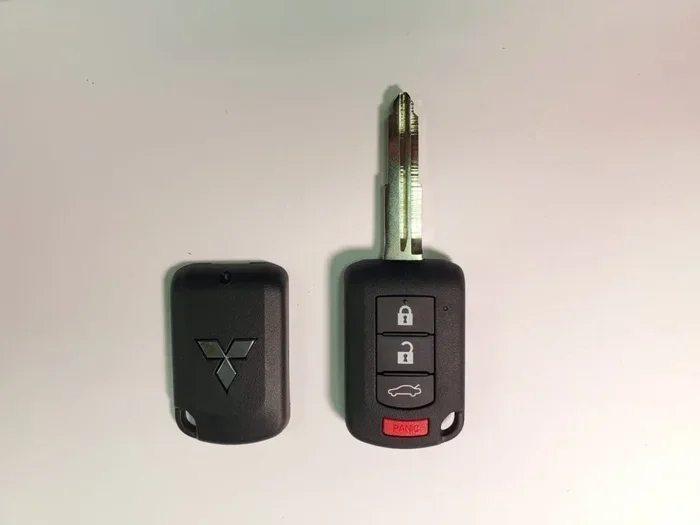
Flip open the side panel of your Acura RDX key fob. You will see a small silver tab. Press it, and the emergency mechanical key will slide out. Set this aside safely. Removing this key gives you access to the screw or release mechanism underneath.
Step 2: Open the Fob Casing
Look along the seam where the two halves of the fob meet. Use your flathead screwdriver or plastic pry tool to gently insert it into the gap. Work your way around the edges, applying even pressure. The casing is held together by small clips, so it will pop open with a satisfying click. Be gentle here. Forcing it can break the clips.
If you are dealing with a tight fob, try placing it on a soft surface and pressing down on the seam with your thumbs. This gives you better leverage without risking damage.
Step 3: Remove the Old Battery
Once the fob is open, you will see the CR2032 battery sitting in a small compartment. It is usually held in place by a tiny metal clip. Use your screwdriver or tweezers to carefully lift that clip out of the way. Then gently pry the old battery out. Pay attention to which side faces up, so you can insert the new one the same way.
Pro tip: Take a quick photo of the battery orientation before removing it. This makes reassembly foolproof.
Step 4: Insert the New Battery
Take your fresh CR2032 battery and place it in the compartment with the positive side facing up, just like the old one. The positive side is typically marked with a plus sign and has a slightly raised surface. Push it down gently until it sits flush in the compartment. Then press the metal clip back into place to secure it.
Step 5: Reassemble the Fob
Align the two halves of the fob casing together. Press firmly around the edges until all the clips snap back into place. You should not hear any clicking or feel any gaps. Insert the emergency key back into its slot and flip the side panel closed.
Step 6: Test Your Key Fob
Now for the moment of truth. Stand near your 2021 Acura RDX and press the unlock button. Does it work? Great. Test the lock button, the trunk release, and the remote start function if your model supports it. If all buttons respond immediately, you are all set.
If nothing happens, do not panic. The next section covers what to do when your fob needs a reset after a battery swap.
After Replacing the Battery: Reset and Test
Swapping in a new battery is only half the job. In some cases, the key fob needs a reset to reconnect with your vehicle’s system. This is especially true if the fob was completely dead before the replacement.
How to Reset Your Acura RDX Key Fob
To reset your Acura RDX key fob, sit inside your car with all doors closed. Insert the key into the ignition and turn it to the “ON” position without starting the engine. Press and hold the lock button on the fob for about five seconds, then release. Turn the ignition off and back on. Repeat the lock button press. This process re-establishes the connection between the fob and the car.
If resetting does not resolve the issue, you may want to check whether the new battery is seated properly. Sometimes the battery shifts slightly during reassembly and loses contact with the terminals.
When to Seek Professional Help
Most of the time, a battery swap and reset will solve everything. However, if your fob still does not work after replacing the battery and resetting, there could be a deeper issue. The fob’s internal circuitry might be damaged, or the car’s receiver module could need attention. In these cases, it is worth visiting an Acura dealership or a qualified locksmith. They have the diagnostic tools to pinpoint the problem.
Also, if you are considering reprogramming a used or spare fob, you can learn more about reprogramming key fobs for different vehicles to understand the broader process.
Common Mistakes to Avoid When Replacing Your Key Fob Battery
Replacing a key fob battery is straightforward, but small mistakes can cause big headaches. Here are the most common errors people make, and how to avoid them.
Using the Wrong Battery Type
The CR2032 is the correct battery for the 2021 Acura RDX fob. Do not substitute it with a CR2025 or CR2016, even though they look similar. These batteries have different voltages and sizes, which can damage the fob or cause it to malfunction. Always double-check the battery number printed on the side of the old cell before purchasing a replacement.
Forcing the Fob Open
The fob casing is held together with plastic clips that are designed to be delicate. Using excessive force or metal tools can crack the housing or break these clips. If the fob is stubborn, try warming it slightly with your hands or a hair dryer on low heat. This softens the plastic and makes it easier to separate.
Touching the Battery Terminals with Metal
Avoid letting metal tools touch both terminals of the battery at the same time. This can create a short circuit and potentially damage the fob’s electronics. Use a plastic pry tool or your fingernail to lift the battery out.
Forgetting to Reset After Replacement
Even with a brand-new battery, the fob may not work until you complete the reset process. Skipping this step is one of the most common reasons people think the replacement did not work. Always reset after swapping the battery.
Touching the New Battery with Bare Hands
While it is not a huge deal, the oils from your skin can sometimes affect battery performance over time. If possible, handle the new CR2032 with a clean cloth or tweezers. This keeps the contacts clean and ensures the best connection.
How Often Should You Replace Your Key Fob Battery?
A typical CR2032 battery lasts between two and three years under normal use. However, several factors can shorten or extend that lifespan.
Factors That Drain Key Fob Batteries Faster
- Frequent use: If you lock and unlock your car multiple times a day, the battery will drain faster.
- Extreme temperatures: Both very hot and very cold weather reduce battery efficiency. This is especially relevant in the summer and winter months.
- Proximity to other electronics: Keeping your fob close to your phone or other wireless devices can cause interference and drain the battery faster.
- Damaged fob seals: If moisture gets inside the fob, it can corrode the battery contacts and shorten battery life.
Tips to Extend Battery Life
- Remove the battery if you will not use the fob for an extended period.
- Store the fob away from other electronic devices when not in use.
- Keep the fob dry and avoid exposing it to moisture.
- Replace the battery proactively every two years to avoid being caught off guard.
If you want to learn more about maintaining your vehicle’s accessories and electronics, you might also find our guide on caring for your auto tint helpful for keeping all your car’s features in top shape.
Comparing Key Fob Battery Options for the 2021 Acura RDX
Not all CR2032 batteries are created equal. Here is a quick comparison of popular options you can use in your 2021 Acura RDX key fob.
| Brand | Type | Voltage | Typical Lifespan | Price Range |
|---|---|---|---|---|
| Energizer | CR2032 | 3V | 2-3 years | $3-$5 |
| Duracell | CR2032 | 3V | 2-3 years | $3-$5 |
| Amazon Basics | CR2032 | 3V | 2-3 years | $2-$4 |
| Panasonic | CR2032 | 3V | 2-3 years | $4-$6 |
| Generic/Store Brand | CR2032 | 3V | 1-2 years | $1-$3 |
As you can see, name-brand batteries tend to last a bit longer and provide more consistent performance. But even a generic CR2032 will get the job done for most drivers. The best approach is to buy from a reputable brand and replace the battery proactively before it fully dies.
What to Do If the New Battery Does Not Work
You have replaced the battery, reset the fob, and tested all the buttons, but nothing happens. Now what? There are a few things you can check before calling for help.
Check the Battery Orientation
Make sure the positive and negative sides of the new battery are facing the right direction. A battery installed backward will not work, and in rare cases, it could cause issues. Refer back to the photo you took in Step 3 if you need a reminder.
Clean the Battery Contacts
Over time, the metal contacts inside the fob can accumulate a thin layer of corrosion or grime. Use a dry cloth or a cotton swab dipped in a tiny amount of rubbing alcohol to gently clean the contacts. Let them dry completely before inserting the new battery.
Try a Different Battery
Sometimes you just get a dud battery from the pack. Try a second CR2032 from a different brand or a fresh pack. This is a quick and easy way to rule out a defective battery.
Check for Water Damage
If your fob has been exposed to moisture, internal corrosion could be preventing it from working. Inspect the inside of the fob for any signs of rust or discoloration. If you see any, the fob may need professional repair or replacement.
Visit a Dealership or Locksmith
If none of the above steps work, the issue might be with the vehicle’s receiver or the fob’s internal electronics. An Acura dealership can run diagnostics and determine whether the fob needs to be replaced entirely. You can also check whether remote start functionality on similar systems requires specific fob programming after a battery change.
If your fob stops working completely and you are locked out, knowing how to handle a situation where the key fob fails while driving can also be valuable information to keep in your back pocket.
Key Takeaways
- CR2032 battery: The 2021 Acura RDX key fob uses a standard CR2032 coin cell battery that is easy to find at any store.
- Quick and simple: You can swap the battery in under five minutes with just a small flathead screwdriver or plastic pry tool.
- Reset after replacement: Always reset your key fob after changing the battery to restore full functionality with your vehicle.
- Avoid common errors: Do not use the wrong battery type, force the fob open, or skip the reset step.
- Battery life: A CR2032 typically lasts two to three years, but heavy use and extreme temperatures can shorten that span.
- Proactive replacement: Replace your battery every two years to avoid being caught off guard by a dead fob.
Frequently Asked Questions
What type of battery does the 2021 Acura RDX key fob use?
The 2021 Acura RDX key fob uses a CR2032 battery, which is a standard 3-volt coin cell battery. You can find this battery at virtually any grocery store, pharmacy, or online retailer. Always check the old battery to confirm before purchasing a replacement.
How long does it take to change the battery in an Acura RDX key fob?
Most people can complete the battery swap in under five minutes once they have the new battery and a small flathead screwdriver or plastic pry tool. The process is straightforward and does not require any special skills or equipment.
Do I need to reprogram the key fob after changing the battery?
In most cases, a simple reset is all you need. Insert the key into the ignition, turn to the “ON” position, and press and hold the lock button on the fob for five seconds. If the fob still does not work after resetting, you may need to visit a dealership for reprogramming.
Can I use a different battery than the CR2032?
No, you should always use the exact battery type specified for your key fob. The CR2032 is the correct size and voltage for the 2021 Acura RDX. Using a different battery type like the CR2025 or CR2016 can damage the fob and will not provide reliable operation.
Why did my key fob stop working even with a new battery?
This can happen if the battery was installed backward, the contacts are corroded, or the fob has internal water damage. Try removing the battery, cleaning the contacts with a dry cloth, and reinserting the battery with the correct orientation. If the problem persists, the fob’s internal electronics may need professional inspection.
How often should I replace my key fob battery?
A CR2032 battery typically lasts between two and three years under normal use. If you use your key fob frequently or live in an area with extreme temperatures, you may need to replace it more often. A good rule of thumb is to replace the battery proactively every two years.
=== CONCLUSION ===
Changing the battery in your 2021 Acura RDX key fob is one of the easiest and most affordable maintenance tasks you can do on your own. It takes just a few minutes, costs only a couple of dollars for a new CR2032 battery, and keeps your remote working like new. No more standing in the parking lot, desperately pressing buttons that do nothing.
We have walked you through every step, from recognizing the signs of a dying battery to opening the fob, swapping in the new cell, and resetting the system. You also know the common mistakes to avoid and what to do if the fob still does not work after the replacement. With this knowledge, you are fully equipped to handle this repair without ever leaving your home.
Make it a habit to replace your key fob battery every two years, and keep a spare CR2032 in your glove box for emergencies. Your 2021 Acura RDX key fob will stay reliable, responsive, and ready to go whenever you need it. Take five minutes today, and you will thank yourself tomorrow.