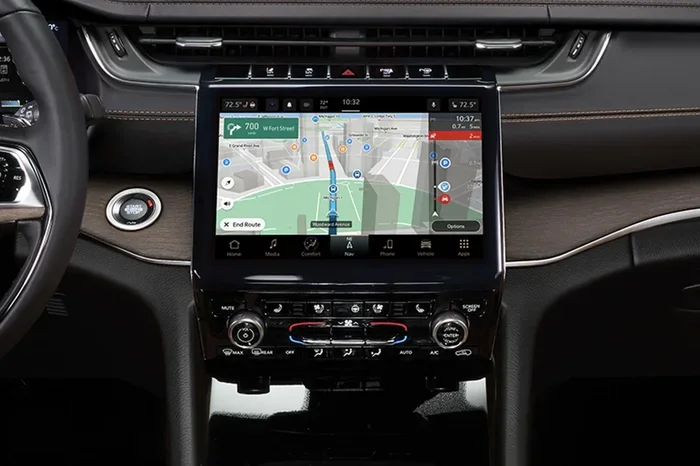
Learn How to Turn Off GPS Tracking on Jeep Grand Cherokee
Turning off GPS tracking on your Jeep Grand Cherokee is simpler than most owners think. Whether you want to protect your location privacy or stop unnecessary data collection, this guide covers every method you need. You will learn how to disable GPS through infotainment settings, remove external trackers, and understand what happens when tracking is turned off.
Your Jeep Grand Cherokee is packed with technology. It has powerful engines, comfortable seats, and a smart infotainment system. But one feature that many owners overlook is GPS tracking. Your vehicle quietly records where you go, when you go there, and how you drive. For some people, this is helpful. For others, it feels like a serious privacy concern.
If you have been searching for a way to turn off GPS tracking on Jeep Grand Cherokee, you are in the right place. This guide walks you through every method available. We will cover the infotainment settings, location services, physical hardware, and even third-party tracking devices. By the end, you will know exactly how to control your location data.
GPS tracking on modern vehicles is more common than most people realize. Manufacturers include it for navigation, safety, and remote services. But that same technology can feel intrusive. The good news is that you have options. You can turn it off, limit it, or remove it entirely. Let us dive into how.
Key Takeaways
- Multiple Methods Available: You can turn off GPS tracking through the infotainment system, disable location services, or physically remove the GPS antenna.
- Privacy Matters: Disabling GPS tracking helps protect your personal location data from being stored or shared.
- Trade-Offs Exist: Turning off GPS may affect navigation, emergency services, and remote vehicle features.
- DIY Is Possible: Most GPS disabling steps can be done at home without professional help.
- External Trackers Matter Too: Don’t forget to check for third-party tracking devices installed in or on your Jeep.
📑 Table of Contents
Understanding GPS Tracking on the Jeep Grand Cherokee
How the GPS System Works in Your Jeep
The GPS system in your Jeep Grand Cherokee uses satellites to determine your location. A small antenna, usually mounted on the roof or near the windshield, receives signals from multiple satellites. The infotainment computer processes these signals and shows your position on a map. This is the same technology that powers Google Maps, Apple Maps, and Waze.
But GPS tracking goes beyond just navigation. Your Jeep stores location history. It logs where you park, how often you drive certain routes, and even your daily commute patterns. This data is sent to servers, sometimes without you realizing it. Jeep uses this information to improve services, but it also raises privacy questions.
Understanding how the system works is the first step to taking control. Once you know what GPS tracking does, you can make informed decisions about whether to keep it on or turn it off.
Why GPS Tracking Is Built Into Your Jeep
Jeep includes GPS tracking for several reasons. Navigation is the most obvious one. Without GPS, your map system would not know where you are. But there are other reasons too.
Here are the main purposes of GPS tracking in the Jeep Grand Cherokee:
- Navigation Assistance: GPS helps the system route you to your destination quickly and accurately.
- Emergency Services: In a crash, GPS can help first responders find your exact location fast.
- Remote Services: Features like remote start, vehicle location, and stolen vehicle tracking rely on GPS data.
- Insurance and Diagnostics: Some insurance programs use GPS data to offer safe-driving discounts.
- Fleet Management: For business owners, GPS helps track company vehicles and manage routes.
All of these features are useful. But they come at a cost to your privacy. Every time your Jeep sends location data, someone has access to it. That is why many owners want to know how to turn it off.
Step-by-Step Guide to Turn Off GPS Tracking
Now let us get into the practical part. There are several ways to disable GPS tracking on your Jeep Grand Cherokee. Some methods are simple and take just a few minutes. Others require a bit more effort. We will cover each one in detail.
Method 1: Using the Infotainment Settings
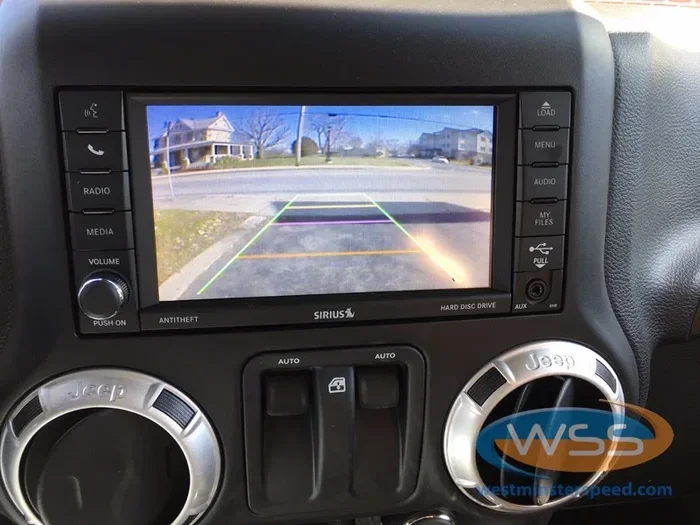
The easiest way to disable GPS tracking is through the infotainment screen. Your Jeep Grand Cherokee has a central touchscreen that controls most vehicle settings. Here is how to find the GPS and location settings:
- Start your Jeep and let the infotainment system fully boot up.
- Tap the Settings icon on the home screen. It usually looks like a gear.
- Look for a section called Location Services, Privacy, or GPS Settings.
- Toggle the Location Services switch to Off.
- Confirm your choice when prompted.
Once you turn off location services, the GPS antenna stops sending real-time data. Your navigation system may still work for a short time using cached maps, but it will not update your live location.
Keep in mind that some features may stop working too. For example, remote start and vehicle finder tools will not be able to locate your Jeep. Think of it like turning off steering assist on a Toyota. You lose a convenience feature, but you gain more control over your vehicle settings.
Method 2: Disabling Location Services Through the Uconnect System
Most newer Jeep Grand Cherokees use the Uconnect infotainment platform. Uconnect has its own privacy and location settings. Here is how to navigate through them:
- Press the Home button on the Uconnect screen.
- Scroll to Settings and select it.
- Find the Privacy or Location menu.
- Look for options like Share Location Data, GPS History, or Tracking.
- Turn off each option you do not want active.
Uconnect may also have a setting called Vehicle Tracking or Telematics. This controls whether Jeep collects driving data and shares it with their servers. Disabling this is an important step if you want full privacy.
You can also access these settings through the Jeep mobile app. If you have the app installed on your phone, open it, go to Settings, and look for Privacy or Location options. Turning off location sharing there prevents the app from tracking your Jeep remotely.
Method 3: Physically Disconnecting the GPS Antenna
If you want to be completely sure that GPS tracking is off, you can physically disconnect the GPS antenna. This method is more advanced, but it guarantees that no location data is transmitted.
Here is what you need to know before attempting this:
- The GPS antenna on a Jeep Grand Cherokee is usually located on the roof, near the rear windshield.
- You will need basic tools like a screwdriver and trim removal tool.
- Disconnecting the antenna may void certain warranty features related to GPS and telematics.
Steps to disconnect the GPS antenna:
- Open your roof sunroof or access the roof area near the rear windshield.
- Locate the small GPS antenna module. It is usually a small black box with a wire connected to it.
- Carefully remove the trim or cover around the antenna using a trim removal tool.
- Disconnect the wire plug from the antenna module.
- Replace the trim or cover securely.
After disconnecting the antenna, the GPS system will not be able to receive satellite signals. This means navigation will not work, and no location data will be transmitted. If you are not comfortable doing this yourself, a mechanic can do it for you. It should not take longer than how long it takes to fit a new bumper, which is usually about one to two hours for a professional.
Method 4: Using a GPS Signal Blocker
Another option is to use a GPS signal blocker, also called a GPS jammer. These small devices plug into your cigarette lighter or USB port and broadcast a signal that blocks GPS tracking. They are easy to use and do not require any permanent changes to your vehicle.
However, GPS jammers are not legal in all areas. In the United States, the FCC prohibits the use of GPS jammers because they can interfere with emergency services and other important communications. Before using one, check your local laws. Using an illegal device can result in fines and penalties.
If you decide to go this route, make sure you buy a high-quality blocker from a reputable seller. Cheap jammers often do not work well and can cause interference with your vehicle’s other electronics.
What Happens When You Turn Off GPS Tracking
Turning off GPS tracking on your Jeep Grand Cherokee has several effects. Some are obvious, and others may surprise you. Let us break down what changes when you disable GPS.
Impact on Navigation
The most immediate effect is that your navigation system will not work properly. Without GPS signals, the map cannot show your real-time location. You may still be able to view maps and plan routes, but turn-by-turn directions will not update as you drive.
If you rely heavily on your Jeep’s built-in navigation, this could be inconvenient. Many owners use GPS navigation daily, especially when traveling to unfamiliar areas. You may want to use your phone as a backup until you decide to turn GPS back on.
Impact on Safety Features
Some safety features depend on GPS data. For example, automatic crash notification systems use GPS to send your location to emergency services after an accident. If GPS is turned off, these features may not work as intended.
On the other hand, some owners feel that disabling GPS improves their overall safety by preventing location data from being accessed by hackers or unauthorized parties. It is a trade-off between convenience and privacy.
Impact on Remote Services
Jeep offers several remote services through the Uconnect system. These include remote start, vehicle location, and stolen vehicle assistance. All of these features rely on GPS tracking to function.
When you turn off GPS, you lose access to these services. You will not be able to locate your Jeep remotely if you forget where you parked. And if your vehicle is ever stolen, the tracking system will not be able to help police find it.
It is similar to how you might need to switch between vehicle modes on a Toyota. Each mode gives you different capabilities, and turning off GPS is like switching to a more private but less connected mode.
When You Might Want GPS Tracking Enabled
Even though we are focusing on how to turn off GPS tracking, it is important to understand when it is actually useful. There are situations where keeping GPS enabled makes a lot of sense.
Emergency Assistance
If you are ever in a serious accident, GPS tracking can save your life. Emergency services can pinpoint your exact location and arrive quickly, even if you cannot speak or provide an address. This is especially important if you are driving in a remote area or on a highway at night.
Stolen Vehicle Recovery
Jeep Grand Cherokees are popular targets for car thieves. If your vehicle is stolen, GPS tracking dramatically increases the chances of recovery. Police can use the GPS data to track the vehicle in real time and recover it quickly.
Some insurance companies offer lower premiums for vehicles with GPS tracking because it reduces the risk of theft. So keeping GPS on can actually save you money in the long run.
Fleet Management and Business Use
If you use your Jeep Grand Cherokee for business purposes, GPS tracking can be very valuable. It helps you manage routes, track driver behavior, and ensure that company vehicles are being used properly. Many fleet management systems rely on GPS data to operate efficiently.
Professional Help vs DIY GPS Disabling
Deciding whether to disable GPS tracking yourself or hire a professional depends on your comfort level and your goals. Let us look at both options.
When to See a Mechanic
You should consider seeing a professional if you are not comfortable working with your vehicle’s electronics. Disconnecting the GPS antenna or modifying the wiring system requires some technical knowledge. If you are not confident, a mechanic can do the job safely.
A mechanic can also check for any hidden tracking devices that may have been installed by a previous owner or a dealership. Some vehicles come with factory-installed tracking systems that are not easy to find or disable. A professional will know where to look.
DIY Considerations
If you enjoy working on your own vehicle, DIY GPS disabling can be a rewarding project. It saves you money and gives you full control over the process. Just make sure you follow the steps carefully and do not damage any wiring or components.
Before you start any DIY work, disconnect your vehicle’s battery. This prevents electrical shorts and keeps you safe. Work in a well-lit area and use the right tools for the job.
Protecting Your Privacy Beyond GPS
Turning off GPS tracking is a great first step, but it is not the only way to protect your privacy. There are other tracking methods and devices you should be aware of.
Other Tracking Devices to Check
Besides the built-in GPS system, your Jeep Grand Cherokee might have other tracking devices. These include:
- OBD-II Trackers: Small devices that plug into your vehicle’s diagnostic port. They track location, speed, and driving habits.
- Cell Phone Trackers: If you use your phone with your Jeep’s Bluetooth system, your phone’s location data may be linked to the vehicle.
- Insurance Tracking Devices: Some insurance companies offer devices that monitor your driving and report your location.
- Aftermarket Trackers: Previous owners or dealers may have installed third-party tracking devices.
To check for these devices, inspect your OBD-II port, under the seats, and inside the glove box. If you find any unfamiliar devices, remove them or consult a professional.
General Privacy Tips for Your Jeep
Here are some additional tips to protect your privacy:
- Review Your Privacy Settings Regularly: Check your Uconnect and app settings at least once a month.
- Use Strong Passwords: Protect your Jeep app and Uconnect account with strong, unique passwords.
- Turn Off Bluetooth When Not in Use: This prevents your phone from automatically sharing location data with your vehicle.
- Read the Privacy Policy: Understand what data Jeep collects and how it is used.
- Opt Out of Data Sharing: If possible, opt out of any data-sharing programs offered by Jeep or your dealer.
Taking these steps gives you a comprehensive approach to protecting your location privacy. It is like learning how to turn off steering assist or any other vehicle feature. Once you know how, you are in control.
Conclusion
Turning off GPS tracking on your Jeep Grand Cherokee is entirely possible and easier than most owners think. Whether you use the infotainment settings, disable location services through Uconnect, or physically disconnect the GPS antenna, you have multiple options to protect your privacy.
Remember that disabling GPS comes with trade-offs. You may lose access to navigation, emergency services, and remote features. But for many owners, the privacy benefits far outweigh these drawbacks. The key is to make an informed decision based on your needs and comfort level.
Take the time to review your vehicle’s settings today. Check for any third-party tracking devices. And stay proactive about your privacy. Your Jeep Grand Cherokee is a powerful and capable vehicle, and you should have full control over who knows where it goes.
By following the steps in this guide, you can confidently manage your GPS tracking settings and enjoy greater peace of mind every time you hit the road.
Frequently Asked Questions
Can I turn off GPS tracking on my Jeep Grand Cherokee without disconnecting any wires?
Yes, you can. The easiest way is through the infotainment settings on your Uconnect screen. Simply go to Settings, find the Location Services or Privacy menu, and toggle GPS tracking off. This method does not require any physical changes to your vehicle.
Will turning off GPS tracking affect my Jeep’s warranty?
Disabling GPS through the infotainment settings should not affect your warranty. However, physically disconnecting the GPS antenna or modifying the wiring might impact warranty coverage for GPS-related features. Always check with your dealer before making any hardware changes.
Can I still use navigation if I turn off GPS tracking?
You can still view maps and plan routes, but turn-by-turn navigation will not update your live location. The system needs GPS signals to track where you are in real time. You may want to use your phone as a backup navigation tool.
Is it legal to use a GPS jammer in the United States?
No, GPS jammers are illegal in the United States. The FCC prohibits their use because they can interfere with emergency communications and other important GPS services. Using one can result in significant fines and penalties.
How do I know if my Jeep Grand Cherokee has a tracking device installed?
Check your OBD-II port, under the seats, and inside the glove box for any unfamiliar small devices. Factory GPS antennas are usually mounted on the roof or near the windshield. If you are unsure, a mechanic or dealership can inspect your vehicle for tracking devices.
Can I re-enable GPS tracking after I turn it off?
Absolutely. You can turn GPS tracking back on at any time through your Uconnect settings or by reconnecting the GPS antenna if you physically disconnected it. Simply go back to the Location Services menu and toggle it back on.