Here Is How To Turn Off Toyota Maintenance Mode Today
Toyota maintenance mode can be confusing, but turning it off is simpler than you think. This guide walks you through every method to reset your Toyota maintenance light, from the trip meter trick to using the steering wheel buttons. Whether you own a Corolla, Camry, or RAV4, you will find the exact steps you need to clear the maintenance reminder and get back on the road.
So your Toyota is flashing a little wrench icon on the dashboard and you are not sure what to do. You are not alone. Every Toyota owner sees that maintenance mode light at some point, and it can feel a bit stressful if you do not know what it means or how to fix it. The good news is that turning off Toyota maintenance mode is a straightforward process that most people can handle at home in just a few minutes.
In this guide, we will walk you through every method to reset your Toyota maintenance light. We will cover older models, newer models, and everything in between. By the time you finish reading, you will know exactly what to do, why the light comes on, and how to keep your Toyota service schedule on track. No guesswork. No stress. Just clear, simple steps.
Key Takeaways
- Multiple methods exist: Toyota maintenance mode can be turned off using the trip meter, steering wheel buttons, or a diagnostic tool depending on your model year.
- It is a simple process: Most Toyota models let you reset the maintenance light in under five minutes without any special tools.
- Regular maintenance matters: The maintenance mode appears when your vehicle reaches a set service interval, and clearing it does not replace actual service.
- Model-specific differences exist: Newer Toyota models use different reset procedures than older ones, so knowing your specific year and model helps.
- Persistent lights may signal deeper issues: If the maintenance light keeps coming back, it could indicate a fault that needs professional attention.
- Oil life reset is different: Turning off the maintenance mode is not the same as resetting your oil life indicator, and both may need attention.
📑 Table of Contents
- What Is Toyota Maintenance Mode?
- How to Turn Off Toyota Maintenance Mode
- Common Toyota Models and Their Reset Procedures
- When Should You Actually Service Your Toyota?
- Common Mistakes People Make When Resetting the Maintenance Light
- Expert Tips for Keeping Your Toyota in Top Shape
- Key Takeaways
- Conclusion
What Is Toyota Maintenance Mode?
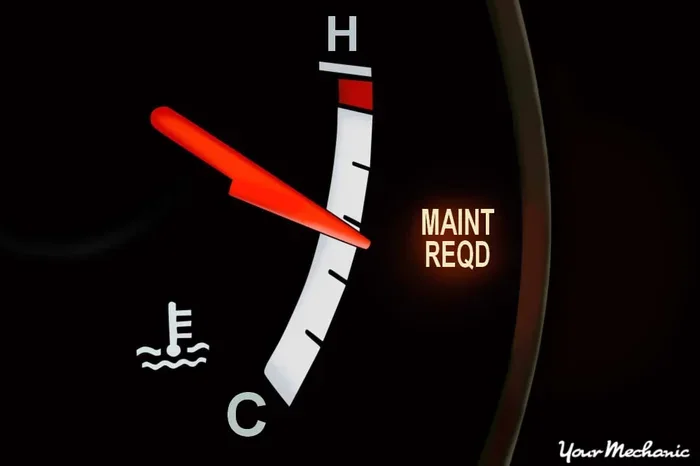
Toyota maintenance mode is a reminder system built into your vehicle. It tracks your driving habits and mileage to tell you when it is time for routine service. When the system determines that you have reached a service interval, it triggers a warning light on your dashboard. This is commonly called the maintenance required light or the wrench icon.
The system does not diagnose any specific problem. It simply reminds you that your car is due for routine maintenance like an oil change, tire rotation, or fluid check. Think of it as your car nudging you and saying, “Hey, I am due for a checkup!”
Why Does the Maintenance Light Come On?
Several factors trigger the maintenance light in a Toyota. The most common reason is reaching a set mileage interval, which is typically every 5,000 or 10,000 miles depending on your driving conditions. Other reasons include:
- Time-based reminders: Even if you do not drive many miles, time can trigger the light.
- Driving conditions: Short trips, stop-and-go traffic, and dusty roads can shorten the maintenance interval.
- Oil life depletion: When your oil life percentage drops to zero, the system may activate the maintenance mode.
- After service: Sometimes the light stays on even after you have had your car serviced because it was not properly reset.
Understanding why the light appears helps you know exactly what to do next. And the next step is learning how to turn it off.
How to Turn Off Toyota Maintenance Mode
There are several ways to reset the maintenance light on a Toyota. The method you use depends on your model year and the specific trim level. Below, we cover the most common approaches that work across a wide range of Toyota vehicles.
Method 1: Using the Trip Meter Reset Button
This is the most popular method and works on many Toyota models including the Camry, Corolla, and RAV4. Here is how to do it:
- Turn the ignition to the ON position. Do not start the engine. Just push the start button once or turn the key to the ON setting.
- Locate the trip meter reset button. This is usually found on the dashboard or steering wheel column near the odometer display.
- Press and hold the reset button. Keep holding it for about 10 to 15 seconds.
- Watch the display. The maintenance light should start flashing.
- Release the button. Then press it again briefly to confirm the reset.
- Turn the ignition off and back on. The maintenance light should now be off.
This method works because it forces the vehicle’s computer to clear the stored maintenance reminder. It is quick, easy, and requires no special equipment. If you also need to reset your oil life indicator, you may want to check out our guide on how to reset my oil life for additional tips.
Method 2: Using the Steering Wheel Controls
Newer Toyota models, especially those from 2014 and newer, use steering wheel controls to navigate the dashboard display. Here is the process:
- Press the MENU button on the steering wheel. This brings up the vehicle settings menu.
- Use the arrow buttons to scroll to the Maintenance menu. Look for an option labeled “Maintenance” or “Service.”
- Select the Maintenance Reset option. Confirm your selection when prompted.
- The display should show a confirmation message. The maintenance light will turn off once the reset is complete.
Some Toyota models may also let you adjust the maintenance interval in this menu. If you are interested in setting up a Toyota maintenance schedule, our article on how to create a maintenance schedule has detailed guidance on planning your service intervals.
Method 3: Using the Odometer Display
For certain Toyota models, you can reset the maintenance light through the odometer display screen. This method is common on models like the Toyota Highlander and Tacoma:
- Turn the ignition to ON without starting the engine.
- Press the trip button repeatedly until you see the maintenance menu.
- Hold the trip button down for several seconds.
- The maintenance indicator should reset to zero.
- Turn the ignition off and then back on to confirm.
This approach works well if your Toyota has a digital odometer display that shows multiple menu options. It is one of the simplest methods and does not require any tools at all.
Method 4: Using a Diagnostic Scanner
If the above methods do not work for your specific Toyota model, a diagnostic scanner is your best option. An OBD-II scanner connects to the diagnostic port under your dashboard and communicates directly with your vehicle’s computer system.
Here is how to use one:
- Plug the scanner into the OBD-II port. This port is usually located under the steering column on the driver side.
- Turn the ignition to ON.
- Follow the scanner prompts to access the maintenance system.
- Select the option to clear maintenance codes.
- Disconnect the scanner and start the engine. The light should be gone.
Diagnostic scanners are especially helpful if the Toyota maintenance light stays on after you have tried the other methods. They can also reveal any hidden fault codes that might be causing the light to persist. If you are curious about other dashboard symbols, our guide on how to read ABS codes without a scanner can help you understand what your dashboard is trying to tell you.
Common Toyota Models and Their Reset Procedures
Every Toyota model has slight variations in how you reset the maintenance light. Below is a quick reference table to help you find the right method for your specific vehicle.
| Toyota Model | Typical Reset Method | Difficulty Level |
|---|---|---|
| Toyota Corolla | Trip meter button hold | Easy |
| Toyota Camry | Trip meter or steering controls | Easy |
| Toyota RAV4 | Trip meter button or steering menu | Easy to Medium |
| Toyota Highlander | Odometer display menu | Medium |
| Toyota Tacoma | Trip meter or steering controls | Easy |
| Toyota 4Runner | Trip meter button hold | Easy |
| Toyota Tundra | Steering wheel menu | Medium |
As you can see, most Toyota models use the trip meter reset method. It is the most universal approach and works across many years and trims. If you are unsure which method applies to your vehicle, consult your owner manual or check with your local dealer.
When Should You Actually Service Your Toyota?
Turning off the maintenance light is only half the battle. The more important question is whether your Toyota actually needs service. The maintenance mode exists for a reason, and ignoring it can lead to bigger problems down the road.
Here are some signs that your Toyota genuinely needs attention:
- The oil life indicator shows low or zero percent. This means your oil is due for a change.
- You have driven past the recommended service interval. Most Toyotas need service every 5,000 to 10,000 miles.
- You notice unusual sounds or vibrations. A maintenance light combined with strange noises is a red flag.
- Your check engine light is also on. This could indicate a more serious issue beyond routine maintenance.
- It has been more than six months since your last service. Time-based reminders matter even if your mileage is low.
If any of these apply to you, do not just reset the light and forget about it. Schedule a service appointment at your nearest Toyota dealer or trusted mechanic. Keeping up with your Toyota service schedule protects your engine, extends your vehicle lifespan, and helps maintain your Toyota warranty coverage. If you have questions about warranty coverage, our article on can I use my Toyota warranty anywhere covers everything you need to know.
Common Mistakes People Make When Resetting the Maintenance Light
Resetting the Toyota maintenance light is simple, but people still make mistakes. Here are the most common ones to avoid:
Mistake 1: Resetting Without Actually Servicing the Vehicle
This is the number one mistake. The maintenance light exists to remind you that your car needs attention. If you simply turn off the light without performing the actual service, you are setting yourself up for potential engine damage or reduced performance. Always service your vehicle first, then reset the light.
Mistake 2: Not Holding the Button Long Enough
Many people release the trip meter button too early. You need to hold it for a full 10 to 15 seconds for the reset to register. If the light does not go away on the first try, try again and hold the button longer.
Mistake 3: Confusing the Maintenance Light with the Check Engine Light
The maintenance light and the check engine light are not the same thing. The maintenance light is a routine reminder. The check engine light signals a potential problem that needs immediate attention. If both lights are on, address the check engine light first.
Mistake 4: Ignoring Persistent Lights
If you reset the maintenance light and it comes back within a few days, there may be an underlying issue. Do not keep resetting it without investigating. Use a diagnostic scanner or visit a professional to find out what is going on.
Expert Tips for Keeping Your Toyota in Top Shape
Prevention is always better than cure, and the same applies to your Toyota maintenance routine. Here are some expert tips to keep your vehicle running smoothly and avoid unexpected maintenance reminders:
- Check your oil level regularly. A quick check every few weeks can catch low oil before it becomes a bigger problem. Learn how to check the oil level in your oil tank the right way.
- Keep a maintenance log. Write down every service you perform, including oil changes, tire rotations, and fluid checks. This helps you stay on top of your schedule.
- Use genuine Toyota parts. Aftermarket parts may save money in the short term, but genuine Toyota parts are designed specifically for your vehicle.
- Follow the severe service schedule if needed. If you drive in harsh conditions like extreme heat, dust, or stop-and-go traffic, follow the severe service interval rather than the standard one.
- Set calendar reminders. Do not rely solely on your vehicle’s maintenance system. Set a reminder on your phone for your next oil change or tire rotation.
These simple habits can save you hundreds of dollars in repair costs and keep your Toyota running strong for years to come. The Toyota maintenance mode is your friend, not your enemy. It is there to remind you to take care of your vehicle at the right time.
Key Takeaways
- Toyota maintenance mode is a reminder system: It tracks your mileage and driving conditions to alert you when service is due.
- Multiple reset methods exist: Use the trip meter button, steering wheel controls, odometer display, or a diagnostic scanner depending on your model.
- Always service your vehicle first: Never reset the light without performing the actual maintenance your car needs.
- Model-specific procedures vary: Check your owner manual or refer to our model-specific guide for the exact steps for your Toyota.
- Persistent lights need attention: If the maintenance light keeps returning, there may be an underlying issue that requires professional diagnosis.
- Regular maintenance protects your investment: Staying on top of your Toyota service schedule saves money and extends your vehicle lifespan.
Conclusion
Turning off Toyota maintenance mode does not have to be complicated. Whether you use the trip meter button, the steering wheel controls, or a diagnostic scanner, the process is quick and manageable for most Toyota owners. The key is to understand why the light comes on in the first place and to make sure you actually service your vehicle before resetting the reminder.
Remember, the Toyota maintenance light is there to protect your vehicle. It keeps you on track with oil changes, fluid checks, and other essential services. By following the steps in this guide and staying proactive about your Toyota maintenance schedule, you can keep your car running smoothly and avoid unexpected breakdowns.
Now that you know how to handle the maintenance mode, you can tackle it with confidence the next time that wrench icon appears on your dashboard. Your Toyota will thank you for it, and so will your wallet in the long run.
Frequently Asked Questions
Can I drive my Toyota with the maintenance light on?
Yes, you can still drive your Toyota with the maintenance light on. The light is a reminder and does not affect your vehicle’s performance. However, you should schedule service as soon as possible to avoid potential issues that could arise from missed maintenance.
How often does Toyota maintenance mode come on?
Toyota maintenance mode typically activates every 5,000 to 10,000 miles, depending on your driving conditions and the specific model. Some Toyotas also use time-based reminders, triggering the light every 6 to 12 months regardless of mileage.
Will resetting the maintenance light clear any error codes?
No, resetting the maintenance light only clears the service reminder. It does not clear error codes or fault codes stored in your vehicle’s computer system. If you need to clear error codes, you will need a diagnostic scanner specifically designed for that purpose.
Can I turn off Toyota maintenance mode without starting the engine?
Yes, you can reset the maintenance light without starting the engine. Most methods only require you to turn the ignition to the ON position, which powers up the dashboard without starting the engine. This is true for the trip meter method and the steering wheel control method.
What if the maintenance light keeps coming back after I reset it?
If the maintenance light keeps returning, it could mean that the service interval has been reached again or there is an underlying issue with your vehicle. In this case, check your oil life indicator, inspect for any other dashboard warnings, and consider using a diagnostic scanner or visiting a mechanic for a professional diagnosis.
Do I need any special tools to turn off Toyota maintenance mode?
For most Toyota models, you do not need any special tools. A simple trip meter reset button or steering wheel controls are all you need. However, if those methods do not work for your specific model, an OBD-II diagnostic scanner is a helpful and affordable tool to have on hand.