How Do You Turn Off BSM on a Toyota Camry Step by Step
Turning off BSM on a Toyota Camry is simple once you know where to look. The blind spot monitoring system can be toggled off through the steering wheel controls or the infotainment screen, depending on your model year. This guide walks you through every step clearly and safely.
Driving a Toyota Camry is a great experience. The car feels smooth, handles well, and comes packed with safety tech. But sometimes, you just want to turn off BSM on a Toyota Camry and move on. Maybe the blind spot monitoring keeps chirping when you are merging. Maybe the light on your dash is distracting. Or maybe you are towing a trailer and the system keeps triggering false alerts.
Whatever your reason, disabling the BSM system is something you can do in minutes. You do not need a mechanic. You do not need expensive tools. You just need to know where to look. This guide shows you exactly how to turn off blind spot monitoring on a Toyota Camry, step by step.
BSM stands for Blind Spot Monitoring. It is a safety feature that uses sensors on the rear bumper to detect vehicles in your blind spots. When a car is lurking beside you, the system lights up a warning on your side mirror or dashboard. Some Camry models also beep to get your attention.
The BSM system is helpful. It can prevent accidents. It can keep you safe during lane changes. But there are times when you might want to disable BSM on your Camry. Let us explore why and how.
Key Takeaways
- BSM Location: The BSM button is typically found on the steering wheel or near the gauge cluster on most Toyota Camry models.
- Step-by-Step Process: You can disable BSM in just a few taps or button presses once you locate the controls.
- Model Year Matters: Newer Camry models may use the touchscreen display while older models use steering wheel buttons.
- Safety First: Consider keeping BSM enabled for highway driving and only turning it off in specific situations.
- Reset Is Easy: Re-enabling BSM is just as simple as turning it off.
📑 Table of Contents
- Why Would You Turn Off BSM on a Toyota Camry?
- Where Is the BSM Button on a Toyota Camry?
- Step by Step: How to Turn Off BSM on a Toyota Camry
- What Happens When BSM Is Off?
- How to Re-Enable BSM on a Toyota Camry
- Common Mistakes When Turning Off BSM
- Expert Tips for Managing BSM on Your Toyota Camry
- Can You Turn Off Other Toyota Safety Features?
- When to See a Toyota Dealer About BSM Issues
- Final Thoughts
Why Would You Turn Off BSM on a Toyota Camry?
Before we dive into the steps, it helps to understand why someone would want to turn this feature off. There are several valid reasons.
False Alerts When Towing
If you pull a trailer or a roof rack, the BSM sensors can get confused. They might detect the trailer as a vehicle in your blind spot. This leads to constant beeping and warning lights. It gets annoying fast. Turning off BSM Toyota Camry while towing makes sense.
Aftermarket Equipment
Some drivers install aftermarket mirrors, sensors, or equipment that interferes with the blind spot system. The sensors might pick up metal objects and trigger false warnings. Disabling blind spot monitoring stops the noise.
Driving in Tight Traffic
In heavy stop-and-go traffic, the system can keep activating when you do not need it. Frequent lane changes in city traffic sometimes cause the BSM warning light to flash even when there is no real danger.
System Malfunction
Sometimes the BSM system itself has a problem. A faulty sensor or a wiring issue can cause the light to stay on even when everything is fine. In these cases, you might turn it off temporarily while you get the car checked.
Where Is the BSM Button on a Toyota Camry?
Finding the BSM button is the first step. The location depends on your Camry model year. Toyota has changed the layout across different generations.
Steering Wheel Controls (Older Models)
On older Toyota Camry models, the BSM toggle is usually on the steering wheel. Look at the left side of the steering wheel. You will see a row of small buttons. One of them will have a symbol that looks like a car with curved lines beside it. That is the BSM button. Press it once to turn the system off.
Infotainment Screen (Newer Models)
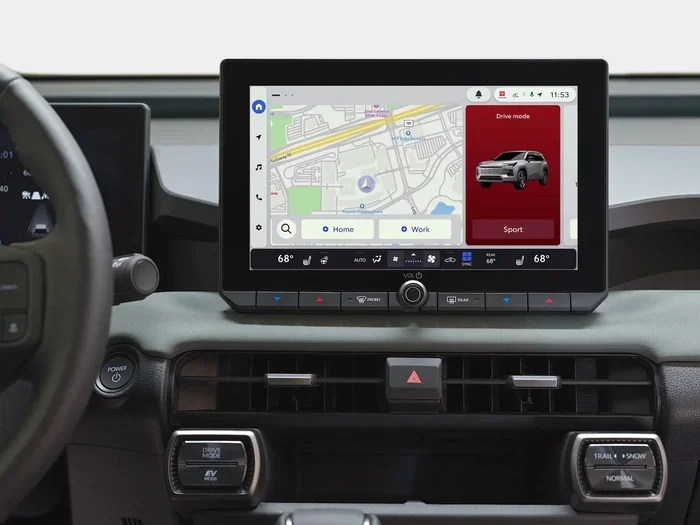
On newer Camry models, especially the 2018 and later versions, the BSM settings live inside the infotainment system. You access them through the touchscreen display. Go to the Settings menu, then look for Vehicle Settings, and find the Blind Spot Monitor option. From there, you can toggle it off.
Gauge Cluster Area
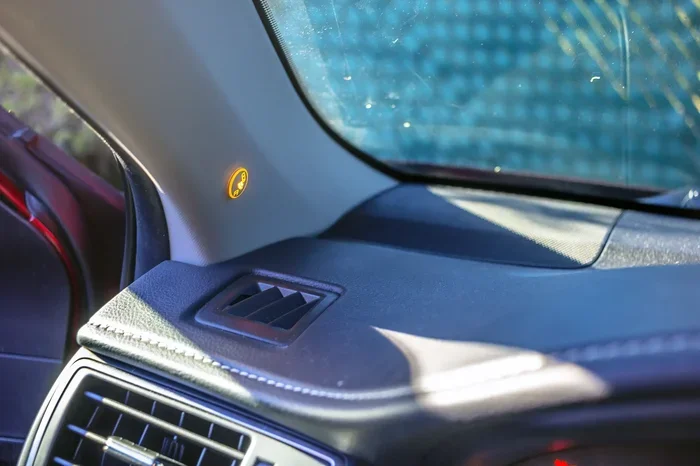
Some Camry models have a small button near the gauge cluster on the left side of the dashboard. It is a discreet little switch. Check your Toyota Camry owner manual if you cannot find it. The manual will show you the exact location for your specific year.
Step by Step: How to Turn Off BSM on a Toyota Camry
Here is the detailed process. Follow these steps carefully and you will have BSM disabled in no time.
Step 1: Put the Car in Park
Before you touch any settings, make sure your Camry is parked. Set the parking brake. Put the gear selector in Park. This ensures the car stays still while you adjust settings. Safety always comes first, even when you are turning off a safety feature.
Step 2: Locate the BSM Control
Check the steering wheel first. Run your fingers along the left side. Feel for a button with the blind spot symbol. If you do not find it there, move to the infotainment screen. Navigate to Settings, then Vehicle Settings.
Step 3: Press and Hold the Button
Once you find the button, press and hold it for about three seconds. You should see the BSM indicator light on the dashboard turn off. Some models will display a message on the screen confirming that blind spot monitoring is now disabled.
Step 4: Verify the System Is Off
Check your instrument cluster. The blind spot warning light should no longer be illuminated. If you see the light still on, try pressing the button again. Some Camry models require a longer press. Refer to your owner manual for model-specific instructions.
Step 5: Test the System
Before you drive, do a quick test. Turn the ignition on and check if the BSM warning light stays off. If it does, the system is successfully disabled. If it comes back on, you may need to repeat the steps or consult a Toyota dealer.
What Happens When BSM Is Off?
It is important to understand what changes when you turn off BSM. The blind spot monitoring system will no longer alert you when a vehicle is in your blind spot. The warning lights on the side mirrors will go dark. The beeping sound will stop.
You will still have your side mirrors and rearview mirror. You can still check your blind spots manually by looking over your shoulder. The car does not lose any other safety features. The lane departure warning, the pre-collision system, and the automatic emergency braking all continue to work normally.
Keep in mind that disabling BSM reduces one layer of protection. Use this feature wisely. Only turn it off when you really need to, like when towing or when the system is malfunctioning.
How to Re-Enable BSM on a Toyota Camry
Re-enabling blind spot monitoring is just as easy as turning it off. Here is what you do.
- Park the car and set the parking brake.
- Find the BSM button on the steering wheel or go to the infotainment Settings menu.
- Press and hold the BSM button for three seconds.
- Watch for the BSM indicator light to come back on.
- Confirm the system is active by checking the dashboard display.
That is it. Your BSM Toyota Camry system is back online and working again. If the light does not come back on, try restarting the car. Sometimes the system needs a full reboot to reset properly.
Common Mistakes When Turning Off BSM
Avoid these common mistakes when you are trying to disable BSM on your Camry.
- Pressing the wrong button: The steering wheel has many buttons. Make sure you are pressing the one with the blind spot symbol, not the lane departure or cruise control button.
- Not holding the button long enough: A quick tap will not work. You need to hold the button for at least three seconds.
- Confusing BSM with other alerts: The dashboard has many warning lights. The BSM light looks like a car with curved lines on each side. Do not confuse it with the tire pressure light or the check engine light.
- Forgetting to re-enable: It is easy to turn BSM off and forget to turn it back on. Make a habit of checking before you drive on the highway.
- Ignoring the owner manual: Your Toyota Camry owner manual has specific instructions for your model year. Always check it if you are unsure.
Expert Tips for Managing BSM on Your Toyota Camry
Here are some practical tips from experienced Camry owners and automotive experts.
Use BSM Mode Wisely
Think of BSM like a tool. You would not use a hammer to tighten a screw. Use BSM when it helps you, and turn it off when it does not. For highway driving at high speeds, keep it on. For city parking or tight maneuvering, you might want it off.
Clean Your Sensors Regularly
The BSM sensors sit on the rear bumper. Mud, snow, and dirt can cover them. When the sensors are dirty, they send false signals. Keeping the sensors clean can reduce false alerts without needing to turn off BSM entirely.
Check for Software Updates
Some Toyota Camry models receive software updates that improve the BSM system. Visit a Toyota dealership or check for updates through the infotainment system. A software update might fix the issues that made you want to disable BSM in the first place.
Know Your Model Year
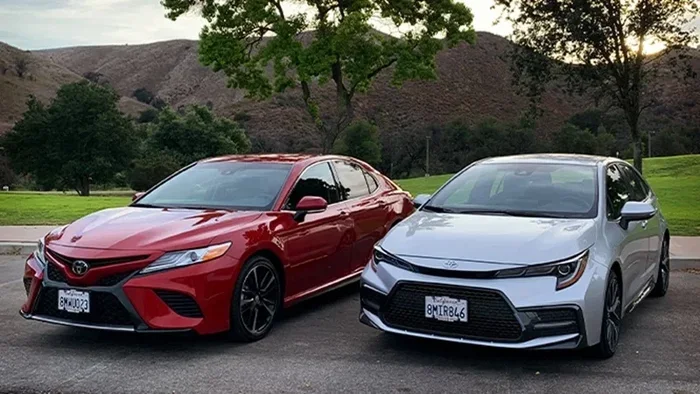
Different Camry generations have different control layouts. A 2012 Camry works differently from a 2022 Camry. Always look up instructions specific to your Toyota Camry model year. The Toyota Camry owner manual is your best friend here.
Can You Turn Off Other Toyota Safety Features?
Toyota Camry comes with several safety features beyond BSM. You might wonder if you can turn off other systems too. The answer is yes, in most cases.
For example, you can turn off steering assist in a Toyota if the lane tracing feature is causing issues. You can also switch between normal and sport mode while driving a Toyota if you want a different driving feel. Each system has its own toggle or setting. The process is similar to disabling BSM. You find the control, press and hold, and confirm the change.
Just like with BSM, you should only turn off other safety features when necessary. These systems exist to protect you and your passengers. Use them thoughtfully.
When to See a Toyota Dealer About BSM Issues
If you cannot turn off BSM using the steps above, there might be a deeper issue. The system could be stuck or malfunctioning. In that case, it is time to visit a Toyota dealer.
A certified Toyota technician can run diagnostics on the BSM system. They can check for error codes and sensor problems. Sometimes a simple reset fixes everything. Other times, a sensor might need replacement.
It is also worth checking if there are any recalls on the 2016 Toyota Camry or your specific model year. Toyota has issued recalls for various safety systems over the years. A recall could explain why your BSM is acting up. You can get the repair done for free if your car is covered.
Final Thoughts
Turning off BSM on a Toyota Camry is a straightforward process. Whether you use the steering wheel button or the infotainment screen, the steps are simple and quick. You do not need special tools or professional help. Just follow the steps in this guide and you will be done.
Remember to use this feature responsibly. BSM is a valuable safety tool. Turn it off when you need to, but turn it back on when you can. Keep your sensors clean and your software updated. And always refer to your Toyota Camry owner manual for model-specific guidance.
Your Camry is a reliable, well-built car. Understanding its features gives you more control behind the wheel. Now you know exactly how to manage the blind spot monitoring system. Drive safely and enjoy the ride.
Frequently Asked Questions
Can I turn off BSM while driving my Toyota Camry?
Yes, you can turn off BSM while driving, but it is not recommended. The system helps you stay safe during lane changes. If you need to disable it, pull over to a safe spot first. Turn off the engine or at least put the car in park before adjusting the settings.
Will turning off BSM affect other safety features on my Camry?
No, turning off BSM only disables the blind spot monitoring system. Other safety features like lane departure warning, pre-collision braking, and automatic emergency braking continue to work normally. Each system operates independently.
How do I know if my Toyota Camry has BSM?
Check your side mirrors. If you see a small blinking light on the mirror when a vehicle is in your blind spot, your Camry has BSM. You can also check the Toyota Camry owner manual or look for the BSM button on the steering wheel.
Why does my BSM light stay on even after I turn it off?
If the BSM light stays on, the system might not have fully disabled. Try pressing and holding the button for a longer time. If that does not work, restart the car. If the light still stays on, there may be a sensor issue. Visit a Toyota dealer for diagnostics.
Can I turn off BSM on a used Toyota Camry?
Yes, you can turn off BSM on any Toyota Camry, whether new or used. The process is the same regardless of the car’s age. Just locate the BSM button or setting and follow the steps in this guide.
Does turning off BSM void my Toyota warranty?
No, turning off BSM does not void your warranty. It is a standard feature designed to be user-controlled. Toyota built the system so drivers can toggle it on and off as needed. However, intentionally damaging the BSM system could affect warranty coverage.