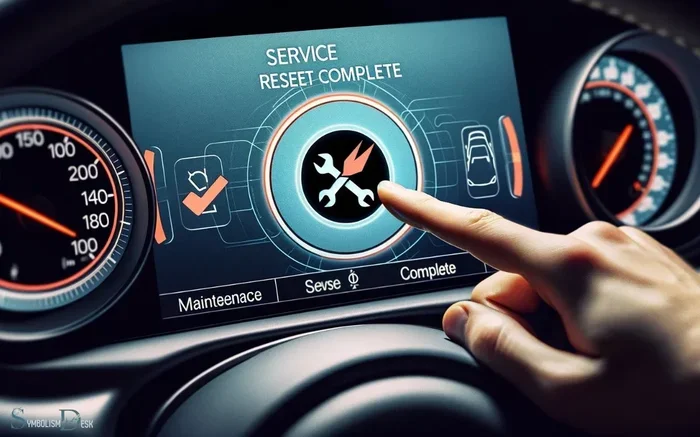
How to Reset Your Car Dashboard After an Oil Change
Resetting your car dashboard after an oil change is a quick and easy task that keeps your vehicle running smoothly and your maintenance log accurate. Whether you drive a Toyota, Honda, Ford, or any other brand, the oil change light reset process is straightforward once you know the steps. This guide covers every major method so you can handle it yourself in minutes.
Changing your oil is one of the most important car maintenance tasks you can do. It keeps your engine running smoothly and extends the life of your vehicle. But here is something many drivers forget: after an oil change, you need to reset the dashboard light. That little orange or red warning stays on even after your mechanic finishes the job. If you ignore it, the maintenance reminder will keep blinking on your instrument panel. This guide shows you exactly how to reset your car dashboard after an oil change, no matter what you drive.
Some people drive for months with the oil change light still on. That is a bad habit. The light is designed to remind you when service is due. Leaving it on means your service interval tracking gets thrown off. You might miss your next oil change or get confused about your service history. The good news is that resetting the light is simple. Most vehicles only take a few minutes. We will walk you through every method step by step.
Whether you prefer a DIY approach or want to understand what your mechanic does, this article has you covered. We also share car care tips and common mistakes to avoid. By the end, you will feel confident handling this task on your own. Let us dive in.
Key Takeaways
- Resetting the dashboard is essential: It clears the maintenance reminder and keeps your service records accurate.
- Methods vary by vehicle: Some cars use a button combination, while others need a scan tool or menu navigation.
- You can do it yourself: Most resets take under five minutes and require no special tools.
- Avoid common mistakes: Not turning the ignition to the right mode or skipping the reset can cause confusion later.
- Know when to seek help: If the light stays on after a reset, there may be a deeper issue that needs a mechanic’s attention.
📑 Table of Contents
- Why Resetting the Dashboard Light Matters
- How to Reset Your Dashboard: General Steps
- Reset Steps for Popular Vehicle Brands
- Common Mistakes When Resetting the Dashboard
- Can You Still Drive With the Oil Change Light On?
- Do You Need to Reset the Oil Change Light Every Time?
- Quick Tips for a Smooth Dashboard Reset
- Expert Insights on Dashboard Maintenance
- When to See a Mechanic Instead of Resetting Yourself
- Key Takeaways
- Conclusion
Why Resetting the Dashboard Light Matters
The dashboard warning light after an oil change is more than just an annoyance. It serves a real purpose in your vehicle’s maintenance system. Here is why you should always reset it after servicing your car.
It Tracks Your Service Intervals
Modern cars use an oil life monitoring system to track when your next oil change is due. The system counts miles, driving conditions, and engine hours. When the light comes on, it means the system has determined that the oil is no longer at peak performance. If you do not reset it, the system will not start a fresh count. This means your next oil change schedule becomes inaccurate.
It Keeps Your Maintenance Records Clean
If you sell your car or take it to a new mechanic, a clean service history matters. A dashboard light that keeps glowing after an oil change sends the wrong message. It suggests the work was never completed. Resetting the light confirms that the service was done and the system has been recalibrated.
It Prevents Confusion with Other Warning Lights
Your instrument panel has many lights. When the oil change indicator stays on, it can be hard to notice other important warnings. A cluttered dashboard makes it tough to spot real problems like low oil pressure or a failing battery. Keeping only active warnings visible helps you stay safe on the road.
How to Reset Your Dashboard: General Steps
Every vehicle has a slightly different reset process. However, most methods follow a similar pattern. Below we cover the most common approaches. Always check your owner’s manual first for model-specific instructions.
Method 1: Using the Reset Button
This is the most common method for many Toyota, Honda, and Ford models. Here are the general steps:
- Turn the ignition to the “ON” position without starting the engine.
- Locate the reset button on the instrument panel or steering column.
- Press and hold the button until the maintenance light starts to flash.
- Release the button and turn the ignition off.
- Turn the ignition back to “ON” to confirm the light is off.
Method 2: Using the Steering Wheel Controls
Many newer vehicles use buttons on the steering wheel or a digital display. The process typically looks like this:
- Press the menu or settings button on the steering wheel.
- Navigate to the “Vehicle Info” or “Maintenance” menu.
- Select “Oil Life Reset” or “Service Reset.”
- Hold the OK or confirm button until the display shows the reset is complete.
Method 3: Using the OBD-II Scanner
For vehicles that do not have a simple button reset, an OBD-II diagnostic tool works well. You plug the scanner into the port under your steering column. The tool communicates with your car’s computer and allows you to clear the maintenance code. This method is especially useful for European brands like BMW and Mercedes.
Reset Steps for Popular Vehicle Brands
Each brand has its own reset procedure. Here are the steps for some of the most common brands on the road today.
How to Reset a Toyota Dashboard After Oil Change
Toyota vehicles are among the easiest to reset. For most Toyota models including the Camry and Corolla, follow these steps:
- Turn the ignition to the “ON” position.
- Use the trip meter reset stalk to access the maintenance menu.
- Hold the stalk down for about 10 seconds.
- The oil change light will flash three times and then turn off.
- Turn the ignition off and then back on to verify.
How to Reset a Honda Dashboard After Oil Change
Honda vehicles use a similar but slightly different process:
- Press and hold the trip meter reset button on the instrument panel.
- Turn the ignition to the “ON” position while holding the button.
- Continue holding for about 10 seconds until the light resets.
- Release the button and turn the ignition off.
How to Reset a Ford Dashboard After Oil Change
Ford trucks and SUVs have their own method:
- Use the steering wheel controls to navigate to the vehicle settings menu.
- Select “Maintenance” and then “Oil Life Reset.”
- Confirm the reset and wait for the display to show completion.
Common Mistakes When Resetting the Dashboard
Even though the reset process is simple, mistakes happen. Here are the most common ones drivers make and how to avoid them.
Forgetting to Turn the Ignition to the Right Mode
The biggest mistake is not putting the car in the correct ignition mode. You need “ON” but not “START.” If you start the engine during the reset process, it can interrupt the procedure. Always keep the engine off while resetting.
Not Holding the Button Long Enough
Some drivers press the reset button for just a second or two. Most vehicles require you to hold it for at least 5 to 10 seconds. If the light does not respond, try holding longer. Patience is key here.
Skipping the Verification Step
After you reset the light, always turn the ignition off and back on to check. If the dashboard indicator is still on, you may need to repeat the process. A quick verification saves you from driving with a false warning.
Using the Wrong Reset Method
Not all cars use the same method. If you follow the wrong procedure for your vehicle, it will not work. Always refer to your owner’s manual or look up your specific model online before starting.
Ignoring the Light After a Reset
If you reset the light and it comes back on within a few days, something is wrong. The oil life system may have detected an issue. Do not just reset it again. Have a mechanic check your oil level and quality.
Can You Still Drive With the Oil Change Light On?
A question many drivers ask is whether it is safe to drive with the oil change light still glowing. The short answer is yes, for a short time. The light is a reminder, not an emergency signal. Your engine will not immediately fail because the light is on.
However, driving with the light on for weeks or months is not a good idea. Old oil loses its lubricating properties. It becomes less effective at reducing friction and cooling the engine. Over time, this can lead to increased wear on engine components. If you are overdue for an oil change, the smart move is to schedule service as soon as possible. For more details on this topic, check out our guide on Can I Still Drive With The Oil Change Light On.
Also, if the light comes on and you have not changed your oil recently, it could signal a real problem. Low oil level, dirty oil, or a faulty sensor can all trigger the warning. In those cases, do not just reset the light. Address the root cause first. For more on oil light concerns, you can also read Do You Have To Reset The Light After An Oil Change.
Do You Need to Reset the Oil Change Light Every Time?
Yes, every single time you get an oil change, you should reset the light. The oil life monitoring system does not automatically reset on its own in most vehicles. It relies on you or your mechanic to confirm the service was completed.
Some newer vehicles have an automatic reset feature. These cars detect when the oil has been replaced and reset the light themselves. But for the majority of vehicles on the road today, manual reset is required. If you are unsure whether your car resets automatically, consult your owner’s manual or ask your service advisor. Also, for more on this topic, visit Do You Reset The Oil Change Light.
Here is a quick comparison of vehicles with manual vs. automatic reset systems:
- Manual reset required: Most Toyota models, older Honda vehicles, Ford trucks, and many GM cars.
- Automatic reset: Some 2020+ models from select brands use smart sensors that detect oil replacement.
Quick Tips for a Smooth Dashboard Reset
Follow these practical tips to make the reset process effortless every time:
- Keep your owner’s manual in the glove box. It has the exact reset procedure for your specific model.
- Reset the light immediately after the oil change. Do not wait until you get home or days later. Doing it right away ensures accuracy.
- Use a quality oil that meets your vehicle’s specs. This keeps the oil life system running correctly and extends the time between resets.
- Note the reset date in your service log. A simple record keeps your maintenance history organized.
- Check other dashboard indicators after the reset. Make sure no other lights have appeared while you were working on the reset.
- Keep a phone flashlight handy. Some reset buttons are in hard-to-see spots on the instrument panel.
Expert Insights on Dashboard Maintenance
Professional mechanics agree that dashboard maintenance goes beyond just resetting lights. Here are some expert tips to keep your instrument panel in top shape.
Regularly check all your warning lights. Turn the ignition to “ON” (not “START”) and watch for any lights that stay on. This is called a bulb check, and it helps you catch issues early. If you notice a light that stays on, do not ignore it.
Keep your instrument panel clean. Dust and grime can build up around the buttons and display. Use a soft cloth to gently wipe the area. Avoid harsh chemicals that can damage the plastic or screen.
Update your vehicle’s software when prompted. Many modern cars have software updates that improve the accuracy of warning systems. These updates can also improve how the maintenance reminder system works.
Do not disconnect the battery to clear warnings. Some people think removing the battery will reset everything. This can erase important settings and does not always clear the maintenance light properly. Use the correct reset method for your vehicle instead.
When to See a Mechanic Instead of Resetting Yourself
Most dashboard resets are simple DIY tasks. But there are times when you should leave it to a professional. Here are the signs that something more is going on:
- The oil change light comes back on within a few days after resetting.
- Multiple warning lights appear on the dashboard at the same time.
- The reset process does not work after two attempts.
- You notice a burning smell or unusual noise from the engine.
- Your oil level drops quickly after a recent change.
These symptoms could point to a deeper issue like an oil leak, a faulty sensor, or engine wear. A qualified mechanic can diagnose the problem and fix it properly. For more information on related topics, check out our article on Can I Still Drive With The Oil Change Light On.
Key Takeaways
- Resetting the dashboard after every oil change is essential: It keeps your maintenance tracking accurate and your service history clean.
- The process varies by vehicle: Button resets, steering controls, and OBD-II scanners are the three main methods used across different brands.
- Always verify the reset: Turn the ignition off and back on to confirm the light is off.
- Avoid common mistakes: Using the wrong mode, not holding the button long enough, and skipping verification are the top errors drivers make.
- Do not ignore returning lights: If the light comes back, have a mechanic inspect your vehicle for underlying issues.
- Keep your owner’s manual handy: It contains the exact reset procedure for your specific make and model.
Conclusion
Resetting your car dashboard after an oil change is one of the simplest yet most overlooked parts of vehicle maintenance. It takes just a few minutes and keeps your oil change light accurate and your service interval tracking on point. Whether you drive a Toyota, Honda, Ford, or any other brand, the steps are straightforward once you know them.
Do not let that blinking light remind you of a job already done. Take a moment after every oil change to reset the dashboard. Your future self will thank you when you are not confused about when the next service is due. Keep this guide bookmarked for quick reference, and share it with fellow car owners who might benefit from it. Staying on top of your vehicle maintenance is the best way to keep your car running strong for years to come.
Frequently Asked Questions
How long does it take to reset the dashboard after an oil change?
Most vehicles take less than five minutes to reset. The process involves turning the ignition, pressing a button or navigating a menu, and confirming the reset. If your car uses a digital display, it may take a little longer to find the right menu option.
What happens if I do not reset the oil change light?
If you do not reset the light, your maintenance reminder will continue to display on the dashboard. This can make it difficult to track when your next oil change is due. Over time, the false reminder can cause confusion about your actual service schedule.
Can I reset the oil change light myself without going to a mechanic?
Yes, in most cases you can reset the light yourself. The process is simple and does not require any special tools. Just follow the steps in your owner’s manual or refer to this guide for your specific vehicle model.
Why does the oil change light come back after I reset it?
If the light returns shortly after a reset, it could mean the oil life system detected an issue. This might be low oil level, poor oil quality, or a faulty sensor. Have a mechanic check your vehicle to rule out any real problems.
Do all cars have a manual dashboard reset for the oil change light?
Most cars do, but some newer models have automatic reset features. European brands and luxury vehicles sometimes require an OBD-II scanner for the reset. Always check your owner’s manual to confirm the correct method for your car.
Is it safe to drive with the oil change light on for a few days?
Yes, it is generally safe for a short period. The light is a reminder, not an emergency warning. However, you should not drive for weeks with the light on. Old oil loses its effectiveness, and prolonged use can harm your engine over time.