Can I Unlock My Car With a Phone App Yes It Works
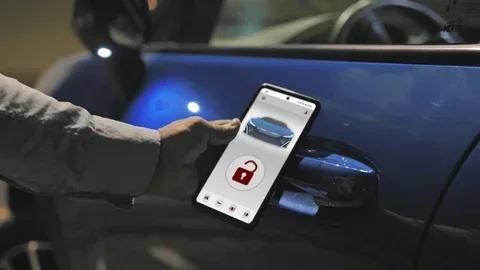
Can I Unlock My Car With a Phone App? Yes, it absolutely works. Modern vehicles now support smartphone car unlock features that let you open and start your car using a dedicated mobile app. This keyless car entry system uses Bluetooth, NFC, or cloud connectivity to replace your traditional car key fob with your phone.
Have you ever stood outside your car in the rain, fumbling for your keys? It happens to all of us. The good news is that Can I Unlock My Car With a Phone App is a question with a very clear answer: yes, it works. Car makers have embraced smart car technology and connected car technology to let you use your phone as a digital key. This guide covers everything you need to know about smartphone car unlock features, how they work, which cars support them, and what to watch out for.
The shift from physical keys to digital car keys has been one of the biggest changes in the auto industry. What once felt like science fiction is now a real feature in thousands of vehicles. Whether you drive a Tesla, a Ford, a BMW, or a Hyundai, there is a good chance your phone can unlock your doors, start the engine, and even share access with family members. Let us dive into how all of this works.
Key Takeaways
- Phone unlocking works: Most modern cars from brands like Tesla, BMW, Ford, and Hyundai support phone-as-car-key technology.
- Multiple technologies are used: Bluetooth Low Energy, NFC, and Ultra-Wideband all enable wireless car unlocking from your smartphone.
- Setup is simple: You just download your car manufacturer app, pair your phone, and follow on-screen instructions.
- Security is strong: These systems use encryption, authentication protocols, and remote lock features to keep your vehicle connectivity safe.
- Not all cars support it: Older models and budget vehicles may not have the hardware needed for mobile app vehicle control.
- Battery matters: If your phone dies, you should always carry a backup car key fob or physical key.
- Future is digital: Digital car keys and smart car technology are rapidly becoming the new standard in the auto industry.
📑 Table of Contents
How Phone Apps Unlock Your Car
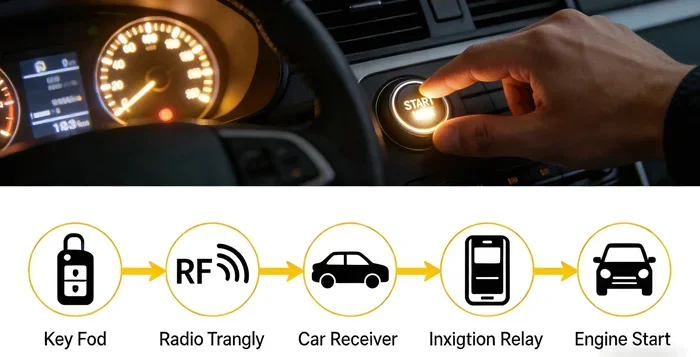
Understanding how phone as car key technology works helps you feel more confident using it. The process relies on wireless communication between your phone and your car. Here is a breakdown of the main methods used today.
Bluetooth Low Energy (BLE)
Most keyless car entry systems use Bluetooth Low Energy. This is the same basic tech found in wireless headphones and fitness trackers. Your phone sends a secure signal to your car when you approach. The car recognizes your device and unlocks the doors automatically. BLE uses very little battery, so it will not drain your phone. It also has a range of about 30 to 50 feet, which works well for most situations.
Near Field Communication (NFC)
NFC works by tapping your phone against a reader on the car. Think of it like tapping a contactless payment card. You hold your phone near the door pillar or the center console, and the car unlocks. NFC is very secure because it requires close proximity. Tesla uses NFC as one of its primary digital wallet car key methods. It is fast, reliable, and works even when your phone battery is low.
Ultra-Wideband (UWB)
Ultra-Wideband is the newest and most advanced technology for wireless car unlocking. UWB uses radio waves to pinpoint your phone’s exact location. This means your car can tell if you are standing right next to it or far away. This prevents relay attacks, where thieves try to boost your key signal from a distance. BMW and Ford are leading the charge with UWB support in their newer models.
Cloud-Based Unlocking
Some car manufacturer apps use cloud connectivity to unlock your vehicle. You open the app, tap a button, and the car receives the command through a cellular network. This works even if you are not near your car. It is great for letting someone borrow your car or unlocking it remotely on a cold morning. However, it does require an internet connection on both your phone and the car.
Which Cars Support Phone App Unlocking
Not every car can be unlocked with a phone app. Support depends on the year, model, and trim level. Here is a look at which brands and models lead the way in vehicle mobile app support.
Tesla
Tesla was one of the first brands to make phone-as-car-key standard. Every Tesla supports phone unlocking through Bluetooth and NFC. You can also use the Tesla app for remote features like climate control and location tracking. The experience is seamless and works almost like magic.
Ford and Lincoln
Ford’s Passive Keyless Entry system works with smartphones through its FordPass app. Many 2020 and newer Ford models support this. Lincoln vehicles follow the same system. You can unlock doors, start the engine, and share digital keys with other users through the app.
BMW
BMW introduced digital car keys with its iDrive system. Newer models from 2021 onward support phone unlocking via NFC and UWB. You can store your key in the Apple Wallet or BMW Digital Key Plus. BMW also allows you to share temporary keys with friends and family.
Hyundai and Kia
Hyundai and Kia offer remote car features through their Bluelink app. Many 2022 and newer models support smartphone car unlock through BLE. The app also lets you remote start the engine, check tire pressure, and locate your vehicle.
Other Brands
Many other brands now support phone-based unlocking. These include Chevrolet, GMC, Toyota, Honda, Mercedes-Benz, and Volkswagen. Check your specific model year and trim to confirm compatibility. Visit the manufacturer’s website or ask your dealer if you are unsure.
How to Set Up Phone-Based Car Unlocking
Setting up mobile app vehicle control is straightforward for most car owners. Follow these steps to get started with your car security app.
Step 1: Check Compatibility
First, confirm your car supports phone unlocking. Check your owner’s manual or visit the brand’s website. Look for terms like “digital key,” “phone as a key,” or “smartphone access.” If your car was made after 2019, there is a good chance it has this feature.
Step 2: Download the Right App
Download your car manufacturer app from the App Store or Google Play. Popular apps include Tesla, FordPass, BMW Digital Key, Bluelink, and MyChevrolet. Make sure you download the official app from the brand, not a third-party copy.
Step 3: Create Your Account
Sign up for an account using your email and vehicle information. You will usually need your VIN (Vehicle Identification Number). This links the app to your specific car. Keep your login details secure and use a strong password.
Step 4: Pair Your Phone
Follow the on-screen instructions to pair your phone with the car. This usually involves holding your phone near the door reader or center console. The car and phone exchange encryption keys during this step. Once paired, your phone acts as your car key fob.
Step 5: Test the System
Walk away from your car and try unlocking it with your phone. Try starting the engine with the phone inside. Test the range and make sure everything works smoothly. If something does not work, restart the app or re-pair your device.
Quick Tips for Setup
- Keep your phone’s operating system updated for the best car app compatibility.
- Enable battery optimization for the car app so it stays active in the background.
- Always carry a backup car key fob or physical key just in case.
- Make sure your phone has enough battery before long trips.
- Test the system in a safe area before relying on it completely.
Benefits of Using a Phone App to Unlock Your Car
Switching from a traditional car key fob to a phone-based system offers many real advantages. Here are the biggest benefits of embracing keyless car entry system technology.
Convenience
You always have your phone with you. No more digging through pockets or bags looking for a key fob. Your phone unlocks the car automatically as you approach. This is especially helpful when your hands are full with groceries or a baby.
Remote Features
Most car manufacturer apps offer remote features beyond just unlocking. You can start the engine from inside your home on a cold day. You can locate your car in a crowded parking lot. Some apps let you lock or unlock doors from anywhere in the world.
Sharing Access
Digital keys make it easy to share access with others. You can send a temporary key to a friend or family member through the app. They can unlock and start the car using their own phone. No need to hand over a physical key or worry about copies.
Enhanced Security
Smart car technology uses advanced encryption to protect your vehicle. Each phone-to-car communication is encrypted and authenticated. Many systems also require biometric verification like a fingerprint or face scan before unlocking. This adds a strong layer of protection against theft.
No More Lost Keys
Losing a car key fob is expensive and stressful. With a phone-based system, your key is always with you. If you lose your phone, you can still access the car through the backup key or by contacting the manufacturer. Some apps let you remotely deactivate a lost phone as a key.
Security Features and Concerns
Security is a top concern when it comes to phone as car key technology. The good news is that manufacturers have built strong protections into these systems. Here is what you need to know.
Encryption and Authentication
Every communication between your phone and car is encrypted. This means no one can intercept or copy the signal. The car also authenticates your phone using unique cryptographic keys. Only your paired phone can unlock and start the vehicle.
Relay Attack Protection
Older key fobs are vulnerable to relay attacks. Thieves use devices to boost your key signal from inside your home and unlock the car from outside. Modern connected car technology with UWB and NFC is much harder to attack because of the short range and close proximity required.
Remote Lock and Wipe
If your phone is stolen, you can use the car app to lock the vehicle and remove the phone as a digital key. This prevents unauthorized access. Some systems also allow you to track your car’s location through the app.
Common Security Concerns
- Can someone hack my car through the app? Manufacturers use bank-level encryption. Hacking is extremely rare but keeping your app updated reduces any risk.
- What if my phone battery dies? Most systems have a backup mode. You can hold your phone against the reader to unlock even with low battery. Always keep a physical key as a backup.
- Is my data safe? Car apps collect minimal data. Check the privacy policy of your vehicle mobile app to understand what is shared.
Common Problems and How to Fix Them
Even the best keyless car entry systems can have occasional issues. Here are the most common problems and their solutions.
Phone Does Not Unlock the Car
This usually happens when Bluetooth is turned off or the app is not running in the background. Make sure Bluetooth is enabled on your phone. Check that the car app has permission to run in the background. Restart both your phone and the car system if needed.
Delayed or Unresponsive Unlocking
If unlocking feels slow, your phone may be too far from the car or there may be interference from other devices. Move closer to the car and try again. Make sure no other phones are paired to the same vehicle profile.
App Crashes or Freezes
Clear the app cache and restart it. Check for app updates in your app store. If the problem continues, uninstall and reinstall the app. Make sure your phone operating system is also up to date.
Car Does Not Recognize Phone After Update
Phone or car software updates can sometimes reset the pairing. Re-pair your phone by following the setup steps again. This usually fixes the issue quickly.
Can I Use My Phone If I Have Multiple Cars?
Some apps support multiple vehicles. Check your specific app for this feature. You may need separate profiles or accounts for each car.
Frequently Asked Questions
Can I Unlock My Car With a Phone App if I Have an Older Vehicle?
Most older vehicles do not support phone as car key technology out of the box. However, some aftermarket solutions can add keyless car entry system features to older cars. Check with your dealer or a qualified mechanic to see if your specific model can be upgraded. Keep in mind that these add-on solutions may not offer the same seamless experience as factory-installed systems.
Does Using a Phone App Drain My Car Battery?
No, using your phone to unlock your car does not drain the vehicle battery in any meaningful way. The wireless car unlocking process uses very little power from the car’s electrical system. The car’s battery is designed to handle this kind of vehicle connectivity activity regularly, even daily.
Can I Share My Digital Car Key with Someone Who Does Not Have the Same Phone Brand?
This depends on the car brand and the app. Some systems like BMW and Tesla support cross-platform sharing through their apps. Others may be limited to specific phone types. Always check the sharing features in your car manufacturer app before relying on it for access sharing.
What Happens If I Lose My Phone and It Was My Car Key?
Most car security apps let you remotely remove the lost phone as a digital key. You can log in from another device and deactivate the phone’s access. You should also use your backup physical car key fob to access the vehicle. Contact your dealer if you need help reassigning your digital key.
Is It Safe to Unlock My Car Remotely Through an App?
Yes, remote car features through official manufacturer apps are very safe. These apps use encrypted connections and require your login credentials. The smart car technology behind them includes multiple layers of authentication. Just make sure you use a strong password and enable two-factor authentication if the app supports it.
Will Phone-Based Car Unlocking Replace Physical Keys Completely?
The auto industry is moving strongly in that direction. Many new cars now come with digital car keys as standard and no physical key slot. However, physical keys are still required as a backup in most systems. Complete replacement of physical keys may take several more years as the industry standardizes smart car technology across all models and brands.
Can I Unlock My Car With a Phone App is a question with a confident, clear answer: yes, and it works remarkably well. Smartphone car unlock technology has transformed how we interact with our vehicles. From Bluetooth and NFC to cutting-edge Ultra-Wideband, the methods behind keyless car entry systems are secure, convenient, and increasingly standard across the auto industry.
Whether you drive a Tesla, Ford, BMW, Hyundai, or another supported brand, setting up mobile app vehicle control is easier than most people expect. The benefits of convenience, remote features, shared access, and enhanced security make digital car keys a compelling upgrade over traditional car key fobs.
Of course, no technology is perfect. Keep a backup physical key, stay on top of app updates, and understand the security features of your car security app. With these simple precautions, you can enjoy all the advantages of wireless car unlocking without worry.
The future of connected car technology is digital. Embracing phone as car key features now puts you ahead of the curve and makes your daily driving experience smoother and more connected. Start exploring your car’s app today, and you may never go back to fumbling for keys again.