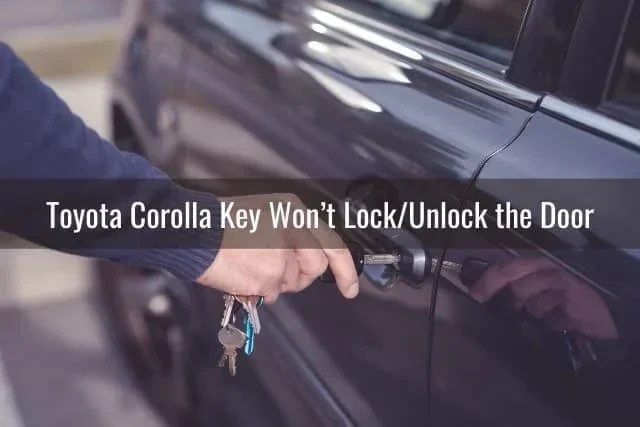
How Do I Unlock My Toyota Corolla And Start Driving
Unlocking your Toyota Corolla is simple once you know the right method for your model year and trim level. Whether you use a key fob, a smart key system, or need a manual backup, this guide walks you through every option. You will learn how to unlock the doors, start the engine, and handle common lockout situations like a pro.
There is nothing worse than standing in front of your car, ready to head out, and realizing you cannot get inside. Maybe the key fob stopped working. Maybe you forgot it on the kitchen counter. Whatever the reason, knowing how to unlock your Toyota Corolla and get behind the wheel can save you from a frustrating morning.
The good news is that Toyota designs the Corolla with multiple ways to access and start the vehicle. From the smart key system in newer models to the trusty manual key in older ones, there is always a solution. In this guide, we walk you through every method step by step so you are never stuck wondering what to do next.
Whether you own a brand new 2024 Corolla or a trusty older model, this article covers it all. We will talk about the key fob, the push button start, the hidden mechanical key, and even how the Toyota app can help you unlock your car from a distance. By the end, you will feel confident handling any unlock situation with your Corolla.
Key Takeaways
- Multiple Unlock Methods: Toyota Corollas offer key fob, smart key, manual key, and app-based unlocking options depending on your model year.
- Key Fob Battery Matters: A dead key fob battery is the most common reason you cannot unlock or start your Corolla.
- Manual Backup Always Works: Every Toyota Corolla has a hidden physical key for emergency situations.
- Push Button Start Requires the Fob Inside: You must have the smart key inside the cabin to start the engine on newer models.
- Prevent Lockouts With Routine Habits: Simple habits like checking for your fob before closing doors save time and stress.
- Toyota App Adds Remote Convenience: The Toyota app lets you unlock your car remotely in many newer models.
📑 Table of Contents
Understanding Your Toyota Corolla Unlock Options
Before we dive into the steps, it helps to understand what you are working with. Toyota has used different lock and key systems across Corolla generations. Some rely on a traditional key fob with buttons. Others use a smart key system that detects the key inside the car. And some older models still use a basic metal key. Knowing which system your Corolla uses makes everything easier.
Key Fob Unlock Method
The most common way to unlock a Toyota Corolla is with the key fob. This small remote has buttons for locking and unlocking the doors. Simply press the unlock button, and the doors pop open. The fob also lets you unlock the trunk and, on some models, remotely start the engine.
If your fob works from a reasonable distance, you can stand outside the car and press the button. Most Toyota key fobs work from about 30 to 50 feet away. This makes it easy to unlock the car before you even reach the door.
Smart Key System
Newer Toyota Corollas come with a smart key system. This is also called a keyless entry system. Instead of pressing a button, you just touch the door handle. The car senses the smart key in your pocket or bag and unlocks automatically.
To start the engine with a smart key, you press the push button start while holding the brake pedal. The car recognizes the key inside the cabin and allows ignition. This system is incredibly convenient but does rely on the key battery being charged.
Manual Key Backup
Every Toyota Corolla has a backup plan. There is a mechanical key hidden inside the key fob. You pull it out and use it to manually unlock the driver door. This is a lifesaver when the fob battery dies or the electronic system fails. The manual key slot is usually hidden behind a small cover on the door handle.
How To Unlock Your Toyota Corolla Step By Step
Now that you know the different systems, let us walk through the actual unlock process for each method. Follow these steps carefully and you will be inside your car in no time.
Step One: Check Your Key Fob
First, check that your Toyota key fob has a working battery. If the buttons do not respond when you stand close to the car, the battery might be low. Try pressing the unlock button while standing right next to the door. If it still does not work, move to the next step.
Here are quick signs your fob battery needs replacing:
- The unlock button feels weak or unresponsive.
- The car does not beep when you press the button.
- The dashboard does not recognize the fob when you try to start the engine.
Step Two: Use The Smart Key Touch Feature
If your Corolla has a smart key system, try touching the driver door handle. On most models, you just grab the handle and the car unlocks automatically. Make sure the smart key is on your person, like in your pocket or purse.
Some Corolla models let you unlock all doors by touching the handle twice. Check your owner manual for the exact behavior of your specific trim level. The Toyota smart key system is designed to be intuitive, but small differences exist between model years.
Step Three: Use The Mechanical Key
If the electronic methods fail, do not panic. Pull out the mechanical key from inside the fob. Look for a small button or latch on the fob that releases the metal key blade. Use it to unlock the driver door.
The manual key slot is usually hidden under a small plastic cover on the door handle. Pop off the cover and insert the key. Turn it counterclockwise to unlock the door. Once inside, you can replace the fob battery and continue your day.
Starting Your Toyota Corolla After Unlocking
Getting inside is only half the battle. Now you need to start the engine and get driving. The starting process depends on whether your Corolla uses a traditional ignition or a push button start system.
Starting With A Key Fob And Ignition
On older Corolla models, you insert the key into the ignition and turn it to start the engine. Make sure the car is in park or neutral before turning the key. If the key feels stiff or does not turn, the ignition lock might be engaged. This happens sometimes when the steering wheel locks up.
To fix a locked steering wheel, gently wiggle the wheel left and right while turning the key. This releases the lock and lets the ignition turn freely. It is a simple fix that catches many drivers off guard.
Starting With Push Button Start
For newer Corollas with push button start, the process is straightforward. Press the brake pedal and then press the engine start button. The car recognizes the smart key inside the cabin and fires up the engine.
If the car does not recognize the key, check the dashboard for a warning light. A flashing key icon usually means the key fob battery is too low to communicate with the car. In this case, hold the fob directly against the start button. Many Toyota models have a backup antenna in the button that reads the fob even with a dead battery.
Common Unlock Problems And How To Fix Them
Even the most reliable Toyota Corolla can have unlock issues from time to time. Here are the most common problems and how to solve them quickly.
Dead Key Fob Battery
A dead battery is the number one reason people cannot unlock their Corolla. The fix is simple. Replace the battery inside the fob. Most Toyota fobs use a CR2032 coin battery. You can find these at any grocery store or pharmacy. Open the fob with a small flathead screwdriver, swap the old battery for the new one, and you are back in business.
If you are not sure how to open your fob, check the Toyota owner manual for your specific model. The process is usually quick and easy. Keep a spare battery in your glove box so you are always prepared.
Frozen Door Lock In Winter
Cold weather can freeze the door lock mechanism, making it impossible to unlock the car with the fob. In this situation, try standing close to the car and pressing the unlock button multiple times. The signal is stronger at close range. You can also use the mechanical key as a backup, though the lock may still be stiff.
To prevent this in the future, park your Corolla in a garage or covered area during winter. A silicone-based lock lubricant spray can also help keep the mechanism working smoothly in cold temperatures.
Fob Not Working After Battery Replacement
Sometimes even a new battery does not fix the problem. If the fob still does not work after replacing the battery, the fob may need reprogramming. This happens when the fob loses its pairing with the car.
You can reprogram the fob yourself in most cases. Sit in the driver seat, close all doors, and follow the reprogramming steps in your owner manual. The process usually involves cycling the ignition on and off a specific number of times. If you cannot get it to work, visit a Toyota dealer for assistance.
Electrical System Failure
In rare cases, a blown fuse or electrical issue can prevent the doors from unlocking electronically. Check the fuse box under the hood for any blown fuses related to the door lock system. Replacing a fuse is inexpensive and easy. If the problem persists, there may be a wiring issue that requires professional diagnosis.
Preventing Lockouts In The Future
The best way to handle a lockout is to avoid one altogether. Here are some simple habits that keep you from getting locked out of your Toyota Corolla.
- Always check for your fob before closing the door and walking away.
- Keep a spare battery in your glove box or center console.
- Replace the fob battery every 12 months, even if it still works.
- Use the mechanical key as a backup when the fob shows signs of weakness.
- Consider a spare fob for emergencies. You can get a replacement from a Toyota dealer.
These small habits take seconds but save you from big headaches. A few minutes of preparation now can prevent a stressful lockout later.
Using Technology To Your Advantage
Toyota has embraced technology in recent years, and the Corolla benefits from smart features that make access easier. The Toyota app is one of the most useful tools for Corolla owners. With the app, you can unlock your car remotely, locate it in a parking lot, and even start the engine from your phone.
The Toyota app works with compatible Corolla models that have connected services. You simply download the app, link it to your vehicle, and follow the setup instructions. Once connected, you can unlock the doors from anywhere with cell service. This is incredibly helpful if you leave the car unlocked or need to let someone inside while you are away.
Another great feature is remote start. You can start the engine before you get in the car, especially useful in extreme weather. The Toyota key fob also supports remote start on many models, letting you warm up or cool down the car before your drive.
If you are interested in learning more about what the Toyota app can do, check out our guide on can I unlock my car with the Toyota app. It covers the app features in detail and helps you set everything up.
For those wondering about driving without the key fob in certain situations, our article on can I drive my Toyota without a key fob provides helpful information on what to do if you lose or forget your fob.
Also, if you ever need to remote start your Corolla using the key fob, we have a detailed guide on can I remote start my Toyota with the key fob that walks you through the exact steps for your model.
When To Seek Professional Help
Most unlock issues are simple to fix at home. But sometimes you need professional help. If you have tried all the methods above and still cannot unlock or start your Corolla, it is time to see a technician.
Here are signs you need professional assistance:
- The doors remain locked even after using the mechanical key.
- The dashboard shows multiple warning lights related to the key system.
- The push button start does not respond even with the fob held against it.
- You have lost or damaged your key fob and need a replacement.
A Toyota dealer has the tools and expertise to diagnose complex electrical issues. They can also program new key fobs and smart keys on the spot. Visiting a dealer is the fastest way to get back on the road safely.
Many Toyota dealers offer same-day service for key and lock issues. You do not need an appointment in most cases. Just walk in with your vehicle and they will get you sorted quickly.
Final Thoughts
Unlocking your Toyota Corolla is something you do every day, but it helps to understand how the system works. Whether you use the key fob, the smart key touch feature, or the mechanical key backup, you now know exactly what to do in any situation. The key is preparation. Keep a spare battery, know where the manual key is, and stay familiar with your specific model features.
Technology has made accessing and starting your Corolla easier than ever. The Toyota app, push button start, and remote start features add convenience that previous generations could only dream of. But it is always wise to know the manual methods too. Electronics can fail, batteries can die, and having a backup plan is never a bad idea.
Next time you walk up to your Toyota Corolla, you will know exactly how to get inside and start driving. No stress, no frustration, just a smooth start to your day. Keep this guide bookmarked for reference, and share it with fellow Toyota owners who might find it helpful.
Frequently Asked Questions
How do I unlock my Toyota Corolla if the key fob battery is dead?
Use the mechanical key hidden inside the fob. Pull out the metal key blade and insert it into the small slot on the driver door handle. Remove the plastic cover to find the slot, then turn the key counterclockwise to unlock the door. This method works even when the electronic system fails completely.
Can I unlock my Toyota Corolla with my phone?
Yes, if your Corolla supports the Toyota app and connected services. Download the Toyota app, link it to your vehicle, and you can unlock the doors remotely from your phone. This feature works on compatible models with a cellular connection. Check if your specific model year supports this feature.
Why does my Toyota Corolla not start even after unlocking the doors?
This usually means the key fob battery is too low for the car to recognize the smart key. Try holding the fob directly against the push button start and pressing the brake pedal. Many Toyota models have a backup reader in the start button that works even with a weak battery signal.
How often should I replace the Toyota Corolla key fob battery?
Replace the battery every 12 months for best results. Even if the fob still works, a fresh battery ensures reliable performance. The CR2032 coin battery is standard for most Toyota key fobs and costs just a few dollars at any store.
Can I drive my Toyota Corolla without the key fob inside the car?
No, the smart key system requires the key to be inside the cabin to start the engine. If the fob is not detected, the car will not start. Always keep the fob in your pocket or bag when driving. If the fob battery dies, hold it against the start button as a backup.
What should I do if I lock my keys inside my Toyota Corolla?
First, try the Toyota app if your car supports it. If that does not work, call a locksmith or roadside assistance. Avoid breaking a window unless it is an absolute emergency. Keep a spare key or fob at home or with a trusted person to prevent future lockouts.