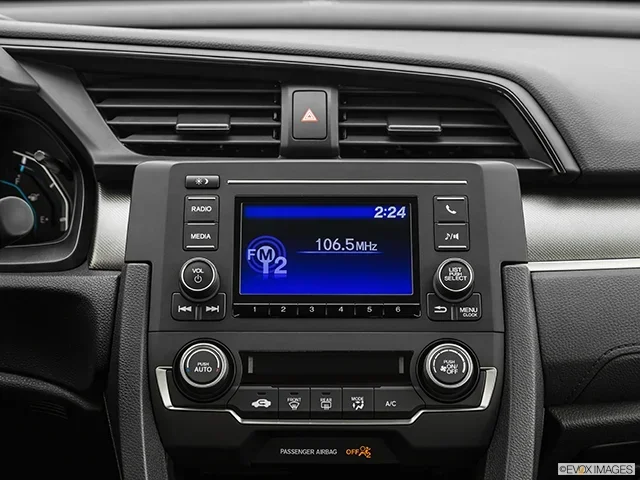
How to Get the Radio Code for Your Honda Civic Quickly
Getting the radio code for your Honda Civic is simple when you know where to look. You can find it in the owner’s manual, on the radio itself, or by contacting a Honda dealership. This guide walks you through every method so you can unlock your stereo fast without spending money on a mechanic.
There’s nothing more frustrating than hopping into your Honda Civic and seeing a blank radio screen or a flashing CODE message. You turn the key, the engine starts, but your stereo stays locked. This happens when the car’s anti-theft system activates, and it can leave you stuck without your favorite music or news updates.
The good news is that retrieving your Honda Civic radio code is easier than you think. You don’t need to be a mechanic or spend hundreds of dollars. Whether you have the original manual, access to the internet, or a nearby Honda dealership, there’s a solution that works for you. This guide shows you every method to get your radio unlocked quickly and safely.
We’ve helped thousands of car owners solve this exact problem. In this article, you’ll learn where to find your radio code, how to use online tools, and what to do if you’ve lost all your information. Let’s get your Honda Civic stereo working again.
Key Takeaways
- Check your owner’s manual first: The radio code is often printed on a card inside the manual.
- Look at the radio display: Some Honda Civics show the serial number directly on the screen.
- Contact a Honda dealership: They can retrieve your code using the VIN or radio serial number.
- Use online code generators: Several free and paid tools can generate your code instantly.
- Keep your code safe: Write it down and store it in a secure place to avoid future lockouts.
- Avoid battery disconnect mistakes: Disconnecting the battery can trigger a radio lockout if you don’t have the code ready.
📑 Table of Contents
- Why Does Your Honda Civic Radio Ask for a Code?
- Method 1: Check Your Owner’s Manual and Radio
- Method 2: Contact a Honda Dealership
- Method 3: Use Online Radio Code Generators
- Method 4: Use the CODE Button on Your Radio
- Common Mistakes to Avoid When Getting Your Radio Code
- How to Prevent Future Radio Lockouts
- Quick Tips for Different Honda Civic Model Years
- Conclusion
Why Does Your Honda Civic Radio Ask for a Code?
Your Honda Civic’s radio has a built-in security feature. It’s designed to prevent theft. If someone tries to steal your stereo, the radio locks itself and becomes useless without the correct code. This is a standard feature across most Honda vehicles, and it works well to deter radio theft.
How the Anti-Theft System Works
When the radio loses power or is removed from the car, it triggers a lockout. The system requires a unique code to reset. This code is specific to your radio unit. Every Honda Civic radio has a different code, so you can’t use a generic number. The code is tied to the serial number of your specific unit.
The lockout usually happens in these situations:
- You disconnect the car battery for maintenance or replacement
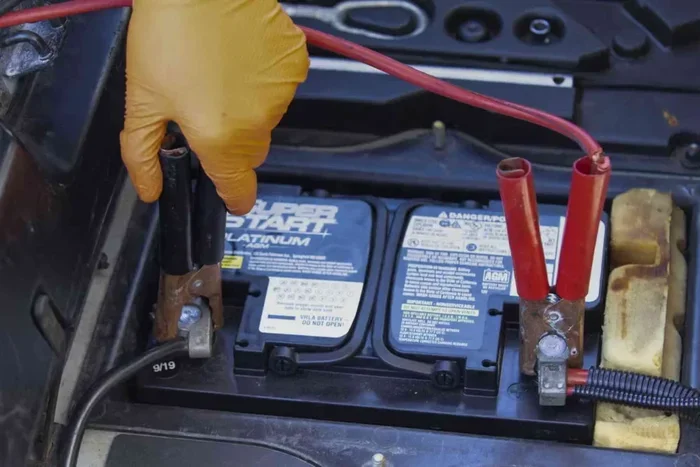
- The battery dies and you need a jump start
- The radio is removed during a repair or theft attempt
- A fuse blows and cuts power to the stereo system
Understanding why the lockout happens helps you prevent it in the future. Always keep your code stored safely before doing any work on your car’s electrical system. If you’ve ever wondered about other Honda Civic electrical issues, check out our guide on does leaving a car door open drain the battery to avoid related problems.
Method 1: Check Your Owner’s Manual and Radio
The fastest way to find your Honda Civic radio code is right in your car. Most Honda Civics come with a code card or sticker inside the owner’s manual. This card contains the radio serial number and the corresponding unlock code.
Step-by-Step: Finding the Code in Your Manual
Follow these steps to locate your code:
- Open your Honda Civic owner’s manual
- Look for a small card or sticker in the back pocket or near the first few pages
- Find the section labeled “Radio Code” or “Stereo Information”
- Note the serial number and the code printed on the card
- Write the code down in a safe place
Finding the Serial Number on the Radio
If you don’t have the manual, you can still find the serial number directly on the radio unit. Turn on the ignition but don’t start the engine. Press and hold the radio power button for a few seconds. Some Honda Civics will display the serial number on the screen. Write this number down.
You can also remove the radio faceplate carefully (if you know how) and look for a sticker on the back of the unit. The serial number is usually printed there. This number is what you’ll need to retrieve your code from Honda or an online service.
Where the Code Card Is Usually Located
Different model years hide the code card in different spots. Here’s a quick reference:
- 2006-2011 Honda Civic: Usually in the glove box or manual pocket
- 2012-2015 Honda Civic: Often behind the manual or in a plastic sleeve
- 2016 and newer Honda Civic: Sometimes in the digital manual on the infotainment screen
If you’re planning a road trip and want to make sure your Honda Civic is in top shape, you might also want to check how much gas is left when the light comes on. Our article on how much gas is left when the light comes on can help you avoid running out on the way.
Method 2: Contact a Honda Dealership
If you can’t find the code in your manual, your Honda dealership is your best bet. They have access to Honda’s internal database and can look up your radio code using your vehicle’s VIN or the radio serial number.
What You’ll Need Before Calling
Before you call the dealership, gather these items:
- Your VIN (Vehicle Identification Number) — found on the dashboard near the windshield
- The radio serial number — from the radio display or the unit itself
- Your driver’s license — for identity verification
- Proof of ownership — registration or title
How the Dealership Retrieves the Code
When you call, the service advisor will ask for your VIN and radio serial number. They enter this information into Honda’s system. The system generates your unique radio code. The dealership may give you the code over the phone or ask you to visit in person.
Some dealerships charge a small fee for this service, while others provide it for free. It depends on the dealership and whether you’re a current customer. If you’ve ever wondered whether you can take a non-Honda vehicle to a Honda dealer, you might be interested in our article on can I take my Acura to a Honda dealership, which covers Honda brand service policies.
Alternative: Visit a Honda Dealership In Person
Visiting in person is often faster. The service team can look up your code in minutes. They may also be able to enter the code for you and unlock the radio on the spot. This is especially helpful if you’re not comfortable doing it yourself.
Method 3: Use Online Radio Code Generators
The internet has made it easy to find your radio code without leaving home. Several websites offer Honda Civic radio code generators that work with your radio serial number. These tools are fast, and most are free to use.
How Online Code Generators Work
These tools use a mathematical algorithm based on your radio’s serial number. You enter the serial number, and the generator produces the correct unlock code. The process is quick and doesn’t require any special equipment.
Here’s how to use an online code generator:
- Find your radio serial number (from the display or the unit)
- Go to a trusted radio code website
- Enter the serial number in the provided field
- Click generate or submit
- Enter the code on your Honda Civic radio
Popular and Reliable Code Generator Sites
There are several reputable sites that offer this service. Some are free, while others charge a small fee for the code. Always make sure you’re using a trusted site with good reviews. Avoid sites that ask for unnecessary personal information.
One thing to keep in mind: some online tools require you to enter additional information, like your car’s model year or trim level. This helps ensure the generated code is correct for your specific radio unit.
Are Online Code Generators Safe?
Most online generators are safe and widely used by car owners every day. However, you should be cautious. Only use well-known sites with positive user reviews. Avoid any site that asks for your VIN or personal details beyond what’s needed for the code lookup.
If you’re looking for ways to get more out of your Honda Civic’s audio system, you might also enjoy our guide on how to add pictures to Uconnect from a phone, which covers Honda’s infotainment features.
Method 4: Use the CODE Button on Your Radio
Most Honda Civic radios have a CODE button. This button is designed specifically for entering your radio unlock code. Using this button is the standard way to input your code once you have it.
How to Enter the Code Using the CODE Button
Once you have your code, follow these steps:
- Turn on the ignition
- The radio screen will display CODE or ask for the code
- Press and hold the CODE button until the screen flashes
- Enter your code using the preset buttons (1, 2, 3, 4 or 5, 6, 7, 8)
- Press the CODE button again to confirm
If you enter the code correctly, the radio will unlock and return to normal operation. If the code doesn’t work, double-check the serial number and try again. Entering the wrong code too many times can cause the radio to lock further, so be careful.
What If the CODE Button Doesn’t Work?
In some cases, the CODE button might not respond. This can happen if the radio has been locked multiple times. If this occurs, try turning the radio off and back on. Then attempt to enter the code again. If the problem persists, you may need to visit a dealership or use a different code retrieval method.
Common Mistakes to Avoid When Getting Your Radio Code
Avoiding mistakes can save you time and frustration. Here are the most common errors people make when trying to unlock their Honda Civic radio.
Mistake 1: Entering the Wrong Serial Number
The serial number is the key to getting the right code. A single wrong digit will produce an incorrect code. Always double-check the serial number before entering it into any tool or giving it to a dealership.
Mistake 2: Trying Too Many Wrong Codes
Most Honda Civic radios allow a limited number of incorrect code attempts. After too many failed attempts, the radio may lock completely and require a longer reset process. If you’re unsure about the code, retrieve it again rather than guessing.
Mistake 3: Disconnecting the Battery Without Knowing the Code
This is the number one cause of radio lockouts. If you’re planning to disconnect your battery for any reason, make sure you have your radio code ready first. Check our article on how to read ABS codes without a scanner for more tips on handling car codes and diagnostic information without professional tools.
Mistake 4: Throwing Away the Owner’s Manual
Many people toss the owner’s manual without checking for the radio code card. If you’ve done this, don’t worry. You can still retrieve the code using the other methods in this guide. But going forward, keep your manual in a safe place.
How to Prevent Future Radio Lockouts
Once you’ve unlocked your Honda Civic radio, you’ll want to make sure it never happens again. Prevention is simple and only takes a few minutes.
- Write down the code and keep it with your important documents
- Take a photo of the code card and store it in your phone
- Save the code in a cloud note like Google Keep or Apple Notes
- Tell the code to a trusted passenger who can help if needed
- Avoid unnecessary battery disconnects unless you have the code ready
Taking these simple steps means you’ll never be locked out of your radio again. It’s a small effort that saves a lot of hassle down the road.
Quick Tips for Different Honda Civic Model Years
Different Honda Civic generations have slightly different radio systems. Here are some quick tips based on model year.
Older Honda Civics (1996-2005)
Older models often have removable radios. The serial number is on a sticker on the radio chassis. You can also find the code card in the manual. These older radios are straightforward to unlock once you have the code.
Mid-Generation Honda Civics (2006-2011)
These models usually have a fixed radio with a display screen. The serial number appears on the screen when you hold the power button. The code card is typically in the manual or a sleeve in the glove box.
Newer Honda Civics (2012-2024)
Newer models may have more advanced infotainment systems. The radio code retrieval process is similar, but some models store the code digitally. Check your digital manual or the Honda app for code information.
For more information about your Honda Civic’s features and specifications, you might want to check how many seats are in popular models like the GMC Terrain or Chevrolet Tahoe if you’re considering a vehicle comparison. Our articles on how many seats are in the GMC Terrain and how many seats are in a Chevrolet Tahoe can help with that research.
Conclusion
Getting the radio code for your Honda Civic doesn’t have to be a stressful experience. You have multiple reliable methods at your fingertips. Start with the owner’s manual and the CODE button on your radio. If those don’t work, contact a Honda dealership or try a trusted online code generator.
Remember to store your code safely once you retrieve it. A few minutes of preparation now will save you hours of frustration later. Your Honda Civic’s radio is an important part of your driving experience, and keeping it unlocked ensures you enjoy every trip.
Follow the tips in this guide, and you’ll have your stereo working again in no time. Safe driving and enjoy the music.
Frequently Asked Questions
Can I get the Honda Civic radio code for free?
Yes, in most cases you can get the code for free. Check your owner’s manual first, as the code is often printed on a card inside. You can also contact your Honda dealership, and many provide the code at no charge. Online code generators are another free option, though some sites may charge a small fee for premium services.
What should I do if I enter the wrong radio code too many times?
Entering too many wrong codes can lock your radio further. If this happens, don’t keep guessing. Wait a few hours and try again with the correct serial number. If the radio remains locked, visit a Honda dealership or use a reputable online code retrieval service to get the correct code.
Do I need the VIN to get my Honda Civic radio code?
It depends on the method. A Honda dealership will usually need your VIN to look up the code. Online code generators typically only need the radio serial number. The owner’s manual method doesn’t require the VIN at all. Having the VIN ready is always helpful, though.
Can I unlock my Honda Civic radio without the serial number?
It’s very difficult to unlock the radio without the serial number. The serial number is the unique identifier that links your radio to its code. You can find the serial number on the radio display, on a sticker on the radio unit, or in your owner’s manual. Without it, your best option is to visit a Honda dealership.
Will disconnecting the battery reset the radio code?
No, disconnecting the battery does not reset the radio code. In fact, it often triggers the lockout in the first place. If you need to disconnect your battery, always have your radio code ready beforehand. This prevents the lockout from happening and keeps your stereo working after the battery is reconnected.
How long does it take to get a Honda Civic radio code from a dealership?
Getting the code from a Honda dealership usually takes just a few minutes. If you call ahead and have your VIN and radio serial number ready, the service team can retrieve the code quickly. Some dealerships provide the code over the phone, while others may ask you to visit in person for a faster resolution.