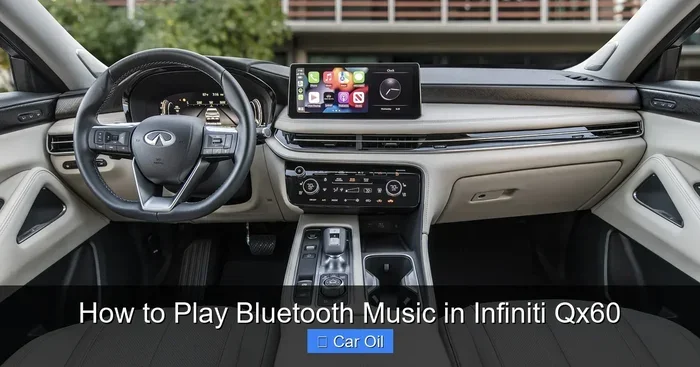
How to Play Bluetooth Music in Infiniti QX60 Easily
Playing Bluetooth music in your Infiniti QX60 is simple and hassle-free. This guide walks you through pairing your phone, streaming your favorite tunes, and troubleshooting common issues. You will learn how to connect your device in under two minutes and enjoy wireless audio on every drive.
There is nothing better than cruising down the road with your favorite playlist flowing through your car speakers. The Infiniti QX60 makes this easy with built-in Bluetooth music streaming. Whether you are commuting to work or heading out on a road trip, wireless audio keeps your drive fun and relaxed.
If you have never connected your phone to the QX60 before, do not worry. This guide shows you exactly how to play Bluetooth music in Infiniti QX60 in simple steps. We also cover tips for better sound quality, how to connect multiple devices, and common problems you might face. By the end, you will be streaming music like a pro.
The Infiniti QX60 comes with a modern infotainment system that supports Bluetooth wireless connection. This means you can stream audio from your phone without any cables. The system also supports hands-free calling, so you stay safe and connected while driving. Let us dive into the details.
Key Takeaways
- Easy Pairing Process: Connecting your phone to the Infiniti QX60 Bluetooth system takes just a few simple steps.
- Multiple Device Support: The QX60 infotainment system can remember and switch between paired devices easily.
- Hands-Free Convenience: Bluetooth lets you stream music and make calls without touching your phone.
- Troubleshooting Tips Included: Learn how to fix common connection problems quickly.
- Audio Quality Is Great: The QX60 delivers clear sound through its built-in speakers when connected via Bluetooth.
- Works with All Major Phones: Whether you use iPhone or Android, the pairing process is straightforward.
📑 Table of Contents
- Getting Started with Bluetooth on Your Infiniti QX60
- How to Stream Music After Pairing
- Connecting Multiple Devices to the QX60
- Troubleshooting Bluetooth Connection Issues
- Improving Bluetooth Audio Quality in the QX60
- Bluetooth Hands-Free Calling with Music
- Maintaining Your Bluetooth Connection Over Time
- Common Mistakes to Avoid When Using Bluetooth in the QX60
- Final Thoughts
Getting Started with Bluetooth on Your Infiniti QX60
Before you start playing music, you need to pair your phone with the QX60 Bluetooth system. The process is quick and works with both iPhone and Android devices. Make sure your phone has Bluetooth turned on before you begin.
Step-by-Step Pairing Guide
Follow these simple steps to connect your phone to the QX60 infotainment system:
- Press the phone button on the steering wheel or tap the phone icon on the touchscreen.
- Select Bluetooth Settings from the main menu.
- Choose Add New Device from the list of options.
- On your phone, go to Settings and turn on Bluetooth.
- Search for available devices and select Infiniti QX60 from the list.
- Enter the PIN if prompted. The default PIN is usually 0000 or 1234.
- Wait for the connection to complete. You will see a confirmation on screen.
Once paired, your phone will automatically connect to the QX60 every time you start the engine. This makes Bluetooth music streaming seamless and effortless. You do not need to repeat the pairing process unless you reset the system.
Quick Tips for First-Time Pairing
- Make sure your phone is fully charged before pairing.
- Keep your phone within a few feet of the car during the initial setup.
- Restart both your phone and the car infotainment system if the connection fails.
- Check that no other Bluetooth devices are interfering with the pairing process.
How to Stream Music After Pairing
Now that your phone is connected, playing music is incredibly easy. The QX60 Bluetooth system supports most popular music apps. This includes Spotify, Apple Music, Pandora, YouTube Music, and Amazon Music. You can control everything right from the car’s display screen.
Using Your Phone’s Music App
Open your music app on your phone just like you normally would. The audio will automatically route through the car speakers instead of your phone’s small built-in speaker. You can control the volume using the steering wheel controls or the touchscreen.
Here is what you can do while driving:
- Play and pause your music with a tap on the screen.
- Skip tracks using the next or previous buttons on the infotainment display.
- Adjust the volume with the steering wheel audio controls.
- Browse playlists and albums without taking your eyes off the road for too long.
The Bluetooth audio streaming quality on the Infiniti QX60 is impressive. You get clear highs and solid bass through the factory speakers. For even better sound, consider adjusting the equalizer settings on the touchscreen. The QX60 offers preset audio modes like Standard, Bright, and Soft that change the music tone.
Connecting Multiple Devices to the QX60
The Infiniti QX60 Bluetooth system can remember several paired devices at once. This is great for families who share the same vehicle. You can switch between devices without unpairing and re-pairing each time.
How to Switch Between Devices
If your spouse or passenger has a different phone, they can connect their device too. Here is how to manage multiple connections:
- Go to Bluetooth Settings on the infotainment system.
- You will see a list of all previously paired devices.
- Select the device you want to connect.
- The system will switch audio input to that device automatically.
This feature is especially useful during road trips when everyone wants to play their own playlist. The QX60 makes it easy to take turns without any hassle. Just remember that only one device can stream music at a time.
Managing Device Priority
The QX60 usually connects to the last device that was paired. If you want to change the default device, you can do so in the Bluetooth settings menu. Some users also find it helpful to unpair old devices they no longer use. This keeps the device list clean and prevents accidental connections.
If you have issues connecting a second device, try turning off Bluetooth on the first phone temporarily. This forces the QX60 to search for the new device. Once connected, you can turn the first phone’s Bluetooth back on without any problems.
Troubleshooting Bluetooth Connection Issues
Even with a reliable system, you might run into Bluetooth connection problems now and then. Do not panic. Most issues are easy to fix with simple steps. Let us look at the most common problems and their solutions.
Bluetooth Won’t Connect
If your phone does not connect to the QX60, try these steps first:
- Turn Bluetooth off on your phone and then turn it back on.
- Restart the infotainment system by holding the power button for 10 seconds.
- Delete the QX60 from your phone’s Bluetooth list and re-pair it.
- Make sure your phone software is up to date.
Sometimes the Bluetooth range is the issue. The Infiniti QX60 Bluetooth connection works best when your phone is inside the vehicle. If your phone is in a bag or in the back seat, move it closer to the front seats. The signal strength improves significantly with proximity.
Audio Cutting Out or Static Noise
If you hear static or the music keeps cutting out, try the following:
- Check that nothing is blocking the Bluetooth signal between your phone and the car.
- Move away from other wireless devices that might cause interference.
- Restart both your phone and the car’s infotainment system.
- Reduce the number of apps running on your phone while streaming music.
Interference from other wireless devices can weaken the Bluetooth connection. This is especially common in crowded parking lots or near tall buildings. Moving to a less crowded area often solves the problem immediately.
Phone Does Not Show Up in the Device List
If your phone does not appear when the QX60 searches for devices:
- Make sure your phone is set to be visible to other Bluetooth devices.
- Restart your phone’s Bluetooth connection.
- Check if another device is already connected and blocking the new one.
- Try resetting the car’s Bluetooth settings to factory defaults.
Resetting the Bluetooth settings is a quick fix for most stubborn connection issues. Just remember that you will need to re-pair your phone after a factory reset. Keep your pairing PIN handy before you do this.
Improving Bluetooth Audio Quality in the QX60
The default Bluetooth audio quality on the Infiniti QX60 is already very good. But if you want to push the sound quality even further, there are a few things you can try. Small adjustments can make a big difference in how your music sounds inside the cabin.
Adjusting the Equalizer Settings
The QX60 infotainment system includes an equalizer with several preset options. You can also create a custom audio profile. Here is how to access it:
- Tap the audio or sound settings icon on the touchscreen.
- Select the equalizer or audio adjustment option.
- Choose a preset like Rock, Pop, Jazz, or Classical.
- Or manually adjust the bass, midrange, and treble sliders.
For hip hop and electronic music, boost the bass slightly. For acoustic and vocal tracks, increase the treble and keep the bass low. Experiment with different settings to find what sounds best to your ears.
Keeping Your Phone Close to the Car
Bluetooth signal strength affects audio quality. If your phone is too far from the car’s antenna, the connection may weaken. This can cause dropouts or lower audio quality. Keep your phone in the center console or cup holder for the best results.
Using High-Quality Streaming Settings
Your music app settings also matter. Apps like Spotify and Apple Music let you choose the streaming quality. Set the quality to High or Very High for the best Bluetooth audio experience. Just keep in mind that higher quality uses more data if you are not connected to Wi-Fi.
For the best results, download your favorite playlists for offline listening before you drive. This way, the music streams instantly without any buffering. The QX60 Bluetooth system handles high-bitrate audio streams without any issues.
Bluetooth Hands-Free Calling with Music
One of the best things about the Infiniti QX60 Bluetooth system is that it handles both music and calls. You can switch between streaming music and taking phone calls seamlessly. The system automatically pauses music when a call comes in and resumes it when you hang up.
How Hands-Free Calling Works
When you receive a call while playing music, the infotainment screen shows the caller ID. You can answer the call using the steering wheel phone button. Your voice comes through the car speakers, and the caller hears you through the built-in microphone.
This is incredibly convenient and keeps your hands on the wheel. It also makes your drive safer. You can have a full conversation without ever touching your phone. The QX60 Bluetooth hands-free system is one of the standout features of this SUV.
Tips for Better Call Quality
- Make sure the microphone is not blocked by any objects.
- Keep the car quiet when on a call for better voice clarity.
- Update your phone’s software regularly for the best Bluetooth performance.
- If call quality is poor, try moving to a different location with better signal reception.
The Infiniti QX60 has been a popular choice among families and luxury SUV buyers. Its Bluetooth features add a lot of value to the driving experience. Whether you use it for music, calls, or both, the wireless connection is reliable and easy to use.
Maintaining Your Bluetooth Connection Over Time
Like any wireless technology, Bluetooth needs a little care to work its best. Keeping your devices updated and managing paired devices properly will ensure smooth performance for years to come.
Software Updates Matter
Both your phone and the QX60 infotainment system receive periodic software updates. These updates often include Bluetooth improvements and bug fixes. Make sure to install updates whenever they are available. A simple restart after updating can also help refresh the Bluetooth connection.
Clean Up Paired Devices Regularly
Over time, the QX60 Bluetooth device list can get cluttered with old connections. Go through the list and remove devices you no longer use. This keeps things organized and prevents accidental connections. It also frees up memory in the car’s system for new pairings.
If you sell or lend your QX60, remember to unpair your phone before handing it over. This protects your privacy and keeps your personal data safe. You can always re-pair your phone when you get the vehicle back.
Common Mistakes to Avoid When Using Bluetooth in the QX60
Even experienced users sometimes make mistakes with Bluetooth connections. Avoiding these common errors will save you time and frustration.
- Leaving Bluetooth on when not in use: This drains your phone battery faster. Turn it off when you do not need it.
- Ignoring software updates: Outdated software can cause connection problems. Keep everything current.
- Pairing too many devices: While the QX60 supports multiple devices, too many can slow things down.
- Placing your phone in a metal case: Some metal cases block Bluetooth signals. Remove the case if you notice connection issues.
- Not restarting the system: A simple restart fixes most Bluetooth problems. Do not skip this step.
By following these simple tips, you will enjoy a smooth and reliable Bluetooth music experience every time you drive your Infiniti QX60. The wireless connection is designed to be intuitive and user-friendly. With just a little practice, it becomes second nature.
Final Thoughts
Playing Bluetooth music in the Infiniti QX60 is one of the simplest and most enjoyable features of this vehicle. The pairing process is quick, the audio quality is excellent, and the hands-free calling adds an extra layer of convenience. Whether you are a tech-savvy user or someone who prefers simple setups, the QX60 Bluetooth system delivers.
Remember to keep your phone and car software updated for the best performance. Clean up your paired device list regularly, and do not be afraid to troubleshoot if something goes wrong. Most Bluetooth issues have quick and easy fixes. With this guide, you are now equipped to get the most out of your Infiniti QX60 wireless audio experience.
So go ahead, pair your phone, hit play on your favorite playlist, and enjoy the drive. The Infiniti QX60 was built to make every journey more enjoyable, and Bluetooth music streaming is a big part of that experience. Happy listening.
Frequently Asked Questions
Can I play Bluetooth music in my Infiniti QX60 while charging my phone?
Yes, you can charge your phone and stream Bluetooth music at the same time. The QX60 has USB ports that charge your device while the Bluetooth connection handles audio streaming. Just plug in your phone and start playing music as usual.
How many devices can I pair with the Infiniti QX60 Bluetooth system?
The QX60 can store multiple paired devices in its memory. You can switch between them easily through the infotainment settings. However, only one device streams music at a time, so take turns when sharing the car.
Does Bluetooth music streaming work when the engine is off?
Yes, the Infiniti QX60 allows Bluetooth streaming even with the engine off. This feature is called accessory mode. It lets you listen to music while parked, but keep in mind it will drain the car battery if left on for too long.
Why does my Bluetooth music keep pausing in the QX60?
Music interruptions usually happen due to weak Bluetooth signals or interference. Move your phone closer to the car’s center console to improve the connection. Also, check if other wireless devices are causing interference in the area.
Can I control Bluetooth music from the steering wheel in the QX60?
Yes, the QX60 steering wheel has dedicated audio controls. You can play, pause, skip tracks, and adjust volume without touching the touchscreen. This makes it safer and more convenient to manage your music while driving.
Is the Bluetooth audio quality on the Infiniti QX60 good?
The Bluetooth audio quality on the QX60 is very good for wireless streaming. The factory speakers deliver clear sound with decent bass. For the best results, adjust the equalizer settings and keep your phone close to the car’s infotainment system.