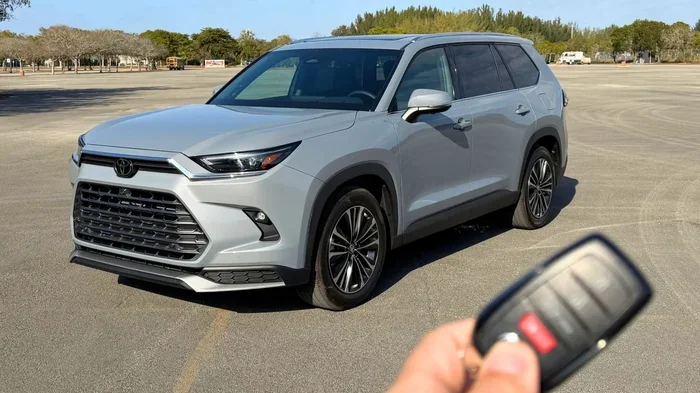
How to program garage door opener Toyota Highlander
Programming your garage door opener on a Toyota Highlander is simple and takes just minutes. Whether you use the factory Homelink system or a universal remote, this guide walks you through every step. You will learn how to pair your opener, fix common issues, and keep your system running smoothly for years to come.
Have you ever pulled into your driveway and wished you could open your garage door without stepping out of your Toyota Highlander? It is one of those small conveniences that makes a big difference in your daily routine. The good news is that programming a garage door opener on a Toyota Highlander is straightforward and something most owners can do themselves.
In this guide, we will walk you through the entire process. Whether your Highlander has the factory Homelink system or you need to use a universal garage door opener, we have you covered. You will find clear steps, helpful tips, and answers to the most common questions people ask about Toyota Highlander garage door programming.
The Toyota Highlander is known for its family-friendly features, and garage door integration is one of them. It saves time, adds convenience, and gives your vehicle a more modern feel. Let us dive right into how to get it set up.
Key Takeaways
- Homelink is the built-in system: Most Toyota Highlanders come with a factory Homelink garage door control built into the overhead console.
- Programming takes minutes: You can complete the setup process in under 15 minutes with basic tools.
- Universal openers work too: If your Highlander does not have Homelink, a universal garage door opener is a great alternative.
- Resetting solves most problems: A simple reset often fixes unresponsive garage door buttons and pairing failures.
- Maintenance keeps it working: Regular care of your opener and vehicle system extends the lifespan of both.
📑 Table of Contents
- Understanding the Toyota Highlander Garage Door Opener System
- How to Program Garage Door Opener Toyota Highlander
- HomeLink vs Universal Garage Door Opener for Toyota Highlander
- Troubleshooting Common Programming Problems
- Maintenance Tips for Your Toyota Highlander Garage Door System
- Expert Tips for Toyota Highlander Garage Door Owners
- Conclusion
Understanding the Toyota Highlander Garage Door Opener System
Before you start programming, it helps to understand what system your Toyota Highlander uses. Most models come equipped with a built-in feature called HomeLink. This is a wireless control system that lets you operate your garage door directly from your vehicle. It is built into the overhead console, usually near the rearview mirror.
Some older or base models may not have Homelink. In those cases, you can use a universal garage door opener that mounts to the console or windshield. Both options serve the same purpose, but the setup process is slightly different.
What Is HomeLink?
HomeLink is a brand name for an integrated garage door control system. It has been a popular feature in Toyota vehicles for years. The system uses a small radio transmitter inside your car to communicate with your garage door receiver. Once programmed, you can open and close your garage door with the push of a button.
Here are some key things to know about HomeLink in the Toyota Highlander:
- Three buttons are standard: Most Highlanders have three HomeLink buttons on the overhead console.
- It works with most openers: HomeLink is compatible with the vast majority of garage door brands.
- No extra remote needed: Once programmed, you use the car’s built-in buttons instead of carrying a separate remote.
- It replaces the need for multiple remotes: One less thing to carry around in your pocket.
Does Your Toyota Highlander Have HomeLink?
To check if your Highlander has HomeLink, look at the overhead console. You will see three small buttons labeled 1, 2, and 3. They are usually located near the sun visors or the rearview mirror. If you see these buttons, your vehicle is ready for garage door programming.
If your Highlander does not have these buttons, you can still add garage door functionality. A universal garage door opener is the best option. These devices are affordable and easy to install. You can learn more about connecting garage door systems by checking our guide on how to connect garage door opener to Homelink.
How to Program Garage Door Opener Toyota Highlander
Now let us get into the steps. Programming your garage door opener on a Toyota Highlander is a simple process. You will need your garage door remote and your vehicle key handy. Follow these steps carefully and you will be up and running in no time.
Step 1: Prepare Your Vehicle
Start by parking your Toyota Highlander in front of your garage. Make sure the engine is off but the vehicle is powered on. You can do this by pressing the start button without pressing the brake pedal. The accessory mode will keep your electrical systems active.
Next, locate the three HomeLink buttons on your overhead console. Clear the area around the buttons so you have good access. You will also want to have your garage door remote within arm’s reach.
Step 2: Put the Garage Door Opener in Programming Mode
Every garage door opener has a learn button. This is usually located on the back of the motor unit, near the antenna wire. You may need to climb a ladder to access it. Here is what to do:
- Press and release the learn button on your garage door motor.
- You will see a small light turn on or blink.
- You usually have 30 seconds to complete the next step.
Some openers require you to hold the learn button for a few seconds instead. Check your opener’s manual if the light does not come on right away.
Step 3: Program the HomeLink Button
Now it is time to link your garage door opener to your Toyota Highlander. Follow these steps:
- Press and hold the HomeLink button you want to use. Do not release it.
- After about 20 seconds, the HomeLink indicator light will start blinking.
- While still holding the HomeLink button, press the learn button on your garage door remote.
- Hold the remote close to the HomeLink system.
- The HomeLink light will change from blinking to solid, which means it has paired.
Release both buttons once the light turns solid. Your Toyota Highlander is now programmed to control that garage door.
Step 4: Test the Connection
Press the HomeLink button you just programmed. Your garage door should respond immediately. If it does not, do not worry. This happens more often than you might think. Try repeating the process or check the troubleshooting section below.
It is a good idea to test the system a few times to make sure the connection is stable. Open and close the door two or three times to confirm everything works smoothly.
Step 5: Repeat for Additional Doors
If you have multiple garage doors or gates, you can program additional HomeLink buttons. Simply repeat the process above using a different HomeLink button for each door. The three buttons on the Highlander give you room for up to three separate devices.
HomeLink vs Universal Garage Door Opener for Toyota Highlander
If your Toyota Highlander does not come with Homelink, or if you want a backup option, a universal garage door opener is a solid choice. Let us compare the two options so you can decide which works best for your situation.
| Feature | HomeLink (Built-In) | Universal Garage Door Opener |
|---|---|---|
| Installation | Already in the vehicle | Requires mounting and wiring |
| Cost | Included with the vehicle | $20 to $50 |
| Compatibility | Works with most openers | Works with nearly all openers |
| Aesthetics | Clean, factory look | Visible device on console |
| Number of Doors | Up to 3 | Usually 1 |
| Reliability | Very high | High, depends on brand |
Most Toyota Highlander owners prefer the built-in HomeLink system. It is convenient, clean, and does not require any extra hardware. However, if you drive an older model or a base trim, a universal opener is a practical and affordable solution.
You can find universal garage door openers at most auto parts stores or online. Look for ones that are specifically designed for Toyota vehicles. They tend to have better integration and easier setup.
Troubleshooting Common Programming Problems
Sometimes the programming process does not go as smoothly as you would like. This is normal and usually easy to fix. Here are the most common issues people run into when programming their garage door opener on a Toyota Highlander.
HomeLink Light Does Not Blink
If the HomeLink indicator light does not blink when you hold the button, try this:
- Make sure your vehicle is in accessory mode, not fully off.
- Check that the garage door opener learn button was pressed correctly.
- Wait 30 seconds and try again from the beginning.
- Move your garage door remote closer to the HomeLink buttons.
Garage Door Does Not Respond After Programming
This is the most common complaint after programming. Here is what to do:
- Reset the HomeLink system by holding buttons 1 and 3 together for 10 seconds.
- Wait for the indicator light to turn off.
- Start the programming process over from Step 1.
Sometimes the garage door opener itself needs a reset too. Check the motor unit for any error lights and consult the opener manual.
Interference From Other Devices
Garage door openers operate on specific radio frequencies. Other wireless devices nearby can sometimes cause interference. If your programmed button works intermittently, try these fixes:
- Move your vehicle closer to the garage door motor.
- Turn off other wireless devices near the garage during programming.
- Check that your garage door opener antenna is properly attached.
How to Clear a Previously Programmed HomeLink Button
If you want to reprogram a HomeLink button that was previously used, you need to clear it first:
- Press and hold buttons 1 and 3 simultaneously.
- Hold them for about 10 seconds until the indicator light turns off.
- Release both buttons.
- The button is now cleared and ready for new programming.
For more detailed guidance on garage door connection issues, you may want to read our article on how to connect garage door opener to Homelink. It covers common pairing problems in depth.
Maintenance Tips for Your Toyota Highlander Garage Door System
Once your garage door opener is programmed and working, a little maintenance goes a long way. Keeping your system in good shape ensures reliable operation for years to come.
Keep the HomeLink Buttons Clean
Dust and grime can build up around the HomeLink buttons over time. Wipe them down regularly with a soft, damp cloth. This keeps the electrical contacts clean and responsive.
Check Your Garage Door Opener Batteries
If your garage door remote stops working, the first thing to check is the battery. A weak battery can cause intermittent operation or complete failure. Replace the battery every 1 to 2 years for best results.
Test the Auto-Reverse Feature
Safety should always come first. Test your garage door’s auto-reverse feature regularly. Place a roll of paper towels on the ground and close the door. If the door does not reverse when it hits the object, have it serviced immediately.
Update Your Opener Firmware
Modern garage door openers often have software updates available. Check with your opener manufacturer for the latest firmware. Updated firmware can improve range, reliability, and security.
Protect the System From Extreme Weather
Extreme heat and cold can affect both your garage door opener and the HomeLink system. Park in a shaded or covered area when possible. In winter, make sure the garage door opener motor is free of ice and snow buildup.
Expert Tips for Toyota Highlander Garage Door Owners
After helping countless Toyota Highlander owners with their garage door setups, here are some expert tips that can make the process even smoother.
Program during the daytime. Garage door openers work best when there is a clear line of sight between your vehicle and the motor unit. Daytime programming ensures the best signal strength.
Use a friend to help. Having someone press the learn button while you hold the HomeLink button makes the process much easier and faster.
Keep your garage door remote in the car. Even after programming HomeLink, keep a backup remote in your vehicle. If the HomeLink system ever needs to be reset, you will still have access to your garage.
Do not rush the process. Each step has a time limit, usually 30 seconds. But rushing can cause you to miss a step. Take your time and follow each instruction carefully.
Know your opener brand. Different brands like Chamberlain, LiftMaster, Craftsman, and Genie have slightly different learn button locations. Knowing your brand helps you find the button faster.
Consider security. Modern HomeLink systems use rolling code technology, which changes the access code every time you use it. This makes your garage more secure against unauthorized access.
For Toyota Highlander owners who also need to care for other vehicle features, check out our guide on how to care for your auto tint to keep your Highlander looking great inside and out.
Conclusion
Programming a garage door opener on your Toyota Highlander is one of the easiest and most rewarding upgrades you can make. It adds daily convenience and gives your vehicle a more modern, integrated feel. Whether you use the built-in HomeLink system or a universal garage door opener, the process is straightforward and takes less than 15 minutes.
Remember to follow each step carefully, test your connection, and keep your system maintained. The tips and troubleshooting advice in this guide should help you handle most situations you encounter. If you run into persistent issues, do not hesitate to consult a professional or reach out to your Toyota dealership for support.
Now that you know how to program garage door opener Toyota Highlander, you can enjoy the convenience every time you pull into your driveway. Safe travels and happy driving!
Frequently Asked Questions
Can I program my garage door opener on a Toyota Highlander without HomeLink?
Yes, you can. If your Highlander does not have the built-in HomeLink system, you can use a universal garage door opener. These devices mount to the overhead console and connect to your garage door opener just like a factory system. They are affordable and easy to install.
How long does it take to program a garage door opener on a Toyota Highlander?
The entire process typically takes between 10 and 15 minutes. The actual programming only takes a few minutes, but having your garage door remote and motor unit easily accessible makes it go even faster.
Why is my Toyota Highlander HomeLink not working after programming?
This usually happens when the signal was not properly paired. Try resetting the HomeLink button by holding buttons 1 and 3 together for 10 seconds, then reprogram. If the issue persists, check your garage door opener batteries and antenna connection.
Can I program multiple garage doors to my Toyota Highlander?
Yes, you can. The Toyota Highlander has three HomeLink buttons, which means you can program up to three different garage doors or gates. Each button can control a separate device, making it convenient for homes with multiple garage entries.
Is it safe to program a garage door opener myself?
Absolutely. The programming process is designed to be user-friendly and safe. You do not need any special tools or technical knowledge. Just follow the steps carefully and make sure your vehicle is parked in a safe, flat location during the process.
What should I do if my garage door opener does not have a learn button?
Some older garage door openers may not have a traditional learn button. In this case, check your opener manual for alternative programming methods. You may need to use a smart hub or bridge device to connect your opener to the HomeLink system.