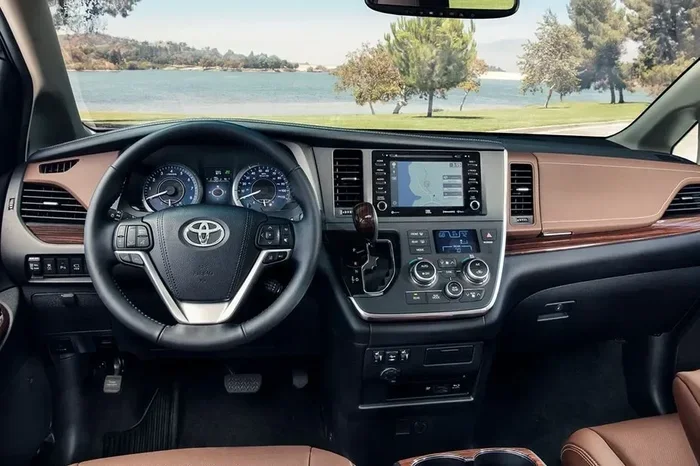
How to Clear the Maintenance Light on Toyota Sienna
Clearing the maintenance light on your Toyota Sienna is a simple process you can do at home in minutes. Whether you have a 2024, 2023, 2022, or older model, this guide walks you through every method. We cover the reset button trick, the odometer method, and when to seek professional help.
That little wrench icon on your Toyota Sienna dashboard can be annoying. It pops up at the worst times and makes you wonder what’s going on with your vehicle. The good news is that clearing the maintenance light on Toyota Sienna is usually a quick and painless process. You do not need a mechanic or expensive tools. Most owners can handle it right from their driveway.
In this guide, we walk you through every method to reset the maintenance light on a Toyota Sienna. We cover older models and the latest 2024 Sienna. You will learn the odometer trick, the button combination method, and what to do if the light keeps coming back. We also explain the difference between the maintenance light and other dashboard warnings. By the end, you will feel confident tackling this common car task.
The Toyota Sienna maintenance light is a service reminder. It tells you it is time for an oil change or routine inspection. It is not a sign of a serious problem. Still, ignoring it for too long is not a good idea. Regular service intervals keep your Sienna running smoothly and protect your warranty. Let us dive into the step-by-step methods to clear that light for good.
Key Takeaways
- Easy DIY Reset: Most Toyota Sienna models let you clear the maintenance light using the odometer or a reset button.
- Model Year Matters: Newer Sienna models (2021+) use a different reset process than older ones.
- Don’t Confuse Lights: The maintenance light is different from the check engine light or VSC light.
- Regular Maintenance Helps: Following a maintenance schedule prevents the light from coming back.
- Quick Fix: The entire process takes under 10 minutes for most Toyota Sienna owners.
📑 Table of Contents
- Understanding the Toyota Sienna Maintenance Light
- How to Clear the Maintenance Light on Toyota Sienna (Step-by-Step)
- Common Toyota Sienna Maintenance Light Problems
- Preventing the Maintenance Light from Coming Back
- When to See a Professional
- Toyota Sienna Maintenance Light Reset Comparison
- Quick Tips for Success
- Common Mistakes to Avoid
- Expert Insights on Toyota Sienna Maintenance
- Conclusion
Understanding the Toyota Sienna Maintenance Light
Before you reset anything, it helps to understand what the maintenance light actually means. Many drivers confuse it with other dashboard warnings. Let us break it down clearly.
What Triggers the Maintenance Light?
The maintenance light typically comes on based on mileage. Most Toyota models use a 5,000-mile interval. When your odometer hits that number, the system reminds you to service the vehicle. Common triggers include:
- Oil change due: The most common reason the light appears.
- Scheduled inspection: Toyota recommends regular checkups.
- Reset after service: The light stays on if it was not reset after a service visit.
- Battery disconnect: Disconnecting the battery can sometimes trigger the reminder.
Maintenance Light vs. Check Engine Light
This is a big point of confusion for many drivers. The maintenance light and the check engine light are very different. The maintenance light is a routine reminder. It means your car needs scheduled service. The check engine light signals a potential mechanical or electrical problem.
If your check engine light is on, you should address that first. A flashing check engine light means stop driving and get help immediately. The maintenance light is much less urgent. You can drive safely to a service center or reset it yourself.
Some drivers also wonder about the VSC light or traction control warnings. These are separate systems entirely. If you see multiple lights on at once, it is worth reading up on each one. Understanding your dashboard lights helps you respond appropriately.
How to Clear the Maintenance Light on Toyota Sienna (Step-by-Step)
Now let us get into the actual reset process. The method depends slightly on your model year. Below we cover the most common approaches for Toyota Sienna vehicles.
Method 1: The Odometer Reset Trick
This is the most popular method and works on many Toyota Sienna models from 2011 to 2024. Here is how to do it:
- Turn the ignition to ON. Do not start the engine. Just push the start button without pressing the brake, or turn the key to the ON position.
- Set the trip meter to TRIP A. Use the steering wheel controls to scroll to the trip odometer display.
- Turn the ignition OFF. Push the start button again to turn the car off.
- Press and hold the reset button. While holding the trip reset button, turn the ignition back to ON.
- Hold for 10 seconds. The odometer display will start to flash. Keep holding the button.
- Release the button. The maintenance light should now be off.
- Turn the ignition OFF and then ON again. Check that the light is gone.
This method works because it resets the service interval counter built into the Toyota Sienna’s computer. The system thinks the maintenance has been completed. It is a simple trick that takes less than two minutes.
Method 2: Using the Steering Wheel Controls
On newer Toyota Sienna models, especially the 2021 and 2022 versions, the process is slightly different. These models use steering wheel buttons for dashboard navigation:
- Step 1: Press the MENU button on the steering wheel.
- Step 2: Use the up and down arrows to find the vehicle settings menu.
- Step 3: Scroll to the maintenance or service menu.
- Step 4: Select “Reset Maintenance” and confirm.
- Step 5: The light should turn off immediately.
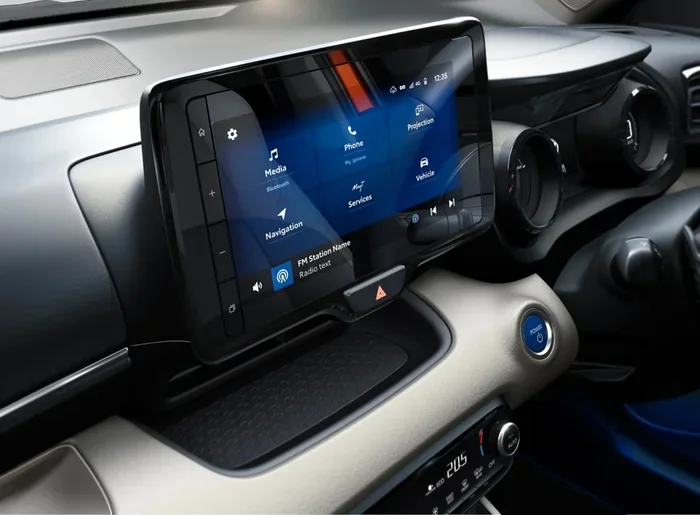
If you own a 2024 Toyota Sienna, this touchscreen method is the most common. The menus are straightforward, but it helps to know where to look. Take a moment to explore your vehicle settings so you are ready when the light comes on.
Method 3: The Battery Disconnect Method
Some owners prefer a more hands-on approach. Disconnecting the battery resets all electronic systems, including the maintenance light. Here is what you need to know:
- Turn off the engine and remove the key.
- Open the hood and locate the battery.
- Disconnect the negative (black) cable first.
- Wait 10 to 15 minutes.
- Reconnect the cable and start the engine.
This method works but has a downside. It also resets your radio presets, clock, and other settings. Use this method only if the other approaches do not work. It is not the most convenient way to handle a simple maintenance reminder.
Common Toyota Sienna Maintenance Light Problems
Sometimes the maintenance light does not go away after you try to reset it. This can be frustrating. Let us look at the most common reasons this happens and how to fix it.
Light Keeps Coming Back After Reset
If the maintenance light returns shortly after you reset it, the most likely cause is an unresolved service need. Your Toyota Sienna might need:
- Fresh engine oil: The system tracks oil life, not just mileage.
- A new oil filter: This is part of the standard service package.
- Other fluid checks: Coolant, brake fluid, and transmission fluid levels matter.
Take your Sienna to a trusted mechanic or Toyota dealer for a proper inspection. Once the service is complete, reset the light again. It should stay off this time.
Light Flashes Instead of Staying Solid
A flashing maintenance light is unusual but can happen. A flashing light often indicates a deeper issue with the service reminder system. Try resetting it using the methods above. If the flashing continues, visit a Toyota service center. They can run a diagnostic check and clear any stored trouble codes.
Some drivers confuse a flashing maintenance light with a flashing check engine light. These are different warnings. A flashing check engine light is more serious and requires immediate attention. If you are unsure which light you are seeing, refer to your owner’s manual or search for the specific symbol online.
Maintenance Light Won’t Turn Off at All
In rare cases, the maintenance light stays on no matter what you try. This could point to a faulty sensor or a wiring issue in the Toyota Sienna’s dashboard system. Here are a few things to try before visiting a dealer:
- Try all three reset methods described above.
- Check your owner’s manual for model-specific instructions.
- Make sure you are holding the reset button long enough (at least 10 seconds).
- Verify the ignition is in the correct position during the reset.
If none of these work, a professional diagnostic scan may be needed. A Toyota technician can access the maintenance module and clear the light manually.
Preventing the Maintenance Light from Coming Back
The best way to deal with the maintenance light is to prevent it from becoming a recurring annoyance. Regular care of your Toyota Sienna keeps everything running smoothly and the dashboard clear.
Follow a Consistent Maintenance Schedule
One of the best things you can do is follow a regular maintenance schedule. Toyota recommends specific service intervals for every Sienna model. Sticking to these intervals means the maintenance light only comes on when it should. You reset it, and it stays off until the next service is due.
Keep a log of every oil change, tire rotation, and inspection. This records the work done and helps you stay on track. Many owners use a simple spreadsheet or a maintenance app on their phone. Whatever works for you is fine.
Use Quality Parts and Fluids
The Toyota Sienna performs best with genuine Toyota parts and recommended fluids. Using low-quality oil or aftermarket filters can trigger the maintenance system earlier than expected. Quality parts also extend the life of your engine and reduce the frequency of service visits.
When you get your oil changed, ask the technician to reset the maintenance reminder. Most service centers do this as part of their standard process. If they forget, you can do it yourself using the methods in this guide.
Stay on Top of Small Issues
Small problems become big ones fast if you ignore them. A minor oil leak or a slightly worn brake pad might not seem urgent. But over time, these issues can trigger multiple dashboard warnings. Stay proactive with inspections and address small concerns early.
Also, keep an eye on your dashboard warning lights in general. Understanding what each symbol means helps you respond quickly and appropriately. If you are ever unsure, it is always better to check with a professional than to guess.
When to See a Professional
Most of the time, clearing the maintenance light is a DIY job. But there are situations where professional help makes sense. Here are the signs that it is time to visit a Toyota dealer or trusted mechanic:
- The light will not go off after trying all reset methods.
- Multiple dashboard lights are on at the same time.
- You hear unusual noises like grinding, squealing, or knocking.
- Your Sienna feels different while driving — sluggish, vibrating, or pulling to one side.
- The check engine light is also illuminated alongside the maintenance light.
A professional has the tools to run a full diagnostic scan. They can check for hidden issues that the maintenance light alone does not reveal. This is especially important for newer models like the 2024 Toyota Sienna, which have more complex electronic systems.
For owners who want to learn more about dashboard lights and their meanings, check out our guide on how to get rid of the service light on my dashboard. It covers similar topics and provides additional reset methods that work across Toyota models.
Toyota Sienna Maintenance Light Reset Comparison
Different model years use different reset methods. Here is a quick comparison to help you find the right approach for your Toyota Sienna.
| Model Year | Reset Method | Difficulty | Time Required |
|---|---|---|---|
| 2011–2020 | Odometer Trip Reset | Easy | 2–3 minutes |
| 2021–2023 | Steering Wheel Menu | Easy | 1–2 minutes |
| 2024 | Touchscreen Settings | Very Easy | 1 minute |
| All Models | Battery Disconnect | Moderate | 15–20 minutes |
As you can see, newer models make the process even easier. The 2024 Toyota Sienna offers the most straightforward reset experience. Older models require the manual odometer trick, which takes a little more patience but still works great.
Quick Tips for Success
Here are some expert tips to make the maintenance light reset process smooth and hassle-free:
- Read your owner’s manual first. Every Toyota Sienna has specific instructions in the manual. It is the most accurate source for your exact model year.
- Reset after every oil change. Make it a habit. The technician should do it, but double-check before you leave the shop.
- Do not ignore the light for too long. Even though it is just a reminder, skipping too many service intervals can affect your engine’s health.
- Keep your records organized. A simple maintenance log helps you track service dates and mileage between visits.
- Use genuine Toyota parts. They are designed specifically for your Sienna and help maintain optimal performance.
Common Mistakes to Avoid
Even a simple task like resetting the maintenance light has some common pitfalls. Here are mistakes to avoid:
- Not holding the button long enough. The system needs at least 10 seconds of continuous pressure to register the reset.
- Confusing the maintenance light with other warnings. Always identify which light is on before taking action.
- Resetting without completing the service. If your Sienna actually needs an oil change, reset the light after the work is done, not before.
- Disconnecting the wrong battery cable. Always remove the negative cable first when using the battery disconnect method.
- Skipping the final check. After resetting, turn the ignition off and on again to confirm the light is truly off.
Expert Insights on Toyota Sienna Maintenance
Experienced Toyota technicians agree that the maintenance light is one of the most misunderstood dashboard indicators. Many drivers treat it as an emergency signal when it is really just a friendly reminder. Understanding this distinction reduces unnecessary stress and helps you stay on top of your vehicle care routine.
For those who want to dive deeper into Toyota maintenance, we also recommend learning about how to read ABS codes without a scanner. This knowledge empowers you to understand what your Sienna is telling you beyond just the maintenance light. Being informed about your vehicle’s systems gives you confidence as a car owner.
Additionally, keeping up with your Toyota Sienna maintenance schedule protects your investment. A well-maintained Sienna can easily last 200,000 miles or more with proper care. The maintenance light is your early warning system — use it wisely.
Conclusion
Clearing the maintenance light on Toyota Sienna is a straightforward process that most owners can handle in minutes. Whether you use the odometer reset trick, the steering wheel menu, or the battery disconnect method, the key is to act calmly and follow the steps carefully. Always confirm the light is off by turning the ignition off and back on.
Remember that the maintenance light is a helpful tool, not a cause for panic. It reminds you to keep up with routine service that protects your engine, transmission, and overall vehicle health. By staying proactive with your Toyota Sienna maintenance, you keep the car running strong for years to come.
If the light persists after multiple reset attempts, do not hesitate to visit a Toyota dealer or qualified mechanic. They have the diagnostic equipment to identify any underlying issues. And for more tips on managing dashboard lights and vehicle maintenance, explore our other guides on automotive care and troubleshooting.
Take control of your Toyota Sienna’s maintenance today. A simple reset takes minutes, and it keeps your dashboard clean and your service schedule on track. Your Sienna will thank you for it.
Frequently Asked Questions
Can I drive my Toyota Sienna with the maintenance light on?
Yes, you can safely drive your Toyota Sienna with the maintenance light on. It is a routine service reminder and not an emergency warning. However, you should schedule service soon to keep your vehicle in good condition and avoid missing important maintenance intervals.
How often does the Toyota Sienna maintenance light come on?
The maintenance light typically comes on every 5,000 miles or based on the oil life monitoring system. Toyota recommends following the service intervals outlined in your owner’s manual. Sticking to this schedule keeps your Sienna running at its best.
Will clearing the maintenance light affect my Toyota warranty?
No, clearing the maintenance light does not affect your Toyota warranty. The warranty covers repairs and services regardless of whether the light is on or off. What matters is that you complete the required maintenance on time and keep proper records of all service visits.
What is the difference between the maintenance light and the check engine light on a Toyota Sienna?
The maintenance light is a routine service reminder that appears at scheduled mileage intervals. The check engine light signals a potential mechanical or electrical problem that needs attention. If both lights are on, address the check engine light first and then reset the maintenance light after service is complete.
Can I reset the maintenance light myself without going to a dealer?
Absolutely. Most Toyota Sienna owners can reset the maintenance light at home using the odometer method or the steering wheel menu. The process takes only a few minutes and requires no special tools. Your owner’s manual provides model-specific instructions as well.
What should I do if the maintenance light keeps coming back after I reset it?
If the maintenance light returns after a reset, your Toyota Sienna likely needs service. Check your oil level, inspect for leaks, and schedule a professional inspection. Once the needed service is completed, reset the light again. If it still returns, a technician can run a diagnostic scan to check for sensor or system issues.