How to Reset the BSD System on Your Hyundai Car Today
Resetting the BSD (Blind Spot Detection) system on your Hyundai is a simple process you can do at home. This guide walks you through the exact steps for your Hyundai model, whether you have a Sonata, Tucson, or Elantra. You will learn why the BSD light comes on, how to recalibrate the sensors, and when to seek professional help.
Have you ever glanced at your dashboard and noticed the BSD warning light staring back at you? It is one of those moments that makes you pause and wonder what went wrong. The good news is that resetting the Blind Spot Detection system on your Hyundai is easier than you think. You do not need to be a mechanic or spend hours in a garage to get it sorted out.
Whether you drive a Hyundai Sonata, a Hyundai Tucson, or an Elantra, the reset process follows a similar pattern across most models. In this guide, we will walk you through every step with clear instructions and practical tips. By the end, you will know exactly how to turn that annoying light off and get your blind spot sensors working again.
Before we dive in, let us quickly talk about what the BSD system does. The Blind Spot Detection system uses radar sensors mounted on the rear bumper to monitor the areas beside and behind your vehicle. When a car enters your blind spot, the system alerts you with a warning light on the side mirror or dashboard. It is one of those safety features that can genuinely save your life on the road.
Key Takeaways
- Quick Reset: Most Hyundai BSD systems can be reset in just a few minutes using the steering wheel controls or infotainment menu.
- Safety First: The BSD system is a critical safety feature that alerts you to vehicles in your blind spots, so keeping it functional is essential.
- Common Causes: Dirty sensors, a dead battery, or a recent bumper replacement can trigger the BSD warning light.
- No Special Tools Needed: You do not need expensive equipment to perform a basic reset on most Hyundai models.
- Know When to Call a Pro: If the light persists after a reset, it may indicate a deeper issue that requires a dealership visit.
📑 Table of Contents
- What Is the BSD System on a Hyundai?
- How to Reset the BSD System on Your Hyundai
- Why Regular BSD Maintenance Matters
- When Should You See a Professional?
- BSD System Across Different Hyundai Models
- Common Mistakes People Make When Resetting the BSD System
- Quick Tips for a Successful BSD Reset
- Final Thoughts
What Is the BSD System on a Hyundai?
The BSD system stands for Blind Spot Detection. It is part of Hyundai’s broader suite of driver assistance technologies. The system relies on radar sensors located on the rear corners of the vehicle. These sensors constantly scan the lanes beside you and behind you while driving.
When the system detects a vehicle in your blind spot, it triggers a warning. Most Hyundai models use a light on the side mirror that illuminates when a car is nearby. Some models also include an audible alert or a vibration in the steering wheel. The BSD warning light on the dashboard typically looks like a car with curved lines on either side.
It is important to understand that the BSD system is not a replacement for checking your mirrors and looking over your shoulder. It is an additional layer of safety. Think of it as a helpful assistant that watches the spots you might miss.
Common Reasons the BSD Light Comes On
The BSD warning light can illuminate for several reasons. Understanding these causes helps you determine whether a simple reset will fix the issue or if something more serious is going on.
- Dirty or Covered Sensors: Mud, snow, or debris on the rear bumper can block the radar sensors. When the sensors cannot see properly, they trigger a warning.
- Low Battery Voltage: A weak car battery can cause various warning lights to come on, including the BSD light. The sensors need consistent power to function correctly.
- Recent Bumper Work: If you have had a bumper replaced or repaired, the sensors may need recalibration. Even a slight misalignment can cause the system to malfunction.
- Sensor Malfunction: Sometimes the sensors themselves fail due to age, weather exposure, or electrical issues.
- System Glitch: Like any electronic system, the BSD can experience a temporary software glitch. A reset usually clears this up quickly.
If you have recently changed your key fob battery or experienced any electrical work on the car, the BSD light might pop up as a side effect. Always check the simplest explanations first before assuming the worst.
How to Reset the BSD System on Your Hyundai
Now let us get to the part you have been waiting for. Resetting the BSD system on most Hyundai vehicles follows a straightforward process. The exact steps can vary slightly depending on your model and year, but the general approach remains the same.
Method 1: Reset Using the Steering Wheel Controls
This is the most common method for resetting the BSD system. Here is how to do it step by step:
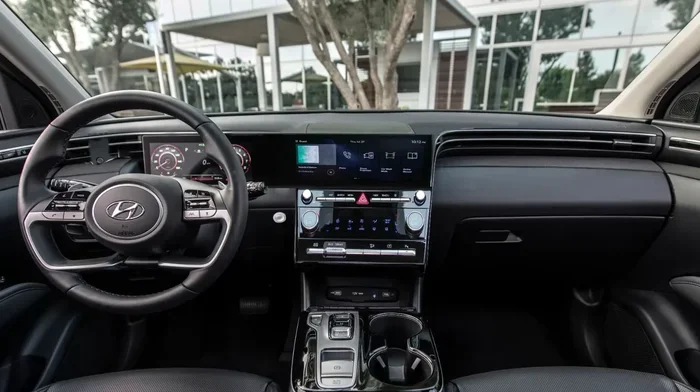
- Turn the ignition to the “On” position. You do not need to start the engine. Just press the start button without pressing the brake pedal, or turn the key to the “On” position.
- Locate the steering wheel buttons. On most Hyundai models, the reset function is built into the steering wheel controls. Look for a button that resembles a car with arrows or a settings icon.
- Navigate to the vehicle settings menu. Use the arrow buttons on the steering wheel to scroll through the options until you find “Vehicle Settings” or “Driver Assistance.”
- Select the BSD system option. Look for “Blind Spot Detection” or “BSD System” in the menu.
- Choose “Reset” or “Initialize System.” Confirm your selection when prompted. The system will begin recalibrating the sensors.
- Turn the ignition off and back on. This completes the reset process. The BSD warning light should turn off after a few seconds.
Some Hyundai models also allow you to reset the system by holding down a specific button combination on the steering wheel for about five seconds. Check your Hyundai owner manual for the exact button sequence for your model.
Method 2: Reset Through the Infotainment System
Many newer Hyundai models come equipped with a touchscreen infotainment system that gives you more control over vehicle settings. Here is how to reset the BSD through the screen:
- Press the “Settings” button on the infotainment screen.
- Navigate to “Vehicle” or “Driver Assistance” settings.
- Find the “Blind Spot Detection” option.
- Select “System Reset” or “Calibrate Sensors.”
- Wait for the system to complete the calibration process.
This method works well on models like the Hyundai Tucson and Sonata that have larger touchscreen displays. The infotainment method gives you more detailed control over the system settings.
Method 3: Disconnect the Battery (For Stubborn Lights)
If the BSD light refuses to go away using the first two methods, you can try disconnecting the car battery. This method essentially hard resets the entire electrical system, including the BSD sensors.
Here is how to do it safely:
- Turn off the engine and remove the key from the ignition.
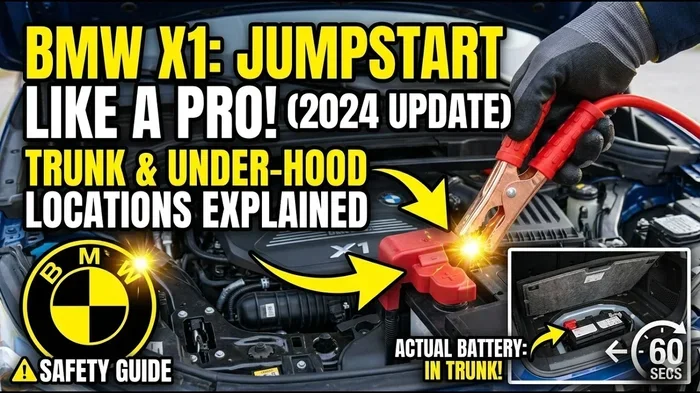
- Open the hood and locate the negative battery terminal (it usually has a black cable and a minus sign).
- Use a wrench to loosen the nut on the negative terminal.
- Carefully disconnect the cable and tuck it away from the battery.
- Wait for at least 15 minutes. This allows the car’s computer systems to fully reset.
- Reconnect the negative cable and tighten the nut securely.
- Start the engine and check if the BSD light is off.
Important note: Disconnecting the battery may also reset other settings in your car, such as the radio presets and clock. You may need to reprogram your key fob after a battery disconnect. If you are unsure about any step, consult a professional or your Hyundai dealer.
Some owners also ask whether they can reset the check engine light without disconnecting the battery. The answer is yes, in many cases, but the BSD system often requires a full battery disconnect for a complete reset when other methods fail.
Why Regular BSD Maintenance Matters
Just like any other safety system in your car, the BSD system needs regular attention to work properly. Taking care of your blind spot detection system is part of good car maintenance habits.
Here are some simple maintenance tips to keep your BSD system in top shape:
- Keep the rear bumper clean: Regularly wash the area around the rear bumper sensors. Remove mud, snow, and debris after driving in bad weather.
- Check for damage after parking incidents: Even a minor bump can misalign the radar sensors. Inspect the rear bumper after any parking scrapes or low-speed collisions.
- Monitor your battery health: A weak battery affects more than just starting the car. It can cause sensor malfunctions and warning lights. Have your battery tested regularly, especially before winter.
- Get sensors recalibrated after bumper work: If you ever need to replace or repair the rear bumper, always ask the technician to recalibrate the BSD sensors afterward.
- Update your vehicle software: Hyundai occasionally releases software updates that improve the BSD system’s performance. Check with your dealer about available updates.
Many car owners neglect these small maintenance steps until something goes wrong. A few minutes of regular care can save you from the hassle of a persistent warning light and, more importantly, keep you safe on the road.
When Should You See a Professional?
Most of the time, resetting the BSD system at home solves the problem. But there are situations where professional help is the right call. Knowing when to visit a mechanic or dealership can save you time and money.
You should consider professional help if:
- The BSD warning light stays on after multiple reset attempts.
- You notice the system is not alerting you to vehicles in your blind spot when it should.
- The warning light flashes instead of staying solid, which often indicates a sensor failure.
- You have recently been in an accident or had significant bumper work done.
- You hear unusual sounds coming from the rear of the vehicle when the system is active.
Hyundai dealerships have specialized diagnostic tools that can read the exact error codes from the BSD system. These tools help technicians pinpoint the exact problem quickly. If you have tried all the reset methods and the light persists, it is time to schedule a service appointment.
One thing to keep in mind: if you are wondering whether you can take your Hyundai to any dealership for service, the answer is generally yes. Hyundai service centers across the country are equipped to handle BSD system diagnostics and repairs. You do not have to go back to the dealer where you purchased the vehicle.
BSD System Across Different Hyundai Models
The BSD system is available on several Hyundai models, and the reset process can vary slightly between them. Here is a quick comparison of how the BSD system works on popular Hyundai models:
- Hyundai Sonata: The Sonata uses radar sensors on both sides of the rear bumper. The reset process through the infotainment screen is straightforward and well-documented in the owner manual.
- Hyundai Tucson: The Tucson offers BSD as part of its Driver Assist package. The system can be reset using either the steering wheel controls or the touchscreen. Some Tucson owners have reported that a battery disconnect is needed after sensor replacement.
- Hyundai Elantra: The Elantra’s BSD system is similar to the Sonata’s. The reset procedure using steering wheel buttons is the most common approach for this model.
- Hyundai Santa Fe: The Santa Fe comes with a more advanced BSD system that includes cross-traffic alert. Resetting the system follows the same general steps but may require additional calibration for the cross-traffic feature.
Regardless of which Hyundai model you drive, the core reset process remains similar. Always refer to your specific owner manual for model-specific instructions. The manual will also tell you if your particular model year includes the BSD system as standard or as part of an optional package.
Common Mistakes People Make When Resetting the BSD System
Even with the best instructions, people sometimes make mistakes during the reset process. Here are the most common errors and how to avoid them:
- Not turning the ignition fully to “On”: The system needs full power to initiate a reset. Make sure the dashboard lights come on fully before you start.
- Skipping the recalibration step: After resetting, the sensors need time to recalibrate. Drive slowly for a few minutes after the reset to allow the system to complete its calibration.
- Ignoring dirty sensors: A reset will not fix the problem if the sensors are covered in dirt. Always clean the sensor area before attempting a reset.
- Resetting too many times in a row: Repeated resets can confuse the system. If the first reset does not work, wait a few hours before trying again.
- Forgetting to check the battery: A low battery is one of the most common causes of BSD warning lights. Always check your battery voltage before assuming the sensors are faulty.
Avoiding these simple mistakes will make your reset process smoother and more effective. Most people get the BSD light off on their first or second attempt when they follow these guidelines.
Quick Tips for a Successful BSD Reset
Here are some quick tips that will help you get the best results when resetting your Hyundai’s BSD system:
- Clean the sensors first: A quick wipe with a soft cloth can make a big difference. Dirt and grime are the number one cause of BSD sensor issues.
- Check your owner manual: Every Hyundai model has slight differences. Your manual is the best resource for model-specific instructions.
- Have the right tools ready: For a battery disconnect reset, you will need a basic wrench and about 15 minutes of time.
- Drive slowly after resetting: Give the system a few minutes to recalibrate by driving at low speeds in a safe area.
- Keep your battery healthy: A strong, fully charged battery ensures the BSD sensors work reliably. Consider having your battery tested if it is more than three years old.
These small tips can save you a lot of frustration. Many owners find that the reset works perfectly on the first try when they follow these simple steps.
Final Thoughts
Resetting the BSD system on your Hyundai does not have to be a stressful experience. With the right knowledge and a few simple steps, you can have that warning light off and your blind spot detection working again in no time. Whether you use the steering wheel controls, the infotainment screen, or a battery disconnect, the process is designed to be user-friendly and accessible to everyone.
Remember that the BSD system is one of the most important safety features on your Hyundai. Keeping it in good working order should be a priority for every owner. Regular maintenance, clean sensors, and a healthy battery go a long way toward preventing issues before they start.
If you ever find that the reset process does not work and the light stays on, do not hesitate to visit a professional. A qualified Hyundai technician can diagnose deeper issues and get your system back to full functionality. Stay safe, stay informed, and keep your Hyundai BSD system running at its best.
For more information on related car maintenance topics, check out our guide on how to reset the oil change light and learn about resetting the check engine light without disconnecting the battery. You can also read about whether it is safe to drive with warning lights on for more peace of mind.
Frequently Asked Questions
Can I drive my Hyundai with the BSD light on?
Yes, you can still drive your Hyundai with the BSD light on, but you should exercise extra caution. The blind spot detection system will not alert you to vehicles in your blind spots, so always check your mirrors and look over your shoulder before changing lanes. It is best to get the system reset or repaired as soon as possible.
How long does it take to reset the BSD system on a Hyundai?
The reset process typically takes about 5 to 10 minutes using the steering wheel or infotainment controls. If you need to disconnect the battery, add an extra 15 to 20 minutes for the system to fully reset. The actual recalibration of the sensors happens automatically as you drive after the reset.
What does the BSD warning light look like on a Hyundai?
The BSD warning light on a Hyundai usually looks like a car silhouette with curved lines on both sides, resembling the shape of a blind spot. The light may be yellow or orange when the system is active or malfunctioning. A red light usually indicates a more serious system failure that needs immediate attention.
Can dirty sensors cause the BSD light to come on?
Yes, dirty sensors are one of the most common reasons the BSD light comes on. Mud, snow, ice, or even heavy rain residue on the rear bumper can block the radar sensors. Cleaning the sensor area with a soft cloth often resolves the issue without needing a full system reset.
Do I need special tools to reset the BSD system?
No, you do not need any special tools for a basic BSD reset. A standard wrench is only needed if you choose the battery disconnect method. Most resets can be done entirely through the steering wheel controls or the infotainment screen with no tools at all.
Will resetting the BSD system erase any other car settings?
A reset through the steering wheel or infotainment system will not erase any other car settings. However, if you disconnect the battery to reset the BSD system, you may lose radio presets, clock settings, and key fob programming. Always check your owner manual before performing a battery disconnect.