How Do I Reset My Car Computer And Fix Warning Lights
Resetting your car computer is one of the simplest ways to clear warning lights and get your vehicle running smoothly again. Whether you use an OBD scanner or disconnect the battery, this guide walks you through every method with clear, easy-to-follow steps. You will learn how to diagnose common issues, fix warning lights safely, and avoid costly trips to the mechanic.
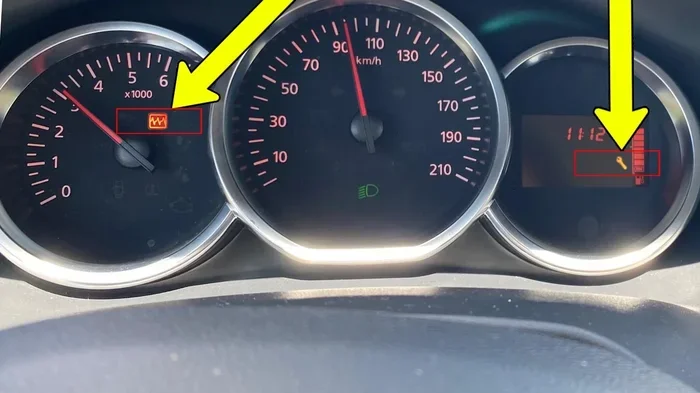
Have you ever glanced at your dashboard and seen a strange light pop up? It is enough to make anyone feel a little uneasy. That little symbol on your dash could mean anything from a loose gas cap to a serious engine problem. The good news is that you do not always need to rush to the mechanic. In many cases, resetting your car computer can clear those annoying warning lights and get you back on the road with confidence.
Your car has a built-in computer that monitors everything from engine performance to emissions. When something goes wrong, the system throws a code and lights up your dashboard. Sometimes, fixing the problem and resetting the computer is all it takes. Other times, you need a little more know-how. This guide will walk you through every step so you can handle it like a pro.
Key Takeaways
- Multiple Reset Methods: You can reset your car computer using an OBD scanner, battery disconnect, or ignition cycle depending on your vehicle.
- Warning Lights Matter: Dashboard lights signal real problems that need attention before you reset anything.
- DIY-Friendly: Most car computer resets are simple enough to do at home with basic tools.
- Safety First: Always follow proper steps to avoid damaging your vehicle systems during a reset.
- Prevention Helps: Regular maintenance reduces the chances of warning lights coming back after a reset.
📑 Table of Contents
What Does It Mean To Reset Your Car Computer?
Your car computer, also known as the Engine Control Unit (ECU), is the brain behind many of your vehicle’s systems. It constantly reads data from sensors all over the car. When it detects something out of the normal range, it stores a fault code and triggers a warning light on your dashboard.
Resetting the car computer means clearing those stored codes and giving the system a fresh start. Think of it like restarting your phone when it starts acting glitchy. The process wipes the error history and lets the computer relearn your driving patterns. However, it is important to understand that a reset does not fix the underlying problem. It simply clears the alert so you can start fresh.
Why Do Cars Have Computers?
Modern vehicles rely heavily on computer systems. These computers control fuel injection, ignition timing, transmission shifting, and even climate control. They also monitor emissions and alert you when something is off. Without your car computer, your vehicle would not run efficiently or meet modern emission standards.
When you reset the computer, you are essentially telling the system to forget the old error codes. This can be helpful after you have made a repair or replaced a faulty part. But if the problem still exists, the warning light will come right back. That is why diagnosing the real issue first is so important.
How Do I Reset My Car Computer: Step-By-Step Methods
There are several ways to reset your car computer. Each method works slightly differently depending on your vehicle make and model. Below, we break down the most common and effective approaches you can try at home.
Method 1: Use an OBD Scanner
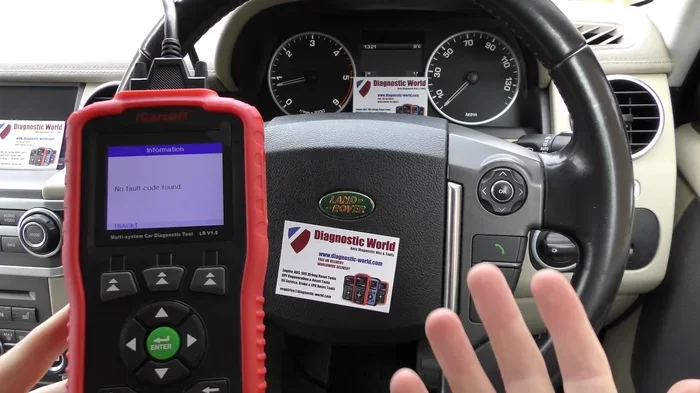
An OBD scanner is the most reliable way to reset your car computer. OBD stands for On-Board Diagnostics. This tool connects to your vehicle’s diagnostic port and communicates directly with the ECU. Most auto parts stores sell basic scanners for under fifty dollars. Some shops will even read your codes for free.
Here is how to use one:
- Locate your OBD port. It is usually under the dashboard on the driver’s side.
- Plug the scanner into the port.
- Turn the ignition to the “on” position without starting the engine.
- Follow the scanner prompts to read and clear the fault codes.
- Once cleared, drive your car for a few miles to see if the warning light returns.
Using an OBD scanner is the safest method because it allows you to see exactly what codes were stored. This gives you a clear picture of what was causing the check engine light or other dashboard alerts.
Method 2: Disconnect the Battery
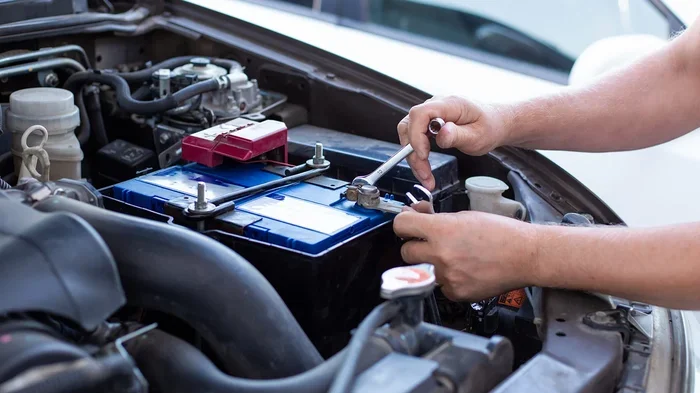
Another popular method is to disconnect the car battery. This cuts power to the ECU and clears stored codes. Many people use this approach when they want a quick reset without buying special tools.
Here is what to do:
- Turn off your engine and all electrical systems.
- Open the hood and locate the battery.
- Using a wrench, loosen the negative cable first (the black one).
- Disconnect the cable and let it sit for at least fifteen minutes.
- Reconnect the negative cable and tighten it securely.
- Start the engine and check if the warning light is gone.
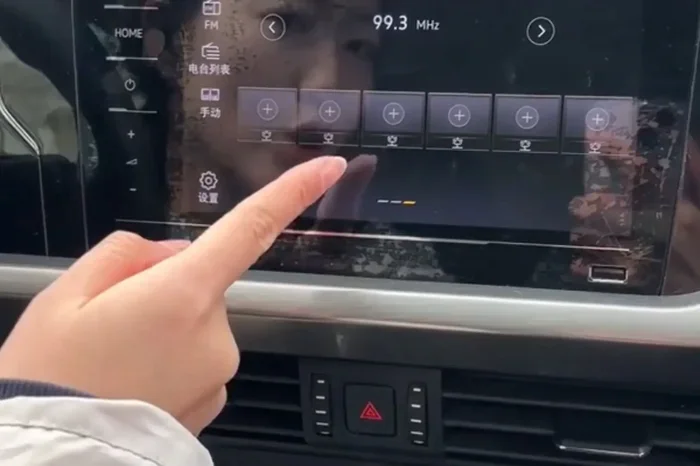
Important: Disconnecting the battery can also reset your radio presets, clock, and other personal settings. Some vehicles may need a specific code to restore the radio. Always check your owner’s manual before trying this method.
Method 3: The Ignition Cycle Trick
Some car owners use the ignition cycle method to reset the computer. This involves turning the key on and off several times in a specific pattern. While this method does not work on all vehicles, it is worth trying if you do not have a scanner or want to avoid disconnecting the battery.
Try this simple sequence:
- Turn the ignition to the “off” position.
- Wait ten seconds.
- Turn the ignition to the “on” position (do not start the engine).
- Wait ten seconds.
- Turn the ignition back to “off.”
- Repeat this cycle three to four times.
- Start the engine and check your dashboard.
This method works by cycling power to the ECU. It is a gentle way to reset the system without losing any vehicle settings. However, results vary by car model and year.
Common Warning Lights And What They Mean
Not all warning lights are created equal. Some signal minor issues while others point to serious problems. Understanding what each light means helps you decide whether to reset the computer or seek professional help.
Check Engine Light
The check engine light is one of the most common dashboard warnings. It can come on for something as simple as a loose gas cap or something more serious like a misfiring engine. When this light appears, the ECU stores a fault code that you can read with a scanner.
Before you reset your car computer, try tightening the gas cap first. In many cases, this alone will turn the light off within a few days of driving. If the light stays on, use a scanner to check the code before taking any further action.
Oil Pressure Warning Light
The oil pressure light looks like an old-style oil can. If this light comes on, it means your oil pressure is too low. This is a serious issue that should never be ignored. Low oil can cause engine damage within minutes. Check your oil level first, and if it is full, have your car towed to a mechanic.
Do not try to reset this light until you have addressed the root cause. Resetting it without fixing the problem could lead to engine failure.
Battery or Charging Warning Light
This light looks like a battery icon and indicates a problem with your charging system. It could mean your alternator is failing or your battery is dying. If this light comes on, get your car checked as soon as possible. A dead battery on the highway is never fun.
TPMS Light
The Tire Pressure Monitoring System light looks like a horseshoe with an exclamation mark. It means one or more of your tires is underinflated. Check your tire pressure and add air if needed. After inflating, you may need to reset the TPMS sensor manually. Some vehicles reset automatically after driving a few miles at normal speed.
If you are dealing with a TPMS issue, you might want to check out our guide on how to reset your own TPMS sensor for detailed steps.
Can You Reset Your Car Computer Without A Scanner?
Yes, you can reset your car computer without an OBD scanner. The battery disconnect method and the ignition cycle trick both work without any special tools. However, a scanner gives you much more information. It tells you exactly what codes were stored and helps you understand the root cause of the problem.
Resetting without a scanner is fine for minor issues. For example, if you just changed your oil and the light is stuck on, a simple battery disconnect often clears it. But for persistent or serious warning lights, investing in a scanner is a smart move. It saves you time and money by helping you pinpoint the real issue.
When To See A Professional
There are times when resetting the computer is not enough. If your warning light is flashing instead of staying solid, pull over and get help immediately. A flashing check engine light usually indicates a severe misfire that can damage your catalytic converter.
You should also see a professional if:
- The warning light comes back immediately after a reset.
- Your car is running rough or losing power.
- You hear unusual sounds from the engine or exhaust.
- Multiple warning lights appear at the same time.
- You feel dizzy or smell exhaust inside the car.
These symptoms suggest deeper problems that a simple reset cannot fix. A trained mechanic has the tools and expertise to diagnose complex issues safely.
How To Prevent Warning Lights From Coming Back
Once you have successfully reset your car computer and cleared the warning lights, you probably want to keep them off. The best way to do this is through regular maintenance and good driving habits.
Follow Your Maintenance Schedule
Your owner’s manual includes a recommended maintenance schedule. Following it keeps your car running at its best. Regular oil changes, spark plug replacements, and air filter checks prevent many common issues that trigger warning lights.
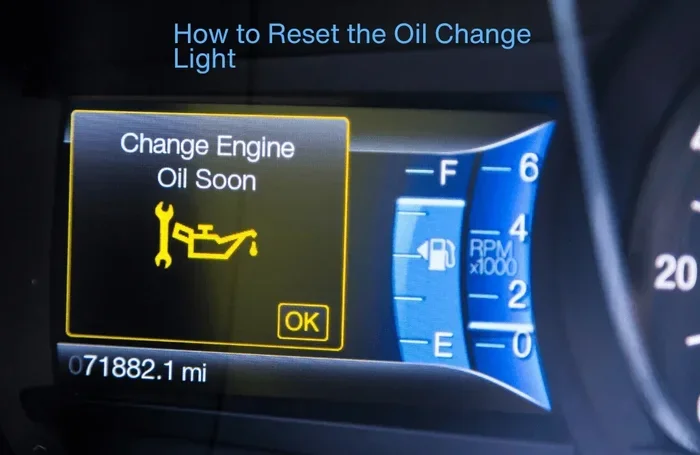
After an oil change, you may need to reset the oil change light manually. Some vehicles do this automatically, but others require a simple button sequence or scanner input. If you are unsure how to do this, check out our article on resetting the oil change light for helpful instructions.
Pay Attention to Early Warning Signs
Your car often gives you clues before a warning light appears. Listen for unusual sounds, feel for vibrations, and watch for changes in performance. Catching small problems early prevents them from turning into bigger, more expensive repairs.
Keep Your Fuel System Clean
A loose or damaged gas cap is one of the most common reasons the check engine light comes on. Make sure your cap seals tightly every time you fill up. Using quality fuel from reputable stations also helps keep your fuel system clean and your engine running smoothly.
Drive Smart
Your driving habits affect your car’s computer systems. Avoid sudden acceleration and hard braking when possible. These habits put extra stress on engine components and can trigger fault codes over time. Smooth, steady driving helps your car run efficiently and keeps those warning lights off.
Expert Tips For A Successful Reset
Resetting your car computer does not have to be stressful. Here are some expert tips to make the process smooth and effective:
- Always read the codes first. Even if you plan to reset, knowing what the codes mean helps you avoid the same problem again.
- Keep your gas cap tight. This simple step prevents one of the most common false alarms.
- Drive after resetting. Take your car for a 15 to 20 minute drive after a reset so the ECU can relearn your driving patterns.
- Do not reset repeatedly. If a light keeps coming back, there is a real problem that needs fixing, not just clearing.
- Note the codes. Write down or photograph the fault codes before clearing them. This helps mechanics diagnose issues faster.
- Check for recalls. Some warning lights are caused by known manufacturer recalls. A quick online search can save you time and money.
One thing many people overlook is that some resets require specific procedures for certain vehicle brands. For instance, Toyota owners may need to follow a unique sequence for their models. If you are curious about Toyota-specific features, you can read about whether you can start your Highlander with your phone or explore other Toyota-specific maintenance tips on our site.
Key Takeaways
- Resetting your car computer clears stored fault codes and turns off warning lights.
- Three main methods work for most vehicles: OBD scanner, battery disconnect, and ignition cycle.
- Always diagnose the real problem first. A reset is not a permanent fix if the underlying issue remains.
- Warning lights vary in severity. Some are minor while others demand immediate attention.
- Regular maintenance prevents most warning lights from returning.
- Keep a scanner handy. It is one of the best investments for any car owner who wants to handle basic diagnostics at home.
- When in doubt, consult a professional. Some issues are too complex for a simple reset to solve.
Conclusion
Knowing how to reset your car computer and fix warning lights puts you in control of your vehicle’s health. It saves you time, money, and the stress of not knowing what that little symbol on your dash really means. Whether you choose an OBD scanner, a battery disconnect, or the ignition cycle method, the process is simpler than most people think.
Remember that resetting is only the first step. Always diagnose the root cause of any warning light before clearing it. Use the tips and methods in this guide to handle common dashboard alerts with confidence. Your car will thank you for the attention, and you will enjoy a smoother, safer driving experience.
Take charge of your vehicle maintenance today. The next time a warning light appears, you will know exactly what to do. Keep this guide bookmarked for future reference, and share it with fellow car owners who might benefit from a simple reset.
Frequently Asked Questions
Will resetting my car computer erase my saved settings?
It depends on the method you use. Disconnecting the battery can reset your radio presets, clock, and power window settings. Using an OBD scanner typically does not affect any of your personal settings. The ignition cycle method is the gentlest option and usually preserves all your vehicle preferences.
How long does it take for the check engine light to come back after a reset?
If the underlying problem is fixed, the light should stay off permanently. If the issue is not resolved, the light may return within a few days of driving or after a certain number of ignition cycles. Most systems recheck all sensors after 50 to 100 miles of driving.
Is it safe to drive with a warning light on?
It depends on the light. A solid check engine light is usually safe for short trips, but you should get it checked soon. A flashing check engine light, oil pressure light, or battery light requires immediate attention. Pull over safely and seek help if any of these serious lights appear.
Can I use an OBD scanner on any car?
Most cars made after 1996 in the United States follow the standard OBD-II protocol. This means any OBD-II scanner will work on these vehicles. Older cars or specialty models may require different tools. Check your owner’s manual or the scanner compatibility list before purchasing.
Do I need to reset the car computer after an oil change?
Some vehicles require a manual reset of the oil change light after an oil change. Others do it automatically after a certain number of miles. If your oil change light stays on after you have topped off the oil, a simple reset using your dashboard controls or an OBD scanner usually clears it. For more details, you can read our guide on whether you need to reset the light after an oil change.
What is the difference between resetting the car computer and clearing codes?
Resetting the car computer and clearing codes are essentially the same process. Both actions erase stored fault codes from the ECU memory. The difference is mainly in the method used. Clearing codes with a scanner gives you access to the code history before deletion, while a battery disconnect simply wipes everything without showing you what was stored.