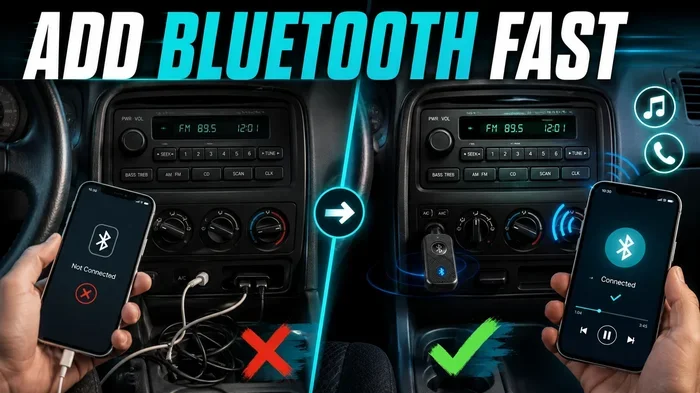
Why Is My Car Not Connecting to Bluetooth Right Now
Why is my car not connecting to Bluetooth right now? This frustrating issue usually stems from simple causes like outdated software, a full pairing list, or Bluetooth settings that need a quick refresh. In this guide, you will learn the most common reasons your car Bluetooth won’t connect, step-by-step troubleshooting methods, and expert tips to fix the problem fast. Whether you use Bluetooth for hands-free calling or audio streaming, this article has the solutions you need.
You get into your car, tap the Bluetooth icon on your screen, and… nothing happens. Your phone sits there, stubbornly disconnected, while you are stuck pressing play on your aux cord for the hundredth time. It is incredibly frustrating, especially when you just want to stream music or take a hands-free call.
The good news is that this problem is almost always fixable. Most of the time, the answer to “why is my car not connecting to Bluetooth right now” comes down to a few simple, easy-to-fix causes. You do not need to be a tech expert to solve this. In fact, you can have your car Bluetooth working again in just a few minutes.
In this article, we are going to walk you through every possible reason your wireless connectivity is failing. We will cover phone settings, car system issues, interference problems, and more. By the end, you will know exactly what to do and how to prevent it from happening again.
Key Takeaways
- Restart Both Devices: A simple restart of your phone and car infotainment system resolves most Bluetooth connection issues quickly.
- Check Bluetooth Settings: Make sure Bluetooth is turned on, visible, and not paired with too many devices on either end.
- Remove Old Pairings: Clearing old Bluetooth connections frees up memory and often fixes stubborn pairing problems.
- Update Software: Outdated phone software or car firmware is a leading cause of Bluetooth sync failures.
- Watch for Interference: Other wireless devices and physical barriers can weaken your Bluetooth signal and disrupt connectivity.
- Reset Network Settings: When nothing else works, resetting your phone’s network settings can restore Bluetooth functionality.
- Seek Professional Help: If the car Bluetooth module is faulty, a mechanic or dealership can diagnose and repair the hardware.
📑 Table of Contents
- Why Is My Car Not Connecting to Bluetooth Right Now
- Common Reasons Your Car Bluetooth Won’t Connect
- Step-by-Step Bluetooth Troubleshooting Guide
- Phone Settings That Affect Bluetooth Connection
- When the Problem Is Your Car’s Bluetooth System
- How to Prevent Bluetooth Connection Issues
- Expert Insights on Car Bluetooth Problems
- Comparison: Bluetooth Connection Problems by Cause
- Quick Tips to Fix Bluetooth Fast
- Key Takeaways
- Conclusion
Why Is My Car Not Connecting to Bluetooth Right Now
Bluetooth technology has been standard in cars for over a decade now. It lets you stream music, answer calls, and use navigation apps without ever touching your phone. But when the Bluetooth connection fails, it can feel like your car just stopped speaking your phone’s language.
The most common reasons boil down to a few key areas. Sometimes it is a software glitch. Other times, it is a settings problem on your phone or in your car’s infotainment system. And occasionally, the issue is hardware-related, meaning something physically broke or wore out over time.
Understanding the root cause is the first step toward fixing it. Let us break down each possible reason so you can pinpoint what is going wrong with your car Bluetooth connection.
Software Glitches and Temporary Bugs
Just like any other digital technology, Bluetooth systems can experience temporary software bugs. Your phone and your car’s infotainment unit both run on small computers. Sometimes those computers just need a fresh start. A quick restart of both devices clears out temporary files and resets the wireless communication channel.
This is the single most effective fix for most Bluetooth problems. If your car Bluetooth is not connecting, try restarting your phone first. Then restart your car by turning it off, waiting 30 seconds, and turning it back on. This simple step resolves the issue more often than people realize.
Bluetooth Settings Are Not Correct
It sounds obvious, but incorrect settings are a huge reason why Bluetooth pairing fails. Maybe Bluetooth got turned off accidentally on your phone. Or perhaps your car’s system is set to “hidden” mode and cannot be seen by other devices. Both phones and cars have specific Bluetooth visibility settings that must be enabled for the initial pairing to work.
On your phone, make sure Bluetooth is toggled on and that your device is set to “Visible” or “Discoverable.” On your car’s system, check that it is in pairing mode. Some cars require you to hold down a button on the infotainment screen to make it discoverable. If you are not in pairing mode, your phone simply cannot find the car’s Bluetooth system.
Too Many Paired Devices
Every Bluetooth device has a memory limit for how many paired devices it can store. When you have too many devices saved in your car’s Bluetooth memory, the system can slow down or refuse to connect to new ones. The same thing can happen on your phone if it has a long list of Bluetooth devices it has paired with in the past.
Deleting old or unused pairings is one of the most overlooked fixes. Go into your car’s Bluetooth settings and remove devices you no longer use. Do the same on your phone. Then try pairing fresh. This alone solves the problem for a surprising number of drivers.
Common Reasons Your Car Bluetooth Won’t Connect
Now let us look at the specific reasons in more detail. These are the issues that come up most often when a Bluetooth connection fails between a phone and a car.
Phone Software Is Outdated
Your phone gets regular software updates, and those updates often include fixes for Bluetooth connectivity problems. If you have been putting off that update notification, it might be the reason your car Bluetooth is not connecting. New phone software can change how Bluetooth works, and older phone software may not communicate properly with newer car systems.
Go to your phone’s settings and check for any pending updates. Install them and restart your phone. This is a quick fix that many people overlook entirely.
Car Infotainment System Needs an Update
Cars need updates too. Many modern vehicles receive over-the-air updates that fix Bluetooth bugs and improve wireless connectivity. If your car is a few years old, check with your dealer or look in the car’s settings menu for a firmware update option.
Some older cars do not support wireless updates. In that case, you may need to visit a dealership or a qualified mechanic to get the car Bluetooth module updated. This is especially common with cars made before 2018.
Bluetooth Interference From Other Devices
Bluetooth operates on a specific wireless frequency, and other devices can interfere with that signal. USB cables, charging adapters, dash cams, and even other phones in the car can create Bluetooth interference. The Bluetooth signal gets crowded, and your phone and car cannot communicate properly.
Try disconnecting other Bluetooth devices and USB accessories from your car. Then attempt to pair your phone again. If it works, you have found the source of the interference. Moving your phone to a different location in the car can also help reduce signal problems.
Distance and Physical Barriers
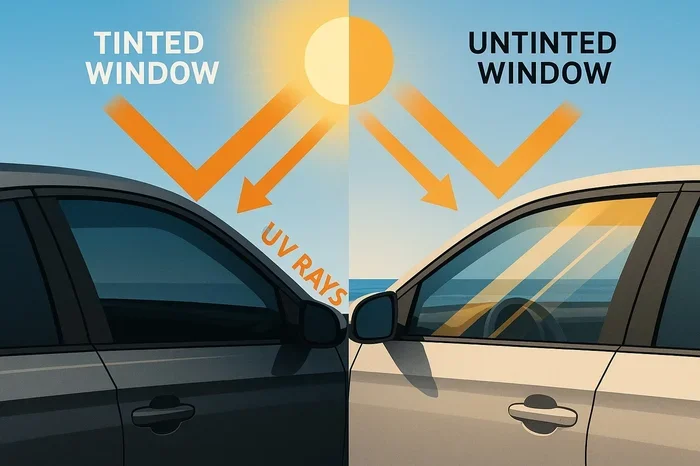
Bluetooth has a limited range, usually around 30 feet. If your phone is buried deep in your bag in the back seat, the Bluetooth signal may be too weak to connect. Physical barriers like metal car roofs, tinted windows, and even large electronic devices can block or weaken the Bluetooth signal.
Keep your phone in the center console or on the passenger seat when trying to pair. This gives the Bluetooth signal the clearest path between your phone and the car’s antenna. Once paired, you can move your phone around more freely since the connection is already established.
Step-by-Step Bluetooth Troubleshooting Guide
If your car is still not connecting to Bluetooth, follow these steps in order. Each step builds on the last, and most people find a fix by step three or four.
Step 1: Turn Bluetooth Off and On Again
On your phone, toggle Bluetooth off and wait 10 seconds. Then turn it back on. On your car, go to the infotainment settings and disable Bluetooth, wait a few seconds, and re-enable it. This refreshes the connection between both devices and often resolves minor glitches.
Step 2: Delete the Old Pairing and Reconnect
Go into your car’s Bluetooth settings and delete your phone from the paired devices list. Then do the same on your phone. With both devices cleared, start the pairing process fresh. This removes any corrupted connection data that might be causing the problem.
Step 3: Restart Both Devices
Turn off your phone completely and power down your car. Wait at least 30 seconds for both systems to fully reset. Start your car first, then turn on your phone. Attempt the Bluetooth pairing again. This full reset clears out any temporary software issues.
Step 4: Check for Software Updates
Check your phone for the latest operating system update. Check your car’s infotainment system for firmware updates. Install any pending updates and restart both devices. Updated software often includes Bluetooth fixes that address known connectivity problems.
Step 5: Reset Network Settings on Your Phone
If none of the above steps worked, resetting your phone’s network settings is the next move. This clears all saved Wi-Fi networks, Bluetooth pairings, and cellular settings. It is a more aggressive fix, but it works well for stubborn Bluetooth problems. On iPhone, go to Settings > General > Transfer or Reset iPhone > Reset > Reset Network Settings. On Android, go to Settings > System > Reset Options > Reset Wi-Fi, Mobile, and Bluetooth.
Step 6: Factory Reset Your Car’s Infotainment System
A factory reset on your car’s system should be a last resort. It wipes all your saved settings, including radio presets and Bluetooth pairings. Check your car’s manual for instructions on how to perform a factory reset. In many cases, you can find this option under Settings > System > Factory Reset.
Phone Settings That Affect Bluetooth Connection
Your phone has several settings that directly impact Bluetooth performance. Understanding these settings can help you troubleshoot faster and avoid common pitfalls.
Battery Saver Mode
Battery saver mode on both iPhones and Android phones can restrict Bluetooth activity to save power. When battery saver is on, your phone may not broadcast its Bluetooth signal properly, making it invisible to your car’s system. Turn off battery saver mode when trying to pair your phone with your car.
Airplane Mode
Airplane mode disables all wireless connections, including Bluetooth. If airplane mode is accidentally turned on, your phone will not connect to your car’s Bluetooth system at all. Make sure airplane mode is off before attempting to pair your devices.
Location Services
This one surprises people. On many Android phones, Bluetooth requires location services to be enabled for proper scanning and pairing. If your location services are off, your phone might not detect nearby Bluetooth devices. Check your phone’s location settings and make sure they are turned on.
App Permissions
Some apps need Bluetooth permissions to function correctly. If you denied Bluetooth access to a specific app, it may not connect to your car even though the overall Bluetooth connection works. Go to your phone’s app settings and make sure your music app, navigation app, and calling app all have Bluetooth permissions enabled.
When the Problem Is Your Car’s Bluetooth System
Sometimes the issue is not your phone at all. It is the car’s Bluetooth module or infotainment system that is causing the problem. Here are some signs that point to a car-side issue.
Bluetooth Works with Other Phones
If your car connects to Bluetooth just fine with a friend’s phone but not with yours, the problem is likely on your phone’s end. But if your car fails to connect with every phone you try, the issue is with the car’s Bluetooth system.
Bluetooth Connects Intermittently
If your car Bluetooth connects sometimes but drops frequently, this could indicate a hardware problem with the car’s Bluetooth antenna or module. Intermittent connections are a classic sign of a failing component that needs professional attention.
The Car’s Bluetooth Option Is Missing
If you cannot find the Bluetooth option in your car’s settings menu at all, the infotainment system may have a deeper software issue. In some cases, a factory reset fixes this. In other cases, the head unit may need to be replaced by a professional.
Older Cars Without Built-in Bluetooth
If your car was made before Bluetooth became standard, it simply does not have a built-in Bluetooth module. In this case, you can add Bluetooth functionality with an aftermarket Bluetooth adapter or receiver. These devices plug into your car’s audio system and provide wireless connectivity at a very affordable price.
How to Prevent Bluetooth Connection Issues
Prevention is always better than troubleshooting. Here are some simple habits that keep your car Bluetooth working smoothly.
- Keep Your Phone Software Updated: Regular updates fix bugs and improve Bluetooth compatibility.
- Restart Your Car Occasionally: Just like your phone, your car’s infotainment system benefits from a fresh start now and then.
- Limit Paired Devices: Keep your car’s Bluetooth memory clean by removing devices you no longer use.
- Avoid Using Bluetooth While Charging with Low-Quality Cables: Cheap USB cables can cause interference that disrupts Bluetooth signals.
- Store Your Phone in a Consistent Location: Keeping your phone in the same spot helps maintain a strong Bluetooth signal.
- Turn Off Bluetooth When Not in Use: This is not strictly necessary, but it reduces wear on the Bluetooth module over time.
Following these simple tips can save you a lot of frustration and keep your wireless connectivity running smoothly for years to come.
Expert Insights on Car Bluetooth Problems
Automotive technicians who specialize in car electronics see Bluetooth issues every single day. According to industry professionals, the vast majority of Bluetooth problems are software-related rather than hardware-related. This means most fixes are free and something you can do yourself at home.
One common expert tip is to always try pairing your phone in a different vehicle if possible. This helps you determine whether the problem is with your phone or your car. If your phone connects to another car’s Bluetooth without issues, you know the problem lies with your car’s system. If it fails everywhere, the issue is with your phone.
Another expert recommendation is to keep your car manual handy. Every car brand has slightly different Bluetooth setup procedures, and the manual often contains brand-specific troubleshooting steps that are not obvious from the settings menu alone.
Comparison: Bluetooth Connection Problems by Cause
| Cause | Frequency | Difficulty to Fix | Fix Time |
|---|---|---|---|
| Software glitch | Very Common | Easy | 1-2 minutes |
| Incorrect settings | Very Common | Easy | 2-5 minutes |
| Too many paired devices | Common | Easy | 3-5 minutes |
| Outdated phone software | Common | Easy | 5-10 minutes |
| Bluetooth interference | Moderate | Medium | 5-10 minutes |
| Outdated car firmware | Moderate | Medium | 10-30 minutes |
| Hardware failure | Rare | Hard | Requires professional help |
As you can see, the most common causes are also the easiest to fix. Start with the simple solutions before moving on to more complex troubleshooting steps.
Quick Tips to Fix Bluetooth Fast
- Toggle Airplane Mode: Turn airplane mode on for 10 seconds, then turn it off. This resets all wireless connections including Bluetooth.
- Move Closer to the Car’s Center Console: Your phone needs to be within Bluetooth range to pair successfully.
- Forget the Device on Both Sides: Delete the pairing from both your phone and your car, then reconnect fresh.
- Check for Physical Damage: If your car was in an accident, the Bluetooth antenna may be damaged and need replacement.
- Try a Different USB Port: If you connect your phone via USB, a different port can sometimes resolve Bluetooth conflicts.
Key Takeaways
- Restart Both Devices First: A simple restart of your phone and car resolves most Bluetooth issues within minutes.
- Check Bluetooth Visibility Settings: Both your phone and car must be in discoverable mode to establish a new pairing.
- Clear Old Pairings Regularly: A clean Bluetooth memory on both devices prevents connection conflicts and improves performance.
- Keep Software Updated: Outdated phone and car software is one of the top reasons Bluetooth sync fails.
- Watch for Wireless Interference: Other devices, cables, and physical barriers can weaken or block your Bluetooth signal.
- Reset Network Settings as a Last Resort: This clears all Bluetooth pairings and network configurations, giving you a fresh start.
- Seek Professional Help for Hardware Issues: If the car Bluetooth module is faulty, a mechanic or dealership can diagnose and repair the problem.
Conclusion
Dealing with a car that will not connect to Bluetooth is annoying, but it is almost always fixable. The next time you find yourself asking “why is my car not connecting to Bluetooth right now,” you now have a clear roadmap to follow. Start with the simple fixes like restarting both devices and checking your settings. Move on to deleting old pairings and updating software if those do not work.
Most Bluetooth problems are temporary and software-related. A few minutes of troubleshooting can get you back to streaming music, taking hands-free calls, and using navigation apps without ever touching your phone. Keep your software updated, limit paired devices, and store your phone in a consistent spot to prevent future issues.
If you have tried everything and the problem persists, it may be time to consult a professional. A qualified mechanic or your car dealership can check the Bluetooth module and infotainment system for hardware problems. But for the vast majority of drivers, the fix is quick, free, and right at your fingertips.
Now go ahead and get back on the road with your favorite music playing through your car speakers. Your Bluetooth connection will be back before you know it.
Frequently Asked Questions
Why does my car Bluetooth keep disconnecting randomly?
Random disconnections are usually caused by Bluetooth interference from other devices, outdated software, or a weak signal. Try moving your phone closer to the center console, disconnecting other Bluetooth devices, and updating both your phone and car software. If the problem persists, deleting and re-pairing the devices often fixes it.
Can a low phone battery cause Bluetooth connection problems?
Yes, a very low battery can cause Bluetooth issues. When your phone’s battery drops below a certain level, it may disable Bluetooth to conserve power. Keep your phone charged above 20 percent when trying to connect to your car’s Bluetooth system for the most reliable connection.
How many devices can a car Bluetooth system pair with?
Most car Bluetooth systems can store between 5 and 20 paired devices, depending on the make and model. When the memory is full, the system may refuse to connect to new devices. Clearing old pairings from your car’s Bluetooth memory can resolve this issue and improve overall performance.
Is it safe to reset my car’s infotainment system?
Yes, it is safe and will not damage your car. A factory reset simply restores the infotainment system to its original settings. You will lose saved radio presets, Bluetooth pairings, and any customized settings. Make sure you know how to reconfigure your preferences after the reset.
Why does my Bluetooth connect but there is no audio?
If the Bluetooth connection is established but you hear no audio, check that the correct audio source is selected on your car’s infotainment system. Also make sure your phone’s media audio is enabled in the Bluetooth settings. Sometimes the phone connects for calls but not for music streaming, and you need to enable media audio separately.
Do phone cases affect Bluetooth connectivity?
Some thick or metal phone cases can interfere with Bluetooth signals. If your phone has a heavy-duty case and Bluetooth connection problems, try removing the case and pairing again. Most standard cases do not cause issues, but cases with metal plates or excessive bulk can weaken the Bluetooth signal enough to cause connection problems.