Here is the Answer Do All Toyotas Have a Remote Start App
Not all Toyotas come with a remote start app built in. Some Toyota models include factory remote start as standard, while others require a compatible key fob or an aftermarket solution. The Toyota Remote Connect app works with select newer models, but older vehicles may need a different approach.
You have a Toyota. You want to start it from your phone before you get in on a cold morning. But you are not sure if your car actually supports a remote start app. Maybe you have heard mixed things from friends. Maybe you saw an ad for Toyota Remote Connect and wondered if it applies to your vehicle. Whatever the reason, you are in the right place.
This guide breaks down everything you need to know about Toyota remote start capability. We will cover which models support it, how the app works, what aftermarket options exist, and how to set things up. By the end, you will know exactly where your Toyota stands.
The short answer is no, not all Toyotas come with a remote start app. But the good news is that most Toyotas can be equipped with one, either from the factory or through an add-on solution. Let us dig into the details.
Key Takeaways
- Not every Toyota has a remote start app: Only certain models and trim levels include factory remote start capability.
- The Toyota Remote Connect app is the official solution: It works with newer Toyota models that have the proper hardware installed.
- Aftermarket remote start systems are widely available: They can add remote start to almost any Toyota model.
- Key fob remote start is another option: Many Toyotas support remote start through the physical key fob without needing a phone app.
- Programming a push-to-start key fob costs money: Expect to pay for professional programming if you go the dealer route.
- Check your specific model and year: Remote start availability varies widely across the Toyota lineup.
📑 Table of Contents
- What Is a Toyota Remote Start App?
- Which Toyota Models Support Remote Start?
- How Does the Toyota Remote Start App Work?
- Toyota Remote Start vs. Aftermarket Remote Start Systems
- How to Set Up Remote Start on Your Toyota
- Troubleshooting Common Toyota Remote Start Issues
- How Much Does It Cost to Add Remote Start to a Toyota?
- Final Thoughts
What Is a Toyota Remote Start App?
A remote start app is a smartphone application that lets you start your car engine from a distance. You use your phone to send a signal to your vehicle. The engine turns over, the heater or air conditioner kicks on, and your car is ready when you walk out the door.
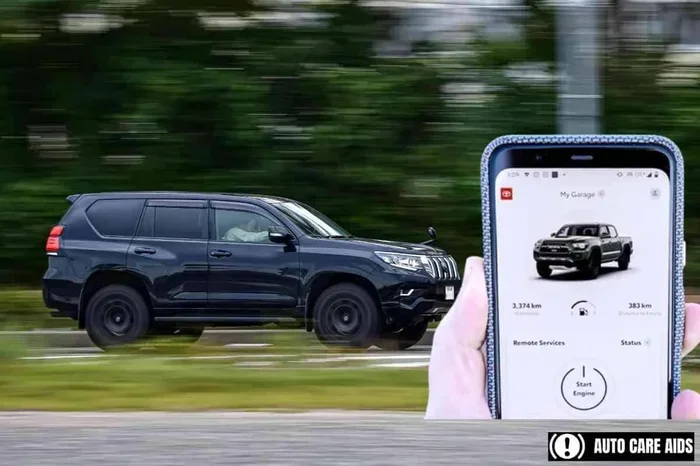
Toyota offers its own official app called Toyota Remote Connect. This app is part of the Toyota Connected Services package. It lets you do more than just start the engine. You can lock and unlock doors, honk the horn, locate your vehicle, and in some cases, send destinations to your navigation system.
But here is the catch. Not every Toyota comes with the hardware needed for these features. The capability depends on your model, year, and trim level. Some Toyotas ship with the required module already installed. Others do not. And some older models simply cannot support it no matter what you do.
How Does Remote Start Technology Work?
At its core, remote start technology uses a combination of hardware and software. Your vehicle needs a control module that can receive wireless signals. The key fob or phone app sends a command. The module verifies the signal is authorized. Then it starts the engine.
Factory systems use a dedicated transponder inside the key fob. This ensures only your fob can start your car remotely. The system also monitors safety conditions. For example, the doors must be locked and the car must be in park. If those conditions are not met, the engine will not start.
Phone-based apps like Toyota Remote Connect work differently. They use cellular networks to communicate with your vehicle. A server receives your command and forwards it to your car through a built-in modem. This is why you need a compatible infotainment system and a data plan in many cases.
What Does the App Actually Do?
The Toyota Remote Connect app offers several useful features beyond just starting the engine. Here is what you can typically do with it:
- Remote engine start: Start your Toyota from up to 30 feet away using your phone.
- Remote lock and unlock: Secure your vehicle or let someone in without handing over a key.
- Vehicle location: Find your Toyota in a crowded parking lot.
- Climate control: Turn on the heater or air conditioner before you get in.
- Trip data: Check fuel levels, mileage, and service alerts.
- Roadside assistance: Request help directly through the app in an emergency.
Not all features are available on every model. Some functions require a premium subscription. Others are free for a trial period. Check with your dealer to see what comes with your specific vehicle.
Which Toyota Models Support Remote Start?
This is where things get interesting. Toyota has a wide lineup, and remote start availability varies from model to model and trim to trim. Let us break it down.
Toyota Models With Built-In Remote Start
Several Toyota models come with factory remote start capability as standard or available equipment. Here are some of the most common ones:
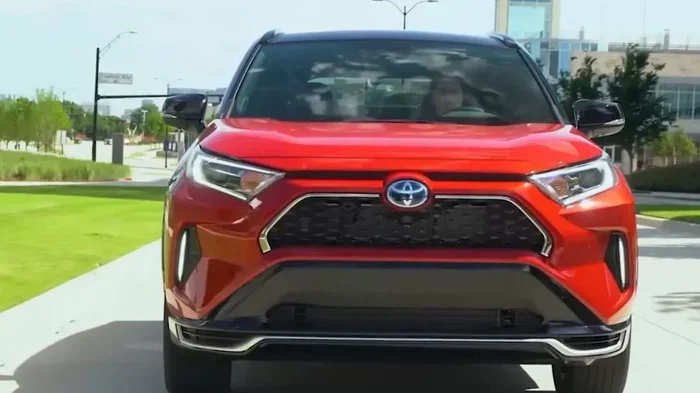
- Toyota RAV4: Many trim levels include remote start, especially in colder climate packages.
- Toyota Camry: Higher trims often feature remote start as part of the convenience package.
- Toyota Highlander: Available on upper trims with the premium audio and climate system.
- Toyota Tacoma: Some trims offer remote start, particularly in the TRD Off-Road and Limited editions.
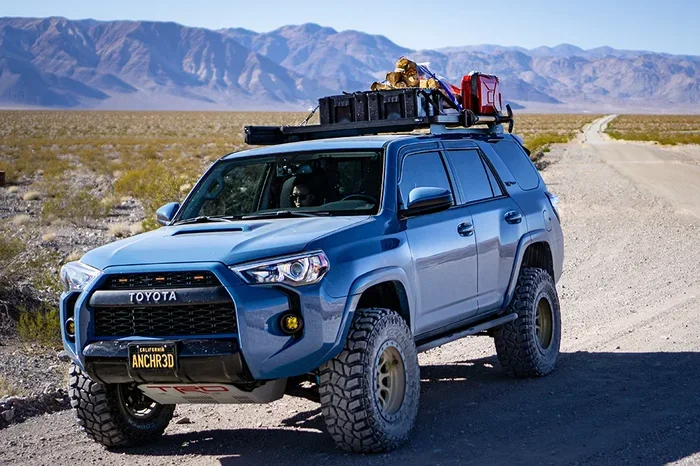
- Toyota 4Runner: Available on select trims, especially those with the premium package.
- Toyota Tundra: Newer models may include remote start depending on the trim.
- Toyota Sienna: Available on certain trims with the convenience and technology package.
Keep in mind that even within a model line, remote start may only be available on specific trims. A base-level trim might not include it, while the top-tier trim does. Always check the window sticker or ask the dealer before buying.
Toyota Models That Need an Aftermarket Solution
If your Toyota does not have factory remote start, you are not out of luck. Many older Toyotas and base trims can be fitted with an aftermarket remote start system. Popular brands like Compustar, Viper, and DroneMobile offer universal and vehicle-specific kits.
Aftermarket systems typically cost between $200 and $500 for the kit alone. Professional installation adds another $100 to $300 depending on your location and the complexity of the job. The good news is that most Toyota models can be retrofitted with these systems without major modifications.
However, there is one thing to watch out for. If your Toyota has a push-to-start ignition, you need a module that can bypass the ignition security system properly. This is where professional installation really matters. A bad install can cause electrical issues or void your warranty.
If you are considering going the aftermarket route, you might also want to look into how much it costs to program a push-to-start key fob since that can add to your overall setup expenses.
How Does the Toyota Remote Start App Work?
Using the Toyota Remote Connect app is straightforward once it is set up. Here is a general overview of how the process works.
First, you need a compatible Toyota with the proper hardware. This usually means a model year 2017 or newer with the Entune or infotainment system that supports connected services. Older Toyotas may not have the necessary modem or control module.
Second, you create an account through the Toyota app or at the Toyota website. You link your vehicle using the Vehicle Identification Number. The system registers your car on Toyota’s servers.
Third, you download the app on your smartphone. Both iOS and Android are supported. You log in with your credentials and pair your vehicle. From there, the app gives you access to all available features.
To start your engine remotely, you simply open the app, tap the remote start button, and confirm. The app sends a signal through cellular networks to your Toyota. The engine starts, and you get a notification confirming the action. You typically have a 10-minute window before the engine shuts off automatically.
Setting Up the App
Setting up the Toyota Remote Connect app is not difficult, but it does require a few steps. Here is what you need to do:
- Verify your Toyota supports the app by checking your owner’s manual or contacting your dealer.
- Activate your Toyota Connected Services trial through the dealer or the Toyota website.
- Download the Toyota app from the Apple App Store or Google Play Store.
- Create an account using your email address and a secure password.
- Link your vehicle by entering the VIN and following the on-screen prompts.
- Test the app by trying a remote start in a safe, open area.
The setup process usually takes about 15 to 20 minutes. If you run into any issues, Toyota’s customer support line can walk you through troubleshooting steps.
Using Remote Start Features
Once the app is set up, using the features is simple. You can start your Toyota from inside your home while you finish your coffee. You can cool down the car on a hot summer day before your commute. You can even warm up the seats if your Toyota has heated seats and the app supports that feature.
Most users find the remote start app experience smooth and reliable. The connection depends on cellular coverage, so make sure you have a decent signal in the areas where you typically use the app. If you are in a dead zone, the command will not go through until you have signal again.
If you are curious about whether your Toyota key fob already has remote start built in, you can check out our guide on whether you can remote start your Toyota with the key fob for more details.
Toyota Remote Start vs. Aftermarket Remote Start Systems
When it comes to adding remote start to your Toyota, you generally have two paths. You can use the factory system if your car supports it, or you can install an aftermarket solution. Each option has its pros and cons.
Factory-Built vs. Aftermarket Comparison
| Feature | Factory Toyota Remote Start | Aftermarket Remote Start |
|---|---|---|
| Compatibility | Only specific Toyota models and trims | Works with most Toyota models |
| Integration | Seamless with factory systems | May require additional modules |
| App Quality | Official Toyota app, well maintained | Varies by brand (Compustar, Viper, etc.) |
| Cost | Included with trim package or low added cost | $200 to $500 for kit plus installation |
| Warranty | Covered under Toyota warranty | May void parts of factory warranty if not installed properly |
| Features | Full suite of connected services | Basic remote start, some models offer app control |
| Reliability | High, designed specifically for your Toyota | Good, but depends on brand and installer quality |
For most Toyota owners, the factory option is the best choice. It is more reliable, better integrated, and covered by the manufacturer’s warranty. But if your Toyota does not come with factory support, a quality aftermarket system is a solid alternative.
If you are comparing Toyota to other brands, you might wonder how Acura’s remote start system stacks up against Toyota’s. Both brands offer factory remote start on many models, though the specific features and app quality differ.
How to Set Up Remote Start on Your Toyota
Setting up remote start on your Toyota depends on whether you have a factory system or an aftermarket one. Here are the steps for both scenarios.
Step-by-Step Setup Guide for Factory Systems
If your Toyota came with remote start capability, the setup process is mostly about activating the service. Here is what to do:
- Check your owner’s manual for the remote start section. It will tell you if your model supports it.
- Locate the remote start button on your key fob. It is usually marked with a circular arrow or the word “Remote.”
- Press and release the lock button on the key fob.
- Press and hold the remote start button for at least two seconds.
- Wait for the flashing parking lights or engine sound confirming the start.
- To use the phone app, follow the setup steps outlined in the previous section.
Keep in mind that most factory remote start systems have a 10-minute timeout. If you do not enter the vehicle within 10 minutes, the engine will shut off automatically. This is a safety feature to prevent fuel waste and unauthorized use.
Step-by-Step Setup Guide for Aftermarket Systems
If you installed an aftermarket remote start, your setup process depends on the brand and model of the kit. In general:
- Follow the installation manual that came with your kit.
- Make sure all wires are connected properly and secured.
- Program the key fob or remote control that came with the kit.
- Test the system in a safe area before using it daily.
- Download the companion app if your kit supports smartphone control.
- Pair your phone with the system following the app instructions.
Aftermarket systems often come with multiple remotes. You can program additional remotes for family members or spare keys. Just make sure each remote is properly matched to your vehicle’s security system.
Common Setup Mistakes to Avoid
Here are some mistakes that Toyota owners commonly make when setting up remote start:
- Skipping the programming step: If you do not properly program the remote fob, the system will not recognize your commands.
- Ignoring the timeout limit: Leaving the engine running for too long can drain your battery or waste fuel.
- Not checking local laws: Some areas have regulations about idling vehicles. Make sure remote start is legal where you live.
- Using the wrong key fob: Aftermarket remotes must be compatible with your Toyota’s security system. Using the wrong one can cause errors.
- Forgetting to update the app: The Toyota Remote Connect app receives updates that improve performance and fix bugs. Keep it current.
Troubleshooting Common Toyota Remote Start Issues
Even the best remote start systems can have problems from time to time. Here are some of the most common issues Toyota owners face and how to fix them.
Why Won’t My Remote Start Work?
There are several reasons your Toyota’s remote start might not engage. Here are the most common culprits:
- Dead key fob battery: If your key fob battery is low, the remote start signal may not reach the car. Replace the battery and try again.
- Doors or hood not fully closed: The system will not start the engine if it detects an open door or hood. Check all doors and the trunk.
- Transmission not in park: For automatic transmissions, the vehicle must be in park for remote start to work.
- Low fuel level: Some Toyotas will not remote start if the fuel level is below a certain threshold, usually around one-quarter of a tank.
- App connectivity issues: If you are using the phone app, a poor cellular signal or app glitch can prevent the command from going through.
- System override or security mode: If the vehicle’s security system was triggered, you may need to disarm it before remote start will work.
If none of these solutions work, it is time to dig deeper. Check your Toyota’s infotainment system for any error messages. You can also try restarting the app or resetting your phone’s connection to the vehicle.
When to See a Professional
Some remote start problems are beyond a simple fix. If you notice any of the following, take your Toyota to a dealer or qualified mechanic:
- The engine starts remotely but shuts off immediately.
- The remote start button on the key fob does not respond at all.
- The Toyota app shows an error message that does not go away after restarting.
- You smell fuel or notice unusual sounds when the engine starts remotely.
- The vehicle’s battery drains quickly after using remote start.
These could indicate a deeper electrical or software issue that requires professional diagnosis. Do not try to fix complex problems yourself, as you could cause further damage or void your warranty.
If you are dealing with battery drain issues, you might also want to check whether leaving your car door open could be draining your battery, as this is a common cause of starting problems.
How Much Does It Cost to Add Remote Start to a Toyota?
The cost of adding remote start to your Toyota depends on the route you take. Here is a general breakdown.
Factory Remote Start Costs
If your Toyota supports factory remote start but it is not included in your current trim, you may be able to add it through a dealer package. This typically costs between $300 and $800 depending on the model and dealer. Some Toyotas include a free trial of Toyota Connected Services that covers remote start features for the first few years.
Aftermarket Remote Start Costs
Aftermarket systems are more affordable upfront. Here is what you can expect:
- Basic remote start kit: $150 to $300 for the hardware.
- Advanced app-controlled system: $300 to $500 for the kit with smartphone integration.
- Professional installation: $100 to $300 depending on labor rates in your area.
- Monthly subscription (if applicable): $10 to $20 per month for app-based systems like DroneMobile.
Overall, you can expect to pay between $250 and $800 total for a quality aftermarket remote start system with professional installation. This is a one-time cost that adds significant convenience and resale value to your Toyota.
Final Thoughts
The question of whether all Toyotas have a remote start app does not have a simple yes or no answer. The reality is that remote start capability depends on your specific Toyota model, year, and trim level. Newer Toyotas with the right infotainment system can use the official Toyota Remote Connect app. Older models and base trims may need an aftermarket solution.
The good news is that almost every Toyota can be equipped with remote start one way or another. Whether you go the factory route or install an aftermarket kit, you will enjoy the comfort of starting your car before you get in. Just make sure you follow the setup instructions carefully and troubleshoot any issues promptly.
Take a few minutes to check your Toyota’s manual or talk to your dealer about remote start options. You will be glad you did the next time you step into a warm car on a freezing morning. Remote start is one of those features that once you have it, you never want to go without.
Frequently Asked Questions
Do all Toyota models come with a remote start app?
No, not all Toyota models include a remote start app. Only certain models and trims with the proper hardware support Toyota Remote Connect. Check your owner’s manual or ask your dealer to confirm if your specific Toyota has remote start capability.
Can I add remote start to my Toyota if it doesn’t have it from the factory?
Yes, you can add remote start to almost any Toyota using an aftermarket kit. Brands like Compustar and Viper offer universal systems that work with most Toyota models. Professional installation is recommended, especially for push-to-start vehicles.
Is the Toyota Remote Connect app free to use?
The app itself is free to download, but some features require a Toyota Connected Services subscription. Many new Toyotas come with a free trial period. After that, you may need to pay an annual fee to continue using remote start and other connected features.
How far can I start my Toyota remotely using the app?
The Toyota Remote Connect app works through cellular networks, so you can start your Toyota from anywhere with a signal as long as the car is within range of the cellular network. You do not need to be within a specific distance, unlike key fob-based systems that work from about 30 to 300 feet away.
Does remote start waste gas or harm my Toyota?
No, modern Toyota remote start systems are designed to be efficient. The engine runs for a preset time (usually 10 minutes) and then shuts off automatically. It does not cause extra wear on the engine and actually helps reduce engine wear in cold weather by letting the oil warm up before you drive.
What should I do if my Toyota remote start stops working?
First, check your key fob battery and make sure all doors are closed. If that does not fix the issue, restart the app and check your cellular signal. If the problem persists, contact your Toyota dealer or the aftermarket installer for help diagnosing the issue.