How Do I Wipe My Touch Screen Without Leaving Streaks
Keeping your car touchscreen clean is easier than you think. You just need the right tools and a few simple steps to wipe your touch screen without leaving streaks. This guide covers the best cleaners, cloths, and techniques so your display stays spotless and smear-free all year long.
Have you ever wiped your car touchscreen and ended up with more streaks than before? It happens to the best of us. A dirty touch screen can be frustrating, especially when you rely on it for navigation, music, and calls every day.
The good news is that cleaning your screen without leaving streaks is simple. You just need the right method and the right supplies. In this guide, we will walk you through everything you need to know about how do I wipe my touch screen the right way. Whether it is a small dashboard display or a big infotainment unit, these tips will work for you.
We will cover the best cloths, the safest cleaners, and the exact steps to follow. By the end, you will know exactly how to get a crystal-clear screen every single time. Let us get started.
Key Takeaways
- Use a microfiber cloth: This is the safest and most effective tool for streak-free touchscreen cleaning.
- Avoid household cleaners: Ammonia and alcohol can damage your car display over time.
- Dampen, don’t soak: Too much liquid can seep into the screen edges and cause damage.
- Wipe in circular motions: This technique removes fingerprints and oils without leaving marks.
- Clean regularly: A quick wipe-down every few days prevents buildup and keeps your screen looking new.
- Pick the right product: Screen-specific cleaners work best for automotive touch panels.
- Dry completely after cleaning: Residual moisture is the #1 cause of streaks and smudges.
📑 Table of Contents
- Why Your Car Touch Screen Gets So Dirty
- The Best Tools for Wiping Your Touch Screen
- Step-by-Step Guide to Streak-Free Screen Cleaning
- How Often Should You Clean Your Touch Screen
- Common Mistakes People Make When Cleaning Touch Screens
- Pro Tips for Keeping Your Screen Streak-Free Longer
- Comparison Table: Best Touch Screen Cleaning Products
- How to Handle Stubborn Stains and Smudges
- Protecting Your Touch Screen for the Long Term
- Key Takeaways
- Conclusion
Why Your Car Touch Screen Gets So Dirty
Your car touchscreen picks up dirt fast. Every time you touch it, oils from your fingers leave a residue. Dust, pollen, and road grime also settle on the surface throughout the day.
Here are the main reasons your touch screen gets dirty so quickly:
- Skin oils and fingerprints: These are the biggest culprits. Every touch leaves behind a thin layer of grease.
- Dust and pollen: These particles stick to the screen and create a hazy look over time.
- Sun glare and heat: UV rays can bake grime into the screen surface, making it harder to clean.
- Interior off-gassing: Chemicals from your dashboard and seats can settle on the screen and leave a film.
- Spills and splatters: Coffee, water drops, and food crumbs can all end up on your display.
The Science Behind Streaks
So why do streaks appear after wiping? It is all about how the cleaning liquid dries. When you use too much product or the wrong cloth, the liquid evaporates unevenly. This leaves behind a residue that looks like streaks or haze.
The same thing happens with paper towels or rough fabrics. They scratch the screen surface at a microscopic level. Over time, these tiny scratches scatter light and make the screen look cloudy. This is why choosing the right screen cleaning method matters so much.
The Best Tools for Wiping Your Touch Screen
Before you start cleaning, you need the right tools. Using the wrong materials can do more harm than good. Here is what you should use and what you should avoid.
Microfiber Cloths: Your Best Friend
A microfiber cloth is the single best tool for cleaning a touch screen. It is soft, lint-free, and gentle on delicate surfaces. Unlike cotton or paper towels, microfiber does not leave behind fibers or scratches.
Look for a high-quality microfiber cloth that is at least 12 by 12 inches. You can find them at any auto parts store or online. They are cheap and last a long time if you wash them properly.
Screen-Specific Cleaners
Not all cleaners are safe for automotive displays. Avoid anything that contains ammonia, alcohol, or harsh solvents. These chemicals can strip the oleophobic coating on your screen. That coating is what makes your screen feel smooth and repel fingerprints.
Instead, look for a screen cleaner that is specifically designed for touchscreens. Brands like Whoosh, Stoner, and Invisible Glass make great options. They are safe for LCD and OLED displays found in most modern cars.
What to Avoid
Here is a quick list of things you should never use on your car touchscreen:
- Window cleaners like Windex: These contain ammonia that damages screen coatings.
- Paper towels and tissues: They are too rough and leave behind lint and scratches.
- Household all-purpose cleaners: They are too harsh for delicate electronic screens.
- Clothing or shirts: The fabric can trap dirt particles and scratch the surface.
- Excessive water: Too much moisture can seep into the edges and damage internal components.
Step-by-Step Guide to Streak-Free Screen Cleaning
Now that you have the right tools, let us walk through the exact process. Follow these steps each time you clean your screen for the best results.
Step 1: Turn Off the Screen
Before you start, turn off your car touchscreen. This makes it much easier to see dirt, smudges, and streaks. A dark screen shows every mark clearly, so you know exactly where to clean.
Step 2: Remove Loose Dust
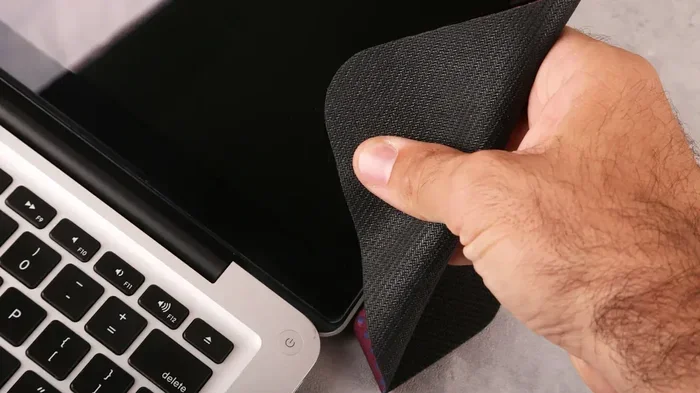
Use a dry microfiber cloth to gently wipe away loose dust and debris. Do not press hard. Just use light, sweeping motions. This step is important because rubbing dust into the screen can cause scratches.
Step 3: Apply Cleaner to the Cloth, Not the Screen
Spray your screen cleaner onto the microfiber cloth, not directly onto the screen. This prevents excess liquid from dripping into the edges or buttons. A light mist on the cloth is all you need.
Step 4: Wipe in Circular Motions
Gently wipe the screen in small circular motions. Start from the center and work your way outward. This technique lifts dirt and oils without pushing them around. Use a clean section of the cloth for each pass.
Step 5: Dry with a Clean, Dry Cloth
After cleaning, use a dry microfiber cloth to buff the screen. This removes any remaining moisture and prevents streaks. Again, use gentle circular motions until the screen feels completely dry.
Step 6: Inspect and Repeat if Needed
Turn the screen back on and inspect it. If you still see streaks or smudges, repeat the process. Often, one pass is enough if you use the right technique and materials.
How Often Should You Clean Your Touch Screen
How often you clean your screen depends on how much you use it and your driving conditions. But as a general rule, a quick wipe-down every few days keeps things looking great.
Here is a simple schedule you can follow:
- Daily: Give the screen a quick dry wipe with a microfiber cloth when you get in the car.
- Weekly: Do a light cleaning with a damp microfiber cloth to remove built-up oils.
- Monthly: Use a proper screen cleaner for a deeper clean. This removes stubborn grime and restores clarity.
- After road trips or long drives: Clean the screen to remove pollen, dust, and any spills.
Regular cleaning also helps protect your screen in the long run. Oils and grime can break down the protective coating over time. By keeping it clean, you extend the life of your automotive display.
Common Mistakes People Make When Cleaning Touch Screens
Even with the best intentions, people make mistakes that can harm their screens. Here are the most common ones to avoid.
Using Too Much Cleaner
More product does not mean better results. Using too much cleaner leaves a wet film that is hard to remove. Always use a small amount and apply it to the cloth first.
Wiping Too Hard
Pressing hard on the screen will not clean it better. In fact, it can damage the touch sensors underneath. Use light pressure and let the cloth do the work.
Skipping the Dry Wipe
Many people clean the screen and call it done. But skipping the dry wipe is the number one cause of streaks. Always finish with a dry microfiber cloth to remove any remaining moisture.
Using the Wrong Cloth
Not all cloths are created equal. A rough towel or old t-shirt can scratch your screen. Stick with a dedicated microfiber cloth that is clean and soft.
Cleaning in Direct Sunlight
Cleaning your screen in direct sunlight causes the cleaner to dry too fast. This leaves behind residue and streaks. Always clean in a shaded area or in a garage.
Pro Tips for Keeping Your Screen Streak-Free Longer
Want your screen to stay clean between cleanings? Try these expert tips that make a big difference.
Apply a Screen Protector
A tempered glass screen protector adds a layer of protection to your touchscreen. It shields against scratches, fingerprints, and daily wear. If the protector gets dirty, you can replace it easily without touching the actual screen.
Wash Your Hands Before Driving
This sounds simple, but it makes a huge difference. Clean hands mean fewer oils and fingerprints on the screen. Make it a habit to wash your hands before you start driving.
Keep a Cleaning Kit in Your Car
Store a small cleaning kit in your glove box. Include a microfiber cloth, a travel-sized screen cleaner, and a small brush for dust. This way, you can clean your screen anytime it gets dirty.
Use a Dash Cover When Parked
Dust and sun exposure are two of the biggest enemies of your touchscreen. A dash cover or sunshade protects your entire dashboard, including the screen, when your car is parked.
Avoid Touching the Screen with Sharp Objects
Do not use pens, keys, or fingernails to tap the screen. These can scratch the surface and make it harder to clean. Use your fingertip or a soft stylus designed for touchscreens.
Comparison Table: Best Touch Screen Cleaning Products
Not sure which product to buy? Here is a comparison of the top options for cleaning your car touchscreen.
| Product | Type | Safe for Screens | Price Range | Best For |
|---|---|---|---|---|
| Whoosh Screen Cleaner | Spray | Yes | $10-$15 | Daily use and quick wipes |
| Invisible Glass Cleaner | Spray | Yes | $8-$12 | Streak-free shine |
| Stoner Screen Cleaner | Spray | Yes | $12-$18 | Deep cleaning |
| Microfiber Cloths (Pack of 6) | Cloth | Yes | $8-$15 | Dry and damp wiping |
| ScreenShield Tempered Glass | Protector | N/A | $15-$30 | Long-term protection |
| Compressed Air Duster | Air Spray | Yes | $5-$10 |
All of these products are safe for automotive touchscreens. The microfiber cloth is the most essential item. Everything else is a bonus that can make your cleaning routine even easier.
How to Handle Stubborn Stains and Smudges
Sometimes, regular wiping is not enough. Stubborn stains and smudges need extra attention. Here is how to handle them without damaging your screen.
Dealing with Dried Spots
If a spot has dried onto the screen, do not scrape at it. Instead, dampen your microfiber cloth with a small amount of screen cleaner. Let it sit on the spot for 10 to 15 seconds. This softens the residue so it wipes away easily.
Removing Grease and Oil Buildup
Grease buildup is common on touchscreens near the gear shift or steering wheel. For heavy grease, spray your cleaner directly onto the cloth and wipe gently. You may need two or three passes with a clean section of the cloth.
Cleaning After a Spill
If you spill a drink on your touchscreen, act fast. Turn off the screen immediately. Use a dry cloth to blot as much liquid as possible. Then use a damp cloth with screen cleaner to wipe the area clean. Dry thoroughly with a second cloth.
Never use heat to dry a wet screen. Do not use a hair dryer or place your car in direct sunlight to speed up drying. Excessive heat can damage the internal electronics.
Protecting Your Touch Screen for the Long Term
Cleaning is only part of the equation. Protecting your screen helps it stay in great shape for years. Here are some long-term care tips.
Avoid Direct Sunlight When Parked
Prolonged exposure to UV rays can fade and crack your touchscreen over time. Use a windshield sunshade or park in the shade whenever possible. This protects both the screen and the rest of your dashboard.
Keep Your Screen Software Updated
Many modern car touchscreens receive software updates that improve display quality and touch responsiveness. Check with your dealer or manufacturer for available updates. A well-maintained software system works better with a clean screen.
Replace Old Microfiber Cloths
Over time, microfiber cloths lose their softness and can trap dirt particles. Replace your cleaning cloths every few months. Wash them with mild detergent and no fabric softener to keep them in good condition.
Be Gentle with the Touch Panel
Your touch panel is a sensitive piece of technology. Treat it with care. Avoid pressing too hard, using abrasive materials, or exposing it to extreme temperatures. A little care goes a long way in keeping your display working perfectly.
Key Takeaways
- Use a microfiber cloth: It is the safest and most effective tool for streak-free touchscreen cleaning.
- Choose a screen-specific cleaner: Avoid ammonia, alcohol, and harsh chemicals that damage screen coatings.
- Follow the step-by-step process: Turn off the screen, remove loose dust, apply cleaner to the cloth, wipe in circles, and dry thoroughly.
- Clean on a regular schedule: Daily dry wipes, weekly light cleaning, and monthly deep cleans keep your screen in top shape.
- Avoid common mistakes: Do not use too much cleaner, wipe too hard, or skip the dry pass.
- Protect your screen long-term: Use a screen protector, avoid direct sunlight, and replace old cleaning cloths regularly.
Conclusion
Keeping your car touchscreen clean and streak-free is simple when you know how. The key is to use the right tools, follow the right steps, and make it a regular habit. How do I wipe my touch screen without leaving streaks? The answer is a soft microfiber cloth, a gentle screen cleaner, and a little patience.
Your touch screen is one of the most used features in your car. Taking care of it pays off in better visibility, smoother touch response, and a more enjoyable driving experience. Start following the tips in this guide today, and you will notice the difference right away.
Remember, prevention is just as important as cleaning. Wash your hands before driving, keep a cleaning kit handy, and protect your screen from sun damage. These small habits add up to a crystal-clear display that lasts for years. Happy cleaning.
Frequently Asked Questions
Can I use water to clean my car touch screen?
Yes, plain water is safe in a pinch. Dampen a microfiber cloth with water and wring it out well. However, a dedicated screen cleaner works much better at cutting through oils and grime. Water alone may not remove stubborn fingerprints as effectively.
Is it safe to use alcohol wipes on a car touchscreen?
It depends on the concentration. Isopropyl alcohol above 50% can damage the oleophobic coating on your screen. Most experts recommend avoiding alcohol-based cleaners altogether. Stick with screen-specific cleaners that are formulated for automotive displays.
How do I remove stubborn streaks after cleaning my screen?
Streaks usually come from residual moisture or cleaner left behind. Use a dry microfiber cloth and buff the screen in gentle circular motions. If streaks persist, spray a small amount of cleaner on a fresh cloth and wipe again, then dry completely.
Can I use a paper towel in an emergency to wipe my touch screen?
It is not ideal. Paper towels are too abrasive and can leave tiny scratches on the screen surface. They also shed lint that sticks to the screen. Keep a microfiber cloth in your car for emergencies instead.
What is the best time of day to clean my car touch screen?
The best time is in the morning or evening when the car is parked in a shaded area. Avoid cleaning in direct sunlight because the cleaner dries too fast and leaves streaks. A cool, shaded spot gives you time to wipe and dry the screen properly.
Will a screen protector help keep my touch screen cleaner?
Yes, absolutely. A tempered glass screen protector adds a protective layer that shields the original screen from fingerprints, scratches, and daily wear. It also makes cleaning easier since you can wipe the protector without worrying about damaging the actual screen underneath.