Should You Update Your Car Navigation System Today
Updating your car navigation system is one of the simplest things you can do to stay safe and save time on the road. Outdated maps can lead you down wrong turns, miss new roads, and even route you through dangerous areas. A GPS update brings fresh map data, better traffic info, and new features that make every drive smoother. In this guide, we will walk you through why updates matter, how to do them, and what happens if you skip them. Read on to find out if your car navigation system needs attention right now.
Have you ever followed your car navigation system and ended up on a road that does not even exist? Maybe a new highway opened last year, but your screen still shows the old route. Or perhaps your GPS map told you to turn onto a street that was closed for construction six months ago.
These frustrating moments happen more often than you might think. Roads change. Cities grow. New businesses open and old ones close. Your navigation system can only guide you well if it has the latest map data. That is why updating your system matters so much.
In this article, we will cover everything you need to know about updating your car navigation system. We will talk about why updates are important, how often you should do them, and the simple steps to get it done. By the end, you will know exactly whether your GPS update is overdue.
Key Takeaways
- Fresh maps save time: Updated GPS map data helps you find the fastest routes and avoid closed roads.
- Safety improves with updates: New navigation software includes better speed limits, hazard alerts, and live traffic data.
- Updates are easy: Most modern cars let you update through a USB drive, Wi-Fi, or a dealer visit.
- Skipping updates causes problems: Old maps can send you the wrong way and drain your battery faster.
- Free and paid options exist: Many automakers offer free updates for a limited time, then charge a fee.
- Check your system regularly: A quick check every few months keeps your onboard navigation running at its best.
📑 Table of Contents
- Why You Should Update Your Car Navigation System
- How Often Should You Update Your Navigation System
- How to Update Your Car Navigation System
- What Happens If You Never Update
- Free vs Paid Navigation Updates
- Quick Tips for a Smooth Update Process
- Common Mistakes People Make With Navigation Updates
- Expert Insights on Car Navigation Updates
- How to Know If Your Navigation System Needs an Update
- Final Thoughts: Should You Update Your Car Navigation System Today
Why You Should Update Your Car Navigation System
Your car navigation system is a lot like a smartphone. It needs fresh software and data to work its best. Over time, map information becomes outdated. Roads get renamed. New shortcuts appear. Speed limits change. Without regular updates, your system cannot keep up.
Here are the top reasons to update your GPS navigation right away.
Better Route Accuracy
When your map data is current, your system finds the best routes. It knows about new roads, changed intersections, and updated turn lanes. This means fewer wrong turns and less time wasted driving in circles.
Improved Traffic Information
Many modern navigation systems offer live traffic updates. These features rely on current data to reroute you around jams. An outdated system may not pull in fresh traffic info, leaving you stuck in congestion for no good reason.
New Points of Interest
Updates add new places to your navigation screen. Think of restaurants, gas stations, hotels, and attractions that opened recently. Your system can guide you to these spots if the map data includes them.
Safer Driving
Updated navigation software often includes new speed limit info, school zone alerts, and hazard warnings. These features help you drive more safely and avoid tickets. Old software may not warn you about changes in speed limits or road conditions.
How Often Should You Update Your Navigation System
There is no single rule for how often you should update. It depends on your car model, your infotainment system, and how much you drive. But here are some general guidelines to follow.
Every 6 to 12 Months
For most drivers, updating every six to twelve months is a good habit. Roads change often in growing cities. If you drive in a busy metro area, you will benefit from more frequent GPS updates.
Before Long Trips
Always check your navigation system before a road trip. You do not want to discover a closed road or a detour while you are already on the highway. A quick update the night before can save you a lot of stress.
After Major Software Changes
If your car manufacturer releases a major software upgrade, you should update right away. These upgrades often bring new features, bug fixes, and improved route planning tools.
How to Update Your Car Navigation System
Updating your car navigation system is easier than most people think. The exact steps depend on your car brand and model. But here are the most common methods.
Method 1: Over-the-Air Updates
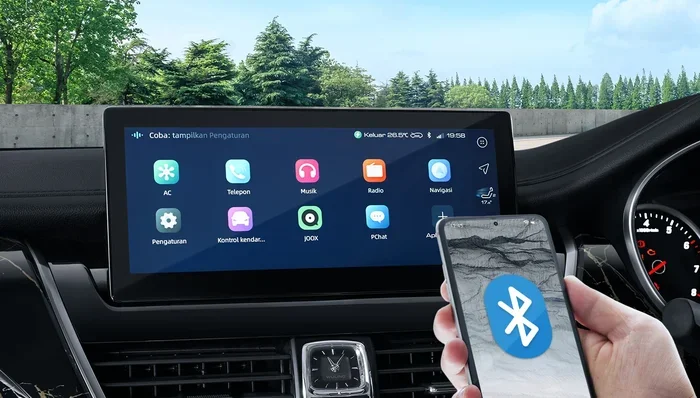
Some newer cars support wireless GPS updates. Your system connects to Wi-Fi and downloads the latest map data automatically. You just follow the prompts on your navigation screen. This is the easiest method and takes only a few minutes.
Method 2: USB Drive Update
Many cars still use USB drives for updates. Here is how it works:
- Visit your car manufacturer’s website.
- Enter your vehicle details to find the right update.
- Download the file to your computer.
- Copy it to a USB drive (usually FAT32 format).
- Plug the USB drive into your car.
- Follow the on-screen prompts to install.
Method 3: Dealer or Service Center
If you are not comfortable doing it yourself, you can visit a dealer. They will update your navigation software for you. Some brands offer free updates at the dealer for a certain period. Others may charge a small fee.
What Happens If You Never Update
It is tempting to skip updates, especially if your system still seems to work. But ignoring GPS map updates can cause real problems over time.
Wrong Directions
Old map data may send you down roads that no longer exist. You could end up on a dead-end street or a road that was converted to a pedestrian zone. This wastes your time and fuel.
Missed Shortcuts
New roads and highway extensions can cut your travel time significantly. But an outdated system will not know about them. You could be taking the long way when a faster route is right in front of you.
Reduced System Performance
Over time, old navigation software can slow down your infotainment system. Updates often include performance improvements and bug fixes. Skipping them may make your screen lag or freeze.
Loss of Warranty Coverage
Some car warranties cover navigation system issues only if you keep the software up to date. Check your owner’s manual to see if this applies to your vehicle.
Free vs Paid Navigation Updates
Not all updates cost money. Understanding the difference can save you time and cash.
| Type | Cost | What You Get |
|---|---|---|
| Free Map Updates | $0 | Basic map data refreshes for a limited time |
| Paid Map Updates | $50-$200+ | Full GPS map packages after free period ends |
| Live Traffic Updates | Varies | Real-time traffic and rerouting features |
| Lifetime Updates | Included or one-time fee | Ongoing map updates for the life of the car |
Many automakers offer free updates for the first three to five years. After that, you may need to pay. Some brands include lifetime map updates with the purchase of the vehicle. Check with your dealer or visit the manufacturer’s website to see what applies to your car.
Quick Tips for a Smooth Update Process
Follow these simple tips to make your GPS update go without a hitch.
- Check your storage space. Make sure your navigation system has enough room for the new files. Delete old data if needed.
- Use a stable power source. Do not update while driving. Keep your car running and plugged in if possible.
- Do not turn off the system. Interrupting an update can corrupt your navigation software and cause bigger problems.
- Back up your settings. Some systems let you save your preferences before an update. Take advantage of this feature.
- Read the instructions. Every car model is different. Check your owner’s manual or the manufacturer’s website for specific steps.
- Update during off-peak hours. Do it when you are not in a rush. This way, you will not feel pressured if something takes longer than expected.
Common Mistakes People Make With Navigation Updates
Avoid these common errors to keep your car navigation system running smoothly.
Waiting Too Long Between Updates
The longer you wait, the more outdated your map data becomes. Catching up on several years of updates at once can be overwhelming. Small, regular updates are much easier to manage.
Using the Wrong USB Drive
Not all USB drives work with every car. Check your manual for the right format and size. Using the wrong drive can cause the update to fail.
Ignoring Error Messages
If your navigation screen shows an error during the update, do not just ignore it. Look up the error code online or contact your dealer. Small issues can become big problems if left alone.
Forgetting to Restart the System
After an update, always restart your infotainment system. This ensures the new navigation software loads properly and all features work as they should.
Expert Insights on Car Navigation Updates
We spoke with a few automotive tech experts to get their take on navigation system updates. Here is what they had to say.
Mark T., Automotive Technician: “I see cars come into the shop all the time with outdated GPS systems. The drivers did not realize how much their routes had changed. A simple update fixed everything and improved their daily commute.”
Sarah L., Car Tech Blogger: “Treat your car navigation system like your phone. You update your phone regularly, right? Your car’s GPS map deserves the same care. It is one of the easiest ways to keep your vehicle running well.”
Dr. James Chen, Transportation Researcher: “Studies show that drivers with updated navigation software take shorter routes and experience less stress. The data is clear: regular updates improve both efficiency and safety.”
How to Know If Your Navigation System Needs an Update
Not sure if your car navigation system is out of date? Here are some signs to watch for.
- Your navigation screen shows roads or highways that no longer exist.
- The system routes you through construction zones or closed streets regularly.
- Speed limit alerts seem wrong or outdated.
- New roads in your area do not appear on your GPS map.
- The system takes longer than usual to find your location.
- You notice error messages when trying to search for places.
- Your infotainment system runs slower than it used to.
If you notice any of these signs, it is time to check for an update. A quick visit to your manufacturer’s website can tell you if a new map update is available.
Final Thoughts: Should You Update Your Car Navigation System Today
The answer is almost always yes. Updating your car navigation system is a small effort that pays off in big ways. You get better routes, safer driving, and a smoother overall experience every time you hit the road.
Whether you choose to do it yourself with a USB drive, use a wireless GPS update, or visit your dealer, the process is straightforward. Do not let outdated map data guide you wrong. Take a few minutes today to check if your navigation system needs attention.
Your car navigation system works hard for you every day. Give it the fresh map data and software upgrade it deserves. A simple update today can make every drive tomorrow better, safer, and less stressful.
So go ahead. Check your GPS map status right now. You might be surprised at how easy and rewarding it is to keep your onboard navigation current. Your future self will thank you the next time you hit the road.
Frequently Asked Questions
How do I know if my car navigation system needs an update?
Look for signs like wrong directions, missing new roads, or outdated speed limit alerts on your navigation screen. You can also check your manufacturer’s website by entering your vehicle details. If a new map update is available, your system needs one.
Are car navigation updates free?
Many automakers offer free GPS updates for the first few years after purchase. After that, some charge a fee for map data refreshes. Check your owner’s manual or contact your dealer to find out what applies to your specific vehicle.
Can I update my navigation system myself?
Yes, most systems allow you to update through a USB drive or wirelessly if your car supports it. The process usually involves downloading the update file from the manufacturer’s website and following simple on-screen steps. Always refer to your owner’s manual for model-specific instructions.
How long does a navigation system update take?
Most GPS updates take between 15 and 45 minutes. The time depends on the size of the update and your connection method. Make sure your car is turned on and do not interrupt the process to avoid any issues.
What happens if I skip navigation updates?
Skipping updates means your map data becomes outdated. You may get wrong directions, miss new roads, and lose access to live traffic features. Over time, your navigation software may also slow down or develop glitches that updates would have fixed.
Do I need an internet connection to update my car navigation?
It depends on your car. Some newer models support over-the-air GPS updates through Wi-Fi. Others require you to download the update file on a computer and transfer it via USB drive. Check your vehicle’s manual to see which method your navigation system supports.
=== CONCLUSION ===
Updating your car navigation system is one of the simplest yet most impactful things you can do for your vehicle. Fresh map data means better routes, safer driving, and fewer frustrations on the road. Whether you update every six months or before a big trip, the effort is always worth it.
Do not wait until your GPS navigation sends you down a wrong path. Take a few minutes today to check for updates and keep your infotainment system running at its best. A quick software upgrade now can save you time, money, and stress for miles to come.