How Do I Reset My Multimedia Car System Step by Step
Resetting your multimedia car system is simpler than you think and can solve frozen screens, audio glitches, and navigation errors in minutes. This step-by-step guide walks you through soft resets, hard resets, and factory resets for any car brand. You will learn the safest methods, common mistakes to avoid, and when to seek professional help.
Key Takeaways
- A soft reset is the safest first step and takes under two minutes
- A hard reset requires disconnecting the battery and clears all temporary glitches
- A factory reset erases all your settings, so back up important data first
- Common causes of multimedia failures include software bugs, loose connections, and outdated firmware
- You can prevent future issues by keeping your system updated and avoiding power surges
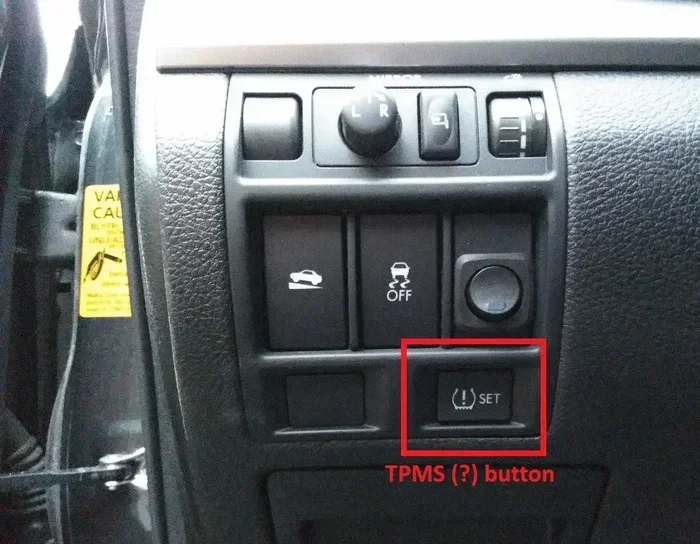
- Some resets like the TPMS sensor reset or oil change light reset follow similar principles
📑 Table of Contents
- How Do I Reset My Multimedia Car System Step by Step
- Why Your Multimedia Car System Might Need a Reset
- How to Perform a Soft Reset on Your Car Multimedia System
- How to Perform a Hard Reset on Your Car Multimedia System
- How to Perform a Factory Reset on Your Car Multimedia System
- Brand-Specific Reset Instructions
- How to Prevent Multimedia System Problems in the Future
- When to Seek Professional Help
- Conclusion
How Do I Reset My Multimedia Car System Step by Step
Your car multimedia system is the brain behind your touchscreen, audio, navigation, and even your backup camera. When it starts acting up, it can throw a wrench into your entire driving experience. A frozen screen, a system that won’t power on, or strange error messages can all point to one solution: a reset. But not all resets are the same, and doing it wrong can cause more harm than good.
This guide will walk you through every method to reset your multimedia car system safely. Whether you drive a Toyota, Honda, Ford, or any other brand, the steps are similar. We will cover soft resets, hard resets, and factory resets. You will also learn why your system might need a reset in the first place and how to prevent problems in the future.
The good news? Most resets take less than five minutes and cost nothing. You do not need a mechanic or expensive tools. Let us dive in and get your car system running smoothly again.
Why Your Multimedia Car System Might Need a Reset
Car multimedia systems are essentially small computers. They run software, store data, and connect to multiple modules in your vehicle. Over time, these systems can develop glitches just like your phone or laptop might. Understanding the root cause helps you choose the right reset method.
Software Glitches and Freezes
The most common reason people need a multimedia system reset is a simple software freeze. Your touchscreen becomes unresponsive, buttons stop working, or the screen goes black. This happens when the system’s memory gets overloaded or when a software process crashes. A soft reset usually fixes this without losing any of your settings.
Outdated Firmware
Car manufacturers release firmware updates to fix bugs and add features. If your system has not been updated in a while, it might start behaving strangely. Sometimes a reset after an update helps the new software load properly. Think of it like restarting your phone after an app update.
Loose or Corrupted Connections
Your multimedia system connects to your car’s network through wiring and modules. Vibration from driving, temperature changes, or even moisture can loosen these connections. When the system loses communication with other modules, it may freeze or show error messages. A reset can re-establish those connections.
Power Surges or Battery Issues
If your car battery is weak or you recently jumped your vehicle, a power surge can confuse the multimedia system. The system might not boot up correctly or could display random error codes. Resetting the system clears these error states and lets the system start fresh.
How to Perform a Soft Reset on Your Car Multimedia System
A soft reset is the safest and easiest method. It does not erase any of your data, settings, or saved preferences. Think of it as restarting your computer. This should always be your first step before trying anything more drastic.
Step 1: Turn Off the Ignition
Start by turning your ignition off. Do not just put the car in accessory mode. Turn it completely off and remove the key or press the start button again to shut down. Wait at least 30 seconds. This gives the system time to fully power down.
Step 2: Disconnect the Battery (Optional but Recommended)
For a more thorough soft reset, you can disconnect the negative terminal of your car battery. Use a wrench to loosen the nut on the negative cable. Pull the cable off the battery post and let it sit for about two minutes. This drains any residual power from the system’s capacitors.
Step 3: Reconnect and Restart
Reconnect the battery cable and tighten the nut securely. Turn the ignition back on. Your multimedia system should boot up normally. If the screen was frozen, it should now respond to touch. Check your audio, navigation, and camera systems to confirm everything works.
Quick Tip: If you do not want to touch the battery, simply holding the power button on your multimedia unit for 10 to 15 seconds often achieves the same result. This works on most Toyota, Honda, and Ford models.
How to Perform a Hard Reset on Your Car Multimedia System
A hard reset goes deeper than a soft reset. It clears the system’s temporary memory and forces a complete reboot. This method is ideal when a soft reset does not fix the problem. A hard reset will not erase your personal data, but it will close all running processes and clear temporary files.
Step 1: Locate the Reset Button or Fuse
Some car multimedia systems have a dedicated reset button. Check your owner’s manual to find it. On many systems, the reset button is a small pinhole on the face of the unit. You can press it with a paperclip or a SIM ejector tool.
If there is no reset button, you can remove the multimedia fuse instead. The fuse box is usually under the dashboard on the driver’s side. Pull the fuse that controls the infotainment system and wait for five minutes.
Step 2: Remove Power Completely
With the fuse removed or the reset button pressed, turn the ignition to the off position. This ensures no power flows to the multimedia unit. Wait at least five minutes. This allows the system’s memory to fully clear.
Step 3: Restore Power and Test
Reinsert the fuse or reconnect any wires you removed. Turn the ignition on. The system should start up with a fresh boot sequence. You may need to reconnect your Bluetooth devices and re-enter your radio presets. But all your saved data should still be intact.
Expert Insight: A hard reset is similar in concept to how you would reset your own TPMS sensor or reset the oil change light. The key is to cut power long enough for the system to fully reset its temporary memory.
How to Perform a Factory Reset on Your Car Multimedia System
A factory reset is the most thorough option. It erases all your personal settings, saved networks, paired devices, and custom configurations. The system returns to the exact state it was in when you first bought the car. Use this method only when soft and hard resets fail to solve the problem.
Step 1: Back Up Your Settings
Before you begin, write down or photograph any important settings. Note your Bluetooth paired devices, radio presets, navigation home address, and any custom display preferences. Some systems allow you to create a backup on a USB drive. Check your owner’s manual for this option.
Step 2: Access the Factory Reset Menu
Navigate to the Settings menu on your multimedia system. Look for a section called System, About, or Advanced. Find the option labeled Factory Reset, Master Reset, or Restore Defaults. Select it and confirm your choice.
On some systems, you may need to hold a combination of buttons to trigger a factory reset. For example, on certain Toyota models, you hold the power button and the volume knob simultaneously for 10 seconds.
Step 3: Allow the System to Complete the Reset
The reset process can take anywhere from 5 to 15 minutes. Do not turn off the ignition or disconnect the battery during this time. The screen may go black or display a progress bar. This is normal. Let the system complete the process on its own.
Step 4: Reconfigure Your Settings
Once the reset is complete, the system will restart. You will need to set up your preferences again. Reconnect your phone, re-enter your presets, and adjust the display settings. This is a good time to also check for any available multimedia system updates from the manufacturer.
Common Mistake: Do not perform a factory reset if you have unsaved navigation history or contacts stored in the system. Always back up first. Losing this data can be frustrating and unnecessary.
Brand-Specific Reset Instructions
While the general methods above work for most vehicles, some brands have specific procedures. Here is a quick overview of how to reset the multimedia system on popular brands.
Toyota and Lexus Multimedia Reset
For most Toyota and Lexus models, a soft reset involves holding the power button for 10 seconds. For a factory reset, navigate to Settings, then System, then Restore Defaults. Toyota’s Entune system may also require a Toyota Entune upgrade after a reset to restore full functionality. If you are having trouble with your Toyota system, you can also visit any Toyota dealer for assistance.
Honda and Acura Multimedia Reset
Honda systems respond well to a simple ignition cycle. Turn the ignition off, wait 60 seconds, and turn it back on. For a deeper reset, remove the multimedia fuse for five minutes. Acura models follow a similar process. If you are considering taking your Acura to a Honda dealership for service, they can also assist with system resets.
Ford and Lincoln Multimedia Reset
Ford’s SYNC system has a dedicated reset procedure. Press and hold the power button for 20 seconds to force a reboot. For a factory reset, go to Settings, then System, then Factory Reset. Ford also allows you to perform resets through the MyFord Mobile app in some models.
How to Prevent Multimedia System Problems in the Future
Resetting your system solves the immediate problem, but prevention keeps you from needing to do it again. Follow these simple tips to keep your car multimedia system running smoothly.
Keep Your Firmware Updated
Manufacturers release updates to fix bugs and improve performance. Check for updates at least once every six months. Some systems support over-the-air updates, while others require a visit to the dealership. Keeping your system current reduces the chance of software glitches.
Avoid Overloading the System
Do not install too many apps or store excessive files on your multimedia system. These systems have limited memory compared to your phone. An overloaded system runs slower and is more prone to freezing. Delete unused apps and clear cached data regularly.
Protect Against Power Surges
Use a surge protector if you add aftermarket electronics to your car. Cheap or improperly wired accessories can send power surges that damage the multimedia system. Always have accessories installed by a professional if you are unsure about the wiring.
Keep the System Clean
Dust and moisture can enter the multimedia unit through vents and seams. Use a soft, dry cloth to clean the screen and vents regularly. Avoid spraying any liquid directly onto the unit. Keeping the area around the system clean prevents hardware issues that can mimic software problems.
When to Seek Professional Help
Most multimedia system issues resolve with a simple reset. But some problems go beyond what a reset can fix. If you have tried a soft reset, hard reset, and factory reset without success, it is time to consult a professional. Here are signs that your problem needs expert attention.
- The screen remains black even after a full battery disconnect
- You hear a burning smell or see smoke from the unit
- The system repeatedly crashes despite multiple resets
- You notice physical damage to the screen or unit
- The problem returns immediately after a reset
In these cases, the issue may be a hardware failure, a wiring problem, or a deeper software corruption. A certified technician at your dealership or a reputable auto electronics shop can diagnose the problem properly. Sometimes the unit needs to be replaced, but this is rare.
Key Takeaway: A reset solves most multimedia problems. But knowing when to stop troubleshooting and call a professional saves you time and money.
Conclusion
Resetting your multimedia car system does not have to be intimidating. Start with a soft reset, move to a hard reset if needed, and only use a factory reset as a last resort. Each method serves a different purpose and carries different risks. By following the steps in this guide, you can troubleshoot and fix most multimedia problems in under 15 minutes.
Remember to back up your settings before a factory reset. Keep your firmware updated to prevent future issues. And do not hesitate to seek professional help if the problem persists. Your car’s multimedia system is a complex piece of technology, but with the right approach, keeping it running smoothly is well within your reach.
Take a few minutes today to familiarize yourself with your system’s reset procedures. You will be glad you did the next time your screen freezes or your audio cuts out on the road. A little knowledge goes a long way in keeping your driving experience enjoyable and stress-free.
Frequently Asked Questions
How long does it take to reset a car multimedia system?
A soft reset takes about 2 minutes. A hard reset usually takes 5 to 10 minutes. A factory reset can take 15 to 20 minutes because the system needs to reinstall all default settings and reboot multiple times.
Will resetting my multimedia system erase my saved music and playlists?
A soft reset and hard reset will not erase your saved music or playlists. However, a factory reset will remove all personal data including saved music, playlists, and paired devices. Always back up important data before performing a factory reset.
Can I reset my car multimedia system without disconnecting the battery?
Yes, you can. A soft reset using the power button or the system’s restart option does not require any battery work. This is the safest and easiest method for most users.
Why does my car multimedia system keep freezing after a reset?
If the problem persists after multiple resets, it could indicate a hardware issue, corrupted firmware, or a wiring problem. In this case, you should visit a certified technician or your dealership for a thorough diagnosis.
Is it safe to reset the multimedia system while driving?
No, you should never reset your multimedia system while driving. Always perform a reset when the car is parked and the ignition is off. A distracted driver is a dangerous driver.
How often should I reset my car multimedia system?
You should not need to reset your system regularly. A reset is only needed when you experience glitches, freezes, or error messages. Performing unnecessary resets can actually cause more problems than they solve.