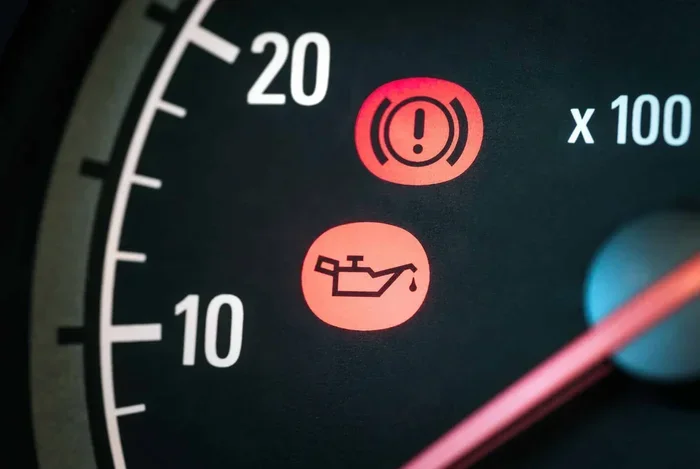
How Do You Reset the Oil Maintenance Required Light
The oil maintenance required light is a helpful reminder that tells you when it is time for an oil change. Resetting it is usually a simple process that takes just a few minutes, and you can do it yourself without visiting a mechanic. This guide walks you through the exact steps for most vehicle brands so you can get back on the road with confidence.
The oil maintenance required light is one of the most common dashboard warnings drivers encounter. It pops up on your dashboard to remind you that your vehicle is due for an oil change. Many people wonder whether they can simply ignore it or if it needs immediate attention. The truth is, this light is your car’s way of telling you that the oil life system has tracked your driving habits and determined it is time for maintenance.
Resetting the light after an oil change is a quick and easy task. However, the process varies depending on your car’s make and model. In this guide, we will walk you through everything you need to know about resetting the oil maintenance required light. You will learn the exact steps for popular brands, common mistakes to avoid, and when the light might signal something more serious.
Key Takeaways
- Quick Reset Process: Most vehicles let you reset the oil maintenance required light in under five minutes using the dashboard controls.
- Brand-Specific Steps: Different car brands like Toyota, Honda, Ford, and Chevrolet have unique reset procedures that we cover in detail.
- Do Not Ignore the Light: Driving with the oil maintenance required light on for too long can lead to engine wear and costly repairs.
- Common Mistakes: Skipping the reset after an oil change or confusing it with the check engine light are errors many drivers make.
- When to Seek Help: If the light keeps coming back after resetting, it may signal a deeper issue that needs professional attention.
📑 Table of Contents
- What Is the Oil Maintenance Required Light?
- How to Reset the Oil Maintenance Required Light
- Can You Still Drive With the Oil Maintenance Required Light On?
- Common Mistakes When Resetting the Oil Maintenance Required Light
- How Often Should You Reset the Oil Maintenance Required Light?
- When Should You See a Professional?
- Quick Tips for Maintaining Your Oil Maintenance System
- Conclusion
What Is the Oil Maintenance Required Light?
The oil maintenance required light is a dashboard indicator that lets you know your vehicle needs an oil change. It is part of the oil life monitoring system built into modern cars. Unlike older vehicles that relied on simple mileage intervals, today’s cars use sensors and algorithms to track your driving patterns.
This system considers factors like driving distance, engine temperature, and driving habits. When the system determines that the oil has degraded enough to need replacement, it triggers the light. Think of it as a smart reminder that adapts to how you actually drive, rather than following a one-size-fits-all schedule.
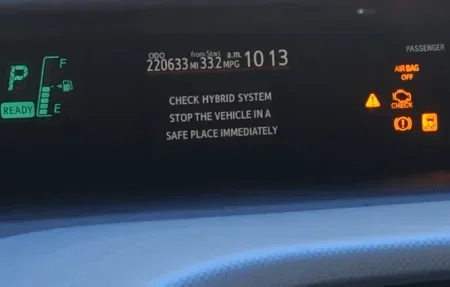
The maintenance required light is different from the check engine light. The check engine light signals a potential mechanical or electrical problem. The maintenance required light is purely a service reminder. Confusing the two can cause unnecessary panic or, worse, ignoring a real issue. If you are unsure which light you are seeing, check out our article on the difference between a check engine light and maintenance required light for more clarity.
Why Does the Light Come On?
The light typically activates based on your vehicle’s oil life percentage. Most systems start at 100 percent and count down as you drive. When the percentage drops to around 15 percent, the dashboard light turns on. Here are the most common reasons it illuminates:
- Oil degradation: Over time, oil breaks down and loses its lubricating properties.
- Mileage accumulation: Your car has reached the distance threshold set by the manufacturer.
- Driving conditions: Short trips, stop-and-go traffic, and extreme temperatures can shorten oil life faster.
- Oil life system reset needed: After an oil change, the system must be manually reset to restart the monitoring cycle.
Ignoring the oil change indicator for too long can result in poor engine performance. Old oil loses its ability to clean and protect engine parts. This can lead to increased friction, overheating, and eventually expensive engine repairs.
How to Reset the Oil Maintenance Required Light
Resetting the light is straightforward for most vehicles. The exact steps depend on your car’s brand and model. Below, we cover the most common reset methods used across popular vehicle manufacturers.
Reset Method for Toyota Vehicles
Toyota vehicles are known for their simple and intuitive reset process. Here is how you can reset the maintenance required light on most Toyota models:
- Turn the ignition to the “ON” position without starting the engine.
- Press the odometer or trip meter button until the display shows the total mileage.
- Turn the ignition to the “OFF” position.
- Hold down the odometer or trip button and turn the ignition back to “ON.”
- Keep holding the button until the light blinks and then turns off.
- Release the button. The maintenance light should now be reset.
If you are having trouble with your Toyota’s maintenance light reset, you may want to visit a Toyota dealership. You can also read our guide on do you reset the oil change light for additional Toyota-specific tips.
Reset Method for Honda Vehicles
Honda vehicles use a slightly different procedure. Here is the standard way to reset the maintenance light on most Honda cars:
- Press the main button on the trip meter until you see the engine oil life indicator.
- Hold the main button down for about 10 seconds.
- The indicator will start to blink, showing that it is ready to reset.
- Release the button and then hold it again for another 10 seconds.
- The oil life indicator should reset to 100 percent, and the light will turn off.
Reset Method for Ford Vehicles
Ford trucks and SUVs have their own reset process. Here is how to do it on most Ford models:
- Use the steering wheel controls to navigate to the vehicle information menu on the display.
- Scroll through the options until you find “Maintenance Required” or “Oil Life System.”
- Press the OK or Reset button.
- Select “Reset Oil Life” from the menu.
- Confirm the reset, and the light will turn off.
Reset Method for Chevrolet Vehicles
Chevrolet vehicles also have a built-in reset feature. The process generally works like this:
- Press the trip odometer button until the oil life system display appears.
- Press and hold the trip odometer button for several seconds.
- The display will show a countdown or a reset confirmation.
- Release the button once the light turns off and the system resets.
Can You Still Drive With the Oil Maintenance Required Light On?
Many drivers ask whether it is safe to keep driving when the oil maintenance required light is on. The short answer is yes, for a short distance. The light is a reminder, not an emergency warning. It does not mean your engine is about to fail.
However, you should not drive for extended periods with the light on. The oil is past its optimal condition, and continued driving can cause wear on engine components. If you are close to a service center or can schedule an oil change soon, you should be fine driving a few more miles.
If you are concerned about driving with the light on, check out our article on can I still drive with the oil change light on for more detailed guidance. Also, if you have recently had your oil changed and the light is still on, you should reset the oil maintenance required light to clear the reminder.
What Happens If You Ignore the Light?
Ignoring the maintenance required light over a long period can lead to real problems. Here is what can happen:
- Reduced engine lubrication: Old oil becomes thicker and less effective at reducing friction between moving parts.
- Engine overheating: Degraded oil cannot regulate engine temperature as well as fresh oil.
- Sludge buildup: Contaminated oil can form sludge that clogs oil passages and reduces oil flow.
- Increased fuel consumption: A poorly lubricated engine works harder, which uses more fuel.
- Costly engine repairs: In the worst case, neglected oil changes can lead to engine failure that requires thousands of dollars in repairs.
The bottom line is that the oil maintenance required light exists to protect your engine. Taking it seriously and resetting it after each oil change will help your car run smoothly for years.
Common Mistakes When Resetting the Oil Maintenance Required Light
Even though the reset process is simple, many drivers make avoidable mistakes. Here are the most common ones:
Forgetting to Reset After an Oil Change
The most common mistake is simply forgetting to reset the light after getting an oil change. The new oil is fresh, but the system still thinks the oil is old. This causes the light to stay on and creates confusion every time you start the car. Always reset the light immediately after an oil change to keep your maintenance schedule accurate.
Confusing the Maintenance Light With the Check Engine Light
The maintenance required light and the check engine light look different but serve different purposes. The maintenance light is a service reminder. The check engine light indicates a fault in the engine or emissions system. If both lights are on at the same time, you should address the check engine light first. You can learn more about the differences in our article on the difference between a check engine light and maintenance required light.
Using the Wrong Reset Procedure
Every car brand has its own reset procedure. Using the wrong method will not work and may cause confusion. Always refer to your vehicle’s owner manual for the correct steps. If you do not have the manual, the steps in this guide cover the most popular brands.
Resetting Without Actually Changing the Oil
Some drivers reset the light without getting an oil change. This defeats the purpose of the maintenance reminder and can harm your engine. Always get fresh oil and a new oil filter before resetting the light. The light tracks your oil life, and resetting it without servicing the engine simply restarts the countdown with degraded oil still in the system.
How Often Should You Reset the Oil Maintenance Required Light?
You should reset the oil maintenance required light every time you get an oil change. This keeps the oil life system accurate and ensures the next reminder comes at the right time. Most vehicles recommend oil changes every 5,000 to 7,500 miles for conventional oil or every 10,000 to 15,000 miles for synthetic oil.
The oil life system in your car adapts to your driving style. If you frequently drive in severe conditions such as extreme heat, cold, or dusty roads, the system may recommend more frequent oil changes. Resetting the light after each service keeps your maintenance log clean and helps you stay on top of your vehicle’s health.
If you are unsure about your oil change schedule, check out our article on do I really need to change synthetic oil every 6 months for more information on oil change intervals and best practices.
When Should You See a Professional?
Most of the time, resetting the maintenance required light is a DIY task. However, there are situations where professional help is necessary:
- The light keeps coming back: If you reset the light and it returns shortly after, there may be an underlying issue with the oil life system or sensors.
- The light is accompanied by other warnings: If the maintenance light appears alongside the check engine light or oil pressure warning, get your car inspected immediately.
- You cannot find the reset procedure: If your vehicle’s manual does not include reset instructions, a mechanic or dealership can help.
- You are unsure about your oil condition: If it has been a long time since your last oil change and you are not sure about the oil quality, a professional inspection is a smart move.
Many dealerships and auto parts stores offer free oil change services or inspections. You can also visit Does Autozone Do Oil Changes to learn more about where to get affordable oil changes.
Quick Tips for Maintaining Your Oil Maintenance System
Keeping your oil life system in good shape is easy with these simple tips:
- Reset the light after every oil change: This keeps your maintenance schedule accurate and prevents confusion.
- Use the recommended oil grade: Check your owner manual for the correct oil weight and type for your engine.
- Keep track of your mileage: Use a phone app or notebook to log your oil change dates and mileage.
- Do not ignore the light: Address the reminder promptly to protect your engine from wear.
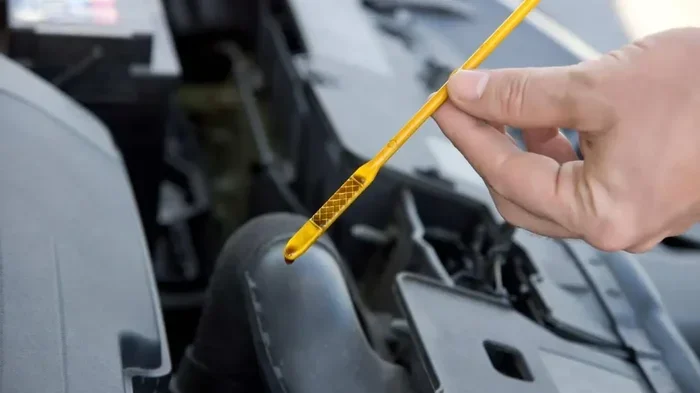
- Check your oil level regularly: Even between oil changes, make sure the oil level is within the safe range on the dipstick.
- Store your vehicle properly: If your car sits for long periods, the oil can degrade faster. Consider how long a car can sit without being driven and adjust your maintenance schedule accordingly.
Conclusion
Resetting the oil maintenance required light is a simple but important part of vehicle ownership. It takes just a few minutes and ensures your car’s maintenance system stays accurate. Whether you drive a Toyota, Honda, Ford, or Chevrolet, the reset process is easy to follow once you know the correct steps.
The key is to never ignore the light and always reset it after a genuine oil change. This keeps your engine protected and your maintenance schedule on track. Remember that the maintenance required light is your car’s way of looking out for you. Give it the attention it deserves, and your vehicle will reward you with reliable performance for years to come.
Take a moment today to check your dashboard. If the oil maintenance required light is on, schedule your oil change and reset the light once the service is complete. Your engine will thank you for it.
Frequently Asked Questions
How do I reset the oil maintenance required light on my Toyota?
Turn the ignition to ON without starting the engine, press the trip meter button until the total mileage shows, turn the ignition OFF, then hold the trip button while turning the ignition back to ON. Keep holding until the light blinks and turns off. This works for most Toyota models and is the standard maintenance light reset method for Toyota vehicles.
Can resetting the oil maintenance required light damage my car?
No, resetting the light cannot damage your car. It simply clears the service reminder. However, you should only reset it after getting a fresh oil change. Resetting the light without changing the oil means the system will not track your actual oil condition, which can lead to engine wear over time.
Why does my oil maintenance required light keep coming back after I reset it?
If the light keeps returning, it may mean the oil life system has detected that the oil quality is still low. This can happen if you have not actually changed the oil yet, or there may be a sensor issue. In some cases, you may need to visit a mechanic to inspect the oil life system and oil pressure sensors for faults.
Is the oil maintenance required light the same as the check engine light?
No, they are different. The oil maintenance required light is a service reminder that tells you it is time for an oil change. The check engine light indicates a potential problem with the engine or emissions system. If both lights are on at the same time, you should address the check engine light first and then reset the maintenance light after service.
How long can I drive with the oil maintenance required light on?
You can usually drive a short distance with the light on, especially if you are heading to a service center. However, you should not drive for extended periods without an oil change. The light means your oil has degraded past the optimal point, and prolonged driving can cause increased engine wear and potential damage.
Do I need any special tools to reset the oil maintenance required light?
No special tools are needed. The reset process uses your car’s existing dashboard controls, such as the trip meter button or steering wheel buttons. You simply follow the specific sequence for your vehicle brand. All you need is access to the ignition and the dashboard display.