Do You Have to Pay on the Toyota App for Remote Start
Do you have to pay on the Toyota App for remote start? The short answer is no — the Toyota App remote start feature is free to use for most Toyota owners. However, some models may require a Toyota Connected Services subscription for full functionality. In this guide, we break down everything you need to know about Toyota App remote start costs, setup, and limitations.
The Toyota App has changed the way we interact with our vehicles. You can lock your doors, check fuel levels, and even start your engine from across the room. But one question keeps popping up in Toyota owner forums and social media groups. Do you have to pay on the Toyota App for remote start?
The answer might surprise you. For most Toyota owners, the remote start feature is completely free. You download the app, link your vehicle, and you are good to go. But there are a few catches. Some newer models require a trial period or a paid subscription plan. And not every Toyota vehicle supports app-based remote start at all.
In this article, we will walk through everything you need to know. We will cover how the Toyota App remote start works, what it costs, and how to set it up. We will also compare it to key fob remote start and answer the most common questions Toyota owners ask. Whether you drive a Camry, RAV4, or Tacoma, this guide has you covered.
Key Takeaways
- Free to Use: The Toyota App remote start feature does not require a separate payment for most Toyota models.
- Subscription May Be Needed: Some newer Toyota models require a Toyota Connected Services trial or paid plan for full remote start access.
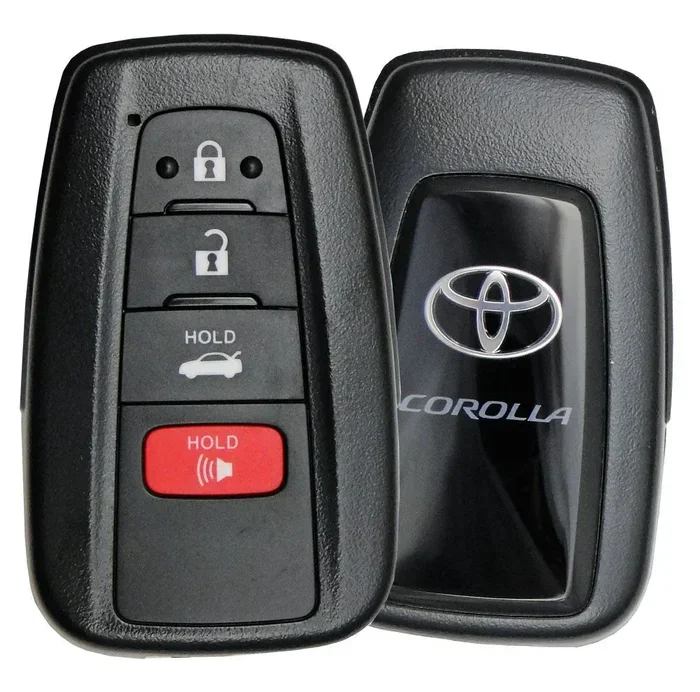
- Key Fob Alternative: You can also remote start your Toyota with the key fob if you prefer not to use the app.
- Easy Setup: Setting up remote start through the Toyota App is straightforward and takes only a few minutes.
- Check Your Model: Not all Toyota vehicles support app-based remote start — verify your model and year before downloading.
📑 Table of Contents
- What Is the Toyota App Remote Start Feature?
- Do You Have to Pay on the Toyota App for Remote Start?
- How to Set Up Remote Start Using the Toyota App
- Toyota App Remote Start vs. Key Fob Remote Start
- Common Problems with Toyota App Remote Start
- Is Toyota App Remote Start Worth It?
- Frequently Asked Questions
- Final Thoughts
What Is the Toyota App Remote Start Feature?
The Toyota App remote start lets you start your vehicle using your smartphone. You do not need to be inside the car. You can warm up the engine on a cold morning or cool down the cabin on a hot day. All you need is the Toyota App installed on your phone and a compatible Toyota vehicle.
The app connects to your car through cellular networks and Toyota’s cloud system. Once paired, you can send a remote start command from anywhere with internet access. The app also lets you lock and unlock doors, honk the horn, and locate your vehicle on a map. It is part of Toyota’s broader connected services ecosystem.
How Does Toyota App Remote Start Work?
Here is a simple breakdown of how the process works:
- Download the Toyota App from the App Store or Google Play.
- Create an account and link your Toyota vehicle using the VIN.
- Verify your identity through the security setup.
- Open the app and tap the remote start button.
- Your vehicle starts within seconds.
The entire process takes less than a minute once your vehicle is linked. The app uses secure encryption to protect your data and prevent unauthorized access. Toyota has built in multiple safety layers so only you can start your car remotely.
Do You Have to Pay on the Toyota App for Remote Start?
This is the question most Toyota owners want answered. The good news is that for the majority of Toyota models, remote start through the app is free. There is no monthly fee or one-time payment required just to use this feature. You link your car, and you can start it as often as you like.
However, the story is not the same for every vehicle. Toyota has been rolling out its Toyota Connected Services package across newer models. This package includes remote start, navigation updates, and emergency assistance. For some vehicles, Toyota offers a free trial period — usually 1 to 3 years. After the trial ends, you may need to pay a subscription fee to keep using remote start.
Which Toyota Models Need a Subscription?
Not all Toyota vehicles require a paid subscription. Here is a general breakdown:
- 2018 and Older Models: Most do not require any subscription for app features.
- 2019 to 2021 Models: Many come with a free trial of connected services.
- 2022 and Newer Models: Some require an active Toyota Connected Services plan for full app functionality.
If you are unsure about your specific model, you can check the Toyota website or contact your local dealer. The Toyota Care program may also include connected services depending on your vehicle and package.
What Does the Paid Subscription Include?
If your Toyota does require a paid plan, here is what you typically get:
- Remote start and lock/unlock features
- Real-time vehicle diagnostics
- Navigation and traffic updates
- Emergency roadside assistance
- Vehicle health reports
The subscription cost varies by region and plan. Some Toyota owners pay around $10 to $15 per month. Others may find annual plans that cost less per month. It is always worth checking what is included before you commit to a plan.
How to Set Up Remote Start Using the Toyota App
Setting up remote start on the Toyota App is a simple process. You do not need any special tools or technical skills. Here is a step-by-step guide to get you started.
Step 1: Download the Toyota App
Go to the Apple App Store or Google Play Store and search for the Toyota App. Download it to your smartphone. Make sure you have a stable internet connection during the setup process.
Step 2: Create Your Account
Open the app and create an account. You will need your email address, a password, and your Toyota vehicle information. Enter your VIN (Vehicle Identification Number) when prompted. You can find the VIN on your dashboard near the windshield or on your vehicle registration.
Step 3: Link Your Vehicle
Once your account is created, the app will guide you through linking your vehicle. This step involves verifying your identity and confirming that the app can communicate with your car’s systems. The app will walk you through each screen.
If you run into any issues, you can also try to unlock your car with the Toyota App first to test the connection. This helps confirm that your vehicle is properly paired with the app.
Step 4: Start Your Vehicle Remotely
After your vehicle is linked, open the app and look for the remote start button. Tap it, and your Toyota should start within a few seconds. You can set a timer for how long the engine runs, usually up to 10 minutes. The app will also show you the status of your vehicle in real time.
Quick Tips for First-Time Users
- Make sure your phone has a good internet connection before trying to start the car.
- Always start your vehicle in a well-ventilated area.
- Set a timer so the engine does not run longer than needed.
- Keep your app updated to the latest version for the best performance.
Toyota App Remote Start vs. Key Fob Remote Start
Toyota vehicles have offered remote start through the key fob for many years. The app-based remote start is newer but works in a similar way. Let us compare the two methods side by side.
| Feature | Key Fob Remote Start | Toyota App Remote Start |
|---|---|---|
| Cost | Included with vehicle | Free for most models |
| Range | Limited to a few hundred feet | Works from anywhere with internet |
| Setup | Built into the vehicle | Requires app download and pairing |
| Convenience | Must have key fob on you | Only need your phone |
| Additional Features | Lock/unlock, panic alarm | Lock/unlock, diagnostics, location |
Both methods get the job done. The key fob is simpler and does not rely on your phone battery or internet connection. The app gives you more flexibility and extra features like vehicle tracking and diagnostics. Many Toyota owners use both methods depending on the situation.
If you want to learn more about how remote start works with the key fob, check out our guide on how to remote start your Toyota with the key fob. It covers the key fob process in detail.
Common Problems with Toyota App Remote Start
Like any technology, the Toyota App remote start is not perfect. Some owners run into issues from time to time. Here are the most common problems and how to fix them.
Remote Start Does Not Respond
This is the most common complaint. If the app does not respond when you tap the start button, the first thing to check is your internet connection. Both your phone and the car need a data connection for the command to go through. Try switching between Wi-Fi and cellular data to see if that fixes the issue.
Sometimes the problem is on Toyota’s server side. During peak hours or bad weather, the servers can get overloaded. Waiting a few minutes and trying again usually solves this.
Vehicle Does Not Start Even Though the App Says It Did
This can happen if your vehicle has a low battery or if the engine is already running. The app will show a status message if the car is already on. Also, make sure your fuel level is above empty. Some Toyotas will not allow remote start if the fuel tank is nearly empty.
App Keeps Logging You Out
If the app keeps logging you out, try clearing the cache on your phone. You can also reinstall the app. Make sure your phone’s operating system is up to date. Older phones may have trouble running the latest version of the Toyota App.
Subscription Required for My Model
If your Toyota requires a paid subscription and you do not want to pay, you can still use many other app features. Locking, unlocking, and horn honking usually work without a subscription. Remote start may be limited, but basic connectivity features remain available.
Is Toyota App Remote Start Worth It?
The answer depends on your needs and your Toyota model. If you live in a cold climate, remote start is a game changer. You can warm up your car before you walk out the door. No more scraping ice off the windshield in January.
If you live in a hot climate, remote start lets you cool down the cabin before you get in. This is especially helpful if your car sits in direct sunlight all day. The comfort alone is worth it for many owners.
From a cost perspective, the Toyota App remote start is hard to beat. For most models, it is completely free. Even if your vehicle requires a subscription, the convenience and peace of mind make it worthwhile. You also get added security features and vehicle diagnostics that go beyond just starting the engine.
For comparison, some luxury brands charge a premium for similar features. For example, the Acura MDX also offers remote start, but the cost and subscription model can vary. Toyota keeps things simple and affordable for the average owner.
If you are still deciding whether to use the app or stick with the key fob, we recommend trying both. The app gives you more control and flexibility. The key fob is reliable when your phone is dead or you do not have a signal. Together, they give you the best of both worlds.
Frequently Asked Questions
Is the Toyota App remote start really free?
Yes, for most Toyota models, the remote start feature through the app is free. There is no separate payment required. However, some newer Toyota vehicles may require a Toyota Connected Services subscription after a free trial period ends. Always check your specific model and year to confirm.
Can I use the Toyota App remote start from far away?
Yes, the Toyota App remote start works from anywhere with an internet connection. Unlike a key fob, which has limited range, the app uses cellular networks to send commands to your vehicle. You can start your car from work, from vacation, or from anywhere in the world.
What should I do if the Toyota App remote start is not working?
First, check your internet connection on both your phone and make sure your vehicle has cellular coverage. Try restarting the app or your phone. If the problem continues, check the Toyota server status or contact Toyota customer support. Sometimes server outages cause temporary issues.
Do I need a special key fob for app-based remote start?
No, you do not need a special key fob. The Toyota App remote start works through your smartphone and the cloud connection to your vehicle. However, you still need your regular key fob to physically drive the car. The app just handles the remote start command.
How long can I set the remote start timer for?
Most Toyota vehicles allow you to set the remote start timer for up to 10 minutes. After that time, the engine will turn off automatically. You can start the car again remotely if needed. This feature helps save fuel and prevents the car from running indefinitely.
Can I reprogram a used Toyota key fob if I switch to the app for remote start?
Yes, you can reprogram a used Toyota key fob to a different car if needed. While the app provides a convenient way to remote start, having a key fob as a backup is always smart. The app and the key fob work together to give you maximum flexibility and control over your Toyota.
Final Thoughts
So, do you have to pay on the Toyota App for remote start? For most Toyota owners, the answer is no. The Toyota App remote start is a free and convenient feature that adds real value to your daily driving experience. You can warm up your car on a cold morning, cool it down in the summer, and even check on your vehicle’s status from anywhere.
Yes, some newer models may require a subscription after a free trial. But even then, the cost is reasonable for what you get. The app gives you more than just remote start — it gives you a whole suite of connected services that make owning a Toyota easier and more enjoyable.
We recommend downloading the Toyota App today if you have not already. Link your vehicle, try the remote start feature, and see how it fits into your routine. It is one of those small conveniences that quickly becomes a necessity once you get used to it. The Toyota App remote start is free, easy to use, and well worth trying out.