How Do You Turn On Automatic High Beams on a Toyota
Turning on automatic high beams on a Toyota is simple once you know where to look. Most Toyota models feature an auto high beam setting on the steering column or dashboard controls. This guide will walk you through the exact steps for your specific Toyota model.
Driving at night can be stressful. Dark roads, limited visibility, and blinding headlights from oncoming traffic make every trip a challenge. But your Toyota has a built-in solution. The automatic high beam feature helps you see better without bothering other drivers.
Many Toyota owners never use this handy feature. They don’t know it exists or how to activate it. That changes today. In this guide, we will walk you through exactly how to turn on automatic high beams on a Toyota. We will cover different models, dashboard indicators, and helpful tips for safer nighttime driving.
Whether you drive a Camry, RAV4, or Tacoma, this article has you covered. You will learn the simple steps to activate this feature. You will also discover why it matters and how to troubleshoot common issues. Let’s get started.
Key Takeaways
- Easy to activate: Most Toyota models have automatic high beam controls right on the steering column or dashboard stalk.
- Dashboard indicator: A blue headlight icon appears on your dash when the auto high beam feature is turned on.
- Model-specific differences: Different Toyota trims and models may have slightly different control locations.
- Safer nighttime driving: Automatic high beams improve road visibility without blinding oncoming traffic.
- Turn it off when needed: You can disable the feature in heavy traffic or poor weather conditions.
- Maintenance matters: Keep your headlights clean and properly aligned for the best performance.
📑 Table of Contents
Understanding Automatic High Beams on Toyota Vehicles
Before we dive into the steps, let us understand what automatic high beams are and why they matter. This feature is part of Toyota’s commitment to driver safety and convenience.
What Are Automatic High Beams?
Automatic high beams are a smart lighting feature. They automatically switch between low beams and high beams based on driving conditions. When there are no vehicles ahead of you or coming from the opposite direction, the system switches to high beams. When it detects other cars, it switches back to low beams.
This happens without you lifting a finger. The system uses a light sensor typically mounted near the rearview mirror. It constantly monitors the surrounding light conditions. When it gets dark enough and no other vehicles are detected, the high beams activate automatically.
Why Automatic High Beams Matter for Nighttime Driving
Nighttime driving poses real risks. According to the National Highway Traffic Safety Administration, fatal crashes are three times more likely at night than during the day. Better visibility is your first line of defense.
Here is why automatic high beams make a difference:
- Improved road visibility: High beams illuminate the road much farther ahead than low beams.
- Reduced driver fatigue: Better visibility means less eye strain on long drives.
- Safer encounters with pedestrians: You can spot people on or near the road sooner.
- No manual switching needed: The system handles everything for you automatically.
- Less distraction: You keep your eyes on the road instead of fumbling with controls.
Toyota designed this feature to give you the best of both worlds. You get maximum illumination when you need it. And you avoid blinding other drivers when they are near. It is a win-win situation for everyone on the road.
How to Turn On Automatic High Beams on a Toyota
Now let us get to the good stuff. The process to activate automatic high beams varies slightly by Toyota model. But the basic steps are similar across most vehicles. Here is everything you need to know.
Step-by-Step for Toyota Camry and Corolla Models
For Camry and Corolla owners, the process is straightforward. Follow these steps:
- Turn on your headlights: Make sure your headlight switch is in the “Auto” or “On” position. You cannot use the automatic high beam feature without your headlights activated.
- Locate the lever on the steering column: This lever controls your turn signals and headlight settings. It is on the left side of the steering column.
- Push the lever forward: Push it all the way forward until it clicks into place. This activates the high beam setting.
- Look for the indicator light: A blue headlight icon should appear on your dashboard. This confirms the auto high beam feature is active.
- Pull the lever back once to toggle auto mode: If your model has the auto high beam feature, pulling the lever back once while the high beams are on will activate automatic switching.
That is it. You are done. Your Toyota Camry or Corolla will now automatically switch between high and low beams based on traffic conditions.
Steps for Toyota RAV4 and Highlander Models
The RAV4 and Highlander follow a similar process with minor differences. Here is what you need to do:
- Start by turning on your headlights: Use the headlight dial on the left side of the dashboard. Set it to the “Auto” position for best results.
- Find the headlight control stalk: This is the lever on the left side of the steering column.
- Pull the lever toward you: This turns on the high beams. A blue indicator will light up on your dashboard.
- Push the lever forward and release: This returns it to the auto position. The system will now automatically manage your beam settings.
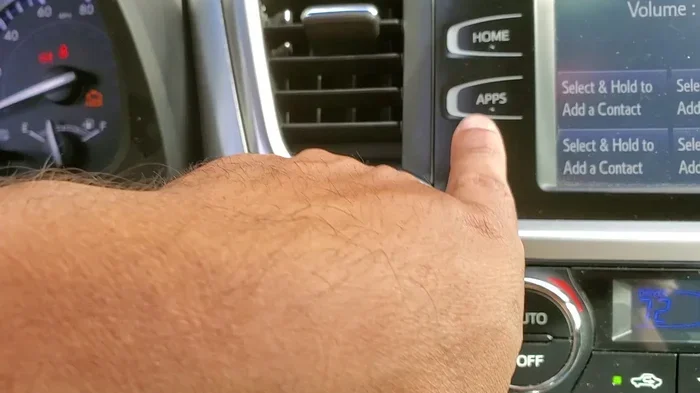
Some RAV4 and Highlander models also have a dedicated button on the dashboard or infotainment screen. Check your owner’s manual if you cannot find the lever controls. The button method is equally effective.
Controls for Toyota Tacoma and Tundra
Toyota trucks like the Tacoma and Tundra have their own unique setup. Here is how to activate the feature:
- Turn on your headlights using the dial on the left side of the dashboard.
- Locate the headlight lever on the steering column.
- Push the lever forward to turn on the high beams.
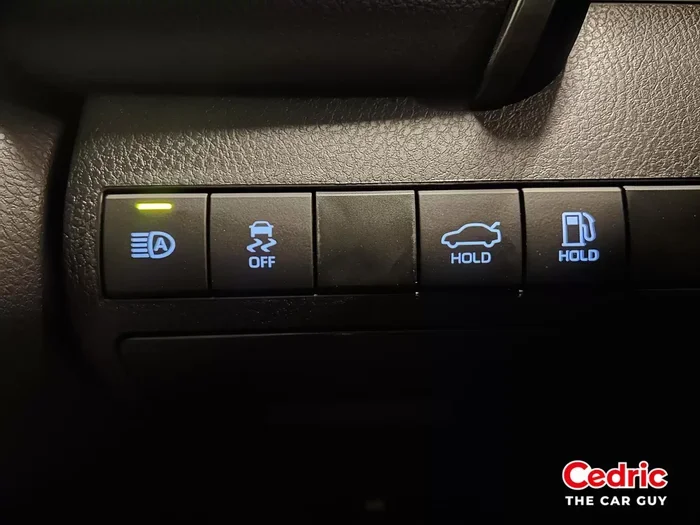
- Look for the auto high beam button. On many Tacoma and Tundra models, this is a separate button on the left side of the steering wheel or on the instrument panel.
- Press the button to activate automatic switching. The blue indicator on your dash will confirm it is active.
If you are having trouble finding the controls on your specific truck model, consult your owner’s manual. You can also visit your local Toyota dealership for assistance. You can take your Toyota to any Toyota dealership for help with feature setup and questions.
Identifying the Auto High Beam Indicator on Your Dashboard
Knowing the indicator light is crucial. It tells you whether the feature is on or off. Without this knowledge, you might think the feature is not working when it actually is.
The auto high beam indicator looks like a blue headlight symbol. It is typically shaped like the letter “D” with horizontal lines extending to the left. When this light appears on your dashboard, the automatic high beam system is active.
Here is what different indicator lights mean:
- Blue headlight icon: Auto high beams are ON. The system is managing your beam settings automatically.
- Green headlight icon: Low beams are currently active.
- No light: The headlights are off or the auto high beam feature is disabled.
- Flashing blue light: This may indicate a system issue. Check your headlight alignment or consult a professional.
If you see the blue indicator but the high beams are not activating, there may be an issue with the light sensor. Dirt, snow, or debris on the sensor can prevent it from working properly. Keep the sensor area clean for optimal performance.
Benefits of Using Automatic High Beams on Your Toyota
Using automatic high beams offers several real-world benefits. Let us explore why this feature is worth activating every time you drive at night.
Enhanced Road Visibility
High beams illuminate the road up to 350 feet ahead. Low beams only reach about 100 feet. That extra distance gives you more time to react to obstacles, animals, or changes in the road. On unlit country roads or highways, this difference is enormous.
With automatic high beams, you get this extra visibility without any effort. The system handles the switching for you. You can focus on driving instead of managing your lights.
Improved Safety for Everyone
Automatic high beams are not just about you. They also make the roads safer for other drivers. Because the system automatically switches to low beams when it detects oncoming traffic or vehicles ahead, you never have to worry about blinding someone.
This reduces the risk of accidents caused by glare. It also means you are less likely to be involved in a nighttime collision. The traction control and other safety features on your Toyota work best when you have good visibility.
Convenience Factor
Let us be honest. Flipping your high beams on and off manually is annoying. It is especially frustrating on long drives through rural areas with no streetlights. The automatic system removes this hassle entirely.
You set it once and forget it. The system takes care of everything from that point forward. This is one of those Toyota features that you will wonder how you ever drove without.
Common Issues and Troubleshooting
While automatic high beams are reliable, they can sometimes experience issues. Here are the most common problems and how to fix them.
The Auto High Beam Indicator Is Not Lighting Up
If the blue indicator does not appear when you activate the feature, try these steps:
- Check your headlight setting: The auto high beam feature only works when your headlights are on. Make sure they are set to “Auto” or “On.”
- Inspect the light sensor: The sensor is usually located on the windshield near the rearview mirror. Clean it gently with a soft cloth.
- Restart the vehicle: Sometimes a simple restart resets the system. Turn off the engine, wait 30 seconds, and restart.
- Check for blown fuses: A blown fuse related to the headlight system can prevent the feature from working. Refer to your owner’s manual for fuse box locations.
The High Beams Stay On Constantly
If your high beams do not switch to low beams when other vehicles are present, the light sensor may be malfunctioning. Common causes include:
- Dirty sensor: Snow, ice, or mud on the sensor can block its ability to detect other vehicles.
- Sensor misalignment: The sensor may have shifted after a windshield replacement or repair.
- Electrical issue: A wiring problem or faulty control module can cause the system to malfunction.
For persistent issues, it is best to have a professional diagnose the problem. You can visit a Toyota dealership or a trusted auto repair shop. Keeping up with your Toyota maintenance schedule helps prevent many electrical issues before they become serious problems.
Auto High Beams Do Not Activate at All
If the feature simply does not work, check a few things first:
- Verify your vehicle has the feature: Not all Toyota trim levels include automatic high beams. Check your owner’s manual or look for the blue indicator on the dashboard.
- Update your software: Some Toyota models require a software update to enable or fix the auto high beam feature. Your dealership can perform this update.
- Check for recalls or technical bulletins: Toyota occasionally issues bulletins about lighting system issues. A dealership can check if your vehicle is affected.
When to Turn Off Automatic High Beams
While automatic high beams are incredibly useful, there are times when you should turn them off manually.
In Heavy Traffic
Even though the system is designed to switch to low beams around other vehicles, heavy traffic can sometimes confuse the sensor. If you are stuck in stop-and-go traffic, manually switching to low beams prevents glare for the drivers around you.
During Heavy Rain or Fog
High beams actually reduce visibility in heavy rain, fog, or snow. The light reflects off the precipitation and creates a glare that makes it harder for you to see. In these conditions, stick with low beams regardless of whether the auto feature is on.
When Following Another Vehicle Closely
If you are driving closely behind another vehicle, your high beams will reflect off their rearview mirror and blind the driver ahead. Even with the auto system, it is courteous to manually switch to low beams in this situation.
Conclusion
Turning on automatic high beams on a Toyota is easier than most people think. Whether you drive a Camry, RAV4, Tacoma, or any other Toyota model, the process is simple. Find the headlight lever on your steering column. Activate the high beams. Then toggle to auto mode using the dedicated button or lever position.
This feature is a game-changer for nighttime driving. It improves your visibility, enhances safety, and removes the hassle of manual beam switching. Once you activate it, you will wonder how you ever drove without it.
Remember to keep your light sensor clean and check your dashboard indicator regularly. If you experience any issues, refer to the troubleshooting tips in this guide. And when in doubt, your local Toyota dealership is always ready to help.
Take a moment today to activate your automatic high beams. Your eyes will thank you on your next nighttime drive. Safe travels and enjoy the improved visibility that your Toyota has to offer.
Frequently Asked Questions
Do all Toyota models have automatic high beams?
Not all Toyota models come standard with automatic high beams. The feature is more commonly found on higher trim levels and newer model years. Check your owner’s manual or look for the blue indicator light on your dashboard to confirm your vehicle has this feature.
Can I manually switch between high and low beams even with automatic high beams turned on?
Yes, you can always manually override the automatic system. Simply pull the headlight lever toward you to turn on high beams or push it forward to switch back to low beams. The automatic system will resume once you deactivate the manual override.
Why does the automatic high beam system sometimes switch to low beams when no cars are around?
The system may be responding to reflections from street signs, buildings, or other light sources. The light sensor can sometimes be overly sensitive. Cleaning the sensor area near the rearview mirror usually helps resolve this issue.
Is it safe to drive with automatic high beams in all weather conditions?
No, it is not always safe. Heavy rain, fog, and snow can cause high beams to reflect back at you, reducing visibility. In these conditions, manually switch to low beams for safer driving. The auto high beam feature works best on clear nights with good road conditions.
How do I know if my Toyota’s automatic high beam sensor needs cleaning?
If your high beams stay on even when other vehicles are approaching, the sensor may be dirty. Look for a small transparent or dark lens on the windshield near the rearview mirror. Wipe it gently with a microfiber cloth. If cleaning does not fix the issue, have a professional inspect the sensor.
Can I add automatic high beams to an older Toyota model that does not have them?
Adding automatic high beams to an older Toyota model is possible but can be complex. Aftermarket kits are available, but professional installation is recommended. The cost and complexity vary by vehicle. Consult a Toyota dealership or qualified auto electrician for advice specific to your model.