Do You Have to Reset the Light After an Oil Change
Yes, you typically need to reset the light after an oil change to clear the dashboard warning and update your vehicle’s oil life monitor. The process varies by car brand, but most resets take under a minute using your steering wheel buttons or dashboard controls. This guide covers step-by-step instructions for popular vehicles and answers all your questions about the oil change reminder system.
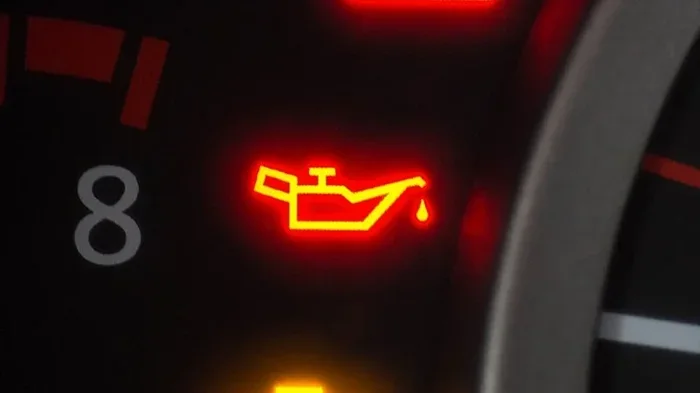
You just got your oil changed. The mechanic hands you the receipt, you pay, and you drive off feeling good about keeping your car in shape. But then you glance at the dashboard and see that little oil can icon still glowing. It begs the question: do you have to reset the light after an oil change? The short answer is yes, in most cases you do. But the full answer depends on your vehicle, its age, and the type of oil life monitoring system it uses.
This guide will walk you through everything you need to know about resetting your oil change light. We will cover why the light comes on in the first place, how different car brands handle the reset process, and what happens if you simply ignore it. Whether you drive a Toyota, Ford, Honda, or anything in between, you will find the answers right here.
The oil change reminder is one of the most common dashboard indicators drivers encounter. It is designed to keep your engine healthy by nudging you when it is time for fresh oil. But the system is not always intuitive, and many people are unsure whether they need to take action after an oil change. Let us clear that up once and for all.
Key Takeaways
- Resetting the light is necessary: Most vehicles require a manual reset after an oil change to clear the warning and recalibrate the oil life monitor.
- The process varies by brand: Different car manufacturers use different button combinations and menus to reset the maintenance light.
- It takes less than a minute: Once you know the steps for your specific vehicle, the reset process is quick and easy.
- Ignoring the light matters: Driving with an active oil change reminder can lead to skipped services and potential engine damage.
- Some cars reset automatically: Newer vehicles with advanced oil life monitoring systems may reset on their own after a certain number of driving cycles.
- Check your owner’s manual: The exact reset procedure is always documented in your vehicle’s owner’s manual for reference.
- Professional help is always an option: If you cannot find the reset procedure, any auto shop or dealership can handle it for you.
📑 Table of Contents
- Why Does the Oil Change Light Come On?
- Do You Have to Reset the Light After an Oil Change?
- How to Reset the Oil Change Light by Car Brand
- Common Reset Methods Across All Vehicles
- Oil Change Light vs. Check Engine Light
- Quick Tips for a Smooth Reset Process
- Common Mistakes People Make with the Oil Change Light
- How Often Should You Reset the Oil Life Monitor?
- The Importance of Staying on Top of Oil Changes
- Can You Reset the Light Without an Oil Change?
- Expert Insight: What Mechanics Wish You Knew
- Conclusion
Why Does the Oil Change Light Come On?
Understanding why the light appears in the first place makes the reset process much easier to understand. Your vehicle has an oil life monitoring system that tracks driving conditions, mileage, and time since the last service. When the system determines the oil has reached the end of its useful life, it triggers the dashboard warning.
The light is not just a simple mileage counter. Modern vehicles use sophisticated algorithms to estimate when the oil needs replacing. Factors like short trips, extreme temperatures, towing, and stop-and-go traffic all influence the calculation. This is why some drivers need an oil change every 3,000 miles while others can go 7,500 miles or more between services.
How the Oil Life Monitor Works
Your car’s computer constantly analyzes engine data to determine oil condition. It looks at things like engine revolutions, temperature fluctuations, and driving patterns. Based on this information, it calculates a percentage that represents the remaining useful life of the oil. When that percentage hits zero, the warning light activates.
The system does not actually test the oil. Instead, it estimates degradation based on usage patterns. This is why resetting the light after a fresh oil change is so important. If you do not reset it, the old calculation stays in place, and the light will continue to glow even though you just put in new oil.
Do You Have to Reset the Light After an Oil Change?
The direct answer is yes, you should reset the light after every oil change. Failing to do so means the dashboard will keep reminding you about an oil change that already happened. It is a small step, but it makes a big difference in keeping your maintenance schedule on track.
Some drivers wonder if the light will go away on its own. In most cases, it will not. The oil change reminder is designed to stay on until the system is manually reset. Leaving it on creates confusion and can cause you to ignore future warnings when they actually matter.
What Happens If You Never Reset It?
Ignoring the reset process might seem harmless, but it leads to problems over time. The persistent light can desensitize you to dashboard warnings. When a real issue comes up, like low oil pressure or a failing sensor, you might not take it seriously because the light has been on so long. This is called warning fatigue, and it is more common than you think.
Additionally, an uncleared oil change reminder can mess up your service records. If you sell the car or bring it to a new mechanic, they will see the light is still on and assume the oil has not been changed. This can lead to unnecessary services or, worse, missed services that could damage the engine.
How to Reset the Oil Change Light by Car Brand
Every car manufacturer has its own reset procedure. The good news is that most processes are straightforward and take less than a minute. Below, we cover the most common brands and their specific steps.
How to Reset the Light on a Toyota
Toyota vehicles use a simple button-based reset process. Start by turning the ignition to the ON position without starting the engine. Press and hold the trip meter reset button until the maintenance light starts flashing. Release the button, then press and hold it again for about three seconds. The light should turn off and the oil life monitor will reset to 100 percent.
How to Reset the Light on a Honda
Honda makes the reset process easy too. Turn the ignition to the ON position. Scroll through the dashboard display using the steering wheel buttons until you see the oil life indicator. Press and hold the select button until the indicator blinks. Then press the same button again to reset it. The light should turn off immediately.
How to Reset the Light on a Ford
Ford vehicles use the steering wheel controls for the reset process. Use the arrow buttons on the steering wheel to navigate to the Vehicle Information menu. Scroll down to the Maintenance menu and select the oil life reset option. Follow the on-screen prompts to complete the reset. The warning light should disappear after a few seconds.
How to Reset the Light on a Chevrolet
For Chevrolet cars, turn the ignition to the ON position without starting the engine. Press the trip button on the dashboard until the oil life system display appears. Hold the trip button for about five seconds until the light begins to flash. Release the button and then press and hold it again for three seconds. The reset is complete when the light turns off.
How to Reset the Light on a Nissan
Nissan vehicles require a slightly different approach. Turn the ignition to the ON position. Use the steering wheel controls to access the vehicle information display. Scroll to the maintenance menu and select the oil life reset option. Confirm the selection, and the system will recalibrate. The oil change light should turn off right away.
Common Reset Methods Across All Vehicles
While every brand has its own procedure, there are common patterns you will notice across different vehicles. Most reset processes involve turning the ignition to the ON position, navigating to a maintenance or settings menu, and holding a specific button until the light flashes or disappears.
If you cannot find the exact steps for your vehicle, try searching the owner’s manual or looking up the procedure online. The reset method is almost always documented somewhere. You can also visit a dealership or auto parts store, where staff can often perform the reset for free.
The Role of the Trip Meter in Resets
Many reset procedures rely on the trip meter function. The trip meter is a feature that tracks short-distance driving, separate from the main odometer. It doubles as a navigation tool in the dashboard menu for accessing maintenance settings. Understanding how to use the trip meter makes the reset process much smoother.
For most vehicles, you will need to set the trip meter to zero before starting the reset. This ensures the system reads the correct data and completes the reset properly. It is a small step, but it makes a big difference in getting the job done right.
What If the Light Comes Back After Resetting?
Sometimes the oil change light returns shortly after a reset. This usually means the reset was not completed properly. Try repeating the steps for your specific vehicle, making sure you hold the button long enough and follow each prompt exactly.
If the light keeps coming back, there could be a deeper issue. The oil pressure sensor might be malfunctioning, or the oil life monitor might need professional recalibration. In this case, it is worth visiting a mechanic to diagnose the problem. A persistent light is not something you should ignore.
Oil Change Light vs. Check Engine Light
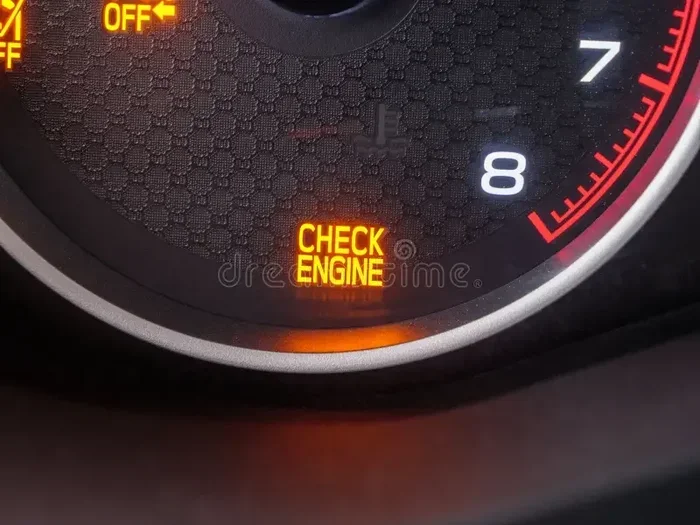
It is important to distinguish between the oil change light and the check engine light. They serve different purposes and indicate different issues. The oil change light is specifically tied to the maintenance schedule and oil life monitoring system. The check engine light relates to broader engine performance problems.
A flashing check engine light signals a serious issue that needs immediate attention. A steady oil change light is less urgent but still important. It simply means your vehicle is due for an oil change. Understanding this difference helps you respond appropriately to each warning.
When to Worry About Dashboard Lights
Not all dashboard lights are created equal. Red lights usually indicate immediate problems, like low oil pressure or overheating. Yellow or orange lights are typically warnings that service is needed soon. The oil change light generally falls into the warning category, not the emergency category.
That said, if the oil change light starts flashing, it could indicate a sensor problem or low oil level. In that case, pull over safely and check your oil. If the level is low, add oil before driving to a service center. A flashing oil change light is unusual and should be taken seriously.
Quick Tips for a Smooth Reset Process
Resetting the oil change light does not have to be stressful. A few simple tips can make the process effortless every time. Here are some quick recommendations to keep in mind.
- Always reset the light immediately after an oil change. Do not wait or you might forget.
- Keep your owner’s manual in the glove box. It has the exact reset procedure for your specific vehicle.
- Use the correct ignition position. Most resets require the ON position, not the START position.
- Hold buttons long enough. A quick tap usually will not work. Hold for at least three to five seconds.
- Check the oil level first. Make sure the oil is at the proper level before resetting the light.
- Note the date and mileage. Write down when you reset the light so you know when the next service is due.
- Ask the mechanic to reset it. Many oil change shops will reset the light as part of the service.
Common Mistakes People Make with the Oil Change Light
Even experienced drivers make mistakes when dealing with the oil change light. Being aware of these common errors can save you time and protect your engine.
Forgetting to Reset the Light
The most common mistake is simply forgetting to reset the light after an oil change. It happens to everyone. The oil change is done, you drive away, and the light stays on. Months later, you wonder why the reminder is still there. Make it a habit to reset the light as the final step of every oil change.
Confusing the Reset Button with Other Controls
Dashboard buttons can be confusing, especially in newer vehicles with complex menus. Accidentally pressing the wrong button can take you to a different screen or cancel the reset process. Follow the steps carefully and do not rush through the procedure.
Assuming All Vehicles Reset the Same Way
Every car brand has a unique reset process. What works for a Honda will not work for a Ford. Never assume the procedure is the same across different vehicles. Always verify the correct method for your specific make and model.
Ignoring a Persistent Light After Reset
If you reset the light and it comes back within a few days, something is wrong. Do not keep resetting it without investigating. The oil life monitor might be malfunctioning, or there could be an actual problem with your oil system. Get it checked out before it becomes a bigger issue.
How Often Should You Reset the Oil Life Monitor?
The oil life monitor should be reset every time you get an oil change. This applies whether you change the oil yourself or visit a professional shop. The reset tells the system that fresh oil has been installed and the countdown begins again.
Some drivers wonder if they need to reset the light between oil changes if they top off the oil. The answer is no. Topping off oil does not change the oil life calculation. The monitor tracks the full oil change interval, not the oil level. Only a complete oil change with a new oil filter triggers the need for a reset.
The Importance of Staying on Top of Oil Changes
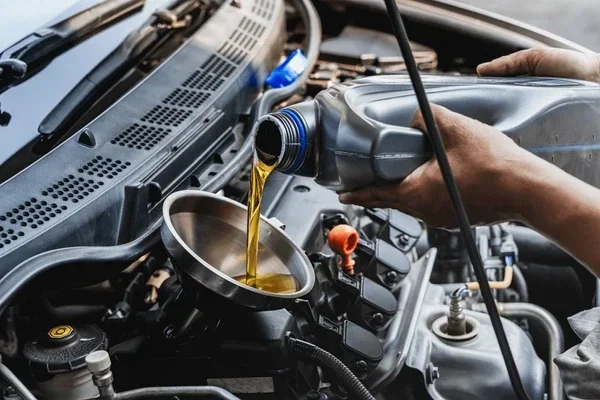
Resetting the light is just one part of the equation. The real goal is staying consistent with your oil change schedule. Fresh oil keeps the engine lubricated, reduces friction, and prevents overheating. Skipping oil changes or delaying them can lead to costly repairs down the road.
Most modern vehicles use synthetic oil or a synthetic blend that lasts longer than conventional oil. Check your owner’s manual for the recommended oil change interval. Many newer cars can go 5,000 to 10,000 miles between services, depending on driving conditions and the type of oil used.
Signs Your Oil Needs Changing Sooner
The oil change light is the primary indicator, but there are other signs your oil might need attention sooner. Dark or dirty oil on the dipstick is a clear signal. A burning smell from the engine bay can indicate overheating oil. Unusual engine noise, like knocking or ticking, may mean the oil is no longer providing adequate lubrication.
Paying attention to these signs alongside the dashboard light helps you stay ahead of potential problems. The oil change light is a helpful tool, but it works best when combined with regular visual checks and attentive driving habits.
Can You Reset the Light Without an Oil Change?
Technically, yes, you can reset the light without changing the oil. The reset button does not verify whether new oil has actually been installed. However, this is strongly discouraged. Resetting the light without an oil change clears the warning and tricks the system into thinking the service has been completed.
This practice defeats the purpose of the oil life monitor and can lead to engine damage if the oil is actually due for a change. Always perform the oil change first, then reset the light. It is the only responsible approach to vehicle maintenance.
Expert Insight: What Mechanics Wish You Knew
Experienced mechanics often see customers who have ignored their oil change light for thousands of miles. The most common reason is simple: they did not know how to reset it or they kept putting it off. Mechanics recommend treating the oil change light as a firm deadline, not a suggestion.
Another tip from seasoned professionals is to keep a maintenance log. Whether it is a notebook in the glove box or a digital tracker on your phone, recording each oil change makes it easy to stay on schedule. It also helps when diagnosing issues, since a clear service history gives mechanics valuable context.
Finally, mechanics emphasize the importance of using the right oil for your vehicle. The oil life monitor is calibrated for specific oil types. Using the wrong viscosity or formulation can throw off the system’s calculations and lead to inaccurate reminders. Always check your owner’s manual for the recommended oil specification.
Conclusion
So, do you have to reset the light after an oil change? The answer is a clear yes. Resetting the oil change light is a quick, easy step that keeps your maintenance schedule accurate and your dashboard clear of false warnings. It takes less than a minute and prevents confusion about when your next oil change is due.
Every vehicle has its own reset procedure, but the general process is similar across most brands. Whether you drive a Toyota, Honda, Ford, Chevrolet, or any other make, the steps are straightforward and well-documented. Keep your owner’s manual handy, follow the correct procedure for your car, and make the reset a regular part of your oil change routine.
Taking care of this small task pays off in the long run. It keeps your engine running smoothly, extends the life of your vehicle, and gives you peace of mind every time you start the car. Do not let that little oil can icon linger on your dashboard. Reset it, stay on top of your maintenance, and enjoy the confidence that comes with a well-cared-for vehicle.
Frequently Asked Questions
How do I know if my oil change light needs resetting?
If the oil can icon or maintenance light is still glowing on your dashboard after you have had the oil changed, the light needs resetting. The oil life monitor tracks service intervals and will not clear automatically in most vehicles. A quick reset after every oil change keeps the system accurate and your dashboard clean.
Can I drive with the oil change light on after getting an oil change?
You can drive safely with the light on, but it is a good practice to reset it right away. The light does not indicate an immediate engine problem, but leaving it on creates confusion about your maintenance schedule. A simple reset takes seconds and removes any uncertainty about whether the service was completed.
What if my oil change light will not reset?
If the light will not reset, try repeating the procedure for your specific vehicle. Make sure you are using the correct ignition position and holding the button long enough. If the light persists, the oil pressure sensor or oil life monitor may need professional inspection. Visit a mechanic or dealership for a diagnostic check.
Does the oil change light reset automatically on any vehicle?
Some newer vehicles with advanced oil life monitoring systems reset automatically after a certain number of driving cycles. However, most vehicles require a manual reset. Check your owner’s manual to confirm whether your car resets itself or needs a manual intervention. When in doubt, perform the reset manually to be safe.
How long does it take to reset the oil change light?
The reset process typically takes under one minute once you know the correct steps for your vehicle. The exact time varies by brand and model, but most procedures involve a few simple button presses. Keep your owner’s manual nearby for reference if you are doing it for the first time.
Will resetting the oil change light affect my warranty?
No, resetting the oil change light has no impact on your vehicle warranty. The reset simply clears the dashboard reminder and recalibrates the oil life monitor. It is a standard maintenance task that every car owner should perform. Keeping up with oil changes and resetting the light on time actually supports your warranty by demonstrating proper care.