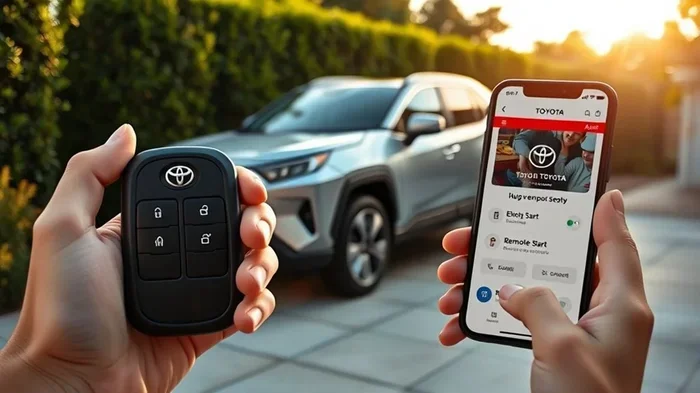
How to Use Remote Start on Toyota in Just a Few Minutes
Using remote start on your Toyota is easier than you think. Whether you have a key fob or the Toyota app, you can warm up or cool down your car in minutes. This guide walks you through every step with clear, simple instructions.
There is nothing quite like stepping into a warm car on a freezing morning or a cool car after a long day in the summer heat. Toyota remote start makes this possible with just the push of a button or a tap on your phone. If you have been wondering how to use this feature, you are in the right place. This guide breaks everything down into simple, easy-to-follow steps.
Remote start is one of the most popular convenience features in modern Toyotas. It lets you start your engine from a distance so your car can warm up or cool down before you get inside. Whether you own a Camry, RAV4, or Highlander, understanding how this system works saves you time and comfort every single day.
In this article, we cover everything from setting up your key fob to using the Toyota smartphone app. We also share common mistakes to avoid and tips to get the best results. By the end, you will feel confident using remote engine start like a pro.
Key Takeaways
- Remote start lets you start your Toyota from a distance using your key fob or smartphone app.
- Setting up remote start is quick and does not require a dealership visit in most cases.
- You must follow specific button sequences on your key fob to activate the feature.
- The Toyota app offers extra convenience like climate control and vehicle status checks.
- Common issues like a dead key fob battery can block remote start from working properly.
- Not all Toyota models support remote start natively, but many do with the right trim level.
- Practicing the process a few times helps you use it confidently every day.
📑 Table of Contents
What Is Toyota Remote Start and How Does It Work?
Toyota remote start is a system that allows you to start your vehicle without being inside it. You use either your key fob or the Toyota app to send a signal to the car. The engine turns on, and the climate control system begins working based on your last settings.
The system works through a small transmitter in your key fob. When you press the remote start button, the transmitter sends a coded signal to your car’s computer. The computer verifies the signal is valid and then fires up the engine. The car stays running for a set period, usually between 10 and 20 minutes, before shutting off automatically.
This feature is especially useful in cold climates where you want to defrost your windshield before driving. It also helps in hot weather by cooling the interior before you step inside. The system works with push to start Toyota models and older models with traditional key ignitions.
Which Toyota Models Support Remote Start?
Most newer Toyota models come with remote start as a standard or available feature. Here are some popular models that support it:
- Toyota Camry – Available on most trims starting from 2015 and newer
- Toyota RAV4 – Standard on many trims, especially XLE and above
- Toyota Highlander – Included on higher trims like XLE and Limited
- Toyota Corolla – Available on select trims with the upgrade package
- Toyota Tacoma – Available on TRD and higher trims
- Toyota 4Runner – Often included on premium trims
If you are unsure whether your specific model supports remote start, check your owner’s manual or ask your Toyota dealership. You can also verify by checking if your key fob has a dedicated remote start button. For more details on key fob functions, you can read our guide on how to get your windshield wipers to turn on, which covers general key fob operations.
How to Set Up Remote Start on Your Toyota
Setting up Toyota remote start is straightforward. The process varies slightly depending on whether you have a key fob or use the Toyota app. Below, we walk you through both methods.
Setting Up Remote Start with the Key Fob
Most Toyota vehicles with remote start use the key fob to activate the feature. Here is how to set it up:
- Step 1: Sit inside your Toyota and close all doors.
- Step 2: Press the brake pedal and hold it down.
- Step 3: Press the engine start button to turn the car on.
- Step 4: Press the remote start button on your key fob. It is usually marked with a curved arrow icon.
- Step 5: The engine should start, and the parking lights will flash to confirm.
Some Toyota models require you to press the lock button first and then the remote start button within a few seconds. Check your owner’s manual for your specific model’s sequence. If you have trouble programming your key fob, the cost to reprogram it is usually minimal. You can learn more about key fob programming costs in our detailed guide.
Setting Up Remote Start with the Toyota App
The Toyota app gives you even more control over your vehicle. Here is how to set it up:
- Step 1: Download the Toyota app from the App Store or Google Play.
- Step 2: Create an account and link it to your Toyota vehicle.
- Step 3: Follow the on-screen prompts to connect your car via Bluetooth or Wi-Fi.
- Step 4: Once connected, tap the remote start icon on the app dashboard.
- Step 5: Your engine will start, and you can monitor its status in real time.
The Toyota app also lets you control the climate system remotely. This means you can turn on the air conditioning or heater before you even leave your house. It is a game-changer for anyone who wants maximum comfort with minimal effort.
Using the Remote Start Key Fob Effectively
Once your Toyota remote start is set up, using it daily is quick and simple. However, there are a few things to keep in mind for the best experience.
Button Sequences You Need to Know
Different Toyota models use different button combinations. Here are the most common ones:
- Single press: Press the remote start button once to start the engine for the default time (usually 10 minutes).
- Double press: Press the button twice quickly to extend the engine run time by another 10 minutes.
- Lock then start: On some models, lock the doors first, then press the remote start button within 3 seconds.
When the engine is running remotely, the key fob must be within a certain range, typically around 100 feet. If you walk too far away, the system may shut off the engine as a safety measure. Also, the doors will remain locked while the engine runs remotely, which adds a layer of vehicle security.
What Happens When the Timer Runs Out?
Toyota remote start systems are designed to shut off automatically after a set period. This prevents the engine from running indefinitely and wasting fuel. Most models default to 10 minutes, but you can often extend it by pressing the button again. After the timer ends, the engine turns off, and you will need to start the car normally by pressing the brake and the start button.
Common Remote Start Problems and How to Fix Them
Even though Toyota remote start is reliable, you may run into issues from time to time. Here are the most common problems and their solutions.
Remote Start Does Not Respond
If nothing happens when you press the remote start button, the most likely cause is a weak key fob battery. Replace the battery with a fresh CR2032 or CR2025 cell, depending on your fob model. After replacing the battery, test the remote start again. If it still does not work, try standing closer to the vehicle and pressing the button again.
Another common issue is the vehicle’s hood is not fully closed. Toyota systems will not allow remote start if the hood is open. Check all doors, the trunk, and the hood to make sure everything is sealed properly.
Engine Starts but Shuts Off Immediately
This problem often happens when the car detects an issue with the push button start system. It could also mean the transmission is not in park. Make sure your car is fully in park before attempting remote start. If the problem persists, it may be a sensor issue that requires a diagnostic scan at your Toyota dealership.
Key Fob Needs Reprogramming
Sometimes the key fob loses its connection to the car. This can happen after a battery change or if the fob gets dropped frequently. Reprogramming the fob usually fixes this. If you are unsure how to do it, you can visit a Toyota dealer or watch a tutorial online. For more on reprogramming, check out our article on reprogramming a used Toyota key fob for helpful tips.
Remote Start Does Not Work in Extreme Temperatures
Toyota remote start systems have built-in safety features. In extremely cold temperatures, the system may not start the engine if the oil is too thick. Similarly, in extreme heat, the system may limit remote start to protect the engine. These are safety measures, not malfunctions. Allow the car a few minutes after starting before driving it.
Tips to Get the Most Out of Toyota Remote Start
Once you have Toyota remote start working, a few simple tips can help you use it more effectively every day.
Set Your Climate Preferences Before You Leave
Before you leave your car at the end of the day, set the climate control to your preferred temperature. The next time you use remote start, the system will default to that setting. This is especially helpful in winter when you want the seat warmers and the heater running before you get in.
Use Remote Start to Defrost Your Windshield
One of the best uses of remote start is defrosting your windshield in winter. Start your car 10 to 15 minutes before you leave. The defroster will clear frost and fog from your windshield so you can drive safely. This also works for foggy mirrors and icy side windows.
Keep Your Key Fob Battery Fresh
A dead key fob battery is the number one reason remote start fails. Make it a habit to replace the battery once a year, or whenever you notice the range decreasing. Most Toyota key fobs use common batteries that cost just a few dollars at any store.
Practice in a Safe Area First
If you are new to remote start, practice using it in your driveway or garage before relying on it in a hurry. Get comfortable with the button sequences and timing. Once you know how it works, you will use it every single day without thinking twice.
Understand the Range Limitations
Toyota remote start has a limited range, usually around 100 feet. This means you need to be within that distance for the system to respond. If you are in a crowded parking lot, you may need to walk closer to your car. This is a safety feature designed to prevent unauthorized use of your vehicle.
Is Remote Start Safe for Your Toyota?
Yes, Toyota remote start is completely safe when used correctly. Toyota engineers designed the system with multiple safety features built in. The engine will not start if the transmission is not in park. The doors stay locked while the engine runs remotely. And the system shuts off automatically after the timer ends.
Remote start also does not harm your engine. In fact, it can be beneficial in cold weather because it allows the oil to circulate before you drive. This reduces wear on engine components during the most critical moments after a cold start. Just make sure you do not let the car idle for extended periods, as this wastes fuel and can cause carbon buildup over time.
If you are concerned about security, rest assured that the coded signal between your key fob and your car is encrypted. It is very difficult for someone to intercept or replicate the signal. Toyota has built strong security into the remote start system to protect your vehicle.
For more tips on keeping your Toyota running smoothly, check out our article on preventing your car from overheating in summer, which covers essential maintenance tips for every Toyota owner.
Conclusion
Using remote start on your Toyota is one of the simplest ways to add comfort and convenience to your daily routine. Whether you use the key fob or the Toyota app, the process is quick and easy to learn. With just a few button presses, you can have your car warmed up or cooled down before you even walk out the door.
Remember to keep your key fob battery fresh, practice the button sequences, and understand your specific model’s features. If you run into any issues, most problems have simple fixes like checking the hood latch or replacing the fob battery. Remote start is a feature you will use every day once you get the hang of it.
Take a few minutes today to explore your Toyota’s remote start settings. Once you experience the comfort it provides, you will wonder how you ever drove without it. Enjoy the convenience and stay warm or cool no matter what the weather brings.
Frequently Asked Questions
Can I use remote start on any Toyota model?
Not all Toyota models come with remote start as standard. It is typically available on higher trims or as part of an optional package. Check your owner’s manual or ask your Toyota dealership to confirm whether your specific model supports the feature.
How far away can I be from my Toyota when using remote start?
You can typically be within 100 feet of your vehicle for the remote start system to work. This range ensures the signal reaches your car reliably. Standing too far away may cause the system to fail to respond or shut off automatically.
Is it safe to leave my Toyota running with remote start?
Yes, it is safe. Toyota designed the system with multiple safety features. The doors stay locked, the engine shuts off automatically after a set time, and the car will not start unless the transmission is in park.
How long does the engine run when I use remote start?
Most Toyota models default to a 10-minute engine run time when using remote start. You can usually extend this by pressing the remote start button again for an additional 10 minutes. After the total time expires, the engine turns off automatically.
What should I do if my remote start stops working suddenly?
Start by checking your key fob battery and replacing it if needed. Make sure all doors, the hood, and the trunk are fully closed. If the issue persists, try reprogramming the key fob or consult your Toyota dealership for a diagnostic check.
Can I use remote start in extremely cold weather?
Yes, remote start works well in cold weather and is actually one of its most useful features. However, in extreme cold, the system may take slightly longer to start. Always allow the engine a few minutes to warm up before driving for optimal performance.